How to

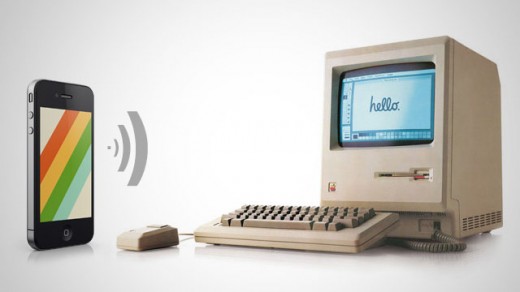
How to Get Siri Dictation on Your Mac or PC [Video]

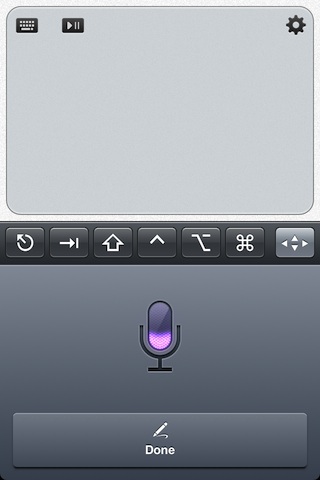
Earlier we told you about the update to TouchPad, a VNC remote control app for iOS devices. It's a well known app in itself, but this latest update is sure to make a few people ecstatic.

Indeed, Edovia — the highly esteemed developers behind this and other great apps, like Screens — has updated TouchPad to allow Siri dictation between an iPhone 4S and a Mac, Windows, or even Linux machine if that suits your fancy.

Check out our video demonstration inside...
How to Push Links from iOS to Your Desktop

How many times have you realized you needed to continue your iPhone browsing session on your laptop or desktop PC? What about when you come across an app for your Mac that you want to download to your PC, not your iPhone?

Sure, there are plenty of options for downloading something to your iPhone or iPad, or even to Dropbox , but there is an unparalleled advantage to seamlessly transferring a link or webpage to your Mac. Whether you want to send a DMG, an installer package, a torrent, or a website that only supports Flash, your options are limited when you try to view them from an iOS app.

Luckily, there are several solutions that have sprung up over the past year. Pushing from a browser to an iPhone has been relatively simple for quite some time, but one-tap solutions to go from iOS to Mac are finally available. Read on for our list of creative services that offer you just that…

How to Unlock Your Mac With Your iPhone

Imagine walking up to your Mac computer and watching it unlock on its own as you approached it. I'm not talking about retina or fingerprint scanners. I'm talking about Bluetooth proximity. If you have an iPhone on you at most times, and you also happen to own a Mac, you're going to love this trick.

RedmondPie passed on this interesting tip this morning, which allows you to unlock your Mac computer simply by having a Bluetooth-capable device on you. It's easy, completely free, and you aren't even required to be jailbroken. Here's how...

The Dev Team Updates RedSn0w Beta Untethered Jailbreak, Fixes Skype Issues

Another day, another update from the hard workers on the Dev Team. Right after releasing RedSn0w 0.9.7b5, they've turned around and released RedSn0w 0.9.7b6. The good news about this latest beta is that it fixes the issues with Skype, which made the app crash as soon as you tried to open it.

Now that the Bluetooth issues have been fixed, and Skype has been fixed, what's next for The Dev Team's untethered jailbreak solution for iOS 4.2.1?

RedSn0w 0.9.7b5 Untethered Jailbreak Fixes Bluetooth Issues

One of the biggest reasons that I chose to stick with the tethered RedSn0w 0.9.6 release for my iPhone 4 is because of the beta version's ongoing problems with Bluetooth support.

Up to this point, all of the beta versions of RedSn0w 0.9.7 -- an untethered jailbreak released by the Dev Team -- have thus far been devoid of Bluetooth capabilities. When using the beta, the Bluetooth option simply stated "Not Available."

With the Dev Team's latest update to the RedSnow beta, the Bluetooth hurdle has finally been eliminated, and now you can enjoy an untethered jailbreak with full Bluetooth support...

How to Untether Your iPhone 4.2.1 Jailbreak with RedSn0w

The long-awaited RedSn0w untethered jailbreak for iOS 4.2.1 was released earlier today by the iPhone Dev Team. As we mentioned before, it is still a beta version, which means it is very unstable and causes a few noteworthy bugs.

We're aware that some of you are true dare devils so we thought it'd still be a good idea to post a guide on how to untether your iPhone. This step by step tutorial will show you how to untether your iPhone 4.2.1 using RedSn0w. This only works for the iPhone 4, iPad, and iPod Touch 4G...