Fix

How to Fix iBooks Crash After Jailbreaking iOS 5.0.1

Those of you who have used the untethered jailbreak for iOS 5.0.1 might have encountered an issue where iBooks crashes every time you try to launch the application.

This problem isn't new. Apple introduced this awhile back as a way to fight jailbreaking. Fortunately, we already have a fix for it. It's quick, simple, and it should solve all your issues with iBooks...
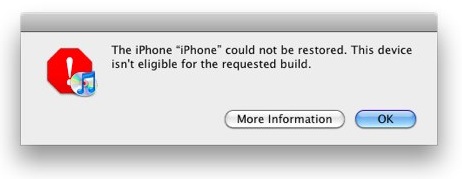

How to Fix “Device Not Eligible for Upgrade, Restore, Requested Build” Error

When trying to update your iPhone, iPad, or iPod touch to a newer firmware to take advantage of an untethered jailbreak, you might have encountered various problems, such as error message 1013, 1600, 1601, 1602, 1603, 1604, etc. These errors might tell you that your device is not eligible for upgrade, or that it's not eligible for restore, or even that it isn't eligible for the requested build.

There are fairly common errors, and thankfully there is an easy fix. All it takes in a few seconds of your time.

How to Protect Your iMessages on a Stolen iPhone

Apple's iMessage may be a fine SMS/MMS tool, but as we recently reported, it isn't without its problems.

If you are unlucky enough to find your iPhone stolen or lost, then under some circumstances it is possible that the iPhone can continue receiving iMessages. Even moving your phone number to another handset, changing your Apple ID password, and remote wiping the handset may not stop the problem.

There are two possible fixes, and they are as simple as turning on your iPhone's SIM card PIN and calling your phone carrier...

Apple Fixes App Store Issue for iOS 3.1.3 Users

Over the last few days, reports have been surfacing that Apple pulled App Store access from iOS devices running iOS 3.1.3 and older. Support forums have been filling up over the past week with users complaining of the problem.

We predicted that the issue was an accident on Apple's part, and not just a way to force users to update their firmware. And it looks like our prediction was right. The App Store appears to have been restored for iOS 3.1.3 users.

How to Downgrade iOS 5.0.1 to iOS 4.3.3 For Untethered Jailbreak

If you absolutely must have an untethered jailbreak at this very moment, there is always the option of downgrading back to iOS 4.3.3.

Assuming you saved your SHSH blobs for the last firmware susceptible to an untethered jailbreak, you can follow this video tutorial and downgrade to iOS 4.3.3 in about 10-15 minutes. Inside we show you how, step-by-step...

iOS 5.0.1 Patches iPad 2 Smart Cover Security Flaw

A few weeks ago we told you about a security bug involving iOS 5 and Smart Covers. The folks over at 9to5Mac discovered that if you left your iPad 2 on the Power Screen, anyone with a Smart Cover could gain access to your tablet.

As serious as the issue was, we figured that a fix would come from Apple within a few days. But more than a week passed by without word. Then, yesterday, the Cupertino company released iOS 5.0.1 beta, and it contains a patch for the Smart Cover bug...

How to Fix iBooks on a Jailbroken iOS 5 Device

Yesterday, a book about Steve Jobs was released; perhaps you've heard of it?

Sadly, if you're an iBooks reader with a jailbroken iOS 5 device, you won't be doing too much catching up on the late Apple CEO's affairs, or otherwise.

That's because iBooks crashes on iOS 5 devices that are jailbroken, rendering it quite useless. Fortunately, there is a workaround. Check out the video tutorial inside, for an in-depth walkthrough on the fix...

Fix: Siri Can’t Connect to the Network

Twelve hours and countless reboots and resets later, I'm glad to announce that Siri is finally working again for me. Since last night, all Siri was able to tell me was "Sorry, I'm having trouble connecting to the network," or "Sorry, I'm not able to connect to the network right now." Quite disappointing for a $400 piece of hardware.

At first, I thought it was a server issue, which I hoped would be fixed by the time I got up today. But when I realized that other users were able to access Siri just fine, it was clear that the problem came from my device. Here is what I did to fix it...

How to Downgrade iTunes and Fix the “iTunes Library.itl” Cannot Be Read Error

So, you downloaded and installed the iTunes beta for iTunes Match without first thinking about the consequences. No sweat.

If you've since tried to downgrade your iTunes beta back to a publicly released version of iTunes, resulting in the horrible ‘”iTunes Library.itl” cannot be read because it was created by a newer version of iTunes’ error message, don't succumb to tears just yet; we've got a fix that might just work.

Save the precious iTunes library that you've spent hours upon hours massaging to perfection, and tune in to the following video tutorial...

Got Issues With Your Verizon iPhone After JailbreakMe? Here’s The Fix!

Many Verizon iPhone users are experiencing issues with the latest JailbreakMe exploit that causes their device to get stuck at the Apple boot logo. If you’re one of them, here’s how to fix it!

Comex, the brains behind JailbreakMe 3.0, has published instructions on how to fix the issue that should get your device running smoothy again, and here they are.

You have two options if you’re experiencing this issue: you can either restore your device and forget about the jailbreak, or you can try a “quasi-experimental fix using redsn0w” to try and maintain your jailbreak:

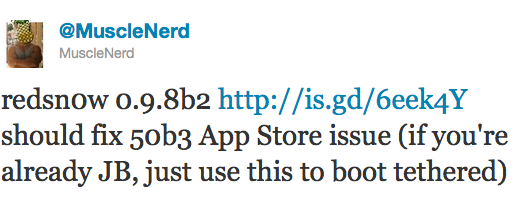
RedSn0w 0.9.8 Beta 2 Fixes Issues with iOS 5 Beta 3 Jailbreak

Earlier today when Apple released iOS 5 beta 3, the news quickly came out that you could use the latest version of RedSn0w to jailbreak the new beta firmware. Indeed, by pointing RedSn0w to iOS 5 beta 1, you are able to jailbreak beta 3.

However, an unexpected issue rapidly surfaced. After jailbreaking iOS 5 beta 3 with RedSn0w, it appeared that some App Store applications were not running properly. The Dev Team was quick to fix this issue and just released RedSn0w 0.9.8 beta 2...

Cydia Upgrade Fixes JailbreakMe Bugs and Camera Connection Kit Issue

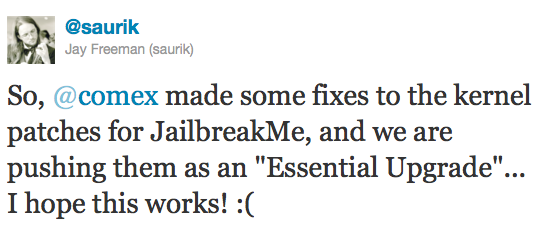
Those of you who have been experiencing bugs after using JailbreakMe will be glad to find out that Comex made some fixes to the kernel patches for the userland jailbreak, and these fixes have been pushed as an "Essential Upgrade" in Cydia.

To get this update, simply launch Cydia and you should be prompted to upgrade. Make sure you do not run JailbreakMe again over your current jailbreak. Instead, let Cydia do the job for you...