Fix

Troubleshooting a Painfully Slow Cydia Update

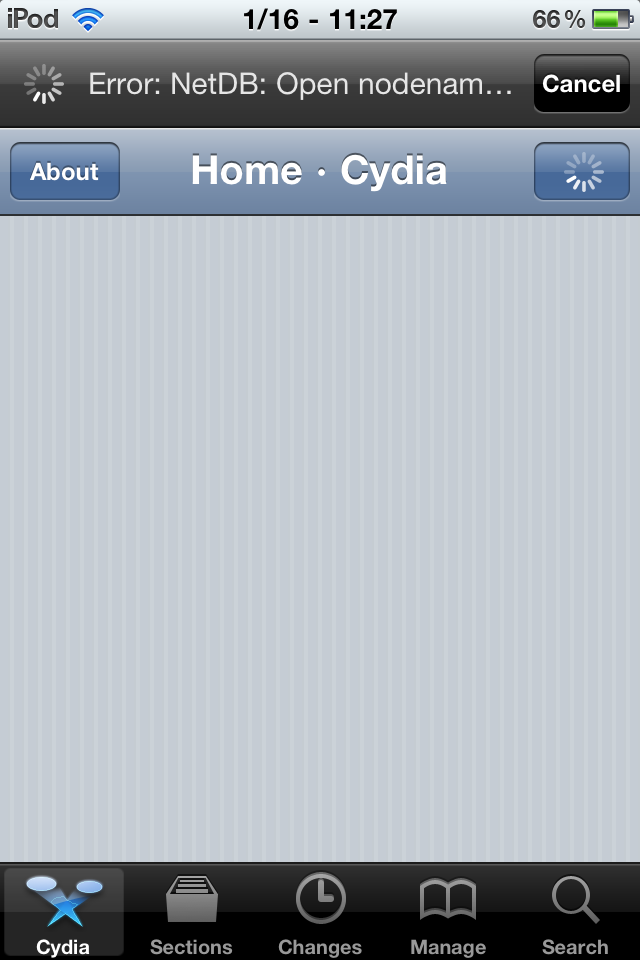
Cydia NetDB Error

Sometimes it seems that Cydia updates can take forever. For slower devices, it may be normal. But if you see errors while downloading or if the update takes more than five minutes, there may be a solution.

Before you start this method, you will need to have APT Strict installed. If you have CyDelete installed, then you already have this. Otherwise, make sure Cydia is set to Developer mode, search for it and install...

RedSn0w 0.9.7b3 Untethered Jailbreak is Out, Fixes Even More Bugs

It looks like the Dev Team is working day and night on the RedSn0w untethered jailbreak for iOS 4.2.1. They first released the tool on Sunday but it came with a few major issues. They quickly released a second beta version last night and now they are shipping a third version that supposedly fixes even more bugs.

RedSn0w 0.9.7b3 should fix problems with FaceTime, WinterBoard, and embedded videos in iTunes...

RedSn0w Untethered Jailbreak Updated [Fixes Native Apps Crashes]

Earlier today, the Dev Team released the beta version of their RedSn0w untethered jailbreak for iOS 4.2.1 (see our tutorial here). Like we reported, this untethered jailbreak comes with its fair share of issues, one of the most annoying being that some of the native apps would just crash.

While there are still a bunch of bugs to be worked out, the Dev Team updated RedSn0w to version 0.9.7b2, which fixes this issue where native apps like the app switcher or the iPod app would crash...

Fix: iPhone Battery Drain After Jailbreaking and Unlocking

As we reported earlier this week, some of you who have recently updated your baseband to 06.15.00 to jailbreak and unlock have been facing battery drains issues. The problem doesn’t actually come from UltraSn0w or RedSn0w, but from the hacktivation process, for those of you who have hacktivated instead of activating the phone with an official carrier.

The issue comes from iOS 4.1 and 4.2.1 which constantly look for valid push certificates, either via wifi or your data plan (Edge or 3G). This runs down you battery and may even cause your iPhone to overheat. If you didn't hacktivate your iPhone but simply activated it with an official carrier (ie AT&T in the US), you shouldn't have any problem.

If on the other end you did hacktivate your iPhone, you might be experiencing the battery drain issue. Fortunately, there is now a fix for it...

Dev Team Releases RedSn0w 0.9.6b6 iPhone Jailbreak

The Dev Team has just released an update to their RedSn0w jailbreak, which is now at its version 0.9.6b6. This update was released following the battery drain issue experienced by some iPhone users who had unlocked using UltraSn0w.

This battery drain problem was encountered by those of you who updated the iPhone baseband to 06.15.00 in order to unlock. A fix has now been worked out. You can find this fix here...

No Cydia Icon After Jailbreaking with greenpois0n? This May Help

The greenpois0n jailbreak has proved to be somewhat buggy for some users, including us. Fortunately, we've been able to navigate around a few of those bugs with a little bit of tinkering.

One of the biggest reported problems is the lack of a Cydia icon on your springboard following a successful jailbreak. Look inside for a step-by-step guide on how to add Cydia back to your springboard!

Fix: Netflix Streaming Error 112 on Apple TV

I just had some strange error happening on my Apple TV while trying to stream Netflix. Actually the same issue has happened all day. Anytime I tried streaming anything from Netflix, it would give me the error 112, telling me it couldn't reach Netflix.

At first I thought it was just Netflix being unavailable for a few minutes. I tried again hours later and I still got the same problem. The fix for this was pretty simple. I simply unplugged the power cable and put it back on. The Apple TV rebooted and I was able to stream Netflix again.

So now you know what to do if you ever get this error 112.

How to Fix A Broken Home Button on Your iPhone

Do you have a broken or malfunctioning home button on your iPhone? If so, this trick that was sent to me by Evan on Twitter will allow you to still use your iPhone even if the home button doesn't work properly.

Now before you get too excited, this is just a workaround and it won't actually fix the button, but if your iPhone is jailbroken, this is your best chance at getting control over this broken home button again...

Hardware Fix Coming for the iPhone 4 Antenna in September?

iDB reported about the iPhone 4 arriving in Mexico last week. Today Mac Rumors posted an article claiming an executive from Telcel, the mexican iPhone carrier, says the iPhone 4 will be getting a hardware revision once the free case promotion runs out.

Marco Quatorze comments that the policy of giving away free cases will be implemented the same to the rest of the countries selling the iPhone 4. Following September 30th (the date Steve Jobs said Apple would reevaluate the issue) the hardware would be changed to resolve the antenna discrepancies. A bold assumption to say the least...

Fix for “Unable to Load This Page” and “Login Failed” Errors on Facebook 3.2

Yesterday night Facebook updated their iPhone application to version 3.2 which brings the new Places feature to our favorite phone. While this update comes with a cool new feature, it also broke the Facebook application all together for some of us (me included).

The symptoms are the following:

You get the "Unable to Load This Page" error message anywhere you go in the application You get the "Error - sorry there was an error" message while trying to load Places You get the "Login Failed - Unable to Connect to Facebook" error if you're trying to log in the application.

The cause? Apparently the problem appears on jailbroken iPhones running BiteSMS.

The fix? The fix that worked for me was to uninstall BiteSMS. Facebook worked flawlessly after that. Once I reinstall BiteSMS though, the problems come back.

There is another fix explained on Redmond Pie:

I opened SBSettings, More, Mobile Substrate Addons. I then disabled BiteSMSsb, resprung, and now FB works fine. Not sure what that addon does, but so far BiteSMS works fine, as does FB.

This didn't work for me. Well, actually it worked but then BiteSMS is completely crippled (ie. no quick compose), so I don't really consider this a fix.

Considering I use the Facebook app every other month, my choice is clear: I keep BiteSMS running and leave the Facebook app for dead. Hopefully BiteSMS will be updated soon to fix this compatibility issue.

If you're having the same problem, please share your experience in the comments section.

UPDATE: Thanks to CDXX who provided a link to an actual fix from BiteSMS developers in the comments:

Replace the file /Library/MobileSubstrate/DynamicLibraries/biteSMSsb.plist with the one you download from http://cydia.bitesms.com/biteSMSsb.plist

REBOOT not respring.

The BiteSMS dev also says that an update to the app will be made available on Monday via Cydia. Yippee!
PDF Patch Fixes the PDF Exploit in iOS

In my previous post today I was telling you the Dev Team was working on a patch for the PDF exploit found in iOS and not fixed by Apple on older iPhones and iTouch. The PDF Patch has been released in Cydia for free and you can install it now.

PDF Patch will fix the security hole that was used by JailbreakMe and could potentially be used to inject malicious softwares on your device.

If you have updated your iDevice to 4.0.2, there is no point using this patch. However, if you're still on an older iPhone 2G or iPod Touch 1G, or if you don't want to update to 4.0.2, then this patch will be for you.

Dev Team Fixes What Apple Didn’t

The Dev Team wrote a blog post this morning telling they are working on a fix for iPhone 2G and iPod Touch 1G who were left out of yesterday's iOS update. Apple released iOS 4.0.2 to fix a PDF security hole that was used by JailbreakMe to jailbreak the iPhone. This security glitch could have also been exploited by malicious softwares, which explains why Apple was so quick to release a fix for it.

The problem is Apple completely denied support for older models like the original iPhone and iPod Touch. Even though Apple acknowledges the severity of the holes, they didn't deem it necessary patching them on these older iDevices.

This is where the Dev Team steps in. The jailbreak community had already developed a quick fix (PDF Loading Warner) but it was more of a safety net than anything else. According to the Dev Team, "Saurik has been burning the midnight oil coding a Cydia package that will fix the holes for all devices and all firmware versions (even going back to version 2.x!)."

UPDATE: PDF Patch is available in Cydia for free.

The fix will go through a short testing period and will then be available for download in Cydia. As I said earlier, JailbreakMe highlights the irony of jailbreaking. Apple has always claimed jailbreaking could expose your iPhone to safety risks. Today it proves that jailbreaking your iPhone is the best way to keep your iPhone safer, as Apple won't do it if you're still using an older iPhone or iTouch.

What do you think?