Developers

Apple now allowing developers to implement digital tip jars via In-App Purchase mechanism

Apple recently asked WeChat and other popular social networking apps in China to disable the popular tipping feature, and now we know why—the Cupertino giant has introduced an officially-sanctioned way for iPhone and iPad users to tip content creators in apps via the standard In-App Purchase mechanism.

Like with other In-App Purchases, tipping content providers is subjected to Apple's 70:30 revenue sharing scheme, meaning the company will keep 30 percent of any proceeds to itself.

According to TechCrunch, the updated App Store Review Guidelines now include a clause that deals with tips, here's a relevant excerpt:

Apps may use in-app purchase currencies to enable customers to “tip” digital content providers in the app. Apps may not include buttons, external links, or other calls to action that direct customers to purchasing mechanisms other than In-App Purchases.

According to the report, developers have the freedom to decide how much of the tips are passed to the content creators themselves (after Apple's 30 percent cut, of course).

At any rate, Apple was smart to implement this cool new feature.

Tipping content creators like musicians, comedians, e-sports athletes and others is tremendously popular in China. The company has lacked a tipping system for iOS apps, meaning it couldn't get in on the action to process such transactions through its own iTunes billing system.

With tips now being officially supported via the familiar In-App Purchase mechanism, many customers who were previously reluctant to use PayPal or their credit card for tipping their favorite content creators will now be able to do so, directly in the app.

And by taking tipping out of the grey area, as TechCrunch observes, more developers might implement digital tip jars— without fearing repercussions from Apple—as an alternative way to get creators paid without having to offer ad revenue sharing.

In turn, the feature may create a whole new revenue stream for Apple at a time when the company is monetizing its huge user base in an attempt to boost its ever-growing Services revenue.

Apple now allows public testing of tvOS betas on Apple TV

For the first time ever, Apple will now allow non-developers to install and test tvOS betas on their fourth-generation Apple TVs, starting with the first public beta of tvOS 11 to be issued later this month. Before this change, public beta testers could only install iOS and macOS betas.

To take advantage of the upcoming tvOS 11 public beta, you should enroll in Apple's Beta Software Program by visiting beta.apple.com.

It's unclear how public beta testers will install a tvOS 11 beta on their Apple TV.

Currently, developers must download the tvOS 11 beta installer and connect their fourth-generation Apple TV to a computer running iTunes using a USB-C cable. The tvOS software is initially side-loaded on the device through iTunes.

Subsequent updates are then available over-the-air.

“The iOS 11, macOS High Sierra and tvOS 11 public betas are coming soon,” reads a notice on the webpage. “As a member of the Apple Beta Software Program, you can help shape Apple software by test-driving pre-release versions and letting us know what you think.”

You can provide feedback directly to Apple using the built-in Feedback Assistant app.

Apple opened macOS and iOS betas to the general public back in 2014, with the releases of major visual makeovers in iOS 7 and macOS Yosemite.

With ARKit, Apple turns iOS devices into the largest AR platform in the world

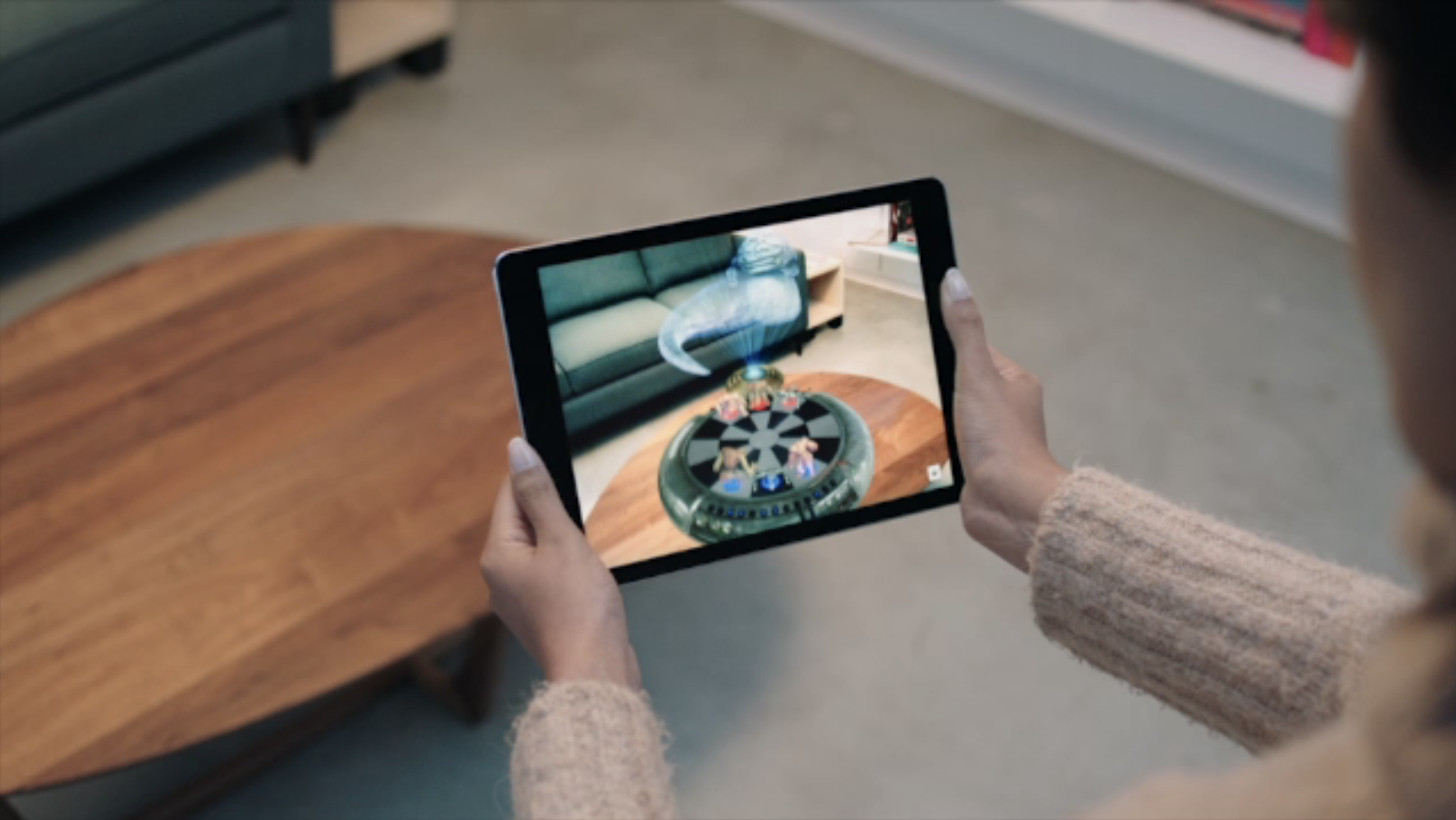
Augmented Reality is set to make its mark on Apple's iOS 11, as the impressive technology has been showed off on stage moments ago. ARKit brings the API to all developers, allowing developers to tap into the latest computer vision technology to build compelling virtual content on top of real-life scenes. It brings along all new possibilities for existing apps like the by now infamous Pokemon Go, as well as for new creations such as camera apps allowing for virtual object manipulation.

The technology is going to be rolled out across all the latest iPhones and iPads, virtually rendering Apple's devices the largest player in the Augmented Reality field over night.

The live demo given certainly looked awe-inspiring and showed multiple objects being rendered on top of an on-stage table and subsequently affecting each other when shuffled around. That is to say, the shadows cast by all objects and light emanating from the virtual lamp adapted to corresponding movements and displayed correctly on surface of the real world table.

In a second, equally impressive, demonstration, a Lego Batmobile was projected onto the table and disassembled in real time by touching the iPad's screen, camera angle and individual bricks could be smoothly manipulated. It remains to be seen what else developers and Apple themselves have up their sleeves later this year, this short excursion alone certainly did whet our appetite for more.

Apple updates TestFlight app with support for iOS 11 beta

Just a few minutes ahead of the keynote presentation at Apple's Worldwide Developers Conference, Apple has updated its TestFlight app with support for iOS 11 beta development.

With the updated app, now at version 1.5.1, developers can now issue beta builds of their apps for testing on iOS 11 devices. AS you know, iOS 11 will be previewed at the conference today and released as a developer-only beta later in the day.

WWDC 2017 attendees receive custom Levi’s trucker jacket and collectible Apple-themed pins

Apple's annual developers conference is set to kick off with a live-streamed keynote at 10am Pacific Time and several developers have now shared images of the swag they've received at this year's conference. As reported by AppleInsider and MacRumors, the company is giving out custom Levi's jean jacket and an assortment of collectible Apple-themed pins.

The black jacket, provided in sizes for both men and women, is embellished with a custom WWDC17 logo and has two interior pockets that Twitter users reported being large enough to fit an iPhone 7 Plus. To add to the WWDC swag, Apple is also including some sweet pin packs, plus a personalized pin for each developer to signify their home country.

Some of the designs for these collectible pins include the vintage rainbow-themed Apple logo, the Swift logo, the “hello” Mac greeting, the original Macintosh image, the Metal logo and an emoji with sunglasses. Separate pin collections are available, too, featuring a thumbs up emoji, an iMessage heart bubble, Activity rings and more.

https://twitter.com/_dskuza/status/871487325380812800

WWDC Scholarship attendees are receiving Apple TV development kits, too.

Apple is also promoting the conference with a custom WWDC-themed Snapchat geofilter that appears for users who are near San Jose's McEnery Convention Center.

A set of WWDC-branded stickers for iMessage is available via the official WWDC app.

Apple's online store is currently down ahead of the keynote, indicating some form of new or refreshed hardware announcement is likely.

References to drag and drop on iPad spotted in Apple Feedback app ahead of iOS 11 reveal

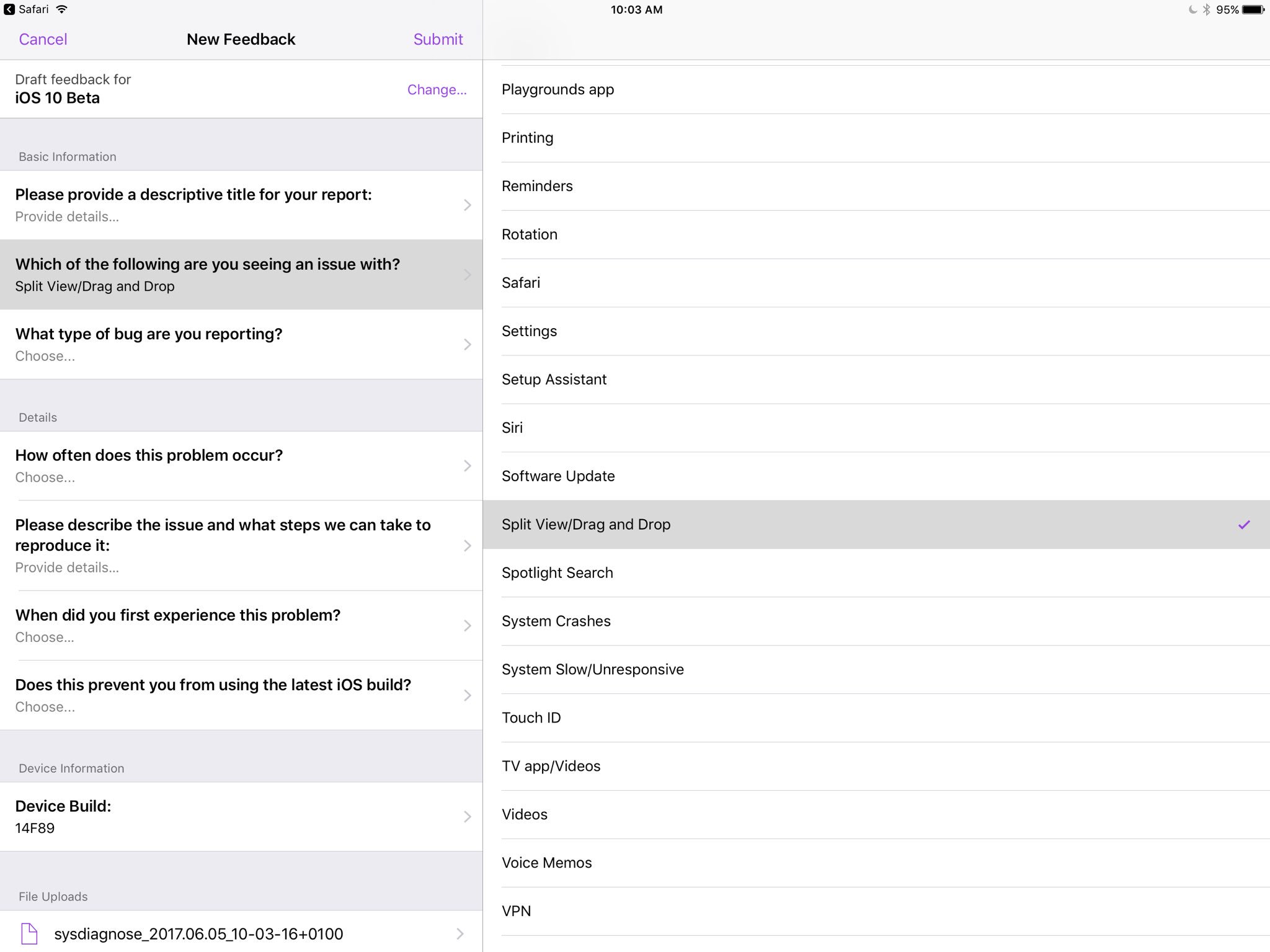
Apple's own Feedback app, that iOS beta testers use for reporting bugs, contains references to a drag and drop feature, as first spotted by developer Steven Troughton-Smith this morning.

An entry labeled “Split View/Drag and Drop” now appears in the list of preset options when filing a bug using the Feedback app. iOS, of course, lacks any drag and drop features that would admittedly be tremendously useful, especially in Split View mode.

That said, it's unclear that the Cupertino technology giant will formally announce drag and drop functionality in iOS 11 during today's live-streamed WWDC keynote.

Ukrainian developer Readdle's popular iOS apps were updated last week with the ability to drag and drop content between them in iOS's Split View multitasking mode on iPad, providing an early preview of how Apple's version of system-wide drag-and-drop might work in iOS 11.

https://www.youtube.com/watch?v=epzh9-rd-AI

MacStories editor Federico Vittici and his team painstakingly created some awesome iOS 11 productivity concepts, imagining new productivity features for iPad. Among them is—you guessed right—drag and drop functionality. “Because drag-and-drop would be fully multitouch-enabled, it wouldn’t block the iOS interface,” Vittici explained.

https://www.youtube.com/watch?v=UyFUDQ5LLZw

“Another finger could be used to navigate in a different 'drop area' of an app, or a user could keep dragging until the Split View app picker is shown and drop an item onto an app’s icon, opening a contextual action menu.”

Late Sunday, Troughton-Smith discovered a placeholder listing for Apple's unreleased Files app on App Store. It's since been removed and no screenshots or official descriptions were provided, but we do know it's going to require iOS 11 and 64-bit support.

WWDC to offer fully outfitted on-site studio for podcasters

If you're a podcaster attending Apple's Worldwide Developers Conference next week, Apple has a fully featured on-site studio that you can use to record the latest episode of your podcast.

They're calling it Apple Podcasts Studio and it's located inside the McEnery Convention Center.

Booking studio time is by appointment only. The available slots are limited to one per person for the duration of the conference.

According to the description on the updated WWDC app, each hour-long recording session can accommodate up to four contributors, with Apple's experts on hand to provide help if need be.

Podcasters shall receive a copy of their session for post-production and distribution.

“You may request a reservation beginning at 7am for that day only,” notes the firm.

Tapping Request Reservation within the WWDC app takes you to the webpage at developer.apple.com/wwdc/consultations/ where you can reserve studio time:

Tuesday: 10:00am—6:00pm Wednesday—Thursday: 9:00am—6:00pm Friday: 9:00am—3:00pm

In April 2017, Apple rebranded its iTunes Podcasts app as Apple Podcasts.

Senior Vice President of Internet Software and Services, Eddy Cue, said at the February 2017 Code Media conference that Apple's been working on new features for podcasters. Last year, the Cupertino giant invited top podcasters to its headquarters to hear their complaints.

Subscribe to iDownloadBlog’s “Let’s talk iOS” podcast on iTunes.

How to watch Google I/O keynote live

Google's annual conference for developers is kicking off today with an opening State of the Union-like keynote address by CEO Sundar Pichai. Will be providing remote coverage of the most important announcements from the event as they happen.

That said, you can tune in to watch a live-stream of the keynote if you'd like.

The keynote address is scheduled to kick off today at 10am Pacific Time / 1pm Eastern Time. Here's how you can stream the event live on your iPhone, iPad, Mac and other devices.

When does Google I/O keynote start?

As mentioned before, the three-day conference is scheduled to kick off with a keynote today, May 17, at 10am Pacific Standard Time / 11am Mountain Standard Time / 12pm Central Time / 1pm Eastern Standard Time.

If you’re watching the keynote from the United Kingdom, Beijing, Europe or elsewhere, here’s what times the event goes down in some of the major cities around the world:

London, United Kingdom—Wednesday, May 17 at 6pm Paris, France—Wednesday, May 17 at 7pm Berlin, Germany—Wednesday, May 17 at 7pm Central Europe—Wednesday, May 17 at 7pm Moscow, Russia—Wednesday, May 17 at 8pm Eastern Europe—Wednesday, May 17 at 8pm New Delhi, India—Wednesday, May 17 at 10:30pm Beijing, China—Thursday, May 18 at 1am Tokyo, Japan—Thursday, May 18 at 2am Sydney, Australia—Thursday, May 18 at 3am Auckland, New Zealand—Thursday, May 18 at 6am

If you're located overseas, but your country isn’t on the list, simply use an online timezone service to determine what time 10am PST is in your country or ask Siri what time it is in Cupertino to figure out how long before the keynote starts.

How to live-stream Google I/O 2017 keynote

The main Google I/O keynote, featuring CEO Sundar Pichai, as well as the 150 other talks streaming from the Shoreline Amphitheater in Mountain View this week, will be hosted on Google's Developers channel on YouTube.

https://www.youtube.com/watch?v=Y2VF8tmLFHw

The live-stream YouTube video is embedded above.

If Google provides a 360-degree video of the keynote address, like it did last year, we'll be making sure to update the post with the video URL.

Will you be tuning in to Google I/O?

If so, which potential announcements are you looking forward to the most?

Leave a comment below to let us know!

Developer MacPaw launches in-office exhibit of vintage Macs in Ukraine

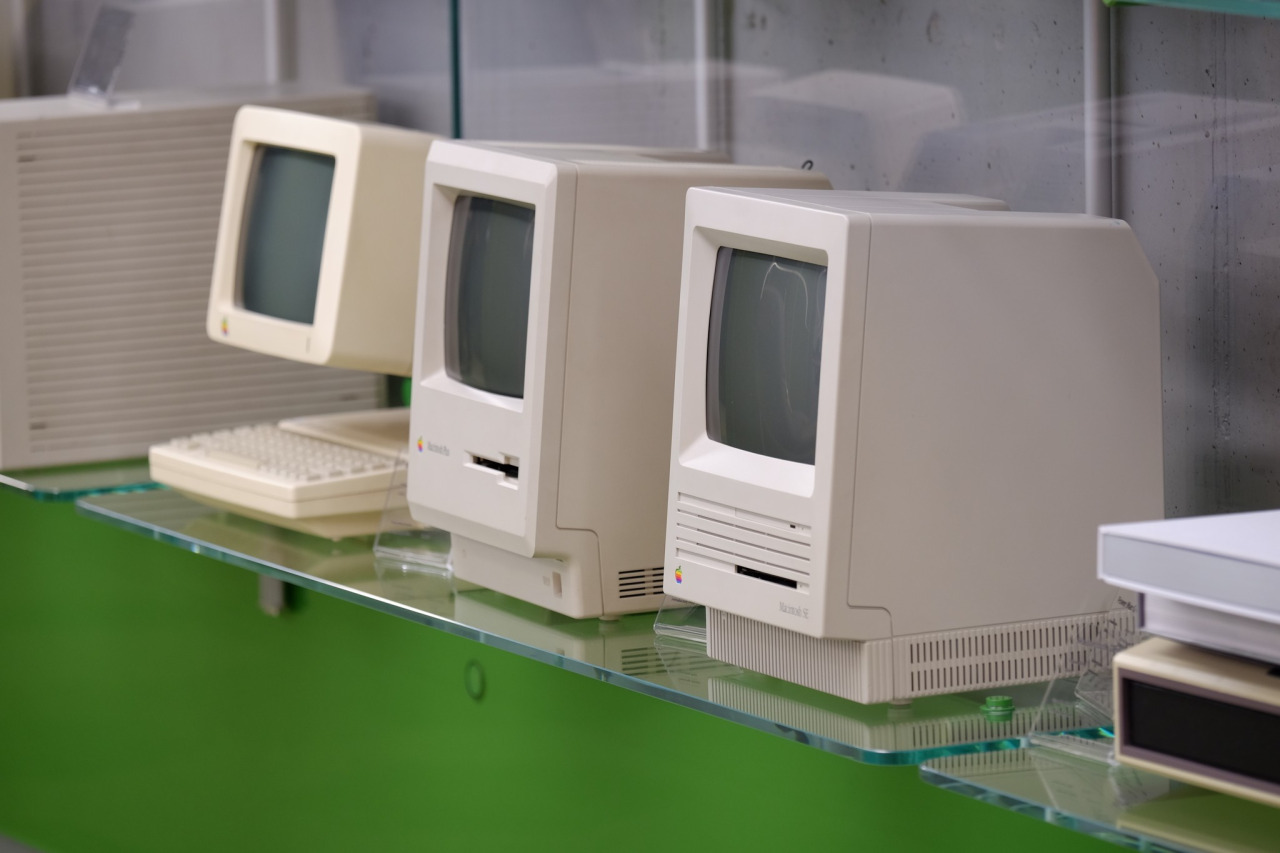
Ukrainian developer MacPaw has put vintage Apple hardware on display at the company's office in Kyiv “to inspire techies and kids.” The 40-piece Apple hardware museum was formerly hosted in the very heart of New York City by Tekserve, a long-running Apple service shop.

In June 2016, Tekserve announced it was closing its Manhattan store after 29 years of service. “We love our customers, and we love what we do,” Tekserve CEO Jerry Gepner said when the closure was announced. “But there comes a point where that doesn't make sense anymore, as much as we love it.”

Their wonderful collection of vintage Mac hardware was auctioned off in August 2016. Developer MacPaw purchased the entire collection of 39 Mac computers for a cool $47,000 and gave it a permanent new home at its Ukrainian headquarters.

“We think there’s hardly a better place for historical Apple computers than our futuristic Apple-inspired office,” said MacPaw.

Check out the video tour of the museum, embedded below.

https://www.youtube.com/watch?v=W7BNPZdt1qU

The collection includes original Mac models dated from 1981 to 2017.

Here are some of the items on display:

128K Macintosh signed by Steve Wozniak NeXT Cube 20th Anniversary Mac Original iMac 1994 iBook PowerMac G4 Powerbook G4 Aluminum iBook Twelve-inch Powerbook eMac iMac G5 Powerbook G3 All iPhone models

There are a few non-Mac items, too, such as the “Iconic” book (an illustrated edition of Apple Design History), Apple's “Think different” poster collection, the official book “Designed by Apple in California”, plus a couple of WWDC relics.

According to MacPaw:

As the Tekserve shop grew and became a landmark Apple dealer, the team found themselves surrounded by beautiful Macs of all kinds. In twenty years they decided to turn the best of them, groundbreaking models, as they put it, into a museum-like exhibition. And later, when the shop was shutting down, an Apple Lisa, an alien Nextstation Turbo machine, and the rest of the grand collection had to find a new home on an auction.

The prospects looked pretty grim, because a collection like that had a high chance of ending up in some millionaire’s basement. Luckily, MacPaw’s CEO Olexandr Kosovan heard about the auction and made an instant decision. He secretly bought all of the iconic Macintosh computers before the collection was taken apart and sold piece by piece.

The museum currently has 70 items, including the 40 items from the Tekserve collection and the first Apple Keeynoard with the help of which the code of CleanMyMac Classic was written by Kosovan himself when he was starting MacPaw back in 2008.

Oleksandr Kosovan, MacPaw CEO and Founder said:

Apple changed my life in many ways. Driven by Steve’s vision for better and simpler products I was able to implement these ideas in our products development. I cannot say thank Apple enough other than paying this great tribute to the history of iconic Apple products.

Developers are planning on adding the few missing models to complete the collection (they welcome classic computer and hardware donations).

As an in-office exhibit, this museum is not open to the general public.

MacPaw are the developers of proven and successful macOS apps, including CleanMyMac, Gemini and the Setapp service billed as “the Netflix of Mac apps.”

Additional photos are available at the MacPaw website.

iTunes is coming to Windows Store later this year

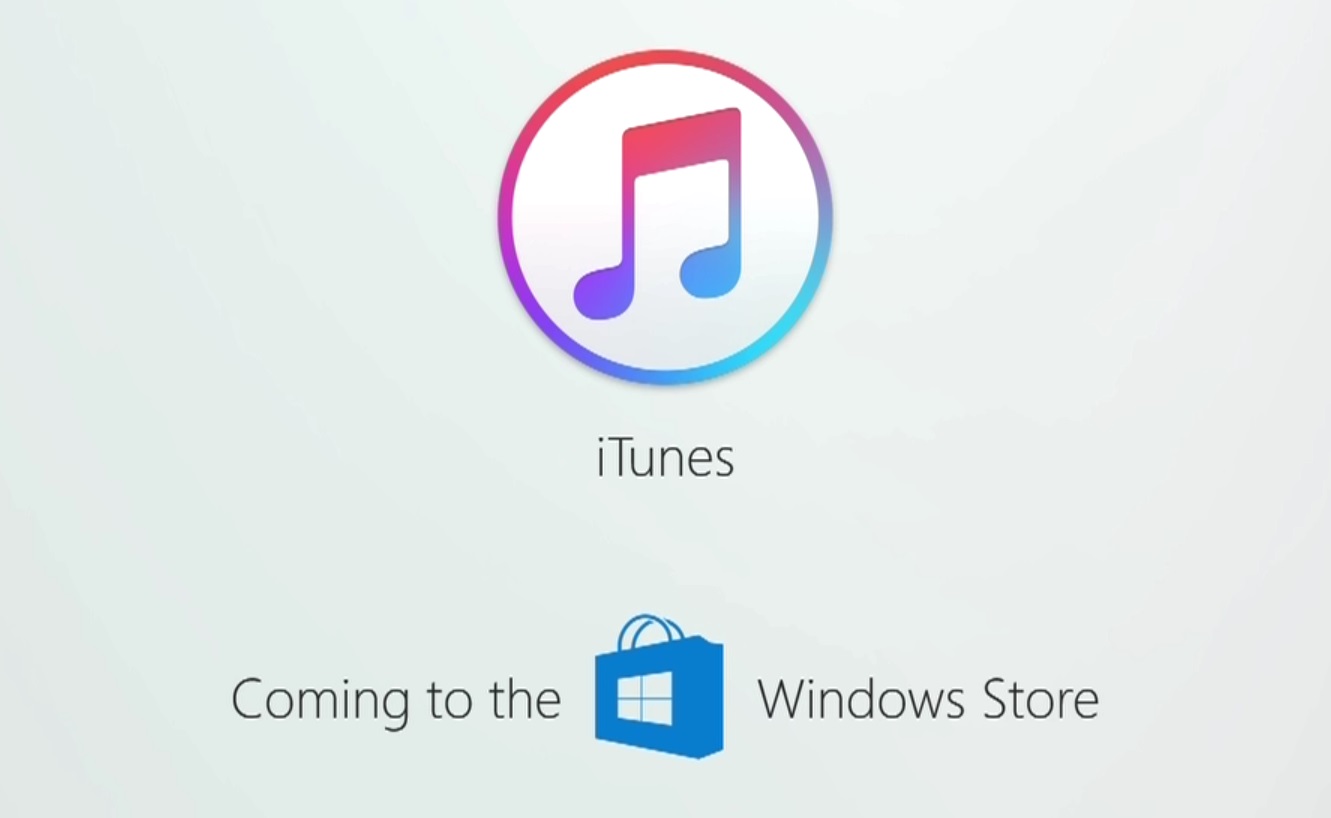
Windows maker Microsoft announced today at its Build conference for developers that Apple is working on bringing iTunes to Windows Store with full support for Apple Music and iOS device syncing. TechCrunch reports that users will essentially enjoy the same iTunes experience from Windows Store that the existing iTunes for Windows download currently offers.

While Microsoft didn’t show any screenshots of what this experience might look like, Apple may be required to tweak iTunes’ look and feel to match Microsoft’s new Fluent Design system.

The development is especially important in light of Windows 10 S, a slimmed down version of Windows 10 for inexpensive Chromebook-like computers aimed at education, because Windows 10 S customers can only install officially sanctioned apps from Windows Store.

As a result of the restrictions, many popular apps such as Apple iTunes, Google Chrome, Mozilla Firefox and Spotify are currently unavailable on Windows 10 S systems. According to The Verge, iTunes is one of the apps Windows users search for most often on the store.

Unless iTunes is available on Windows Store, people in the market for a Surface Laptop, for example, won't be a be able to synchronize their iOS devices with their Windows 10 S-powered PC unless they upgrade to Windows 10 Pro to remove all restrictions.

Windows 10 is now on half a billion devices and Office 365 recently passed its hundred-millionth monthly user, Microsoft revealed at the Build conference.

Microsoft launches Visual Studio for Mac

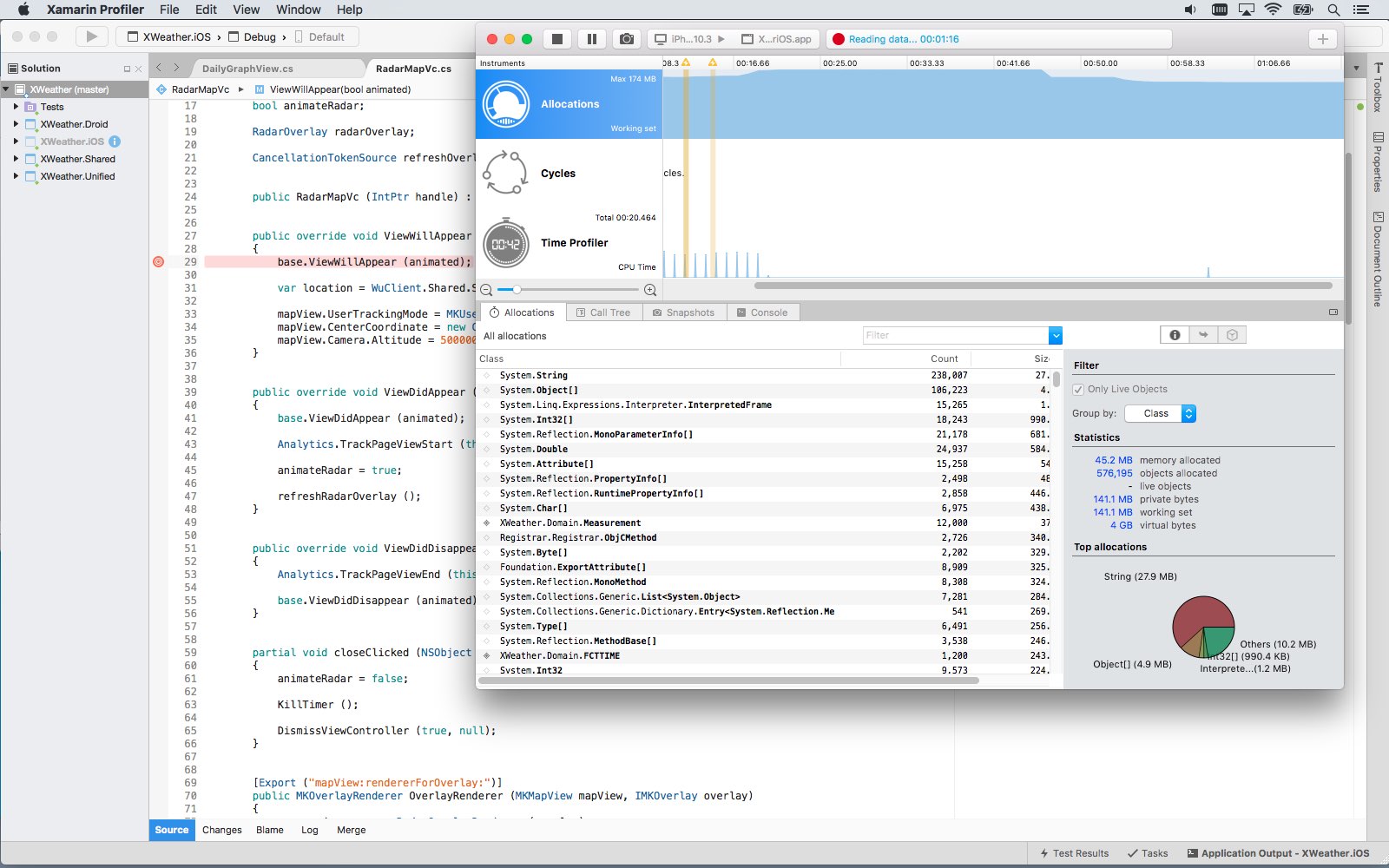
Software giant Microsoft today released Visual Studio for Mac, its integrated development environment that contains all the tools you need to develop apps and games for the macOS, iOS, tvOS, watchOS, web, cloud and Android platforms. Previously, Mac owners who wanted to use Microsoft's development tools needed a Windows computer or a virtual machine.

Available at no charge via visualstudio.com, Visual Studio for Mac lets you code, debug and diagnose your apps, use version control, collaborate efficiently with other programmers and much more. The Windows maker released a preview of Visual Studio for Mac last November.

“Developers get a great IDE and a single environment to not only work on end-to-end solutions—from mobile and web apps to games—but also to integrate with and deploy to Azure,” said Scott Guthrie, executive vice president of the Microsoft Cloud and Enterprise group.

“Whether you use C#, F#, .NET Core, ASP.NET Core, Xamarin or Unity, you’ll get a best-in-class development environment, natively designed for the Mac.”

As a new member of the Visual Studio family, the integrated development environment allows developers on macOS to build apps for mobile, web, and cloud with Xamarin and .NET Core, as well as games with Unity.

Key highlights include:

Designed natively for Mac—Visual Studio for Mac brings the developer productivity you love to macOS. The experience has been meticulously crafted to optimize the developer workflow for Mac. Collaborate efficiently—Manage your code in Git repos, hosted by any provider, including GitHub and Visual Studio Team Services. Share projects seamlessly with developers using Visual Studio across Windows and Mac. Deliver quality mobile apps—With Xamarin’s advanced debugging, profiling tools, unit tests, and UI test generation features, it’s faster and easier than ever for you to build, connect, and tune native mobile apps for Android, iOS, and macOS. Launch modern web apps—With support for ASP.NET Core in Visual Studio for Mac, you are empowered to create beautiful, modern web applications. Craft the front-end with the same web editor experience you know and love from Visual Studio and Windows and publish to the cloud directly from the IDE. Create intelligent services—Visual Studio for Mac enables the creation of .NET Core solutions, providing the back-end services to your client solutions. Code, debug, and test these cloud services simultaneously with your client solutions for increased productivity. Build cross-platform games—Using Unity and Visual Studio for Mac, you can create awesome games that run on any platform. Use the powerful coding, refactoring, and debugging features in Visual Studio for Mac to enhance your productivity.

System requirements are available in a support document on the Visual Studio website.

Microsoft says the software contains support for Voice Over. Many parts of the user interface, including the editor and solution explorer, have been made accessible through Apple's assistive technologies.

The software released ahead of Microsoft’s Build 2017 developer conference, which kicks off later this week. In 2105, the company launched Visual Studio Code, its free of charge cross-platform code editor for developers.

Apple rolls out fifth developer beta of tvOS 10.2.1 for Apple TV

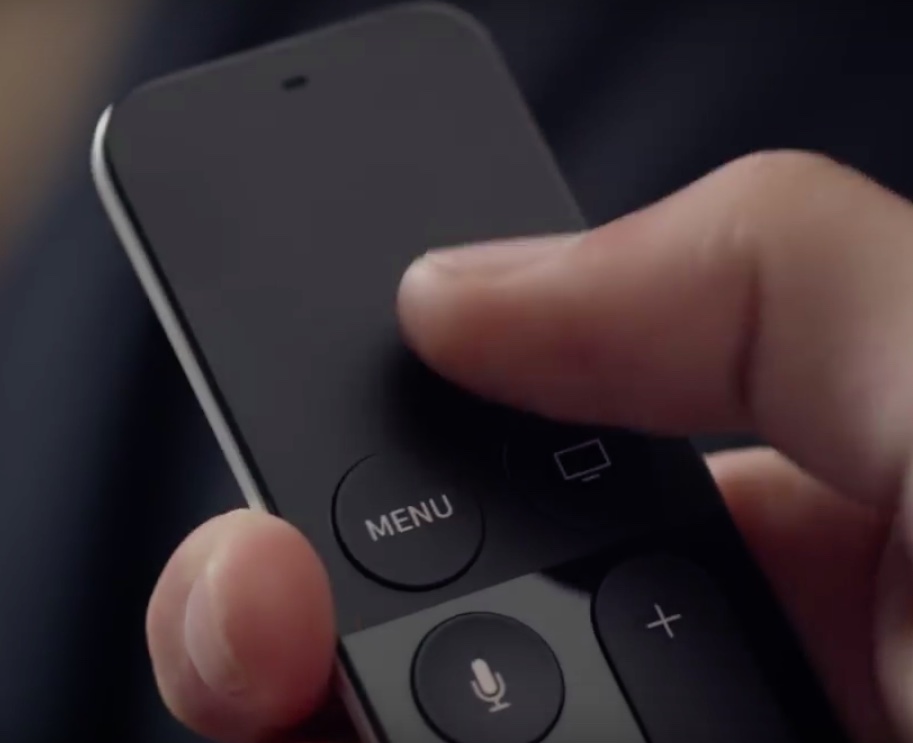
Apple TV Siri Remote in hand

Apple today rolled out a fifth beta of what would become a minor software update for the fourth-generation Apple TV. If you're a registered developer, tvOS 10.2.1 beta 5 (build 14W585) can be installed via the Software Update mechanism provided your set-top box runs an appropriate configuration profile obtainable through Apple’s portal for developers.

tvOS 10.2.1 beta 5 can be deployed on your Apple TV in Settings → System → Software Updates → Update Software. Apple says it includes bug fixes and security improvements.

The most recent tvOS beta follows the fourth developer-only betas of tvOS 10.2.1, iOS 10.3.2, macOS Sierra 10.12.5 and watchOS 3.2.2 that released on April 24.

https://www.youtube.com/watch?v=wRNjTVppF4I

Subscribe to iDownloadBlog on YouTube

The most recent stable release of the Apple TV software, tvOS 10.2, released on March 27 with minor improvements, including accelerated scrolling on Siri Remote, mobile device management improvements for enterprise, the Video Toolbox framework, bug fixes and more.

Only Apple's registered developers and members of the Apple Developer Program can deploy and use tvOS and watchOS betas. The general public can test-drive upcoming iOS and macOS releases via Apple's Beta Software Program.