Developers

Updated builds of iOS 11 and tvOS 11 betas now available

Apple on Monday issued a slightly revised build of iOS 11 beta 2 for iPhone, iPad and iPod touch, as well as an updated build of tvOS 11 beta 2 for the fourth-generation Apple TV.

The new builds appear on select devices only.

iOS 11 Developer Beta 2 Update 1, as it's called, has the build number of 15A5304j, up from the build number of 15A5304i in iOS 11 beta 2 which was seeded to developers five days ago.

According to the official release notes on Apple's Dev Center portal, iOS 11 Developer Beta 2 Update 2 resolves an issue preventing reverting to iOS 10 from iOS 11 beta.

To revert to an earlier version of iOS, follow the instructions shown in Apple's support doc.

As for the updated tvOS 11 beta, the new version has a higher build number of 15J5310h versus build number of 15J5310e for the original tvOS 11 beta 2.

https://www.youtube.com/watch?v=TZ5pwZMPRxI

Subscribe to iDownloadBlog on YouTube.

The revised beta builds may also patch dangerous exploits while addressing performance issues on older hardware like iPhone 6.

iOS 11 cuts off 32-bit devices like the iPhone 4s/5/5c handsets.

The new builds are available over the air via the Software Update mechanism in Settings on iPhone, iPad, iPod touch and Apple TV. As mentioned before, they appear on select devices.

Build numbers for beta 2 of macOS High Sierra 10.13 and watchOS 4 have stayed intact. Public betas of iOS 11, macOS High Sierra 10.13 and tvOS 11 are coming later this month.

watchOS betas are currently unavailable for public beta-testing.

watchOS 3.2.3 beta 4 rolling out to developers

A fourth beta of watchOS 3.2.3 for Apple Watch is now rolling out to Apple's registered developers and members of the Apple Developer Program. Available as an over-the-air update via the Software Update mechanism in the companion Watch app on a paired iPhone, watchOS 3.2.3 beta 4 (build number 14V5751a) includes bug fixes and performance optimizations.

You Apple Watch must be in range of its paired iPhone, have 50 percent battery and be placed on its charger in order for the update to download and install. watchOS 4 betas are not available through the Apple Beta Software Program.

https://www.youtube.com/watch?v=lKt7h4SX_ME

Subscribe to iDownloadBlog on YouTube.

The new watchOS 3.2.3 beta follows iOS 10.3.3 beta 4 and tvOS 10.2.2 beta 4 which got seeded to developers on June 22. The prior watchOS 3.2.2 bug-fix software update released for public consumption more than a month ago.

watchOS 3.2.3, iOS 10.3.3 and tvOS 10.2.2 could be the last point updates before iOS 11, watchOS 4 and tvOS 11 arrive this fall. If you spot any noteworthy changes in watchOS 3.2.3 beta 4, leave a comment below and we'll update the article with new information.

Hands-on with watchOS 4: pausing workouts in the background, Toy Story faces & more

Yesterday was a big day as Apple seeded a bunch of new betas to its developers. Earlier this morning, we posted a nicely done hands-on video walkthrough of the new features and changes in iOS 11 beta 2, but what about the latest watchOS 4 beta?

Your wish is our contributor Andrew O'Hara's command!

Andrew put together a quick video demonstration of everything new in the latest beta of watchOS 4. Keep in mind that watchOS 4 beta 2 is not as feature-packed as a second beta of iOS 11, but there's still plenty to get excited about.

Watch Andrew's video highlighting all the new stuff and important changes in beta 2.

https://www.youtube.com/watch?v=jD7D-F0mXXU

Subscribe to iDownloadBlog on YouTube

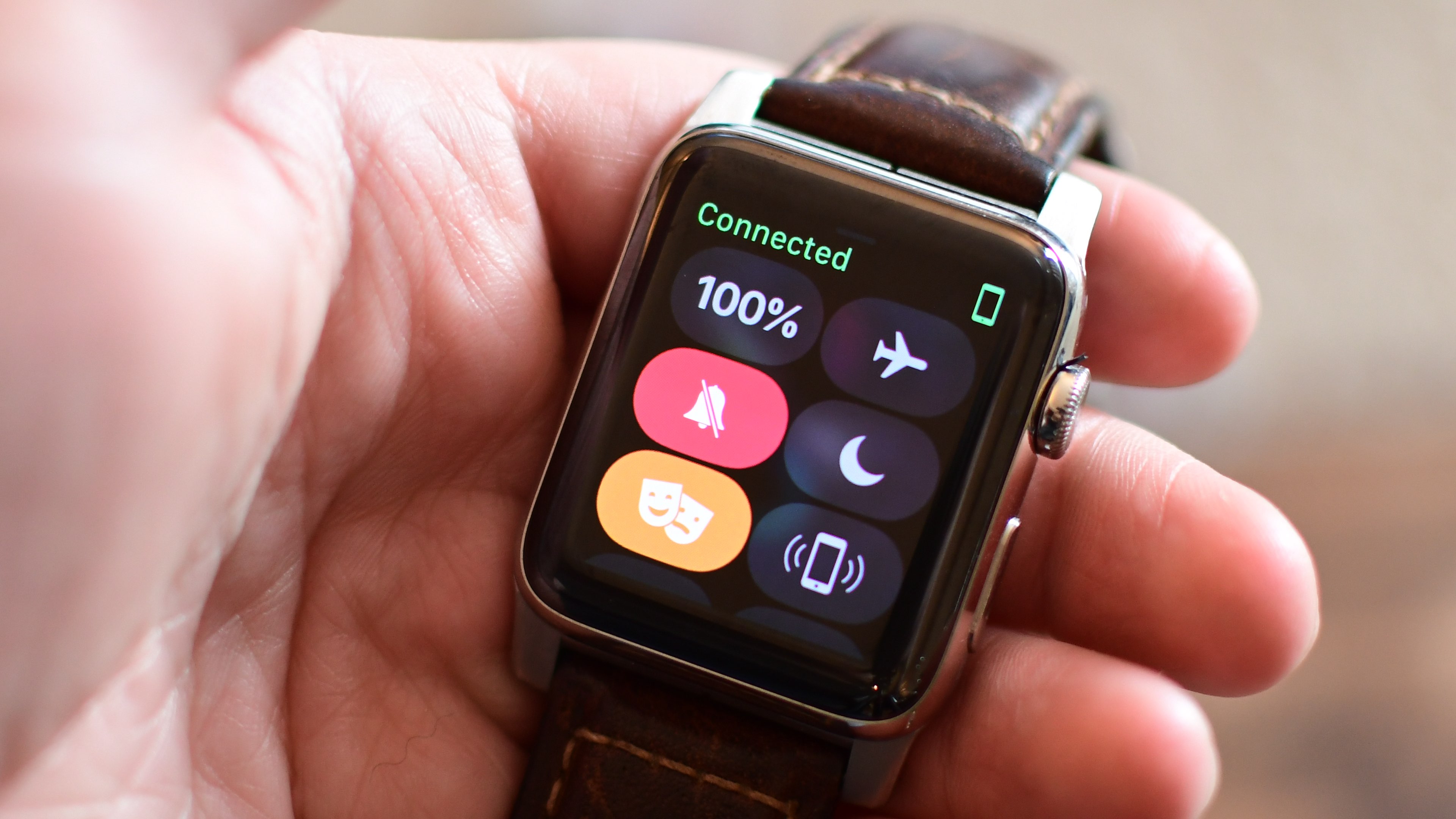
Aside from the gorgeously animated characters on the new Toy Story watch face, this beta lets you press the Side button and the Digital Crown simultaneously in order to quickly pause an active workout session, even if the Workout app is running in the background.

This is a very compelling feature for those who use their watch for swimming. Prior to watchOS 4, pausing a workout while swimming first required you to turn the Digital Crown to expel the water from the speaker. Then you had to swipe on the Workout app's screen to reveal the session controls, among them the Pause button.

The problem is, a wet Apple Watch display tends to behave erratically so getting to that screen while in water was difficult. With the new shortcut, this particular pain point goes away.

Haptics now play for frontmost apps in watchOS 4 beta 2, but some languages are unavailable for Dictation, including the newly released Shanghainese dictation.

New features and changes

Here are the new features and important changes in watchOS 4 beta 2.

Nicely animated Toy Story watch face Breathe notifications now respect your custom settings Location-based automation triggers now work if triggered from the alert on Apple Watch Pressing the Side Button and Digital Crown pauses an active workout session even if the Workout app is not in the foreground SiriKit requests no longer fail with a “Sorry I can’t do that” error. watchOS apps from TestFlight or the App Store now work with SiriKit Siri may not play music that has been synced to Apple Watch Music tracks now play from and sync to Apple Watch (Apple Watch must be on its charger for Music tracks to sync and Love/Dislike options are currently missing for locally synced music on your watch)

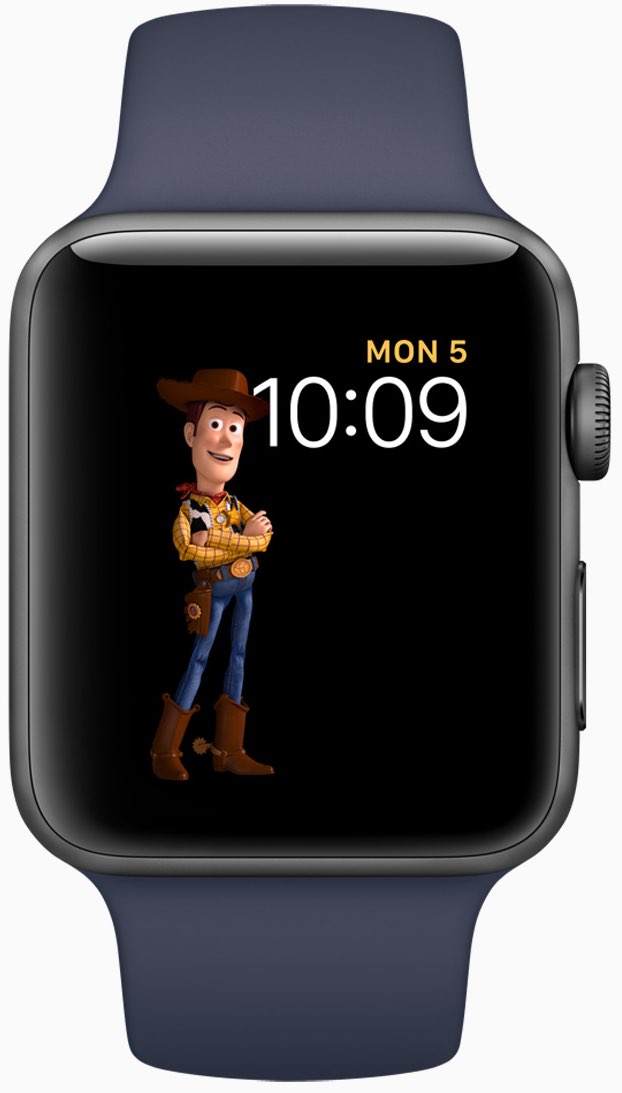
Aside from Woody, Jessie and Buzz Lightyear, the new Toy Story watch face in the second beta provides other animated characters, like Ham, Rex and Bullseye.

A separate video from Andrew shows off almost all the character animations available in the new Toy Story watch face, including additional customizations.

https://www.youtube.com/watch?v=NuEuxD9AJ7I

That's all, folks!

As we conclude our tour of watchOS 4 beta 2, we'd like to ask you to share any new feature discoveries of your own with fellow readers by posting them in the comment section.

You can also shoot us your findings via tips@iDownloadBlog.com.

What’s your favorite new feature in watchOS 4 beta 2, and why?

Apple seeds fourth beta of iOS 10.3.3 and tvOS 10.2.2 to developers

Apple on Thursday released a fourth beta of iOS 10.3 for iPhone, iPad and iPod touch, as well as tvOS 10.2 for Apple TV. iOS 10.3.3 beta 4 (build number 14G5053a) and tvOS 10.2.2 beta 4 (build number 14W5751b) are now available to Apple's registered developers and members of the Apple Developer Program through Dev Center.

To deploy them over the air, use the Software Update mechanism in the Settings app. Your iPhone, iPad, iPod touch or Apple TV must have an Apple beta configuration profile installed.

Both iOS 10.3.3 and tvOS 10.2.2 are bug-fix releases with no new user-facing features. They're probably the last point updates as Apple is currently beta-testing the next major versions of its platforms: iOS 11, watchOS 4, macOS High Sierra and tvOS 11.

Hands-on with iOS 11 beta 2: DND While Driving and other new features, changes & fixes

Apple (somewhat surprisingly) dropped the second beta of iOS 11 to developers on Wednesday with a myriad of changes and bug fixes. While there doesn't seem to be a huge number of user-facing enhancements, there are still quite a few notable changes and new features in this beta.

A large number of prominent bugs have been fixed that have been plaguing users, like crashing when deleting a voicemail, manual screen brightness not staying set, 3D Touch on phone numbers and addresses not working.

Unfortunately, with all of those bug fixes are several new bugs and known issues.

For instance, an SOS alert may still be sent even though the user cancelled it. This is a good reminder this is an early developer beta that should only be run on secondary devices.

As for the new features, we have the initial implementation of the much touted Do Not Disturb While Driving mode that will lock your phone as well as send a custom auto-reply (customizable in Settings → Do Not Disturb) should someone text you.

Control Center can now be disabled inside of applications, like on prior iOS editions. And far from last, the Files app now has started to show external locations like Google Drive and Box.

New features and changes

This is what you probably wanted to know about iOS 11 beta 2.

CarPlay now has lane guidance in Maps Smaller speed in Maps To edit/add filters in Photos you now tap the edit button in the top right corner instead of the sliders icon Now Playing widget has been tweaked New phone placeholder icon when no album artwork present in Now Playing widget Audio source switcher is now available on Lock screen New orange color for the new Echo effect in Messages Do Not Disturb While Driving is enabled with extra options in Settings Control Center can be turned on or off while in apps New search options within Apple Music You can now select multiple items in Photos Bluetooth widget now works the same as Wi-Fi: instead of turning off, it will just disconnect from whatever is connected to it Notification Center pull down has a gradual blur New Share sheet extension: Save to Files app Safari has new experimental features in Settings Dictation is now available in Hindi New options in Settings to make notification banners permanent or permanent Built-in screen recorder boosts video capture resolution to 1080p

Take a look at our hands-on video to see all of these new features and more in action.

https://www.youtube.com/watch?v=TZ5pwZMPRxI

Subscribe to iDownloadBlog on YouTube

And here's a quick overview of the most important fixes.

Bug fixes 3D Touch data detectors are now working for phone numbers, addresses, etc. Screen brightness stays at set level YouTube search bar has returned More stable Bluetooth connections (Dexcom) Android Migration now works as intended Crashing when deleting voicemails is fixed Lock screen no longer rotates Long exposure photos are now higher quality than in first beta Wrapping it all up

As we conclude our tour of all the changes, fixes, improvements and new features in iOS 11 beta 2, feel free to tell us about your own discoveries and observations in comments or via tips@iDownloadBlog.com.

What's your favorite change in iOS 11 beta 2 thus far, and why?

Hands-on with beautifully animated Toy Story faces in watchOS 4

Aside from bringing more intelligence and fitness features to Apple Watch, the new watchOS 4 software includes a bunch of beautifully animated Toy Story faces. Not unlike the existing Mickey and Minnie Mouse watch faces, the Toy Story ones bring to life popular Pixar characters including Woody, Jessie, Buzz Lightyear, Ham, Rex and Bullseye.

Our own Andrew O'Hara did a quick video showing off almost all the character animations available in the new Toy Story watch faces in watchOS 4, including additional customizations.

Give the video a quick watch, then meet us in comments.

https://www.youtube.com/watch?v=NuEuxD9AJ7I

watchOS 4 packs in other new watch faces.

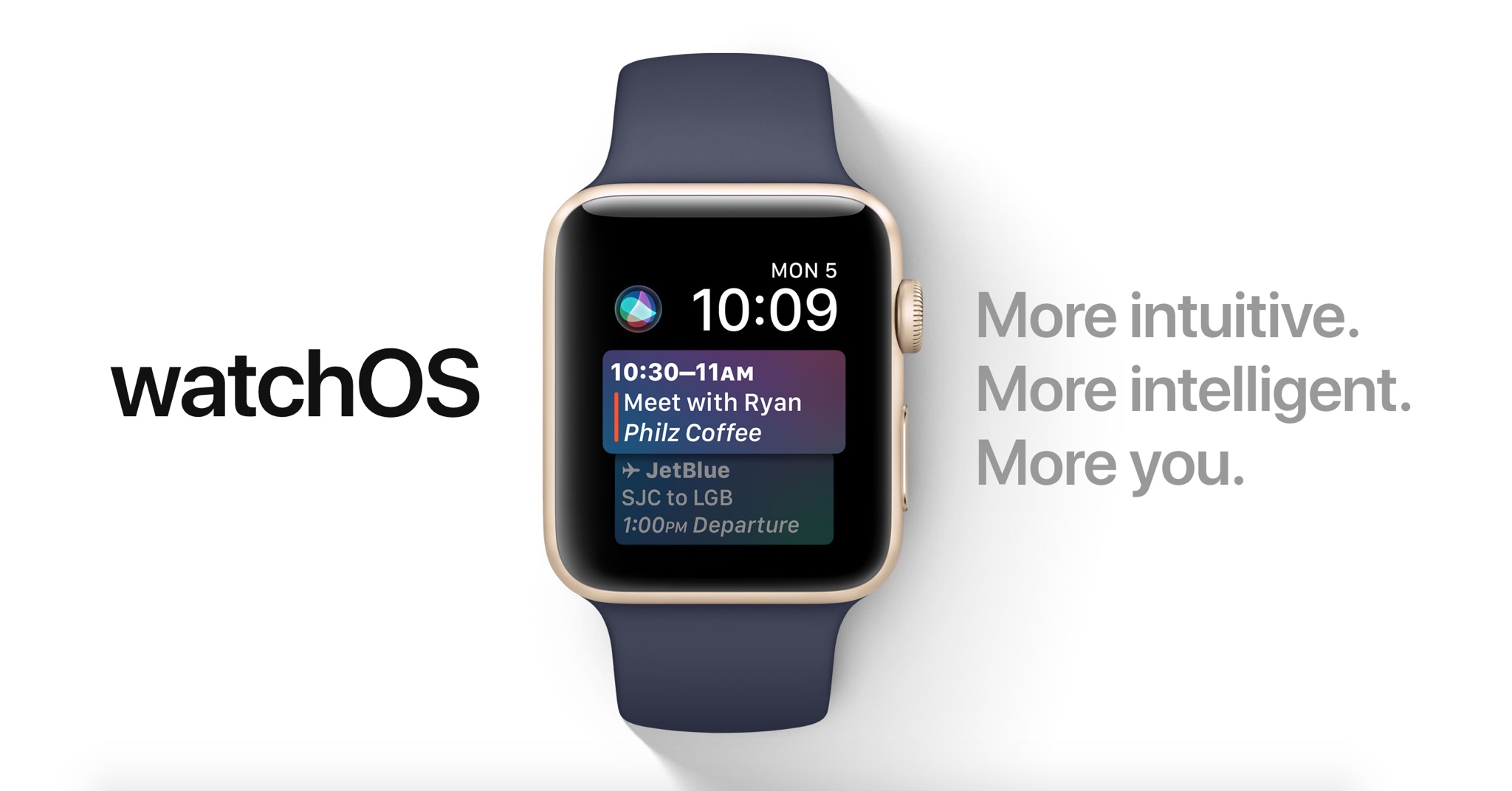
Kaleidoscope, for instance, turns static images into mesmerizing patterns and the new Siri watch face uses artificial intelligence and machine learning to display the information users need most throughout the day.

ROUNDUP: 60+ new features in watchOS 4

Plus, you have new complications for your watch faces, including Now Playing and Apple News.

These new watch faces, complications and other features all require watchOS 4, a free upgrade for all Apple Watch users later this year.

Are you excited for the new Toy Story-themdd faces for your Apple Watch? Share in the comments section below!

Apple seeds watchOS 4 beta 2 to developers

In addition to macOS High Sierra and iOS 11, Apple on Wednesday seeded the second beta of watchOS 4 to developers. Developers running the watchOS 4 beta can upgrade to beta 2 via the Watch app on iPhone.

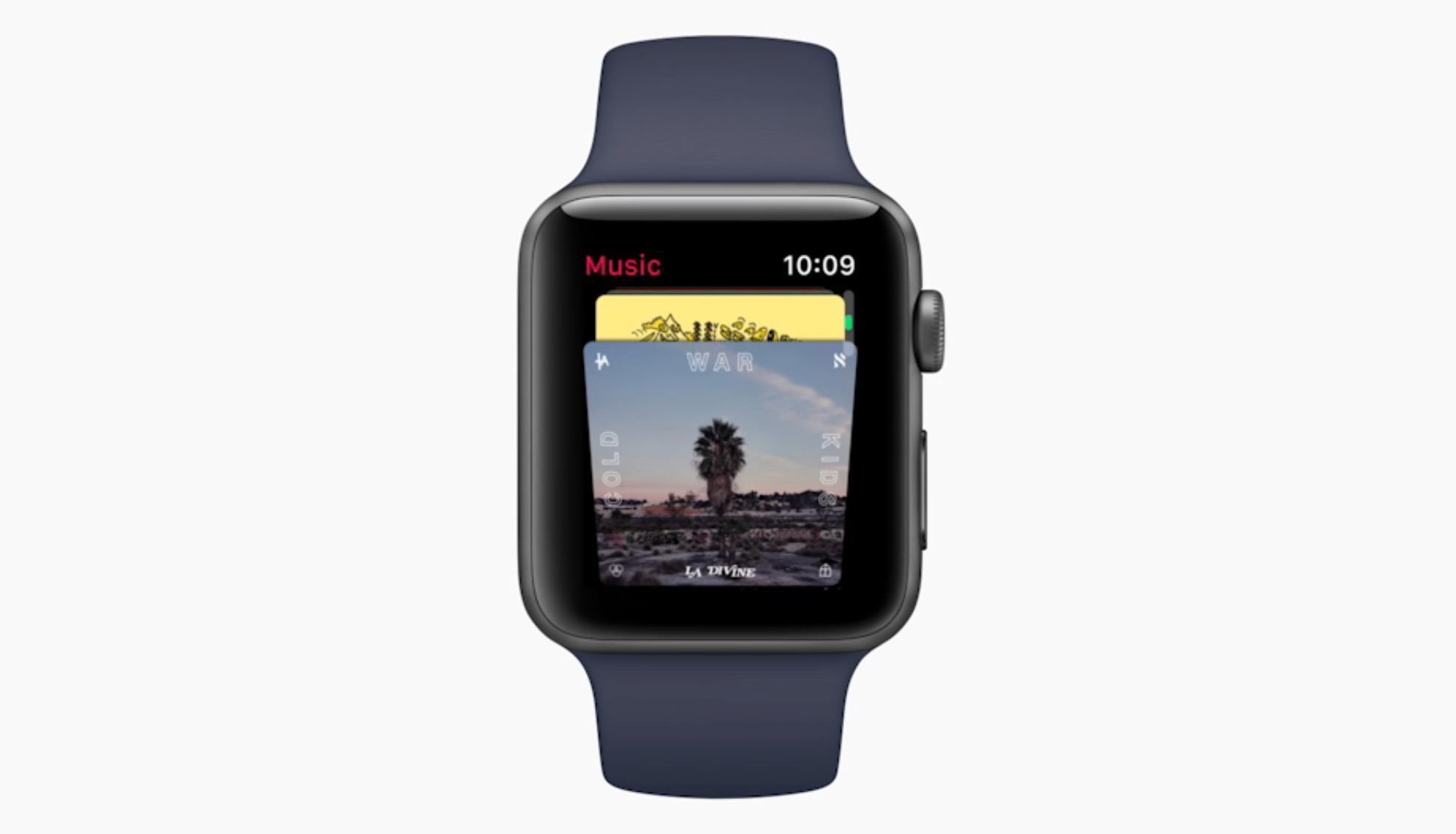
Introduced earlier this month, watchOS 4 includes several new features and improvements such as new watch faces, a new list-style Home screen, an all-new Music app, new gestures and quick compose in Mail, and more.

https://www.youtube.com/watch?v=BcB0H_b43dg

Subscribe to iDB on YouTube

Here are the release notes for beta 2:

General

Resolved Issues

• The Toy Story watch faces are now available. Toy Story is copyright © Disney/Pixar.

Apple Pay

Known Issues • When attempting to add multiple cards during the pairing process, only the last added card will be properly provisioned. (32624044)

Workaround: Once pairing is complete, go to the Watch app on iPhone and remove previously added cards. Once removed, re-add additional cards as desired.

Breathe

Resolved Issues

• Breathe notification preferences are now respected. (32298347)

CloudKit

Known Issues

CloudKit does not support unsigned long long values with the high-order bit set. (30567424) ApplicationsthatuseCKModifyRecordsOperationshouldspecifyanappropriate value for CKModifyRecordsOperation.isAtomic. If your client is compiled against watchOS 4, operations enqueued against the default CKRecordZone have new behavior because atomic is true by default. If the operation hits a “preflight” failure (most commonly, a network issue uploading a CKAsset, or a malformed CKRecord), the entire operation is canceled. (30838858)Core MediaResolved Issues

• Haptics now play for frontmost apps. (32139107)

Dictation

Known Issues

• Some languages are not available for Dictation on watchOS, including the newly released Shanghainese dictation. (32235495)

Foundation

New Features AddedaschedulingAPItoURLSessionTaskthatallowsbackgroundURLSession clients to schedule tasks in the future, enabling easy background app refresh semantics for apps, watchOS complications, and more. The API also allows developers to update requests before transmission to address cases where the request has become stale when scheduled in the future. Additions include the earliestBeginDate, countOfBytesClientExpectsToSend, and countOfBytesClientExpectsToReceive properties of URSessionTask, and the URLSession:task:willBeginDelayedRequest:completionHandler method of URLSessionTaskDelegate protocol. (27866330) URLSessionTask adopts the ProgressReporting protocol providing a consistent mechanism for URLSession clients to track the progress of URLSessionTask using the new progress property. (30834550) AddedanAdaptableConnectivityAPItoURLSessionthatenablestaskstoautomatically monitor and wait for satisfactory network connectivity, instead of immediately failing with an error when connectivity is unsatisfactory. Additions include the waitsForConnectivity property of URLSessionConfiguration and the URLSession:taskIsWaitingForConnectivity: method of the URLSessionTaskDelegate protocol.

• Added support for HTTP brotli content encoding to URLSession. By defaueslt, HTTP requests contain a br value (in addition to gzip and deflate) for the Accept-Encoding HTTP header, informing the web server that the user agent supports brotli encoding. The web server can send an HTTP body with Content-Encoding: br in the HTTP header to indicate that the content is brotli-encoded. URLSession automatically decompresses the HTTP body data and pass the decoded data back to the client in the same way it does for Content-Encoding: gzip. For binary compatibility reasons, URLSession brotli support is enabled only for apps built using the watchOS 4 SDK. (27724985)

HealthKit

Resolved Issues

Pressing the Side Button and Digital Crown pauses an active workout session even if the the app is not in the foreground. (30199786) Attempting to finish a workout route when no location data is inserted no longer throws an exception. (32307523)Known Issues• To track location in the background while a user is in a workout session, add UIBackgroundModes/location in the Info.plist file. (29483437)

HomeKit

Resolved Issues

• Location-based automation triggers now work if triggered from the alert on Apple Watch. (32288709)

Messages

Known Issues

• Messages may fail to send when responding to Activity notifications. (32294875)

Music

Resolved Issues

• Music tracks now play from and sync to Apple Watch. (32314271)

Known Issues Apple Watch must be on its charger for Music tracks to sync. (31818127) Deleting a playlist or album in the Apple Watch app will cause the app to crash and your selection will remain on your Apple Watch. (32624529) Love and Dislike options are missing for locally synced music on Apple Watch. (30845293)

Phone

New Issues

• Phone calls using Apple Watch that exceed 30 seconds may fail. (32659453)

Pairing

Known Issues

Backups only trigger when the user unpairs their watch. If the user erases their iOS 11 iPhone without unpairing their watch first, there will not be a backup to restore. (32358338)Workaround: Before erasing iPhone, go to the Watch app, choose My Watch, and unpair your Apple Watch. Alarms are lost when migrating to watchOS 4. (31285349)SettingsResolved Issues In Settings > Bluetooth, additional devices such as the paired iPhone no longer show as Not Connected. (32314078) Permissions on Apple Watch are now reset when a user resets location and privacy using Settings > General > Reset > Reset Location & Privacy on iPhone. (32393123)SiriKnown Issues

• Siri requests may fail in the iOS and watchOS simulators. (31971229)

• Siri may not play music that has been synced to Apple Watch. (31964674)

SiriKit

Resolved Issues

• SiriKit requests no longer fail with a “Sorry I can’t do that” error. (32305639) • watchOS apps from TestFlight or the App Store now work with SiriKit. (32387616) • SiriKit requests on watchOS no longer fail with a Continue in App error. (32355820)

WatchKit

Resolved Issues Anon-autoplayingWKInterfaceInlineMovienowworks.(32168160) WKInterfaceInlineMovie objects now pause when moving an app to thebackground. (31872332)Known Issues

• Automatic display of attachments in default WatchKit Notification interfaces do not work. (31589086)

Workout

Known Issues

You may experience inaccurate distance measurements for Pool Swim workouts. (32816933) Pressing the Side Button and Digital Crown pauses an active workout session even if the app is not in the foreground. (30199786) Workout sessions may be slow to start and they may fail to update with calorie and distance measurements. (32313252)Workaround: Call HKWorkoutRouteBuilder finishRouteWithWorkout:Metadata: only when some location data has been inserted to the builder.Xcode

Resolved Issues

• Building and running a Watch app from Xcode your app now installs, launches, and attaches. (32180669)

Known Issues

• Crashlogs may take a few minutes to sync and be visible in Xcode. (31156191)
macOS High Sierra beta 2 rolling out

Apple today rolled out a second beta of macOS High Sierra to its registered developers and members of the Apple Developer Program. macOS High Sierra beta 2 is now available via the Updates tab on Mac App Store on your Mac that has an appropriate configuration profile installed, which can be obtained through Dev Center.

macOS High Sierra 10.3 beta 2 doesn't offer new features, but instead focuses on performance improvements and bug fixes.

The general public should soon have the chance to test-drive macOS High Sierra via the Apple Beta Software Program. macOS High Sierra debuted as a developer-only preview at Apple's Worldwide Developers Conference on June 5. The software update will exit beta and release publicly this fall.

Should you spot new user-facing features and other changes in macOS High Sierra beta 2, ping us on Twitter or shoot us an email via tips@iDownloadBlog.com. Feel free to attach any screenshots, if necessary. We'll be making sure to update the post with any relevant new information, as it becomes available.

Second beta of iOS 11 seeded to developers

Apple today seeded a second beta of iOS 11 to its registered developers and members of the Apple Developer Program. To download and install the update, use the Software Update mechanism on your iPhone, iPad or iPod touch, which must be running the previous beta and have an appropriate configuration profile installed (you can download it through Dev Center).

This second beta doesn't seem to come with new features, but rather looks like it is focusing on the usual bug fixes and performance improvements.

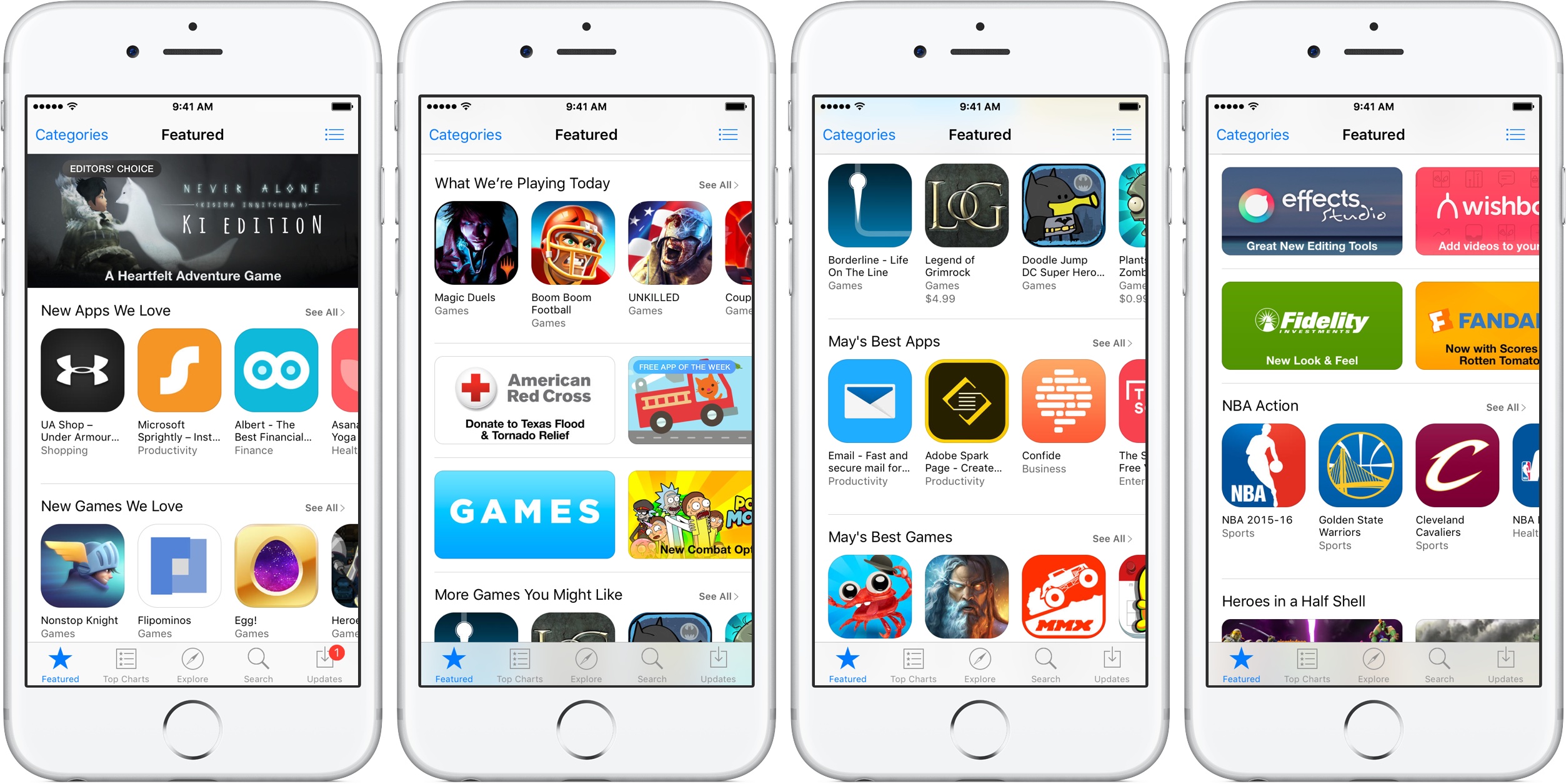
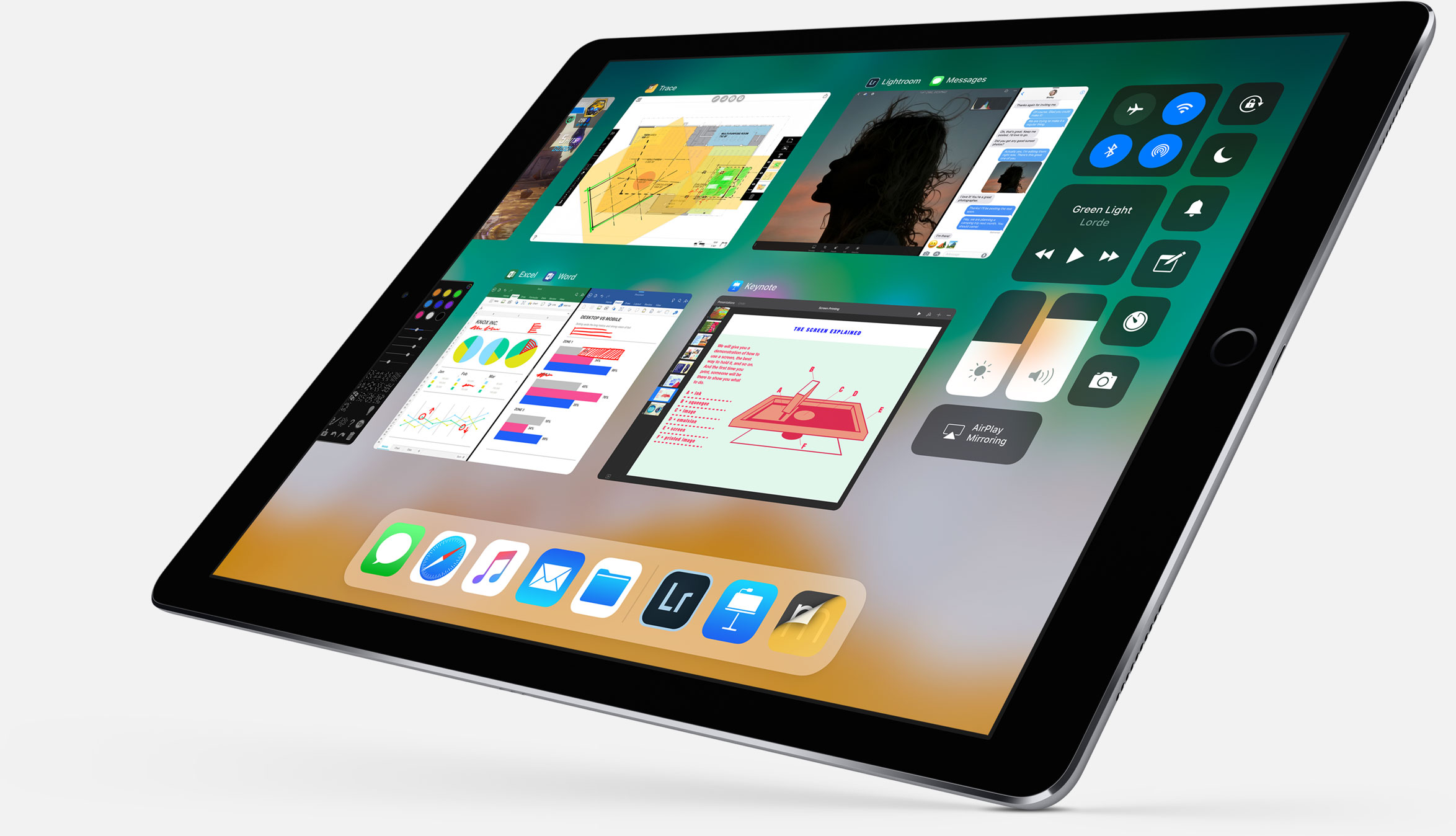
The first developer-only beta of iOS 11 brought out a bunch of new features and platform technologies, including a major revamp for App Store, advanced multitasking features on iPad, drag and drop, a new Files app, AirPlay 2 with multi-room audio, new Siri capabilities and more.

https://www.youtube.com/watch?v=-hoPcMPvL88

Subscribe to iDownloadBlog on YouTube

iOS 11 also packs in many visual refinements across the system designed to make Apple's mobile operating system look prettier than ever. Some of the visual tweaks include bolder headlines across stock apps, a redesigned app drawer in Messages and much, much more.

If you spot new user-facing features, changes or important refinements in iOS 11 beta 2, be sure to ping us on Twitter or shoot us an email via tips@iDownloadBlog.com (attach any screenshots, if necessary) and we'll update the article with any relevant new information.

Videos: cool stuff made with ARKit

Eager to learn why Apple's new ARKit framework is such a big deal? Look no further than a new website which offers a hand-picked curation of some of the coolest stuff developers have made thus far with ARKit, via The Loop.

For the uninitiated, augmented reality experiences superimpose computer-generated imagery on top of live video feed of the real world. According to Apple, ARKit uses a technique known as Visual Inertial Odometry to accurately track the world around an iPhone or iPad by fusing camera sensor data with motion data.

“These two inputs allow the device to sense how it moves within a room with a high degree of accuracy, and without any additional calibration,” the company says.

The following videos offer a look at the capabilities of the ARKit framework.

https://www.youtube.com/watch?v=nMd0dIAEJuc


https://www.youtube.com/watch?v=1hvfpxaxGwc


https://www.youtube.com/watch?v=6OV2mBbNtVk


https://www.youtube.com/watch?v=2xrVFDRJ8HQ


https://www.youtube.com/watch?v=R4OeFjZCi9o


https://www.youtube.com/watch?v=OHJRExynkuI


https://www.youtube.com/watch?v=VdaWHv6hmJk


https://www.youtube.com/watch?v=njQSiO2uj0s


https://www.youtube.com/watch?v=Rq2NChZ3c4E


https://www.youtube.com/watch?v=4HY868Jskrc

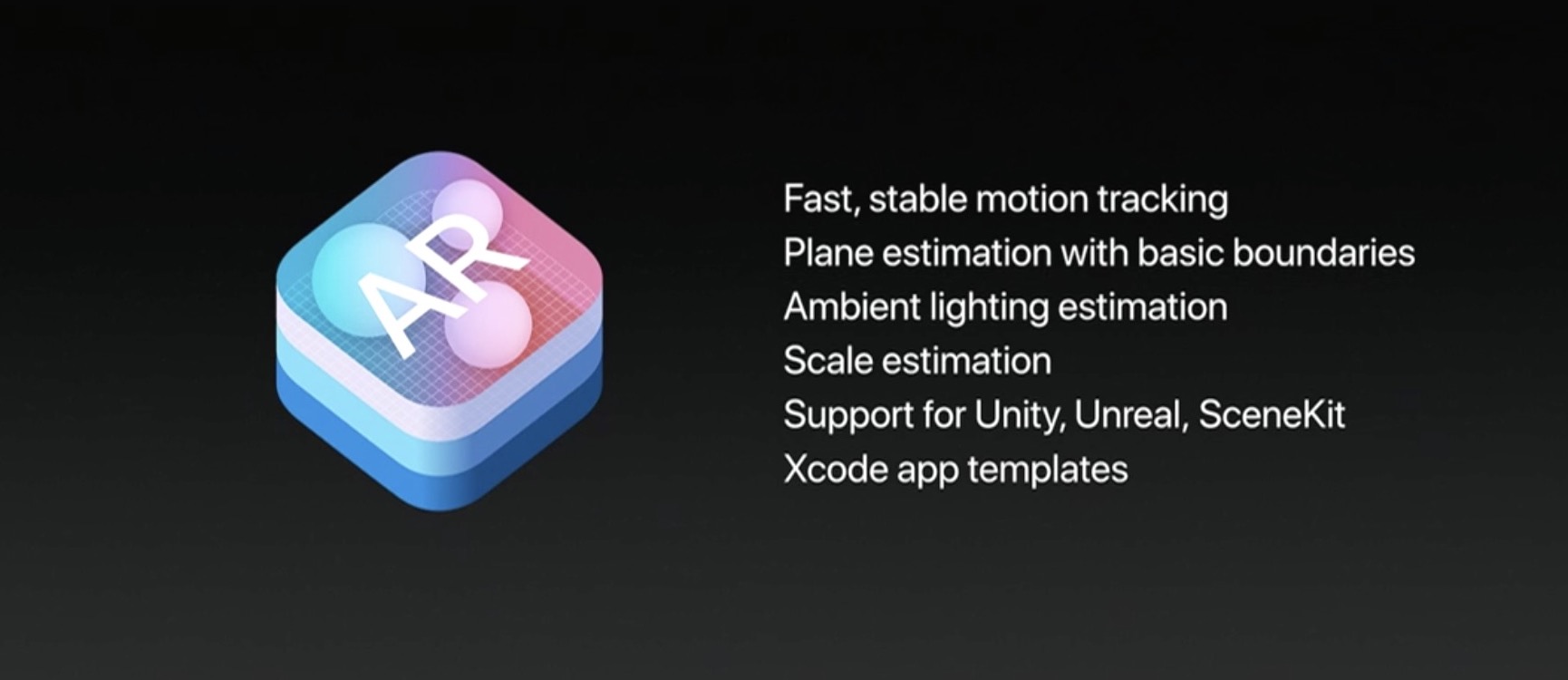
The ARKit framework uses computer vision to determine the layout of your surroundings and automatically find horizontal planes like tables and floors. It can track and place objects on smaller feature points and apply the right type of light to a virtual object in order to match the current lighting conditions in your room.

Ikea is working on an AR app in partnership with Apple that will let users try out furniture in augmented reality before buying it. Apple's WWDC 2017 keynote demos included an upcoming ARKit-driven game, called Wingnut AR, by director Peter Jackson's AR company.

If you like these demos, be sure to follow @madewithARKit on Twitter.

Apple seeds fourth macOS Sierra 10.12.6 beta to developers

Apple on Monday released a fourth beta of what would become the sixth major update to macOS Sierra since its official debut last fall. The most recent macOS Sierra 10.12.6 beta 4 (build number 16G18a) is now available through Apple's Software Update feature via Mac App Store's Updates tab on any supported Mac with an appropriate configuration profile installed.

This new build is being released to Apple's registered developers and members of the Apple Developer Program. Public beta testers should see it popping up on their devices later today or tomorrow. When it releases later this summer, macOS Sierra 10.12.6 will be a mostly bug-fix update with security and performance improvements.

macOS Sierra 10.12.6 beta 4 arrived less than a week after the third beta dropped and more than a month after the bug-fix macOS Sierra 10.12.5 update released on Mac App Store.

Apple, of course, previewed macOS High Sierra at the Worldwide Developers Conference.

The next major version of the desktop operating system powering Macs, macOS High Sierra is currently available as a developer-only preview. It should hit Apple Beta Software Program later this month or in July, ahead of its official release this Fall.

Ikea and Apple building AR app that’ll let you try out virtual furniture at home

Ikea is co-building a new augmented reality app together with Apple that will allow customers to try out virtual furniture at home, and then buy it.

Built on ARKit, Apple's new framework for powering augmented reality experiences on iOS devices, the app will basically superimpose tables, chairs and other furniture on top of your room, as seen through the lens of an iOS device's camera.

The app leverages ARKit's scene understanding and lighting estimation features that permit it to automatically find horizontal planes like tables and floors in a scene, as well as track and place objects on smaller feature points. ARKit even applies the correct amount and type of light to any virtual objects to match the current lighting conditions in your room.

According to a local report in Di Digital, the app is launching in the Fall of 2017, shortly after iOS 11 releases for public consumption.

“This will be the first augmented reality app that will enable you to make buying decisions,” said Michael Valdsgaard, Leader of Digital Transformation at Inter Ikea, to Di Digital. The executive couldn't promise that the in-app payment feature will work in the first version of the app.

The app will launch with 500-600 products available in AR. “When we launch new products in the future, they will first appear in the AR app,” Valdsgaard says.

Ikea said recently that its LED bulbs and other smart lighting products would soon gain compatibility with HomeKit, Apple’s smart home management platform.

At WWDC 2017, Apple announced a number of improvements for HomeKit, including software-based encryption that could enable existing non-HomeKit-compliant devices to gain support for HomeKit via a simple firmware update.