Apple

Get where you’re going with fewer steps using these 3D Touch shortcuts in Apple Maps

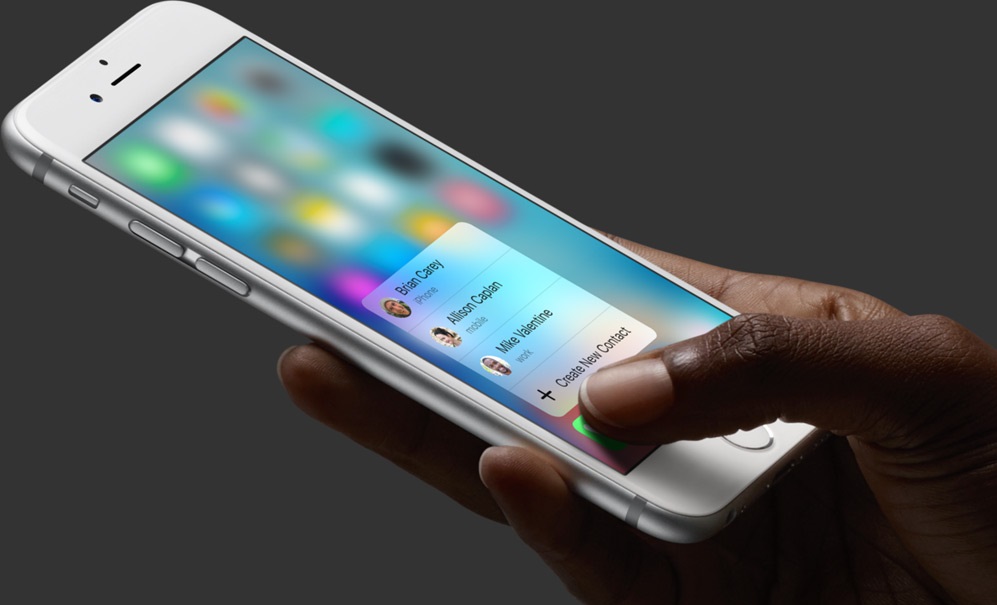
Getting where you’re going with fewer steps is a lot easier with time-saving 3D Touch shortcuts in Apple Maps. For example, pressing the Maps icon on the Home screen lets you instantly get directions home, send your location to a friend, search what’s nearby or drop a pin on your current location so you can remember where you parked your car.

And within the Maps app, 3D-touching a point of interest lets you preview it quickly, navigate there, call the place and more.

In this tutorial, you're going to learn about all the ways you can take advantage of 3D Touch shortcuts that are currently supported in Apple Maps.

With this time-saving shortcut, you can quickly set some Mac display options

In addition to adjusting the screen resolution and choosing between the available display modes on your Mac, the macOS System Preferences application gives you additional display options to play with.

If you use display zoom, a great feature for people with less than perfect eyesight who find themselves squinting at the screen all the time, or you want to quickly access common features related to making items on the screen easier to see and the display easier to read, use the following time-saving shortcut to quickly adjust these options.

Error 53: Apple warns iOS 9 bricks iPhone 6 in case of unauthorized Touch ID repair

The Guardian on Friday reported that unauthorized third-party repairs to the iPhone 6's Touch ID Home button will brick the device as soon as iOS 9 is installed. Of course, we all know that using an unauthorized repair service not only voids warranty but puts oneself at risk of having a sub-par component that isn't sanctioned by Apple.

But is deliberate bricking really necessary here? Should users be inconvenienced just because they trusted someone to change their phone's Touch ID button or the cable connecting the Home button to the logic board? According to Apple, this is a security-related feature of iOS 9.

Apple Stores in Japan are now offering iPhone screen protector installation service

As first noted by MacOtakara, employees of Apple Stores in Japan have now received specialized Belkin tools to install screen protectors on iPhones in-store, though it's unclear if this iPhone screen protector installation service might soon expand to other Apple Stores around the world.

Using Belkin's TrueClear Pro device, store employees are able to apply a screen protector in a straightforward and easy manner. Prices range from 2,180 yen to 4,280 yen, depending on material and device size, which works out to about $19 to $37.

Apple TV universal search expands to FOX NOW, FXNOW and Nat Geo TV

According to an Apple support document which was updated yesterday, the universal search feature on the fourth-generation Apple TV will now surface video content provided by FOX NOW, FXNOW and Nat Geo TV channels.

Users who install these apps on their set-top box can press the Siri Remote's microphone button and say things such as “Watch Life Below Zero” and land on the page that now includes that show by the National Geographic channel, in addition to other content sources.

Apple vying for streaming rights of Thursday night NFL games

NFL

Apple is among a group of tech giants vying for the rights to stream Thursday night NFL games, reports Variety. The NFL said on Monday it has reached a two-year agreement with CBS and NBC for broadcast rights, and it's been in active discussions with potential partners for digital rights.

According to Variety's sources, Apple is among those potential partners, as are Amazon, Google and Verizon Communications. The League is said to be considering a variety of scenarios, including potentially selling the rights to more than one distributor, and mixing in games played overseas.

How to move your iTunes library to an external drive

You'd be amazed how much of your Mac's storage is wasted on the iTunes library. All those apps and media you have purchased and downloaded over the years pile and clog up your Mac's precious storage.

But with one-terabyte external hard drives retailing for less than $60 on Amazon, there are no excuses not to spring for external storage to move that humongous iTunes library of yours on.

This post takes you step-by-step through the process of consolidating your iTunes library and moving it to an external drive in a way that will preserve your playlists, ratings and other interactions, so you won't miss a beat.

Tim Cook holds Town Hall meeting to discuss iPhone sales, Apple TV and more

Following its record Q1 earnings report, Tim Cook and other top Apple executives held a Town Hall meeting, reports 9to5Mac. The meeting took place at the company's Infinite Loop headquarters, and served as an open discussion forum between employees and their leaders.

Citing multiple sources who attended the event, 9to5Mac says Cook and others talked about a wide range of topics. These included everything from information related to new employee benefits, iPad growth, Apple Watch sales, and they even offered teasers for future products.

How to use bookmark folders in Safari

In Safari, you can save websites you visit frequently so you can quickly revisit them later without having to remember their URLs. Saved webpages are accessible in Safari's Bookmarks menu on the iPhone, iPod touch, iPad or Mac.

If you save a lot of bookmarks, they will clutter the Bookmarks menu over time so locating that favorite website of yours will begin to feel like finding a needle in the haystack. You can avoid this by creating themed folders for organizing your bookmarks.

This tutorial provides step by step instructions for creating new Safari bookmark folders for iOS and macOS. You will also learn how to rename, reposition and delete these folders and file websites into them, all of which will help you organize your favorite websites to your liking.

Twitter is testing a dedicated GIF button

Thursday, TechCrunch reported that some users of Twitter's mobile application for Android had briefly seen a dedicated GIF button inside the app before it disappeared on its own. The new button gave them quick access to trending GIFs and was located between the camera and poll icons inside Twitter's Android app.

According to user Phil Perlman, tapping the button lets you select trending GIFs, or tap through to choose a GIF reaction based on mood categories.

Apple researching pressure-sensing Touch ID with 3D Touch type functionality

Apple has filed for a new patent application, which surfaced this morning in the United States Patent & Trademark Office's (USPTO) database.

It reveals that the Cupertino firm is seeking to add pressure sensing capability to the iPhone's Touch ID button while hinting at the possibility of enabling 3D Touch-like functionality by way of applying various degrees of pressure to the Home button.

Titled “Force-sensitive fingerprint sensing input,” the invention describes adding a resistive element having a mechanically resistive force to the Touch ID button—such as an elastomeric material, spring or similar component—which would then be able to measure the depression.