Apple

Minecraft to gain cross-platform multiplayer this summer, 4K HDR support coming in fall

An upcoming summer update to Minecraft: Pocket Edition for iPhone and iPad will include full support for cross-platform multiplayer, the game's developer Mojang announced today in a blog post ahead of the Electronics Entertainment Expo show, which runs from June 13-15, 2017 at the Los Angeles Convention Center.

“We’re releasing a new update for consoles, which brings players together across mobile, console and Windows 10,” developers wrote. They'll be adding in-game multiplayer server, too.

A server browser in the Minecraft start menu will let you search a list of servers which you can join right away. They'll be launching with four servers—Lifeboat, Mineplex, InPVP and CubeCraft—with more to follow at a later stage.

And as a cool bonus, any downloadable content you purchase will be accessible amongst the various devices at no extra charge!

Mojang highlighted the upcoming features in a promo video, embedded below.

https://www.youtube.com/watch?v=vyr3XZrZssk

The free update will permit fans of Minecraft on iOS to play the game with players on other devices, including Android, Xbox One, Nintendo Switch, Windows 10 PC and VR. Currently, Minecraft: Pocket Edition for iOS lets you play with friends on Xbox One consoles or PCs.

Mojan will be rebranding the game on Xbox One, Nintendo Switch, mobile and VR as just “Minecraft”. Support for Minecraft: Java Edition, which is the original PC game, will continue. “This means when you buy 'Minecraft', you're buying a game that can you can play with friends across devices,” said developers.

Plus, this fall, players will be able to explore endless worlds, rendered in 4K HDR resolution, via another upcoming update. Support for 4K resolution across platform will be free.

However, advanced effects will require a new “Super Duper Graphics Pack”, which will bring out features like dynamic shadows, lighting that streams through fog, movement in leaves and grass, new textures for mobs and villagers, directional lighting, edge highlighting and more.

They'll have additional information about the release date of the free 4K update and “Super Duper Graphics Pack” DLC closer to release. As always, we'll keep you in the loop.

Minecraft: Pocket Edition for iPhone, iPad and iPod touch is $6.99 on App Store.

Minecraft: Apple TV Edition is $19.99 on tvOS App Store.

Hands-on with Apple’s new leather case for Apple Pencil that prevents rolling and broken tips

You know how Apple Pencil is weighted to prevent rolling and how it always stops rolling with the word “Pencil” facing upward on its metal band? Well, Apple's attention attention to detail doesn't stop at the stylus.

Today, we have Apple's brand new leather case for Apple Pencil put through its paces by our resident video editor Andrew O'Hara. In his hands-on video, Andrew finds that the case has been designed to prevent rolling and broken tips.

And while you can put your stylus with the bottom part in first, it won't be stuck inside the case because the body is soft: you just squeeze it down the tube until it comes out.

And here it is.

https://www.youtube.com/watch?v=HlaVSLN4bgc

Subscribe to iDownloadBlog on YouTube.

“This simple leather secures the cap, prevents it from rolling off your desk, and keeps the tip from being damaged,” says Andrew in the video.

Apple's case for Apple Pencil is available in Saddle Brown, Taupe, Midnight Blue and Black finishes. Priced at $29 a pop and currently shipping in 1-2 weeks, it can be grabbed from Apple's web store. The price is a bit on the high-side, but then again—this isn't an ordinary, sloppily designed stylus case.

Basic analytics coming to iOS 11’s Podcasts app

Like many stock apps in iOS 11, Apple's Podcasts app has been redesigned around an Apple Music-style appearance with consolidated tabs, bigger thumbnails and more.

As reported by Recode's Peter Kafka and Six Colors' Jason Snell, Apple is also making some notable changes to the way podcast feed works so that both podcast creators and advertisers can see what listeners actually like.

As for users, they'll be able to download full seasons of their favorite podcast shows and the Podcasts app will determine if a podcast should be played in chronological order.

There are other updates focused on making podcast creators' lives easier as well. According to Apple's own spec sheet regarding the Podcasts app updates in iOS 11, the updated Apple Podcasts specification now provides the following features:

Podcast creators can now provide clear, concise titles. Improvements to how episodes are ordered and recommended within a season. The ability for new subscribers to receive the full current season in their Library. Quick play lets users pick up listening where they left off.

Podcasts will be able to define individual seasons and explain whether an episode is a teaser, a full episode or bonus content. Snell explains that these extensions will be read by the Podcasts app and used to present a podcast in a richer way than the current linear approach in iOS 10.

https://www.youtube.com/watch?v=LFsAlcnlmSo

Subscribe to iDownloadBlog on YouTube

As explained, Apple is going to share more data with podcast creators and advertisers.

With basic analytics, podcast creators will have the ability to see when listeners play individual episodes, what part of individual episodes they listen to, which parts they skip over and when they stop listening. To protect your privacy and prevent targeted advertising, Apple will provide aggregated, anonymized performance data that cannot be tracked to individual users.

Currently, podcast creators can see when someone has downloaded an individual episode, but that's about it when it comes to analytics.

How do you like these changes coming to the Podcasts app?

Share your opinion in the comments section below.

60+ new Apple Watch features in watchOS 4

Apple demonstrated a host of useful new features that will ship with watchOS 4 at the WWDC 2017 keynote, but as always, they were constrained on time and couldn’t show us everything the update has to offer.

In this piece, well talk about everything we’ve found new in watchOS 4 so far. We'll include everything Apple demonstrated in addition to lesser-known features that weren’t given the spotlight at the event.

Apple now allowing developers to implement digital tip jars via In-App Purchase mechanism

Apple recently asked WeChat and other popular social networking apps in China to disable the popular tipping feature, and now we know why—the Cupertino giant has introduced an officially-sanctioned way for iPhone and iPad users to tip content creators in apps via the standard In-App Purchase mechanism.

Like with other In-App Purchases, tipping content providers is subjected to Apple's 70:30 revenue sharing scheme, meaning the company will keep 30 percent of any proceeds to itself.

According to TechCrunch, the updated App Store Review Guidelines now include a clause that deals with tips, here's a relevant excerpt:

Apps may use in-app purchase currencies to enable customers to “tip” digital content providers in the app. Apps may not include buttons, external links, or other calls to action that direct customers to purchasing mechanisms other than In-App Purchases.

According to the report, developers have the freedom to decide how much of the tips are passed to the content creators themselves (after Apple's 30 percent cut, of course).

At any rate, Apple was smart to implement this cool new feature.

Tipping content creators like musicians, comedians, e-sports athletes and others is tremendously popular in China. The company has lacked a tipping system for iOS apps, meaning it couldn't get in on the action to process such transactions through its own iTunes billing system.

With tips now being officially supported via the familiar In-App Purchase mechanism, many customers who were previously reluctant to use PayPal or their credit card for tipping their favorite content creators will now be able to do so, directly in the app.

And by taking tipping out of the grey area, as TechCrunch observes, more developers might implement digital tip jars— without fearing repercussions from Apple—as an alternative way to get creators paid without having to offer ad revenue sharing.

In turn, the feature may create a whole new revenue stream for Apple at a time when the company is monetizing its huge user base in an attempt to boost its ever-growing Services revenue.

iOS 11 brings lossless FLAC audio playback to iPhone and iPad

iOS 11 reportedly brings native support for lossless audio encoded in the popular FLAC format to iPhone, iPad and iPod touch. As discovered by Reddit users, Apple has included full playback support for FLAC audio files on iOS 11. iTunes and iOS 10 currently lack built-in support for the FLAC codec, though people can use a third-party app to enjoy FLAC audio.

At this stage, only the new Files app has support for lossless playback of FLAC-encoded audio files. Of course, things could change in subsequent beats as Apple continues to refine iOS 11 ahead of its fall release, at which point iTunes could be updated with full playback support for the popular format.

As things currently stand, any FLAC files synced to an iOS device through iCloud Drive, Dropbox or Box can be played from within the Files app. FLAC files are currently unsupported via the Music app on iOS 11.

For what it's worth, I tried sending an FLAC audio file to my iOS 11-enabled iPhone through AirDrop, to no avail. My iPhone didn't know what to do with the file, putting up the standard prompt offering to download an app from App Store.

No matter how you look at it, this is a big win for music lovers and audiophiles.

The FLAC format bring the full quality of the original recording. FLAC, or Free Lossless Audio Codec, features lossless compression of digital audio which can reduce the size of the audio file to between 50 percent and 60 percent of its original size, without degrading audio quality of the original.

iOS 10 currently supports the AAC, Protected AAC, HE-AAC, MP3, MP3 VBR, Dolby Digital (AC-3), Dolby Digital Plus (E-AC-3), Audible (formats 2, 3, 4, Audible Enhanced Audio, AAX and AAX+), Apple Lossless, AIFF and WAV audio formats.

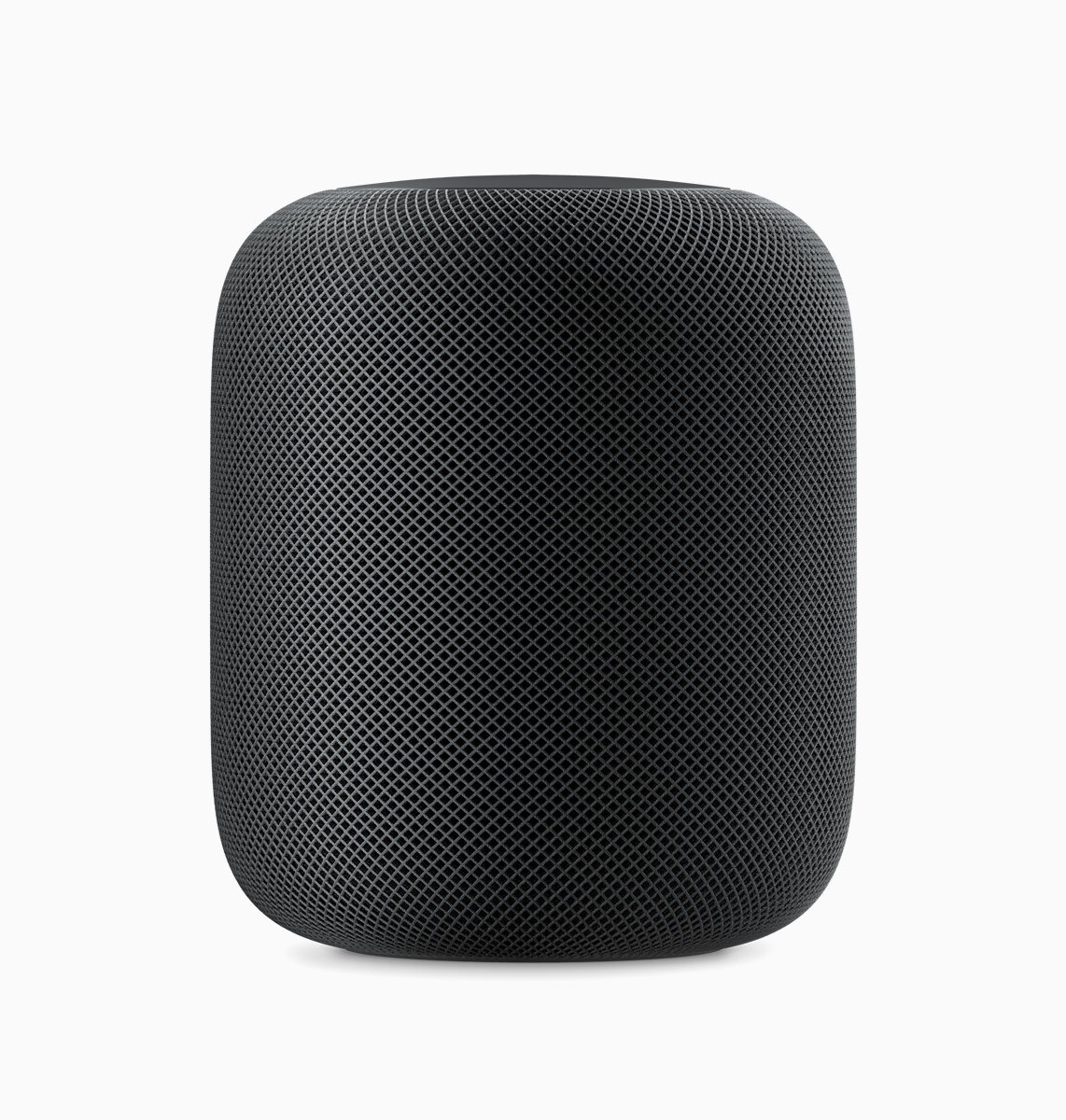
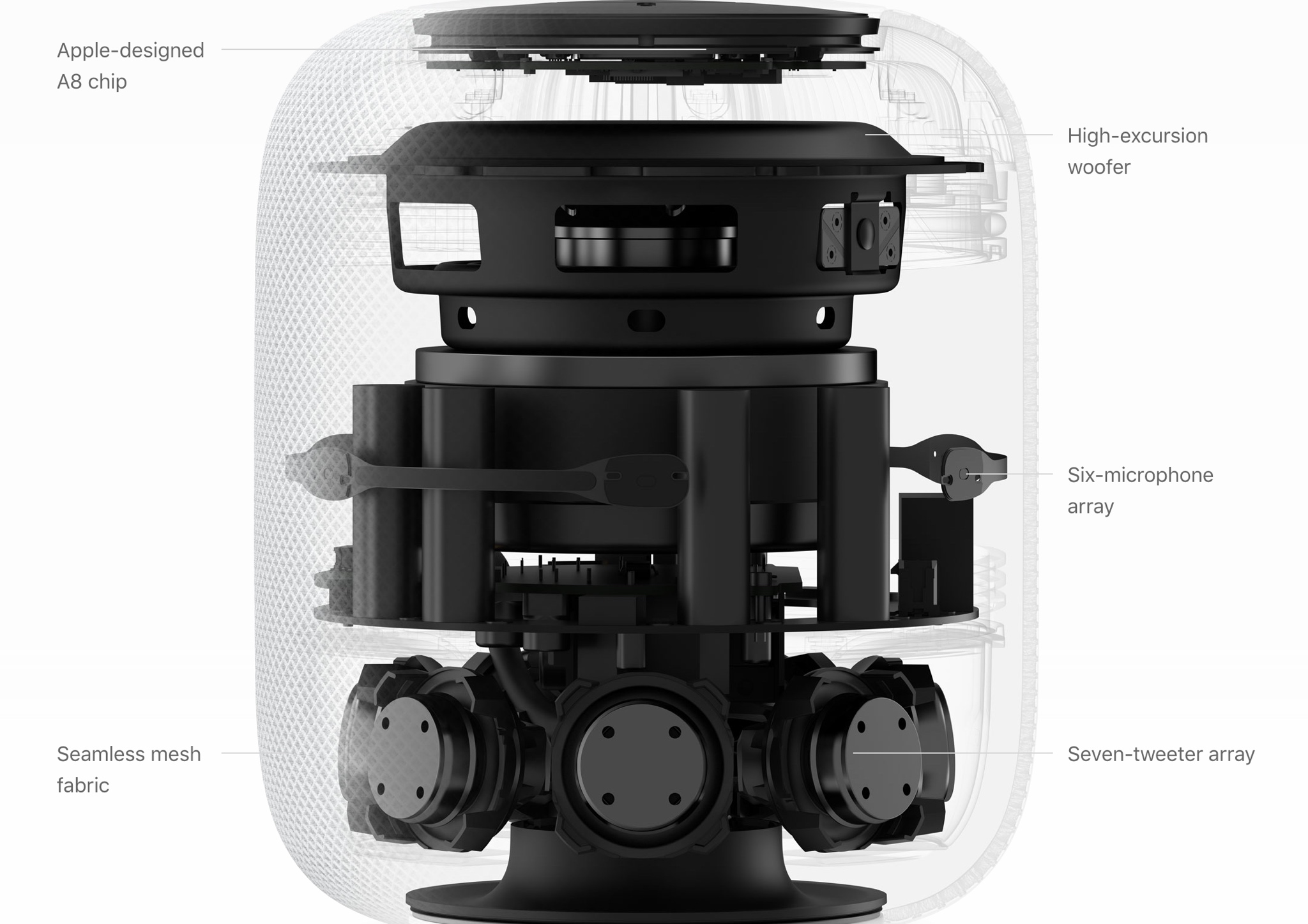
The ability to play lossless FLAC audio on an iPhone, iPad or iPod touch with iOS 11 could also signify that HomePod, Apple's upcoming smart speaker, may support high-quality FLAC audio.

iFixit’s $300 kit lets you boost the RAM on Apple’s new 21.5-inch iMac to 32GB

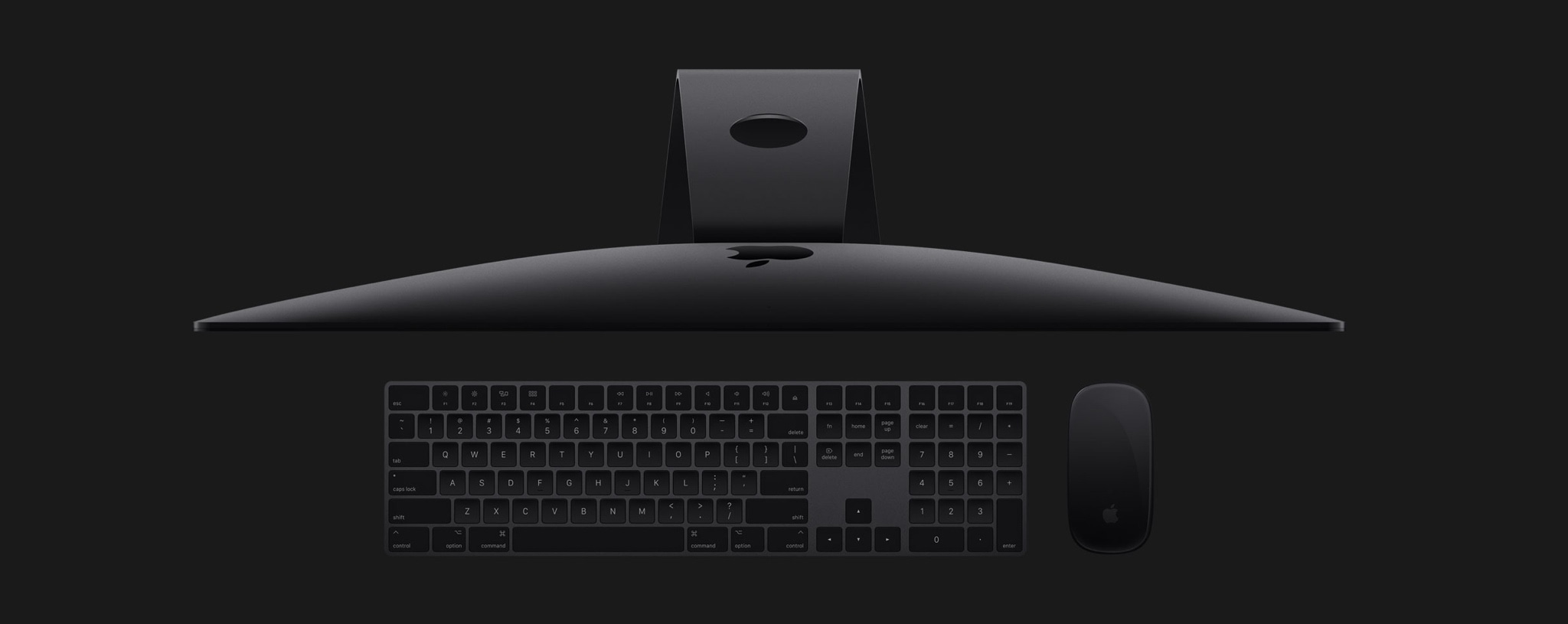
Repair experts at iFixit have announced a DIY $300 upgrade kit for the new 21.5-inch iMac with 4K Retina display after finding user-replaceable RAM via a pair of removable SO-DIMM slots instead of the memory modules being soldered onto the logic board.

The baseline 3.0GHZ Core i5 machine has 8GB of RAM, which can be maxed out to 16GB.

Customers who need more RAM can opt to double the machine's 8GB of RAM to 16GB of RAM for an additional $200 via Apple's build-to-order options. However, only the $200 pricier system with Intel's 3.4GHz Core i5 chip allows you to boost the RAM all the way up to 32GB but the build-to-order option adds a whopping $600 on top of the price of that system.

Therefore, it makes a lot of sense from a financial standpoint to invest into a third-party DIY kit if all you need is more RAM, up to 32GB, on the baseline model.

The iMac Intel 21.5" Mid 2017 Max RAM Upgrade Kit includes the following:

Two 32GB (2x16GB) DDR4-PC2400 2400MHz RAM modules Replacement Display Adhesive Strips iMac Opening Wheel iMac Service Wedge Plastic Cards Spudger Tweezers Phillips #00, T5, T8 and T10 Bits Driver Handle

iFixit's repair guide details the 63 steps required to replace the RAM.

Although the machine features removable RAM sockets, the RAM is not meant to be user-replaceable because getting to the memory modules requires removing the back cover, the display, the logic board and other components.

In other words, the procedure isn't for the faint-hearted.

Opening them machine involves cutting through adhesive that will need to be reapplied after you finish the repair. You'll also need to remove the logic to remove or replace the RAM.

From the iFixit team:

This guide is marked "potentially dangerous" because it requires you to handle a power supply that contains large capacitors. Unplug the iMac and hold the power button down for at least 10 seconds to help discharge the capacitors. Handle the board by the edges and do not touch surface components.

iFixit also noted that the machine's Kaby Lake processor sits in a standard LGA 1151 CPU socket rather than being soldered onto the logic board. “For the first time in years it's possible to replace or upgrade the CPU without a reflow station, and that's a big win,” wrote iFixit.

Considering that the baseline iMac provides options for 8GB or 16GB of RAM, but not 32GB, this is currently the only way to bring the machine up to the higher capacity.

New Apple ads highlight 10.5″ iPad Pro’s powerful A10X Fusion chip, improved Apple Pencil

Apple on Friday released new ads via its official channel on YouTube, a continuation of its ongoing “Real problems…answered” campaign that positions its tablet as a powerful computer.

Titled “A new kind of power” and “The amazing Apple Pencil”, the new videos run sixteen seconds long each and highlight the features of the new 10.5-inch iPad Pro with the thinner side bezels, upgraded display and CPU, Apple Pencil and more.

A new kind of power

https://www.youtube.com/watch?v=jPnooxO6V6k

“You could feel the power of the A10x Fusion chip, if your computer was the new iPad Pro.”

The amazing Apple Pencil

https://www.youtube.com/watch?v=wvr3p2_MiNY

“You could write with basically no lag, if your computer was the new iPad Pro.”

The very first ad featuring the 10.5-inch iPad Pro was released on Monday. Like prior “Real problems…answered” ads, the latest ones are based on real tweets from real people.

Yesterday, Apple released a new “Shot on iPhone” commercial, titled “Earth”, based on some powerful narration by the late cosmologist and science popularizer Carl Sagan.

HomeKit gains easier setup with NFC/QR Codes, improved latency, support for sprinklers/faucets & more

Interesting new capabilities for HomeKit, Apple's home automation framework, were announced at the Worldwide Developers Conference earlier this week. The new features were designed to make the smart home platform more flexible for users and even more accessible to third-party developers and device makers in order to encourage faster adoption.

For starters, Apple no longer requires vendors to use dedicated encryption chips in their gadgets. But the big news is that hobbyists and enthusiasts (or just about anyone with an Apple developer account) are now permitted to create prototypes of HomeKit devices without being MFi-certified.

Apple's “What's New in HomeKit” developer session provides a wealth of information on the new end-user capabilities for HomeKit, like easier setup with QR Codes and NFC, greatly improved responsiveness, support for new smart home device types, like sprinklers and faucets, and much more.

HomeKit now implements new triggers and events, making it possible to automatically run scenes based on who is home, only at certain times, and with more types of accessories.

HomeKit scenes and accessories can be controlled through iOS 11's Control Center, with Siri, using the Home app on iPhone, iPad, iPod touch or Apple Watch, and via Apple's new HomePod smart speaker. And with an Apple TV, an iPad or a HomePod actings as a HomeKit hub, you can control your smart home products from just about anywhere in the world.

Sprinklers and faucets

With support for two new product categories—sprinklers and faucets—users can now control water in the garden via Siri. Or, you could have Siri turn on the shower in the morning, knowing the water will be the right temperature by the time you finish your morning coffee.

Greatly improved responsiveness

Many HomeKit accessories use the low-energy Bluetooth standard. In order to reduce the latency which occurs when a Bluetooth accessory communicates with a HomeKit hub, Apple is rolling out a completely new system based on secure broadcast sessions that now send a notification to a HomeKit device.

This reduces the latency between a new event and the actual accessory state change from a few seconds down to under a second. You won't have to buy new products: when iOS 11 launches, all your existing accessories will take advantage of improved responsiveness.

Easier setup

On iOS 10, setting up a home accessory requires launching the Home app, turning on the accessory, tapping the Add option and scanning the special setup code printed on the product's box to authenticate the device.

It is currently not possible to pair a turned-off HomeKit device. With iOS 11, you can pair a HomeKit accessory by scanning its code while it's powered off.

Furthermore, Apple  now supports scanning QR Codes for HomeKit authentication. QR Codes can be as small as 10-by-10 millimeters so this seemingly small change will turn authenticating really tiny HomeKit accessories into a frictionless process.

And with all-new support for NFC tags (who knew, right?), accessory makers can deliver easier experiences where authenticating a HomeKit device is as easy as tap-and-pair.

New event triggers

New events, triggers, recurrences and enhancements for mutable events allow for a significantly elevated flexibility of HomeKit scenes. HomeKit can now run scenes based on who is home, only at certain times, and more. Date-based events let HomeKit triggers to fire off only at certain times (like 5pm every day, for instance).

Significant time events activate triggers on sunrise or sunset, with positive or negative offsets.

For example, you could have HomeKit trigger your “I'm at home” scene an hour after sunset or have the lamps in your home turned on right before the sun goes down. A new convenience condition in iOS 11 makes it easy to create a custom condition between two significant events. As an example, you could have a scene running from one hour before sunset to one hour before sunrise.

Another new iOS 11 condition allows HomeKit to execute a scene when a custom threshold is exceeded. For instance, you could set your air conditioning/heater to kick in when the temperature in your home rises above 76 degrees or when it's between 50 and 76 degrees.

A new presence event lets HomeKit activate scenes when a user arrives home , or leaves home. And with multi-user support, you now can have triggers activate automatically when the last known user leaves home (to shut down the lights, air conditioning, lock the doors and so forth) or the first user arrives home to an empty house.

End events support specifying the time interval from the event execution time.

Apple provided the example of opening a door at night, which triggers an event that turns on the outside lights for just a few minutes. Currently, there's no way to have a HomeKit device enable a certain state for a period of time.

And with recurrences, it's possible to execute triggers only on certain days of the week. For instance, if you like to sleep a little longer on Saturdays, you can now restrict the execution of your “Good morning” scene to workdays only.

Plus, HomeKit now supports creating an event that triggers once, then auto-disables itself.

AirPlay 2

Apple also unveiled a new version of AirPlay, called AirPlay 2.

AirPlay 2 supports multi-room audio and HomeKit, meaning your smart home products can now communicate with your AirPlay 2-enabled speakers or Apple's own HomePod speaker. You can control multi-room audio playback through HomeKit, as long as your wireless speaker or home audio setup works with AirPlay 2.

Apple-owned Beats, as well as audio equipment makers like Bose, Bang & Olufsen, Bowers & Wilkins, Marantz and many others have pledged their support for AirPlay 2. With HomeKit and AirPlay 2, “third-party audio apps will be able to get in on the multi-room audio fun,” said Apple's software engineering chief Craig Federighi said onstage during the WWDC keynote.

Relaxed licensing

HomeKit has always been, first and foremost, about user security.

And because Apple does not compromise about requiring HomeKit developers and vendors to use end-to-end encryption, HomeKit user data is far from being insecure as it unfortunately is with most other platforms for the connected home.

For starters, all HomeKit makers must adhere to Apple's strict “Made for iOS” (MFi) policies and use Apple's authentication chips to guarantee user privacy and security with strong hardware-based encryption. On the downside, this complicates hardware development and makes HomeKit devices pricier than rival gadgets.

The updated HomeKit specification now includes a new option allowing all the HomeKit authorization to go through software. Although software-based encryption is slower versus a dedicated chip, it has the benefit of shortened development times and lower cost.

But more important than that, existing devices that currently lack HomeKit integration will now be able to implement HomeKit support after iOS 11 launches this fall in software, without requiring a hardware change.

Apple now operates two HomeKit certification labs in the United States and is scheduled to open similar labs in the United Kingdom and China next month, which should help local vendors bring their HomeKit hardware to market faster.

Apple also wants encourage hobbyists to build their own HomeKit devices. During WWDC 2017, the company announced that developers no longer have to be MFi-certified to build prototypes of smart home accessories. Not only that, but HomeKit developers can now use popular developer boards like Raspberry Pi and Arduino.

Of course, MFi certification is still required before products can be sold to customers.

That said, the fact that Apple now permits regular people to tinker with HomeKit and even build their own accessories from scratch, for personal use, without an MFi license, should help accelerate the adoption of the platform.

These new HomeKit features are available across iOS 11, watchOS 4 and tvOS 11. macOS currently does not support HomeKit. HomeKit debuted two years ago at the 2014 Worldwide Developers Conference.

Hands-on with iOS 11’s one-handed QuickType keyboard

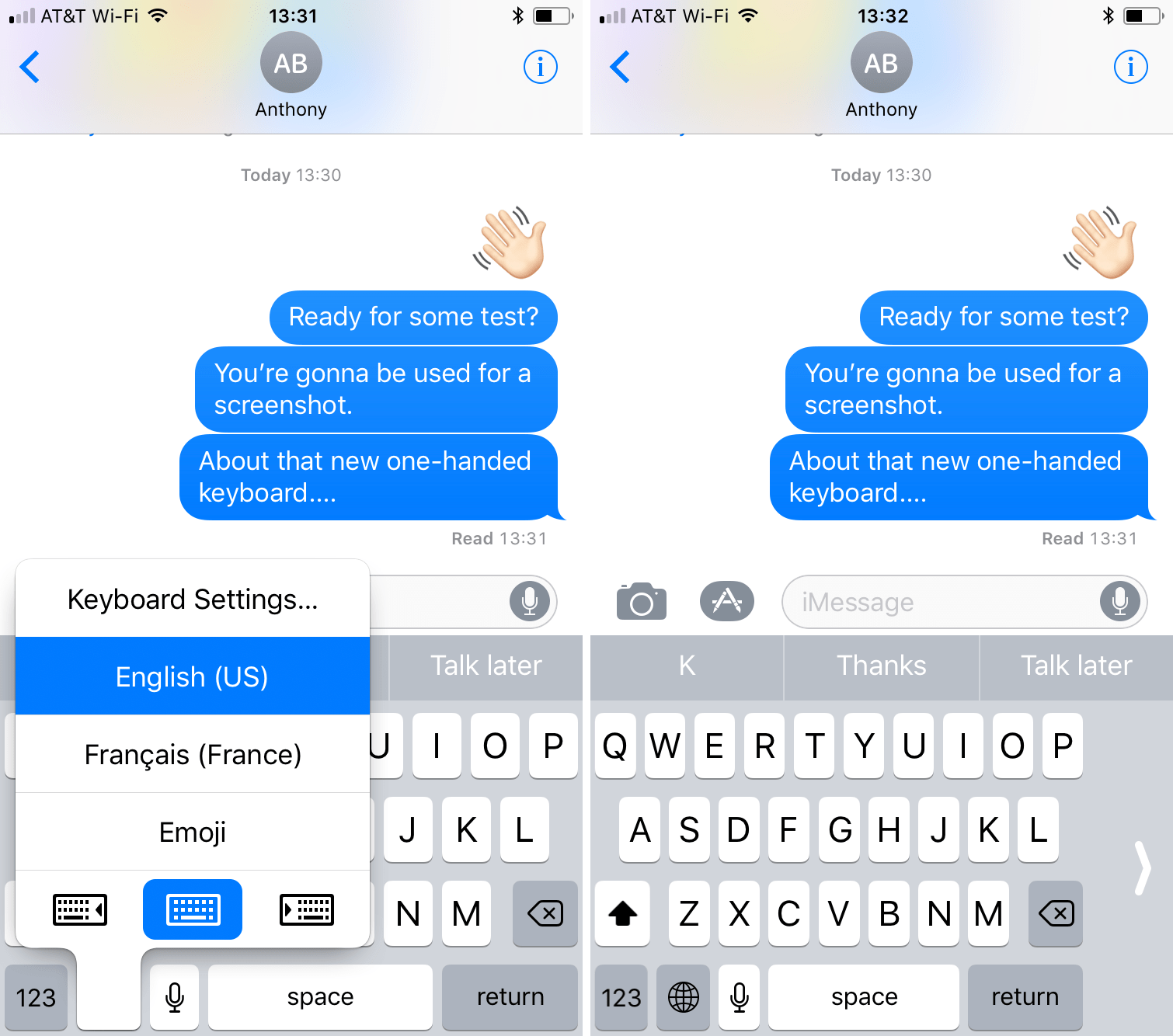
As previously suspected, and officially announced at the Worldwide Developers Conference, iOS 11 provides a new keyboard feature making it easier to type in one-handed mode, whether you're a right or left-handed user. It works on both 4.7 and 5.5-inch iPhones and is easily invoked at any time via the keyboard's Emoji key.

Andrew O'Hara put together a short video demonstration of this feature in action. Watch it embedded below, then read the rest of the article before meeting us in comments.

https://www.youtube.com/watch?v=nq0xDpcCGKA

Subscribe to iDownloadBlog on YouTube

To activate this  keyboard mode, tap and hold the Emoji key on the keyboard.

You'll notice a trio of new icons lined up alongside the bottom of the menu. These icons let you move the entire keyboard either fully to the left or to the right of the screen so that typing with a single thumb is easier.

The keyboard shrinks exactly to the width of the keyboard on a four-inch iPhone.

To return to the normal-size keyboard, tap the Emoji key again, then hit the middle icon at the bottom of the menu. Alternatively, tap the arrow on either side of the keyboard to quickly get back to the normal layout.

What are your thoughts on iOS 11's new one-handed keyboard? Do you think you'll be using it on your iPhone when iOS 11 drops? Share in the comments section below!

ResearchKit gains 3 new active tasks researchers can incorporate into their studies

Apple launched its open source ResearchKit framework two years ago.

At the Worldwide Developers Conference earlier this week, the company announced some interesting updates for Research Kit version 1.5.

Researchers and app developers can now gather new types of data by taking advantage of three new “active tasks”. A new video instruction step makes it easier for apps to display rich video content to users from either a local or remote source.

“We have also updated the Tone Audiometry active task to include both a left and right button,” notes Apple. “This update will let participants not only indicate when they hear the tone but they can now also specify which ear they hear it in.”

The following new tasks are available as part of ResearchKit 1.5:

for: This test measures selective attention by asking participants to focus their attention on one stimulus and ignore another. The test displays concordant and discordant combinations of text and tint to the user who must ignore the text and instead select the button that reflects the first letter of the tint color. Trail Making: This active task measures visual attention and task switching by asking participants to connect a series of alternating labelled circles by tapping the circles on the screen in the correct sequence. Range of Motion: This test lets you measure both the flexed and extended positions for the shoulder and knee. When participants are ready with their device in the proper position they can simply tap the screen to indicate they are ready to proceed. As users complete the test, data from the accelerometer and gyroscope is recorded.

ResearchKit allows researchers and developers to create apps for medical research that use iPhone's many sensors to gather valuable data from the participants. With it, developers and researchers can incorporate visual consent flows, real-time dynamic active tasks and surveys into their apps.

ResearchKit works seamlessly with HealthKit, allowing researchers to access relevant data for their studies (with user consent), things like daily step counts, calorie use and heart rate.