Apple

New Apple Files app has support for Dropbox and other third-party cloud services

Apple announced a new Files app at its Worldwide Developers Conference today that works especially well with the newly announced iOS 11 productivity features for iPad. A placeholder listing for the Files app appeared on App Store earlier today, meaning users will be able to hide and re-download the new app.

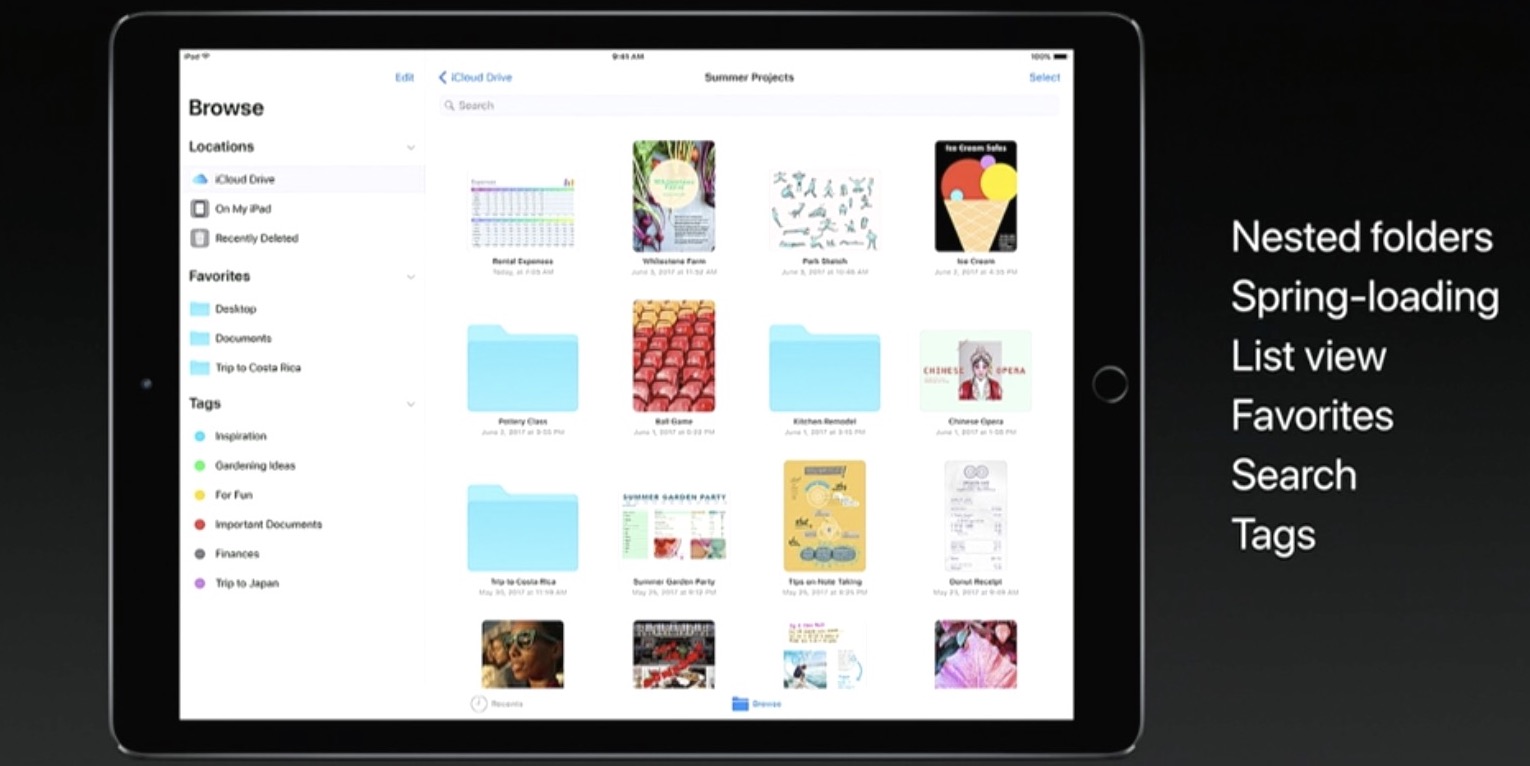
Featuring a user interface that looks like an enhanced iCloud Drive app, the Files app allows you to access files and folders in your iCloud Drive, on your device and in third-party cloud services like Box and Dropbox, as long as they include a Provider Extension for iOS.

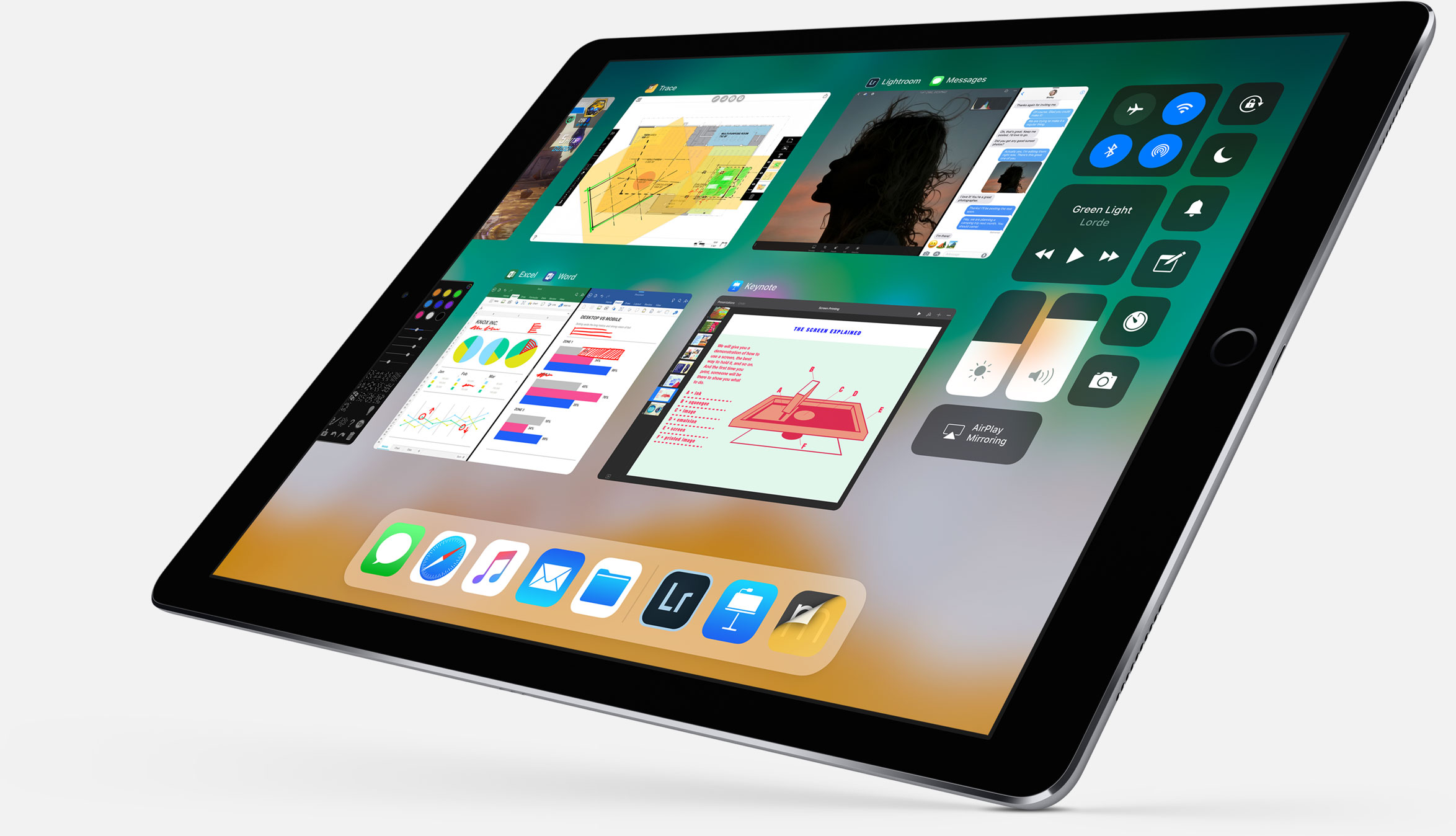
And with new iPad productivity features on iOS 11 like an enhanced Split View mode, an interactive Dock (pictured above) and drag-and-drop, users will be able to easily, say, drag an attachment from Mail and drop it on a folder in the Files app to save it to a custom location.

It works the other way, too.

For instance, you could tap and hold the Files app icon in the Dock to bring up your recently accessed files, then simply drag a recently opened image and drop it in a precise place within the Keynote presentation you're working on.

Your files can be browsed in the grid view with larger thumbnails or you can access details about files in the more informative list view. Items can be sorted by size, date and more, you can create new folders, delete files and so forth.

The files app requires iOS 11 and supports only 64-bit devices.
iOS 11 adds new dock, drag and drop and other iPad productivity features

Following the announcement of its new 10.5-inch iPad Pro, Apple showed off a slew of new iPad-specific features that are coming in iOS 11. It's a pretty impressive collection of improvements, clearly aimed at making the tablet more of a productivity tool.

Apple calls this the "biggest iOS release for iPad ever," and there is a lot of new stuff here. So for now, instead of going into each new feature in detail, we're just going to list out all of the features so you can get an idea of what to expect.

New dock - can be filled with a ton of apps now, and there's a new predictive area to the far right that guesses which app you'll want to use next. You can pull it up from anywhere and slide an app up from it to the Slide Over view. New app switcher - preserves spaces, along with app pairings, so you can open the same set of apps easily. Drag and drop - drag and drop anything including images, texts and URLS. Even if you're in a full screen app you can collect multiple images by swiping with opposite hand and drag and drop. New Files app - supports iCloud, Dropbox OneDrive, etc. Allows you to drag and drop files into apps by swiping up on dock and holding down on the Files icon. Spotlight search for handwritten notes in Notes app. Inline drawing with Apple Pencil in Notes app. Quickly input numbers by swiping on corresponding key on virtual keyboard. New screenshot-editing UI that lets you crop image, annotate with pencil, and share with Share Sheet. Notes now has document scanner built-in.

Here's a shot of the new Files app:

And here is Files app with drag and drop:

Here's the official excerpt on iPad features in iOS 11 from Apple's website:

iOS 11 makes multitasking on iPad even more powerful with a new customizable Dock that provides quick access to frequently used apps and documents from any screen, and a redesigned app switcher makes it easier to move between pairs of active apps, used in Split View and now Slide Over. The new Files app keeps everything in one place, whether files are stored locally, in iCloud Drive or across other providers like Box, Dropbox and more, and with Drag and Drop available across the system, moving images and text is easier than ever. Apple Pencil is more deeply integrated into iPad with support for inline drawing and a new Instant Notes feature opens Notes from the Lock Screen by simply tapping Apple Pencil on the display.

So what do you think, did Apple achieve its goal of making the iPad more productive?

Apple announces new 10.5-inch iPad Pro

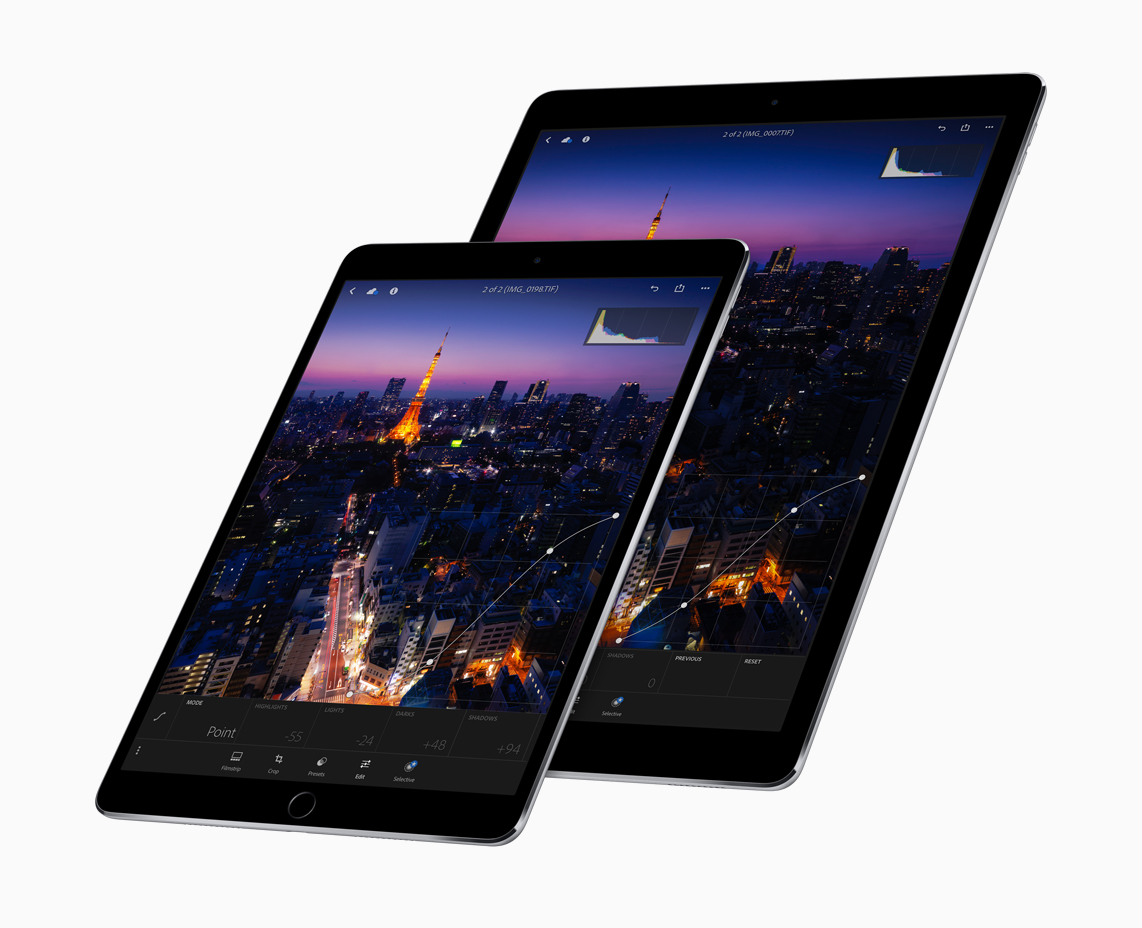
As rumored, Apple today announced a new 10.5-inch version of its iPad Pro. It features a larger display, in a body that's essentially the same size of the 9.7-inch iPad. You can see in the above image that this is possible thanks to slimmer bezels—Apple says they've been reduced by 40% in size.

The tablet weighs 1 pound and is extremely powerful. It features a new ProMotion Retina display that can refresh at a rate of 120Hz. That's double the refresh rate of previous iPads, making things smoother, crisper and more responsive. This is powered by an A10X Fusion chip processor, which has a 6-core CPU and 12-core GPU.

Other features include a 12MP iSight camera with optical image stabilization (same as iPhone 7) and a 7MP FaceTime camera. It has the same 10-hour battery life, supports USB3 fast-charging, and entry-level storage now starts at 64GB. The new iPad Pro starts shipping next week, with prices starting at $649.

Here's a note from Apple's press release on the new tablets:

“These are by far the most powerful iPads we’ve ever created with the world’s most advanced displays featuring ProMotion, the powerful new A10X Fusion chip and the advanced camera system of iPhone 7,” said Greg Joswiak, Apple’s vice president of Product Marketing. “Together with iOS 11 these new iPad Pro models will radically change what users can do with iPad.”

One last thing: a new full-sized Smart Keyboard has been custom designed for the 10.5-inch iPad Pro, offering a thin yet durable keyboard that never needs to be charged or paired over Bluetooth and is easily foldable into a protective Smart Cover.

What do you think of the new iPad Pro? Will you be picking one up?

Apple announces completely redesigned App Store

Phil Schiller just made perhaps the most surprising and impactful announcement at Apple's WWDC keynote: the App Store is getting a complete redesign. This is the first time this has happened since the App Store was introduced back in 2008.

“Together with our incredible developer community, we’ve made the App Store the best app platform in the world, and more than 500 million unique customers visit it every week,” said Philip Schiller, Apple’s senior vice president of Worldwide Marketing. “Now, we are taking everything we’ve learned from the App Store over the past nine years and putting it into a stunning new design. Every element of the new App Store is richer, more beautiful and more engaging.”

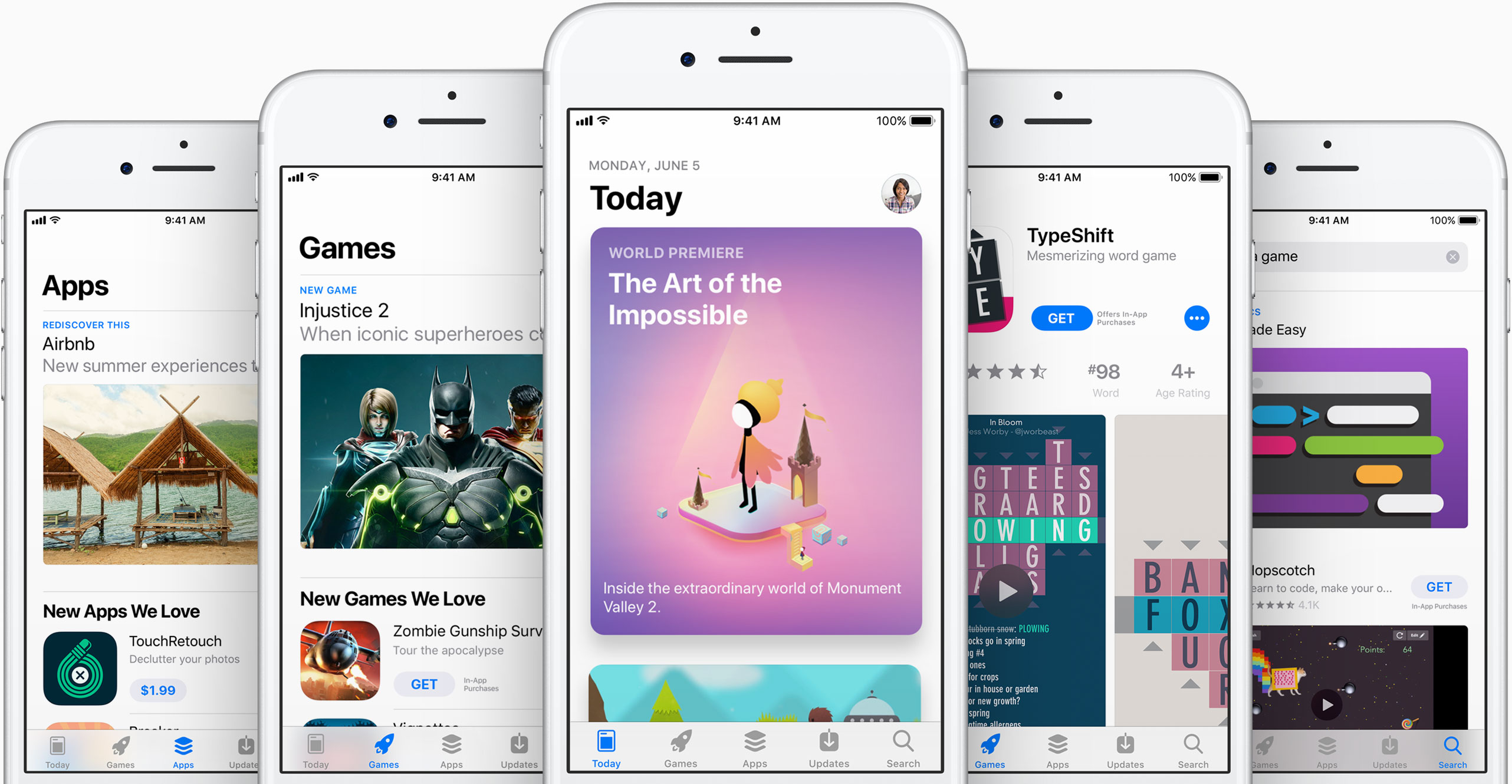
As you can see in the above images, the new App Store looks a lot like Apple Music and Apple News. Images are larger with rounded corners, and header text is large and bold. There's a new Today tab, with big, color cards you scroll through that shows app previews and updates, news, tips and guides, and more. There will also be an app of the day, game of the day, and a daily list of suggestions.

"It all starts with the Today tab, a daily destination all about games, apps and app culture. Through in-depth features and interviews filled with beautiful artwork and videos, the App Store’s global team of editors will share the stories behind the apps and games that change the way we live and the developers whose ideas push and shape the world as we know it. Today will feature exclusive premieres, new releases and a fresh look at all-time favorites, as well as recommended tips and how-to guides to help customers use apps in innovative ways."

Games also now have their own tab, separate from apps, which should make non-game developers pretty happy. This is going to be one of those things where we are going to have to go hands on with to cover the extent of the changes.

"Games is the most popular category on the App Store, and with the new design there will now be a dedicated home just for games. It will feature recommendations of new releases and updates, compelling videos, top charts just for games and hand-picked collections. It's now easier than ever to navigate the over half a million games available, and find the perfect game for everyone from the casual player to the hardcore enthusiast."

What do you think of the new App Store design?

CarPlay on iOS 11 has DND while driving

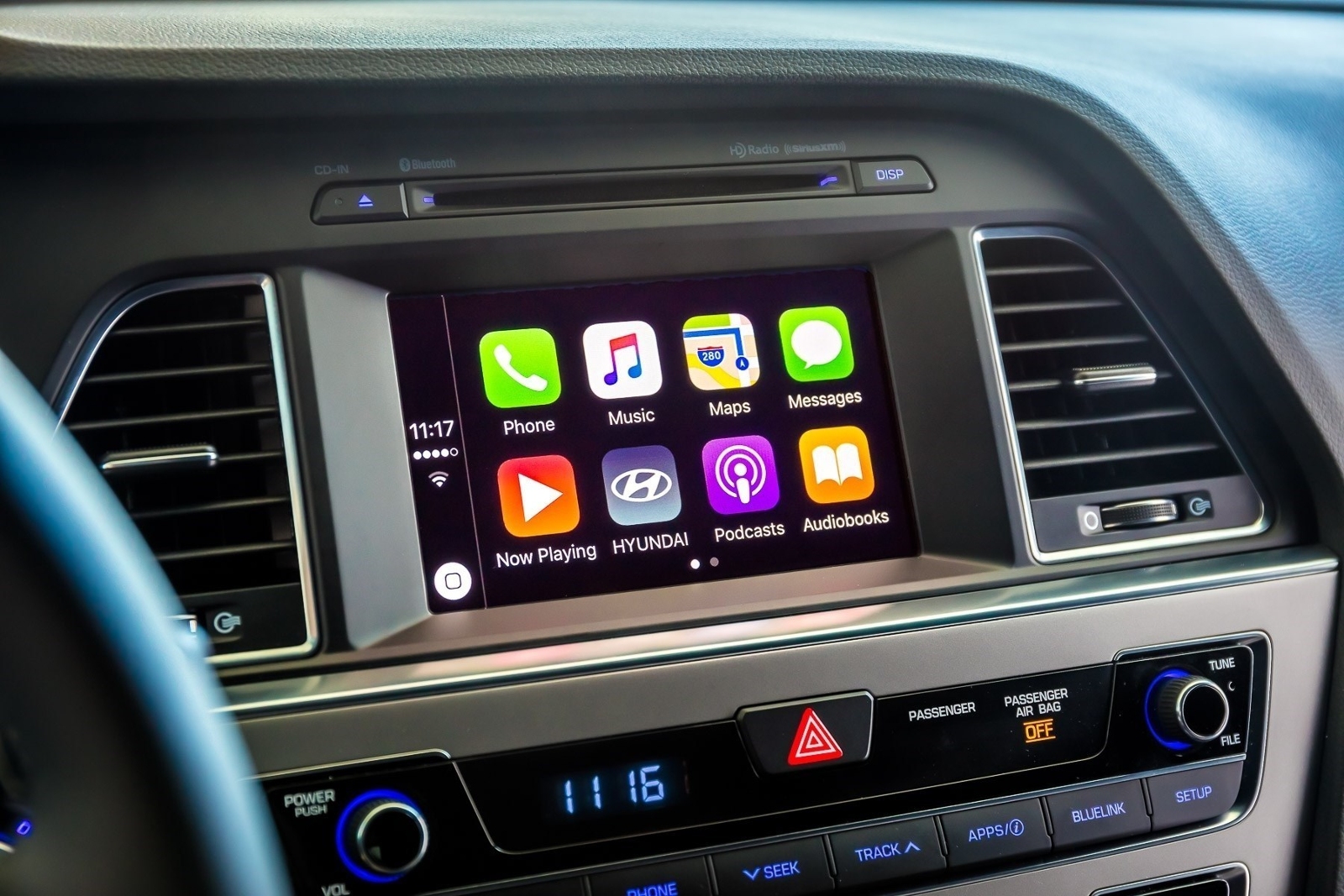
A real important step for safety in the car was just introduced at Apple's Worldwide Developers Conference that's currently underway in San Jose: Do Not Disturb mode while driving. Apple's proactive assistant on iOS 11 determines when you're driving and offers to automatically turn on DND mode via CarPlay.

With DND active while driving, CarPlay won't be showing any notifications, similar to DND mode on iPhone, iPad and iPod touch. And if someone message you while DND mode is active on CarPlay, the Messages app on your iPhone will auto-respond with a message on your behalf telling the sender that you're currently driving and will be getting back to them soon.

Like with DND on iOS, DND for CarPlay allows you to cherry-pick contacts whose messages will get through while you're driving in DND mode. The Messages app on iOS 11 will permit users to respond with a simple “reply” message if they'd like their muted message delivered to CarPlay, as long as they're on your whitelist.

Those and other CarPlay improvements will launch for everyone when iOS 11 releases for public consumption this fall.

Messages in iOS 11 gains iCloud syncing, revamped app drawer & more

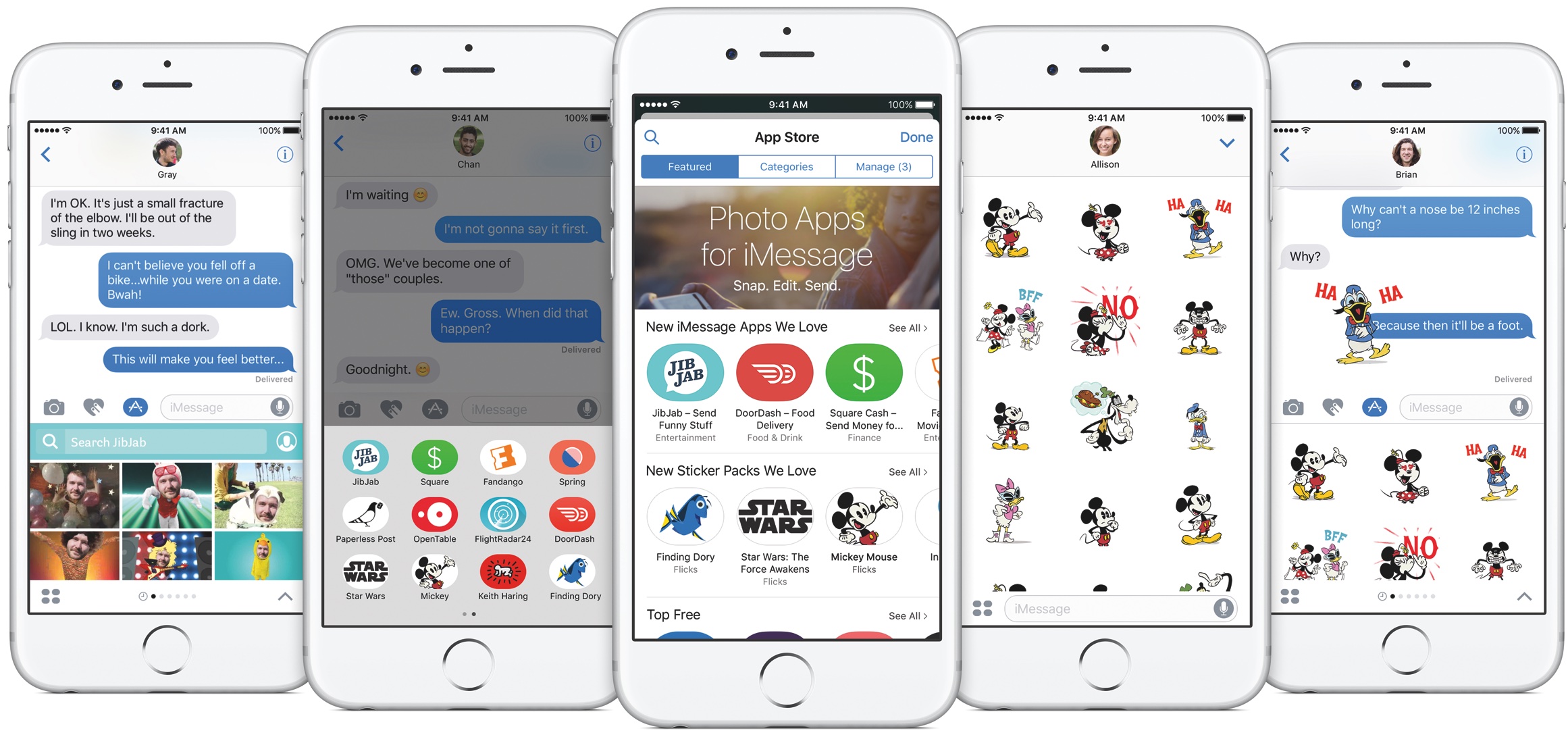
Apple announced at the Worldwide Developers Conference today that Messages on iOS 11 will now synchronize your chats across devices via iCloud while making it a lot easier to get to your favorite iMessage apps and stickers using a redesigned app drawer.

With the redesigned drawer, your favorite iMessage apps and stickers live as horizontally-scrollable thumbnail icons lined alongside the bottom of the interface. Before today, getting to a sticker pack or an iMessage app you wanted to use was a multi-tap affair. With a new Messages in iCloud feature, when you sign in to a new device all your existing conversations will be automatically synchronized, and stay in sync.

For example, if you delete a message on your iPhone it will get automatically deleted from Messages on your iPad, and vice versa. And because your full Messages archive is now synced via iCloud, iOS 11 only keeps the most recent messages on the device while downloading older ones on demand.

As a result, Messages will consume a lot less storage space on your device, and device backups will be faster, too. According to Apple, iOS 10 is now installed on 86 percent of supported devices in the wild, up from the 79 percent adoption rate for iOS 10 reported on February 20, 2017.

iOS 10 features 96 percent customer satisfaction.

Image: The current Messages app on iOS 10.

Control Center gets major redesign in iOS 11

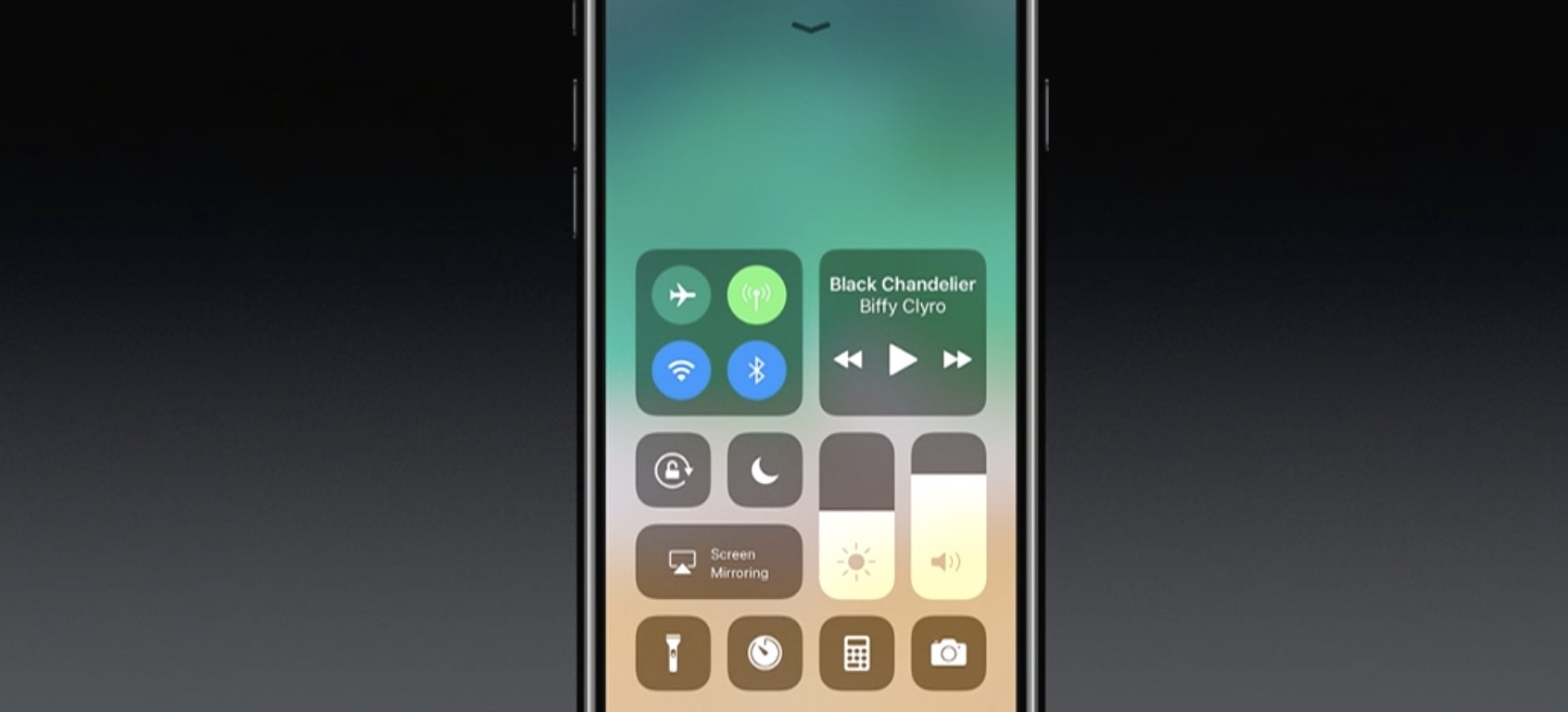
One of the many new features in iOS 11 is a completely redesigned Control Center. As you can see in the above screenshot, it looks nothing like the previous design, with more of a widget-style interface, and yes—it's back to a single page.

Apple describes it as far more customizable than previous versions of Control Center, allowing you to quickly access the settings for things you do most. We haven't tried it yet, but it looks like you can customize at least some of the settings and app shortcuts that appear here.

This being a smaller feature in the grand scheme of the iOS 11 update, there aren't many other details available yet. We are currently installing the developer beta and will be sure to publish a post with a full breakdown of the new CC.

Apple announces new iMac Pro, the most powerful Mac ever made, coming later this year

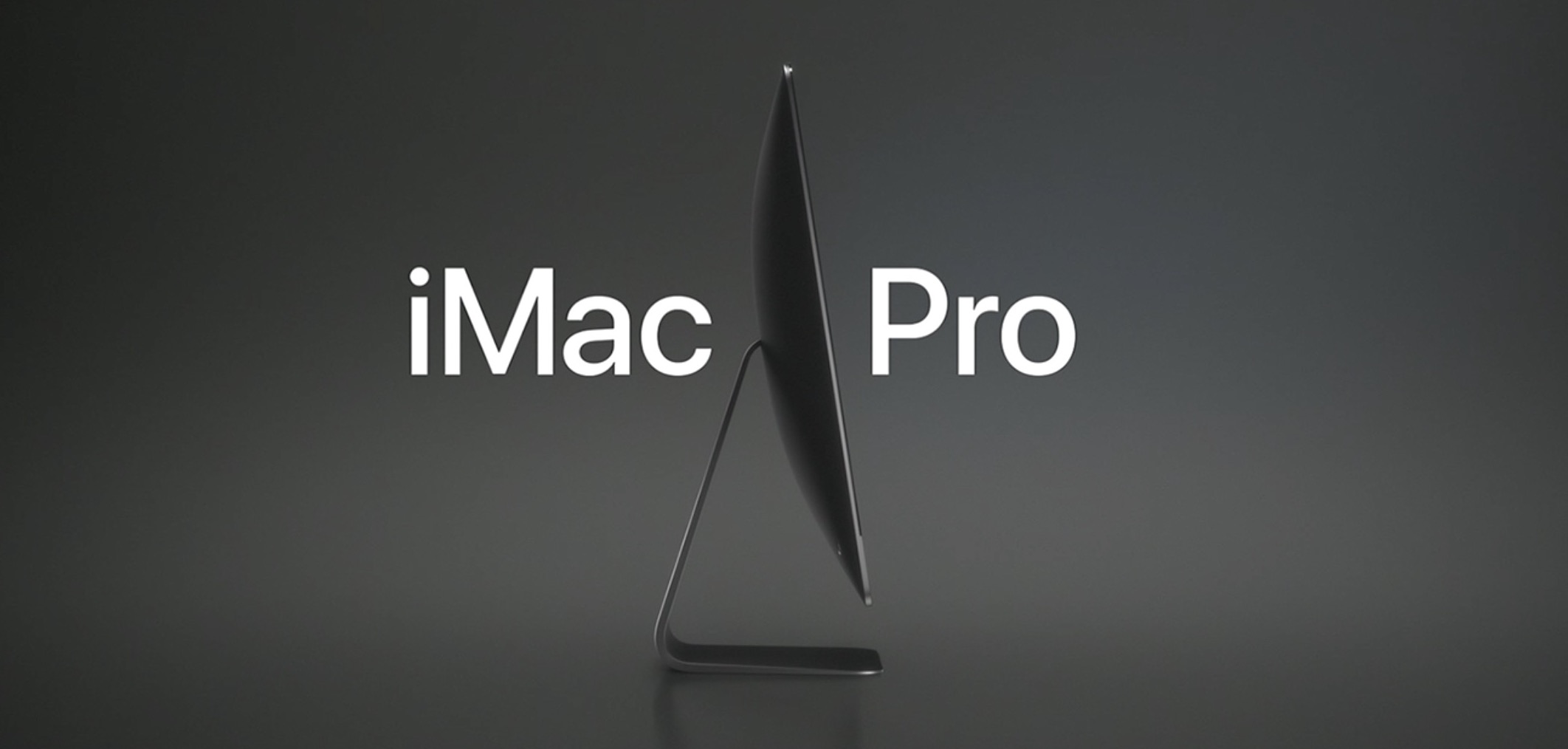
In addition to unveiling macOS High Sierra and updates for the iMac and MacBooks, Apple today announced the new iMac Pro. It looks a lot like the current iMac, but it comes in an awesome Space Gray finish and Apple says it's the "most powerful Mac" they've ever made.

“We’re thrilled to give developers and customers a sneak peek at iMac Pro. This will be our fastest and most powerful Mac ever, which brings workstation-class computing to iMac for the first time,” said John Ternus, Apple’s vice president of Hardware Engineering. “We reengineered the whole system and designed an entirely new thermal architecture to pack extraordinary performance into the elegant, quiet iMac enclosure our customers love — iMac Pro is a huge step forward and there’s never been anything like it.”

Apple says this new 5K iMac has Workstation-class performance in a beautiful iMac design. The starting configuration has 8-core Xeon processor, but you can get up to 18 cores. It has a new set of fans that are "dual centrifugal," allowing for much more efficient and powerful airflow. You can also get up to 128GB of ECC memory and up to 4TB of SSD. You can see some of the other features in the above image.

Also worth noting that the iMac Pro comes with the new Radeon Pro Vega GPU, the most advanced graphics ever in a Mac. Featuring a new next-generation compute core and up to 16GB of on-package high-bandwidth memory (HBM2), iMac Pro with the Vega GPU delivers up to an amazing 11 Teraflops of single-precision compute power for real-time 3D rendering and immersive, high frame rate VR. And for half-precision computation, ideal for machine learning, iMac Pro delivers up to an incredible 22 Teraflops of performance.

The new iMac Pro starts at $4,999 and will be available in December. So, who's getting one?

Photos for Mac will sync faces across devices, support printing services & more

Photos for Mac is gaining some interesting new features in macOS High Sierra, which is the official name of the upcoming 10.13 version of the desktop operating system powering Mac computers and notebooks. For starters, the app will now synchronize any named or recognized faces across your devices via iCloud.

Facial recognition has received a boost, thanks to advanced convolutional networks and machine learning. You'll notice a new persistent sidebar within the app, allowing for one-click access to the commonly used features. You also get a new view for all your imports, allowing you to view them in chronological order and so forth.

Speaking of filters, you can now filter your photos and videos by things like your favorites, media type and more. There are also some new editing tools, like support for precise curve-based adjustments of your color, contrast and more. You can now select content areas by color as well.

The app now plays nicer with third-party apps like Pixelmator.

Now when you edit an image in Pixelmator and save the changes, Photos automatically updates the image in its library. Last but not least, Photos for Mac will feature support for additional third-party printing services, allowing users to easily order wall-mounted photo prints and even publish their images using website templates.

Apple did not say when the updated Photos app will release or if it will require macOS High Sierra.

Apple brings APFS to macOS High Sierra

Apple is bringing its renowned Apple Filesystem (APFS) to the macOS platform for the first time with the newly-announced macOS High Sierra operating system for Macs.

APFS first debuted in iOS 10.3 to replace the dated HFS, and the speed improvements were quickly noticed by users.

Apple introduces macOS High Sierra

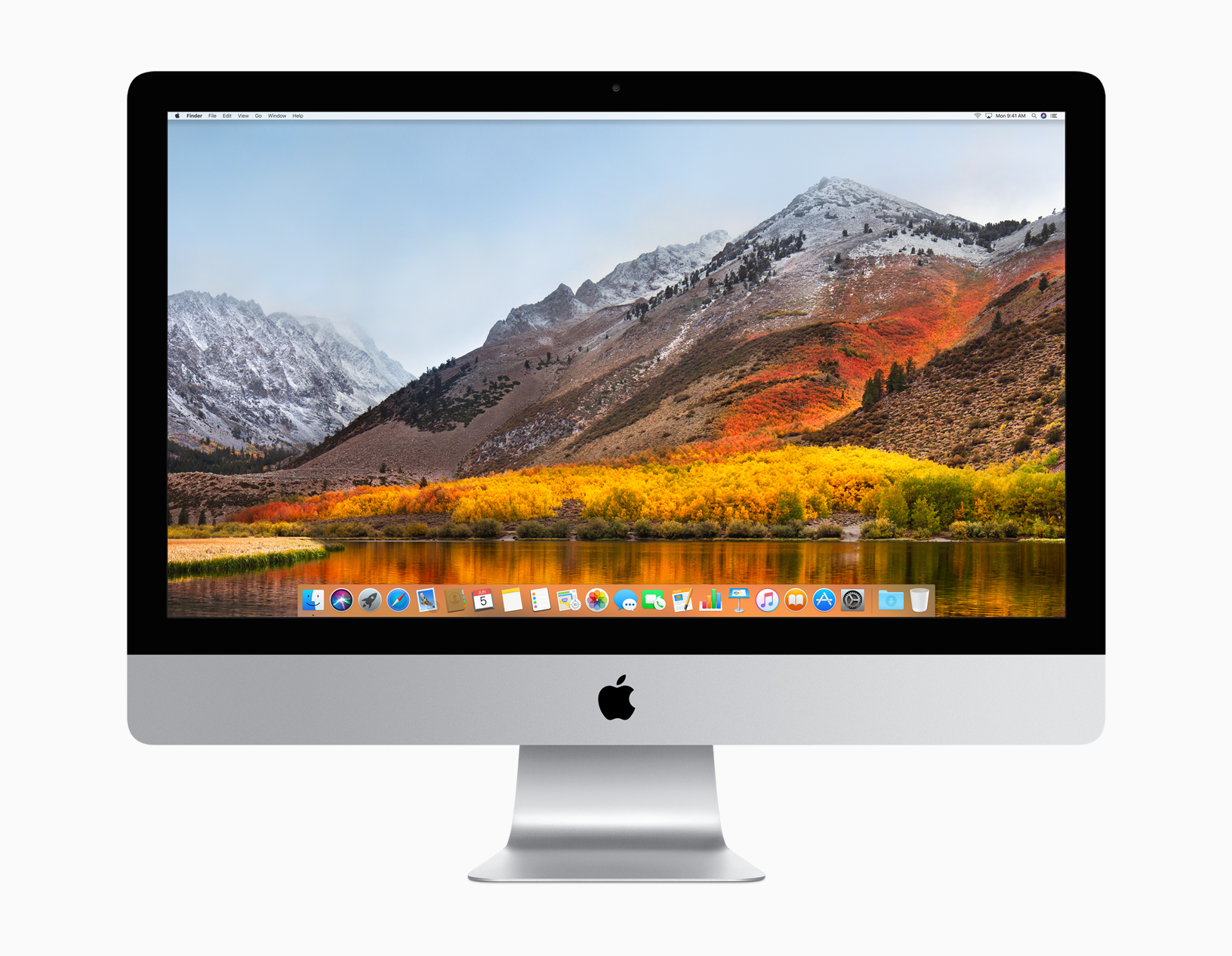
Apple's Senior Vice President of Software Engineering Craig Federighi has taken the stage at Apple's WWDC keynote to introduce the next major version of macOS. They're calling it macOS High Sierra.

Think of this like a Mountain Lion-style update—Craig said "we wanted to spend this year perfecting Sierra." There have been several improvements made, but it doesn't sound like much in terms of new features.

“macOS High Sierra delivers important forward-looking technologies and new opportunities for developers wanting to tap into the power of machine learning and create immersive VR content on the Mac,” said Craig Federighi, Apple’s senior vice president of Software Engineering. “The core technology innovations in macOS High Sierra, combined with our advances in hardware, will continue to push the Mac forward in exciting new ways.”

Among those new ways  is a faster Safari. Craig says Safari in High Sierra is the "fastest browser in the world." It also has a few new features like blocking AutoPlay videos and something called 'Intelligent Tracking Prevention,' which uses machine learning to protect your privacy from sites/ads that want to track you.

There is also Mail enhancements, a new file system—Apple File System replaces HFS, improvements to the Photos app, enhanced 4K support, and Metal 2 for better graphics performance. An important note: Metal 2 supports external graphics, which opens up the door for Virtual Reality content creation.

Other new features:

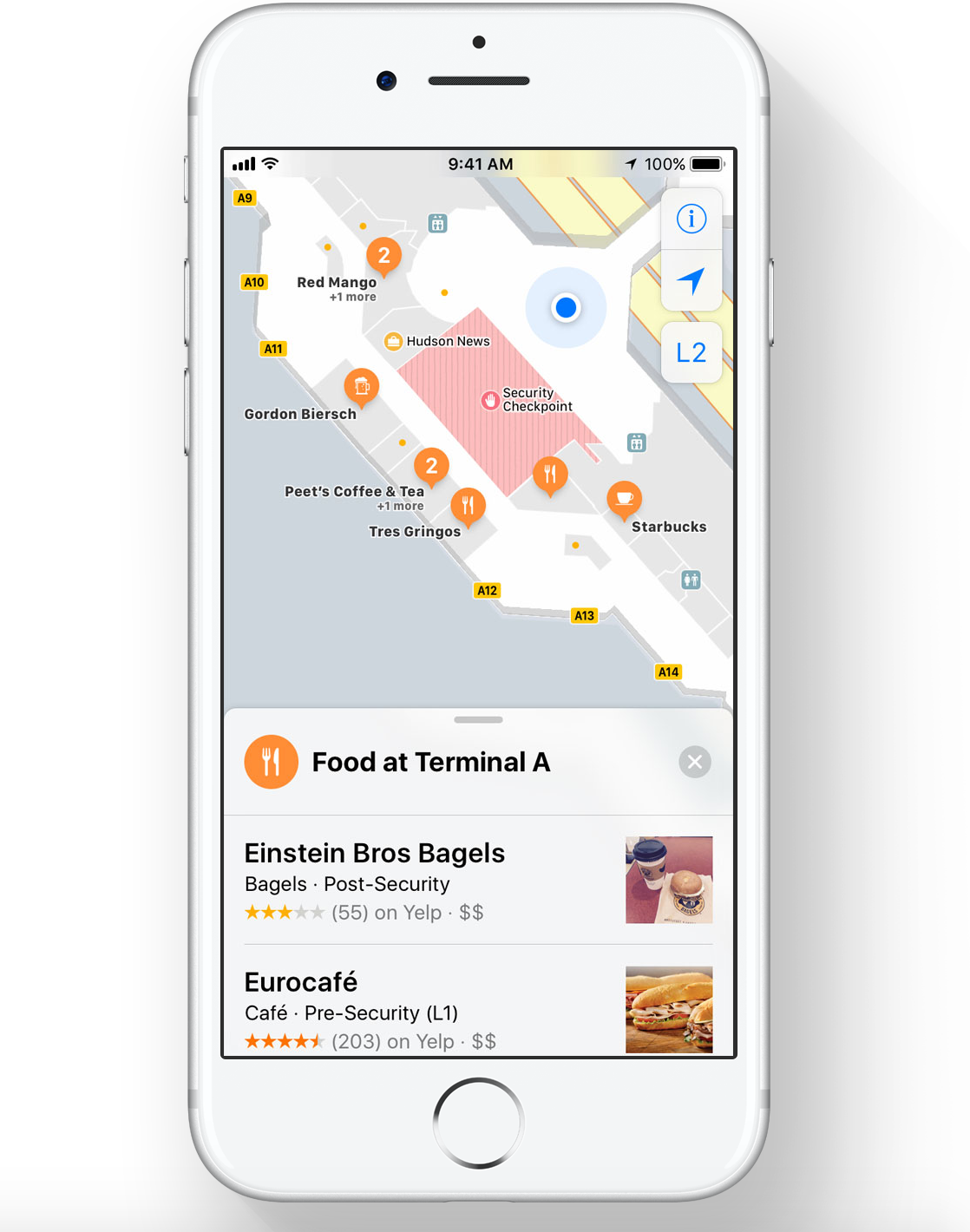
Safari can automatically use Reader to open articles in a clean, uncluttered format, while Autoplay Blocking stops media with audio from automatically playing in the browser. Mail search gets faster and easier with Top Hits, which puts the most relevant results at the top of a user’s message list. Siri on the Mac responds with a natural and more expressive voice, and when using Apple Music, it learns music preferences, creates custom playlists and answers music trivia. Notes adds simple tables, where a user can type in cells, make edits and move rows and columns. Spotlight provides flight status information, including departure and arrival times, delays, gates, terminals and even a map of the flight path. iCloud File Sharing lets users share any file stored in iCloud Drive and collaborate with other people.

macOS High Sierra is available in developer beta form today, and will be released to the public this fall.