Apple Watch

Stay up-to-date on the latest Apple Watch news, and learn how to get the most out of your device with our comprehensive tutorials. From updates to features to troubleshooting tips, we’ve got you covered.

Find My Watch, new Complications, Apple TV integration and more coming to Apple Watch

Since its April 2015 debut, the Apple Watch to this date runs Apple Watch OS 1.0 as Apple has yet to release an update to the wrist-worn device's operating system. As per a new report filed by 9to5Mac's Mark Gurman, a software update is in the works that'll improve the Apple Watch's connectivity with other devices like the Apple TV.

Other noteworthy perks reportedly include enhancements aimed at strengthening the security of the Apple Watch, boosting built-in health and fitness capability, bolstering Wi-Fi features and tightening integration with third-party applications.

In addition, a new Apple TV hardware with a “fancy” new remote, even tighter Apple Watch integration and support for downloadable applications is on its way, too.

SoundCloud for Apple Watch is here

An update Monday to SoundCloud's free of charge iPhone and iPad application has added an Apple Watch component allowing you to listen to user-submitted music and audio right from your wrist, identify songs playing from your iPhone and more.

“The new app makes it even easier for you to hear the freshest tracks when you’re out and about, from your daily to commute to going out for a run,” Germand developers noted.

App Watch: artificial intelligence

Artificial intelligence may very well take over the world one day, but I find it absolutely fascinating, regardless. The concept of teaching computers how to "think" brings an entirely new level to technology, not only in relation to programming, but in how we interact with it as well. The issue is that, once they become sentient, computers will in theory no longer be content doing as we command, but instead turn on humanity and kill us all.

Anyway, the App Store has yet to feature an app for controlling a maniacal robot from your Apple Watch, but there are some apps that utilize a form of artificial intelligence, and we're looking at a couple of them today.

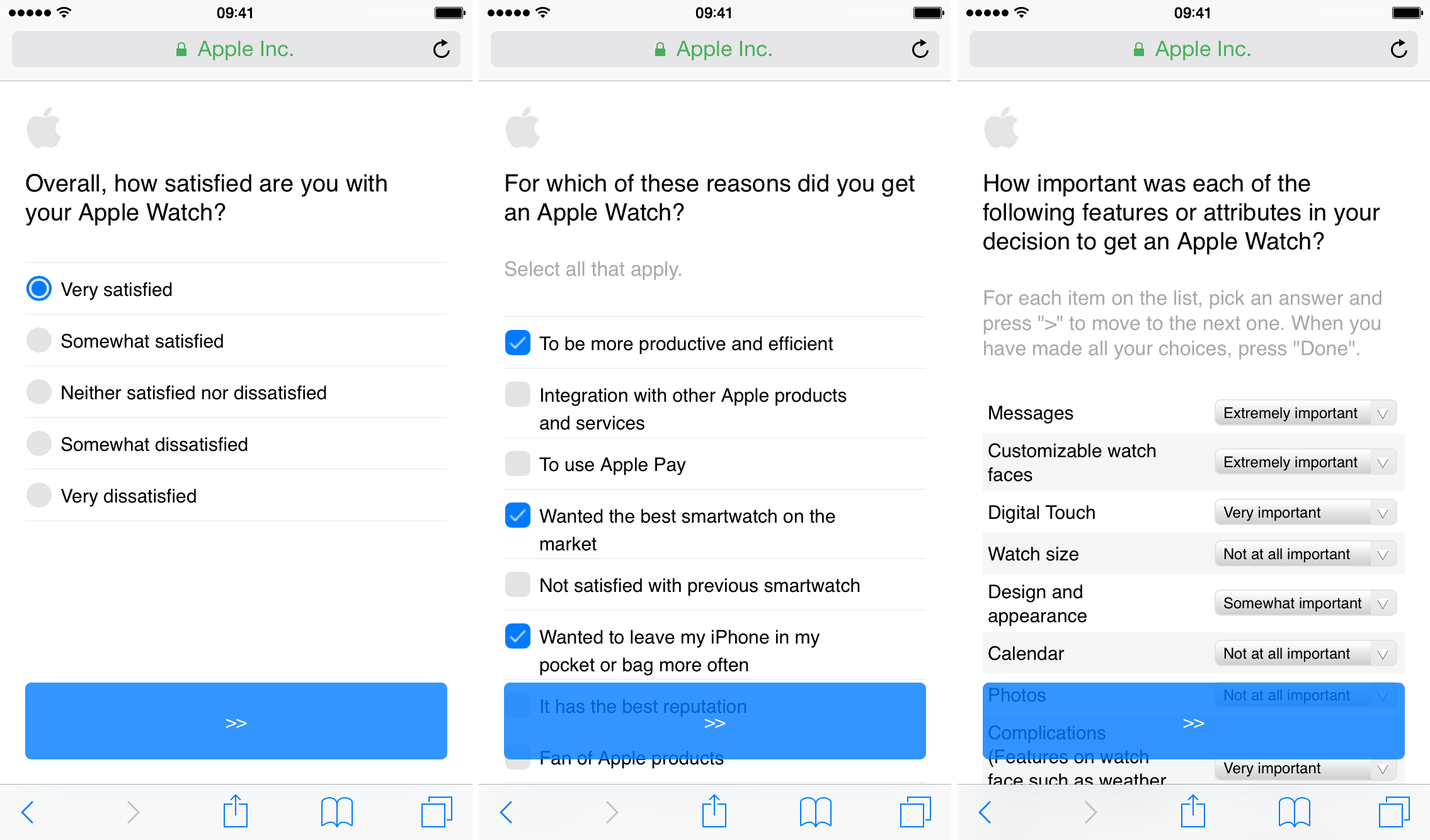
Apple looking for Apple Watch feedback via market research survey

Apple has begun emailing Apple Watch owners, asking for their feedback on the just-released wearable. The email requests that users take a lengthy (took us about 15 minutes) survey, in which it asks a wide variety of questions regarding their reasons for purchasing the device, and satisfaction with it thus far.

The survey is interesting because Apple doesn't typically employ market research—we have seen questionnaires in the past, but it's not a frequent thing. Steve Jobs famously loathed the practice, telling Fortune in 2008 "We do no market research. We don’t hire consultants. We just want to make great products.”

153 animated emojis you can find on Apple Watch

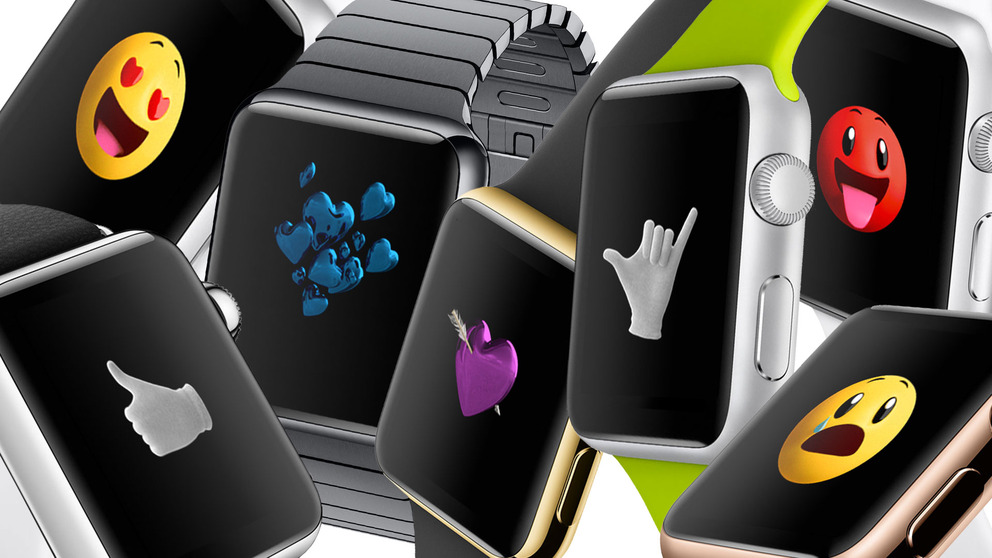
The Apple Watch is changing the way a lot of people communicate with each other, thanks to features like Digital Touch. It even handles emojis a bit differently, allowing you to choose from a wide variety of animated images to help you get your point across quickly.

In fact, as German site Giga Apple points out, there are 153 different animated emojis you can choose from on Apple Watch, ranging from yellow and red faces to hearts and hand gestures. They can all be accessed via Messages, and can be customized to fit any context.

Apple Watch manufacturer reportedly solves production hiccups

Quanta Computer, which assembles the Apple Watch, has been plagued with poor yield rates resulting in capacity problems that have led to limited shipments of the device. As a result, Apple has been struggling to meet orders and has been unable to roll out the device to additional markets to this date.

But production woes are now a thing of the past as Quanta vice chairman CC Leung confirmed solving production bottlenecks, according to a report Friday by DigiTimes, a somewhat reliable Taiwanese trade publication.

Feedly for Apple Watch has arrived: browse your favorite stories right from the wrist

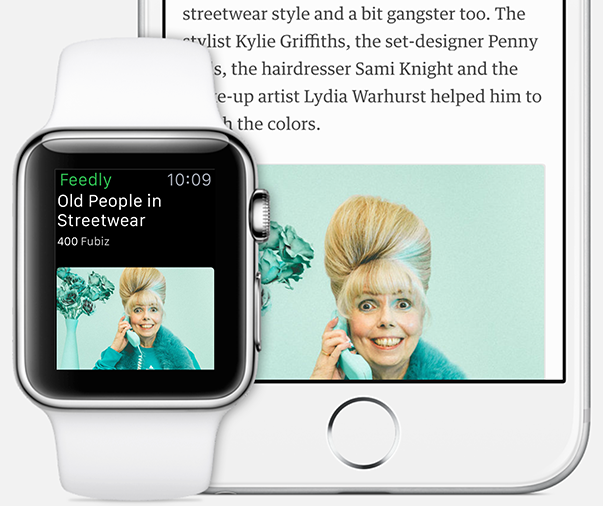
Feedly, the popular feed aggregation service, is now available for the Apple Watch. The app allows you to browse the stories right on your wrist-worn device.

Available as a free update to the existing Feedly for iPhone application, the Watch component selects the best stories from your Feedly account and presents them with a headline, the accompanying image, an excerpt of the full text and more.

It supports other features via a hidden menu accessible through force-touching the screen such as tagging, saving a story for later, marking a story as read, continuing reading on your iPhone and more.

The many things Apple Watch can do on its own when connected to Wi-Fi

iPhone and Apple Watch work hand in hand, and while the former can be used on its own without losing any of its abilities, the latter will need to be paired with an iPhone in order to be used to its fullest. With that said, Apple Watch doesn't always need to be paired to an iPhone to be useful, as there are many things the wearable can do on its own. In a previous post, we highlighted a few things Apple Watch can do without its paired iPhone, including tracking workouts, playing music, being used to make purchases with Apple Pay, and more.

One of the most underrated features of Apple Watch is its ability to connect to known Wi-Fi networks, independently of its paired iPhone. It means that if you've ever been connected to a specific Wi-Fi network on your iPhone and Apple Watch, your Apple Watch will remember that network, even if its paired iPhone is nowhere nearby, giving you limited access to the web.

In this post, I will show you a few things you can do on Apple Watch when it is connected to a known Wi-Fi network, even if it's currently not paired with your iPhone. Granted, these are mostly known Siri-based queries, but to my surprise, you can do more than just inquire about the weather.
How to filter iPhone and Apple Watch screenshots in the Photos app on Mac

As you might imagine, I take tons of screenshots on a weekly basis for work. Instead of connecting my iPhone to my Mac and importing screenshots manually, or instead of using AirDrop, I simply use Photo Stream to do the grunt work.

Photo Stream allows me to access any photo taken with my iPhone, including screenshots, directly from the Photos app on my Mac. Just a few seconds after taking a picture with my iPhone, the photo appears on my Mac. This is great for quickly grabbing iPhone screenshots, and it even allows you to easily access screenshots taken on the Apple Watch.

In this post, I'll show you how I set up a simple Smart Album to separate screenshots—Apple Watch screenshots included—from regular photos.

Apple Watch screen maker LG Display dominates 90% of market as Sharp posts huge losses

One Apple supplier's misery is another Apple supplier's fortune. Two of Apple's key display suppliers — Sharp and LG Display — are not enjoying quite the same positive effects from working with the Cupertino firm. At one end of the spectrum is LG Display, an exclusive supplier of flexible OLED panels for the Apple Watch.

The company now dominates the smartwatch display market with a ninety percent market share thanks to its lucrative contract with Apple, as per Business Korea.

On the other is Japan-based Sharp, one of Apple's display suppliers that has barely managed to avoid collapse after posting an annual net loss of a whopping $1.9 billion, according to The Financial Times on Thursday.

Runeblade is the first game that can only be played on Apple Watch

We've been keeping you up to date on apps and games that are compatible with Apple Watch. Some are companion apps, similar to iOS widgets. Some are full games on iOS with additional features on Apple Watch

Runeblade is the first of its kind to only be playable on Apple Watch. The iOS download is actually the companion to this hack-and-slash role-playing title. Play the game on your wrist, and check out the lore on your iPhone.

Hey Siri, will you please let me talk back to you?

Siri has come a long way since it was first introduced along the iPhone 4s and iOS 5 back in 2011. The assistant has gotten smarter, wittier, and all around more helpful, at least on the iPhone, because in my experience,  it's a completely different animal on Apple Watch.

To be fair, I'm not so much complaining about actual voice dictation on Apple Watch. Besides a few missteps that were most likely due to my strong French accent, dictation has been very reliable on Apple Watch. What hasn't though, is to getting Siri to activate, whether it is hands-free or by using the Digital Crown. And when I do get it to work, not being able to interact with Siri with interactive voice commands is also a source of frustration. Allow me to explain.