App Updates

Google Drive becomes Android migration tool with contacts, photos, videos & calendar sync

Google wants to make it even easier for Apple fans to switch from iOS to the Android platform so it's turning the mobile Google Drive app into a migration tool of sorts with new features that let you upload and synchronize your contacts, photos, videos and calendar events.

The search giant also provides a Quick Switch Adapter with its Pixel smartphones that allows users to quickly transfers data directly from an iPhone to their Pixel phone.

Google Drive is available at no charge from the App Store.

1Password for Apple Watch is now a native app

1Password developer AgileBits was there on day one with a brand new Apple Watch app when the wearable device made its April 2015 debut. As useful as it was, the app wasn't exactly a speed demon and was limited in functionality by only supporting items stored in your Primary vault. Those issues are now a thing of the past as 1Password for Apple Watch is now a 100 percent native app that takes full advantage of the speed and performance enhancements afforded by running directly on Apple Watch hardware.

As a bonus, the new app now permits you to add items from any vault to your Apple Watch, including items stored in your 1Password.com account vaults.

Instagram launches Saved Posts, expands live video to all US users

Instagram today announced a new feature in the mobile app for iOS and Android: Saved Posts. As the feature's name suggests, this lets you save posts you’d like to revisit later (don't worry, only you can see what you saved). Simply tap a new bookmark icon underneath a post in your feed to save it to a new, private tab on your profile, labeled Saved. This feature requires Instagram 10.2 for iOS, a free download from the App Store.

Camera+ update brings RAW shooting and editing, support for iPhone 7 Plus dual camera & more

Taptaptap's Camera+, one of my favorite camera/image-editing apps, has received a major update on the App Store today. Bumping version number to 9.0, the new Camera+ enables both RAW shooting and editing on compatible iOS 10 devices. Moreover, the app brings out extensive support for the iPhone 7 Plus's dual-lens camera and wide color photography while implementing rich haptics on the iPhone 7 and iPhone 7 Plus.

Camera+ is available for $2.99 from the App Store.

Snapchat update enables group chat, Shazam integration, sticker creation & more

Snapchat today updated its iPhone and iPad app on the App Store with a trio of new features. You can now engage in groups chats with multiple users at once, create your own stickers from within the app and even identify a song that's currently playing around you thanks to Shazam integration.

There's also a new Paintbrush tool in Snapchat 9.45 for iOS that will turn your snaps into artistic-looking images.

Convert and push media into any Apple device with WALTR 2, no jailbreak or iTunes needed

Softorino, a purely European crew packed with talented developers, recently released WALTR 2 as a successor to the original app that's captured more than 500,000 downloads worldwide in just under 20 months since its debut.

A well-deserved success, if you ask me, because WALTR made it super easy to convert audio and video files encoded in “foreign” formats, such as DivX/MKV movies with subtitles and FLAC audio files, without requiring a jailbreak.

I raved about WALTR in my review, underscoring how its drag-and-drop simplicity allows just about anyone to bypass the mess that is iTunes. And boy, does it fly: in my tests, WALTR transcoded a 2.64-gigabyte MKV file on my 1.3 GHz Intel Core i5 mid-2013 MacBook Air into an iOS-friendly format and sent it over USB to my iPhone 6 in under two minutes.

Building on this remarkable engine, WALTR 2 is now available with new features like support for more than two-dozen legacy iPod models and other devices starting from iOS 5. It uses automatic metadata recognition that works perfectly, gives you the ability to transfer media to your device wirelessly, supports PDF and ePUB file formats and much, much more.
Lightroom for iOS, Lightroom CC and Adobe Camera Raw pick up new pro-grade features

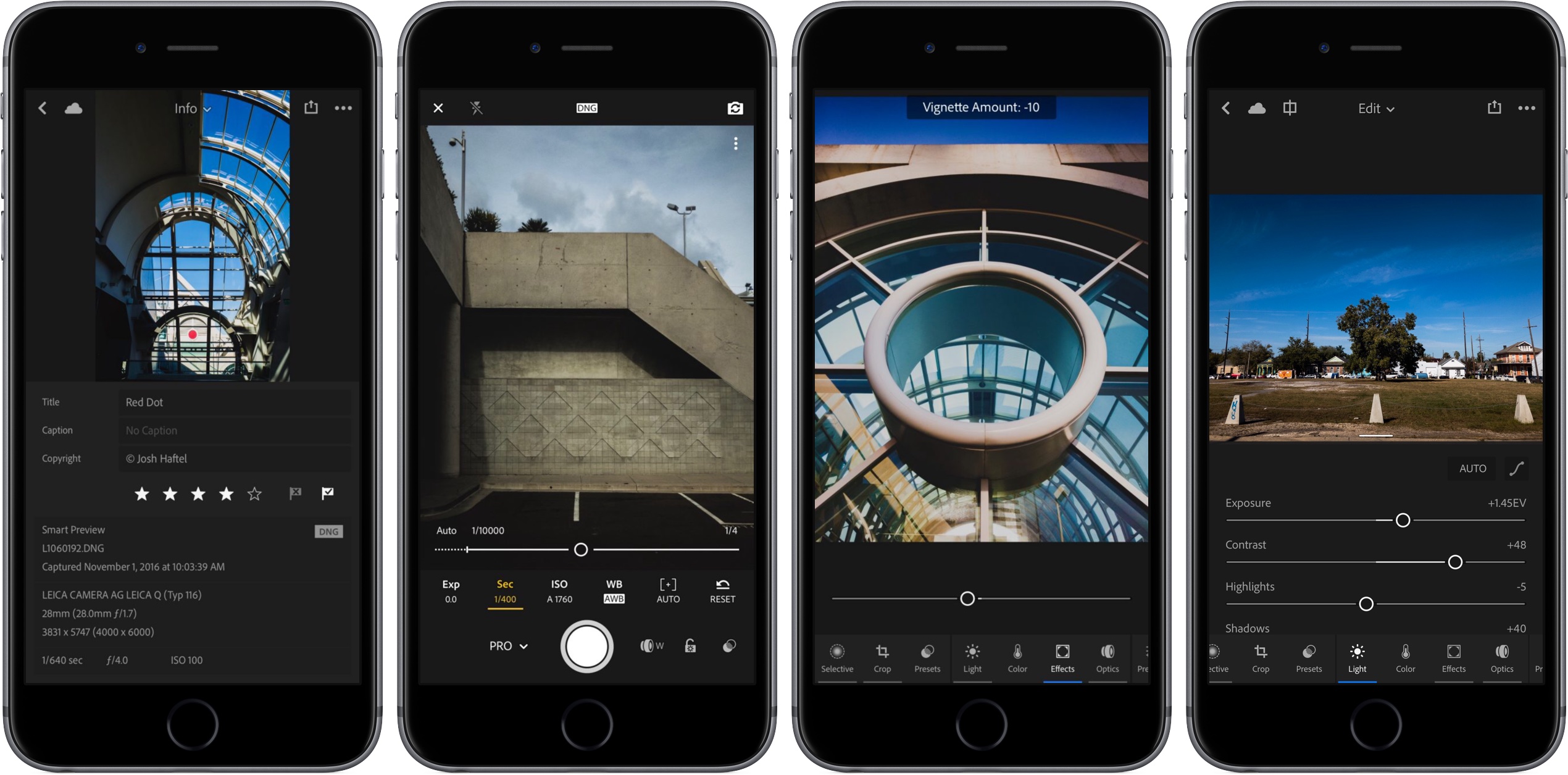
Photoshop maker Adobe today issued a series of updates to Lightroom for iPhone and iPad, Lightroom CC and Adobe Camera Raw, adding several new features for photographers, including refreshed Edit and Capture interfaces, a new info section and a brand new Professional mode.

Lightroom for iPhone and Lightroom for iPad are available free on the App Store. The Lightroom CC 2015.8 update and Adobe Camera Raw 9.8 are available from Adobe.

Upcoming Instagram update will let you turn off comments on a per-post basis & more

In its never-ending fight to curb abuse on its service, Instagram today said an upcoming new tool will let you completely turn off comments on individual posts.

As reported by The New York Times this morning and confirmed by Instagram itself, in addition to being able to turn off comments on individual posts users will be also permitted to remove followers on private accounts and like other people's comments as well.

Back in September, Instagram launched keyword-based comment moderation as another measure to fight spammers and abusers who have been harassing honest users with unwanted comments and marketing messages.

How to switch to Power Reserve mode on watchOS 3

If you are not closely tracking every subtle interface change that Apple puts into practice on iOS, macOS or watchOS, it is likely you have entirely lost sight of a smaller feature or setting before. This is because, in short, Apple likes to relocate and thereby slowly supplant features no longer withstanding the test of time. With watchOS 3, the complete renovation of the operating system and reinvention of the Side button on top of it has had a similar ripple effect for numerous older features.

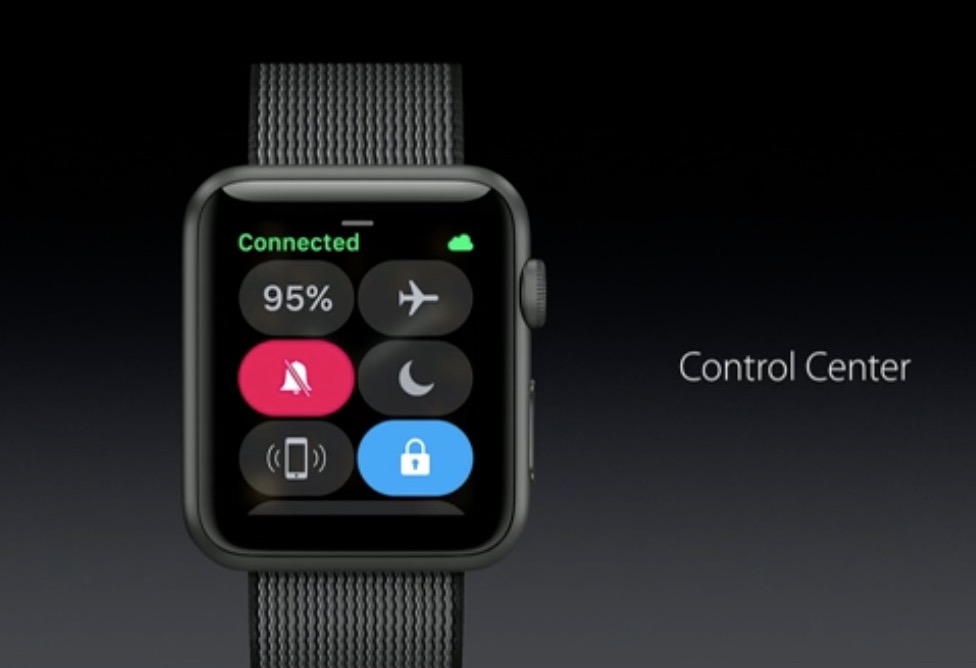
Power Reserve mode has become one of such cases, a feature still of much use despite the improved battery performance on Apple Watch Series 1 and 2. It used to be as easy as holding down the Side button and swiping to activate Power Reserve, but mind you, nothing is permanent with Apple and it has been silently relocated since. In case you have been caught napping on Power Reserve, let's quickly fill you in on how to deploy the potential life saver on the latest watchOS.

You can now start Chrome in Voice Search or Incognito mode from Spotlight Search

Google added Spotlight Search integration to Chrome for the iPhone, iPad and iPod touch back in January 2016, allowing you to search for your Google bookmarks using iOS's Spotlight feature. Today, the Internet giant issued a small update to Chrome for iOS, bumping version number to 55.0.2883.79 and adding a pair of enhancements.

The first lets you start Chrome in Voice Search mode or open a new Incognito tab right from Spotligh.

As for the other change, Google has now removed the folder named All Bookmarks from your bookmarks view in Chrome “by popular request”.

Map your runs accurately without iPhone in Runkeeper’s latest Apple Watch update

If you own an Apple Watch Series 2, you can leave your iPhone at home the next time you go on a run with Runkeeper as the app's just been updated with full support for the built-in GPS on the Apple Watch Series 2. Runkeeper's refreshed experience also includes new active metrics with charts for target pace and heart rate.

Runkeeper is a free download from the App Store.

Google updates Docs, Sheets and Slides with Trash view

Google has updated its productivity mobile apps on the App Store—Docs, Sheets and Slides—that act as alternatives to Microsoft Word, Excel and PowerPoint. The new versions of these apps have added a brand new Trash view which lets you easily recover previously deleted documents, spreadsheets and presentations. In addition to Trash, the most recent updates to Docs, Sheets and Slides come with the usual bug fixes and performance improvements.