App Store

Extensify soft launches, lets you install ‘tweaks’ without a jailbreak

Last August, we showed you a really cool project known as Extensify, which is a third-party extension store that allows you to install 'tweaks' for App Store apps on your device without a jailbreak.

Created by iOS developers Majd Alfhaily and Kevin Ko, who are both well-known in the jailbreak community, this extension store works on iOS 9 devices and is side-loaded through Safari.

As of Monday, you can now apply to be a part of the app's soft-launch program via the Extensify website.

Delayd lets you schedule text messages, social media posts, & more

When you have lots of Birthdays and holidays coming up and you want to wish all your friends and family the best, it can be hard to keep track of these dates on a day-to-day basis.

Fortunately, a useful utility app called Delayd is available for free in the iOS App Store that will allow you to schedule messages to your loved ones so you don't have to remember to send those special messages when the day finally comes.

In this piece, we'll talk about how Delayd works and show you how you can use it to schedule messages to people, but keep in mind the app can also be used for scheduling emails, Facebook posts, and Tweets in addition to SMS messages.

tvOS App Store now lists four times more Apple TV apps in Top Paid, Free and Grossing categories

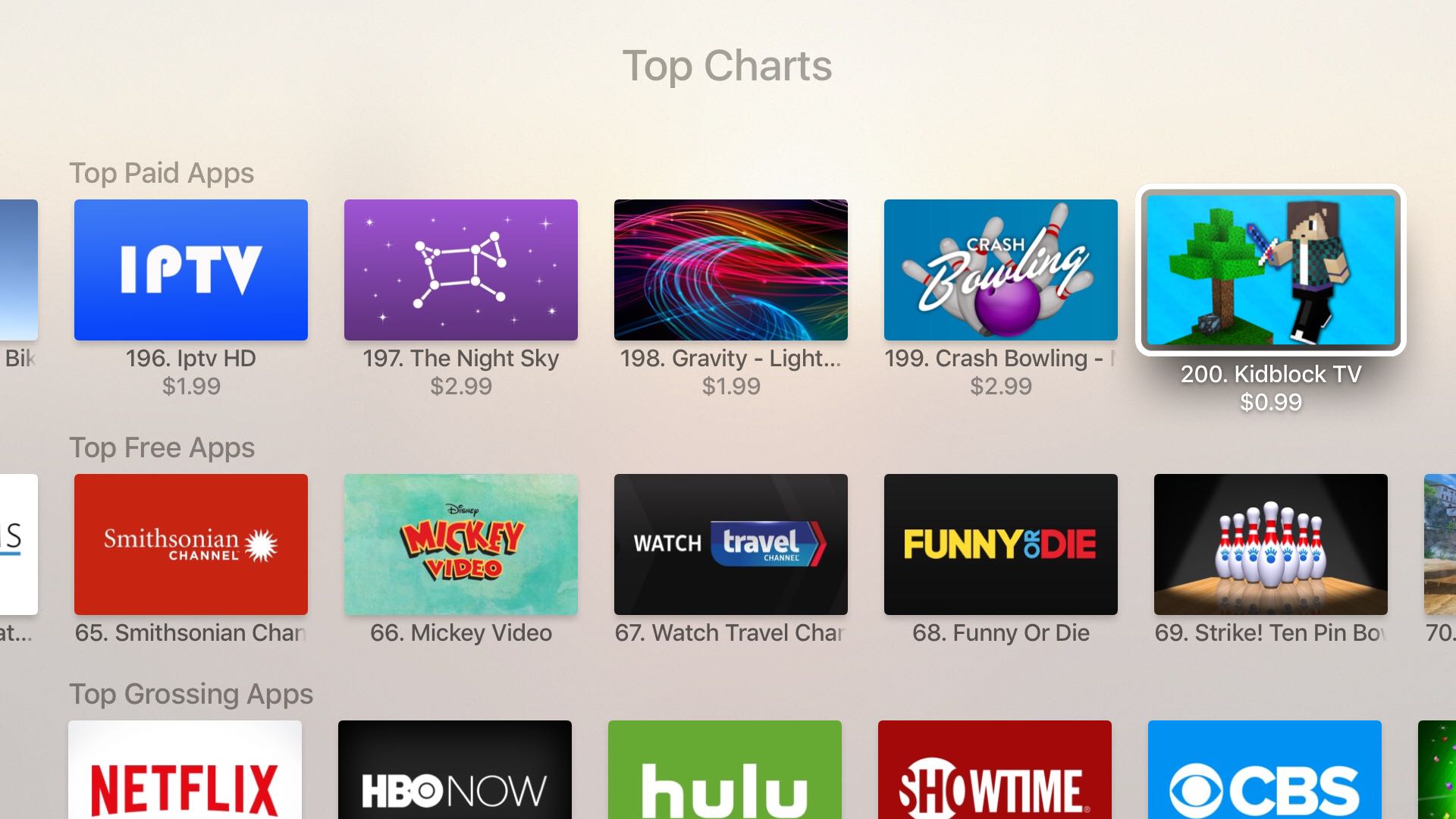
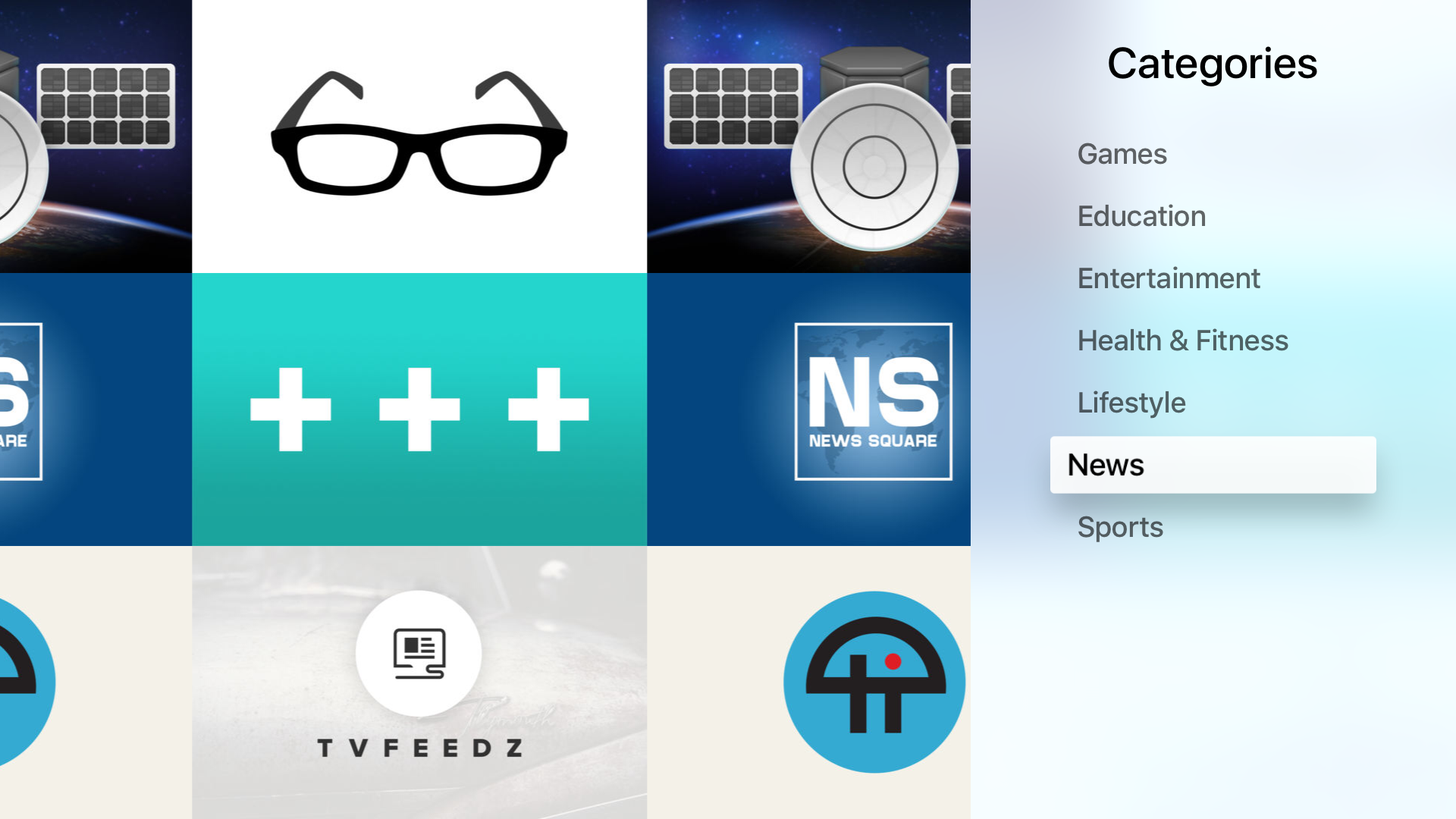
In addition to a dozen new categories, including Catalogs and Utilities, that have been added to the App Store on the fourth-generation Apple TV earlier this week, Apple has made another change to the store that should make app discovery easier.

As reported by German blog iTopnews.de, now each Top Charts section available on the tvOS App Store includes 200 apps instead of just 50 like before.

tvOS App Store gains ‘Not on This Apple TV’ listing in Purchased section

Apple has quietly issued a backend update to the tvOS App Store, adding a new 'Not on This Apple TV' option to the Purchased section, making it easier to spot apps that users previously purchased on their iPhone and iPad which have since been updated to support the fourth-generation Apple TV.

As mentioned, the new option should appear on users' fourth-generation Apple TV boxes without requiring a software update.

PayPal app redesign adds new start screen, ‘one-click’ cash request, & more

The PayPal app for iOS, which has been long over-due for an update, has finally received its much-needed update on Thursday that adds official support for the retina HD displays of Apple's 4.7-inch and 5.5-inch handsets.

The app, which is still a free download from the App Store, has been completely redesigned with a slew of changes to make using the app not only feel better, but look better.

App preview videos coming to Apple TV

Apple just announced that developers of tvOS apps are now able to upload a short video demo to be previewed along their apps' description and screenshots in the Apple TV App Store. Similar to what we've seen for some time in the iOS App Store, these short previews are usually more helpful than a screenshot as they can show the game or application in action.

Private Internet Access review: a great VPN at a great price

The quest for internet privacy and security is no game these days; hackers with malicious intent are really out there and they want your valuable personal information.

One way to protect yourself is with a virtual private network (VPN), but there are lots of VPN options out there to choose from – both free and paid. Picking a VPN that's right for you can be tough, and many people are concerned about their privacy while online.

In this piece, we'll be giving you our opinion on the Private Internet Access VPN; a paid VPN service that holds a solid reputation among its many users.

MiniStats shows detailed iPhone stats directly on your Apple Watch

If you're looking for the next cool app to install on your Apple Watch, look no further than MiniStats, a useful utility and statistics app for the iOS platform that's usually $0.99, but is currently free in the App Store.

This app lets you see various statistics about your iPhone usage on your handset itself, and even right from your wrist on your Apple Watch.

Final Fantasy IX hits iOS with 20% launch sale

In a surprise launch this morning, publisher Square Enix unleashed Final Fantasy IX upon the iPhone, iPod touch and iPad. This classic role-playing game, which originally released for Sony's PlayStation console back in 2000, is now available in the App Store with a special 20 percent launch sale for $16.99.

Designed to let players relive the adventures of Zidane and his crew in the palm of their hands, Final Fantasy IX brings Game Center achievements, autosave, crisp graphics with high-def movies and character models, seven game boosters like high-speed and no-encounter modes and other perks.

How to manage multiple accounts in Instagram

Instagram officially announced support for logging into more than one Instagram account at a time in its free iOS and Android apps on Monday, and many of you that use Instagram on a daily basis are probably wondering how you can get your hands dirty with the feature.

Although signing in with multiple Instagram accounts is a feature that is still currently rolling out to all users, it's possible to force your app to allow you to sign in with multiple accounts right now.

Once you get your Instagram app updated to the latest version and are ready to get started with using multiple user accounts in the app, you can follow this tutorial on how to manage all your Instagram accounts from the app.

How to view your download history in the Mac App Store

Heavy Mac App Store users will download, install, and delete apps from their Mac all the time. It may be because you're interested in experimenting with new utility releases, downloading games to get a thrill, or checking out the productivity apps that developers claim to be the "best" out there.

Through all this downloading, installing, and deleting, you may want to check out one of the apps you remember using from a long time ago to see if it got any cool new updates, and sometimes you don't particularly remember what the name of said app might be.

Fortunately, the Mac App Store comes with a way to see your purchase history, allowing you to see all of the apps you've ever downloaded from the Mac App Store whether they were free or paid ones. In this tutorial, we'll show you how to see your Mac App Store's download history.