App Store Apps

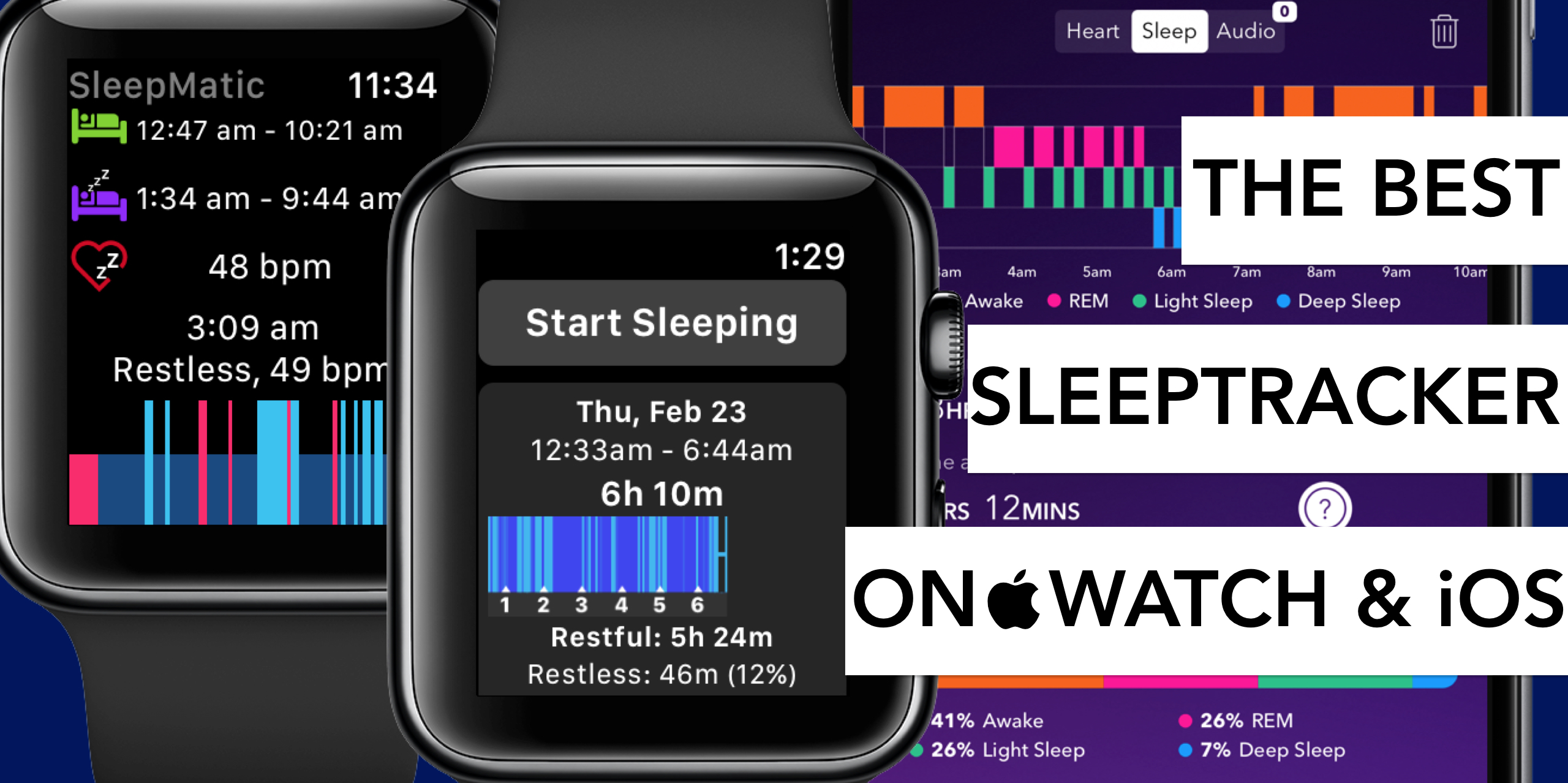
The best sleep tracking apps for Apple Watch and iPhone

Tracking your sleep routine can often lead to insights into all sorts of habits or quirks detrimental to a good night’s sleep. Before Apple Watch, apps promising to analyze your nightly resting patterns and devise remedies to improve on them were already plentiful. Yet after the release of the wrist-worn gadget, a new surge in the category ensued for its ease of use on watch and enhanced precision in measuring body movements at night.

In order to single out the creme de la creme of applications, we have put through their paces both standalone sleep trackers on iPhone and an array of apps requiring the assistance of Apple Watch.

No matter if you rock iPhone and Apple Watch together or solo, find out below which sleep trackers are worthwhile your time and money.


Coming soon to Allo for iOS: animated emoji, revamped GIF picker, and one-tap Google Assistant

Allo, Google's cross-platform messaging app for iPhone, Android and the web which made its debut at Google I/O in March 2016, will soon receive three major enhancements. The first integrates Assistant, Google's conversational AI helper, deeper so you can access it with a single tap.

Aside from improved Assistant access, Allo will let you browse GIFs to add to your messages easier than before with a redesigned picker, plus use animated emojis in chats.

Keep in mind that these new features will be rolling out on Android starting today, and will come to iOS soon (don't worry, we'll keep you posted).

Mozilla acquires popular read-later service Pocket

Mozilla, the non-profit organization behind the Firefox browser, has acquired the read-later service Pocket for an undisclosed sum. The deal files as Mozilla's first acquisition and was confirmed by both Mozilla and Pocket.

I've been a longtime Pocket user because their elegantly designed cross-platform apps let me easily save stripped down versions of articles from online publications for reading later, even without an Internet connection.

Pocket will continue on as a wholly-owned, independent subsidiary of Mozilla. Pocket has native apps on App Store and Mac App Store, plus a browser extension.

All YouTube links now open in mobile app instead of browser

Google's mobile YouTube app takes advantage of iOS's deep linking capability to automatically launch itself when a user taps a video URL in their browser. That useful feature doesn't always work as intended, however, prompting Google to push an update to YouTube for iPhone and iPad to rectify this. If clicking a YouTube link in Safari or Chrome doesn't launch the app and iOS doesn't display the “Open this page in YouTube?” pop-up, be sure to update your copy of YouTube for iOS to version 12.07.

Google Maps gains 3D Touch place previews

Last week, I whined about Google dragging its feet when it comes to implementing support for important iOS features, like 3D Touch, in apps such as Gmail. Other iPhone and iPad apps from Google have been more aggressive in adopting 3D Touch features, including Maps. In the latest update, Google Maps was bumped to version 4.28 and now allows users who have an iPhone 6s, iPhone 6s Plus, iPhone 7 or iPhone 7 Plus to press places on the map to get quicker access to popular actions.

Gboard gains voice typing, Google Doodles, new languages & iOS 10 emoji in latest update

Gboard, Google's iPhone keyboard that comes with Google Search, glide typing, GIFs, emojis and other advanced features built in, received a notable refresh on App Store. Bumped to version 1.3, Gboard includes support for fifteen new languages and brings a useful dictation feature that Google is calling Voice Typing. Additionally, you can now see a day’s Google Doodle right from the keyboard and enjoy Apple's latest iOS 10 emoji.

Vidicast lets you broadcast live videos to your friends in iMessage

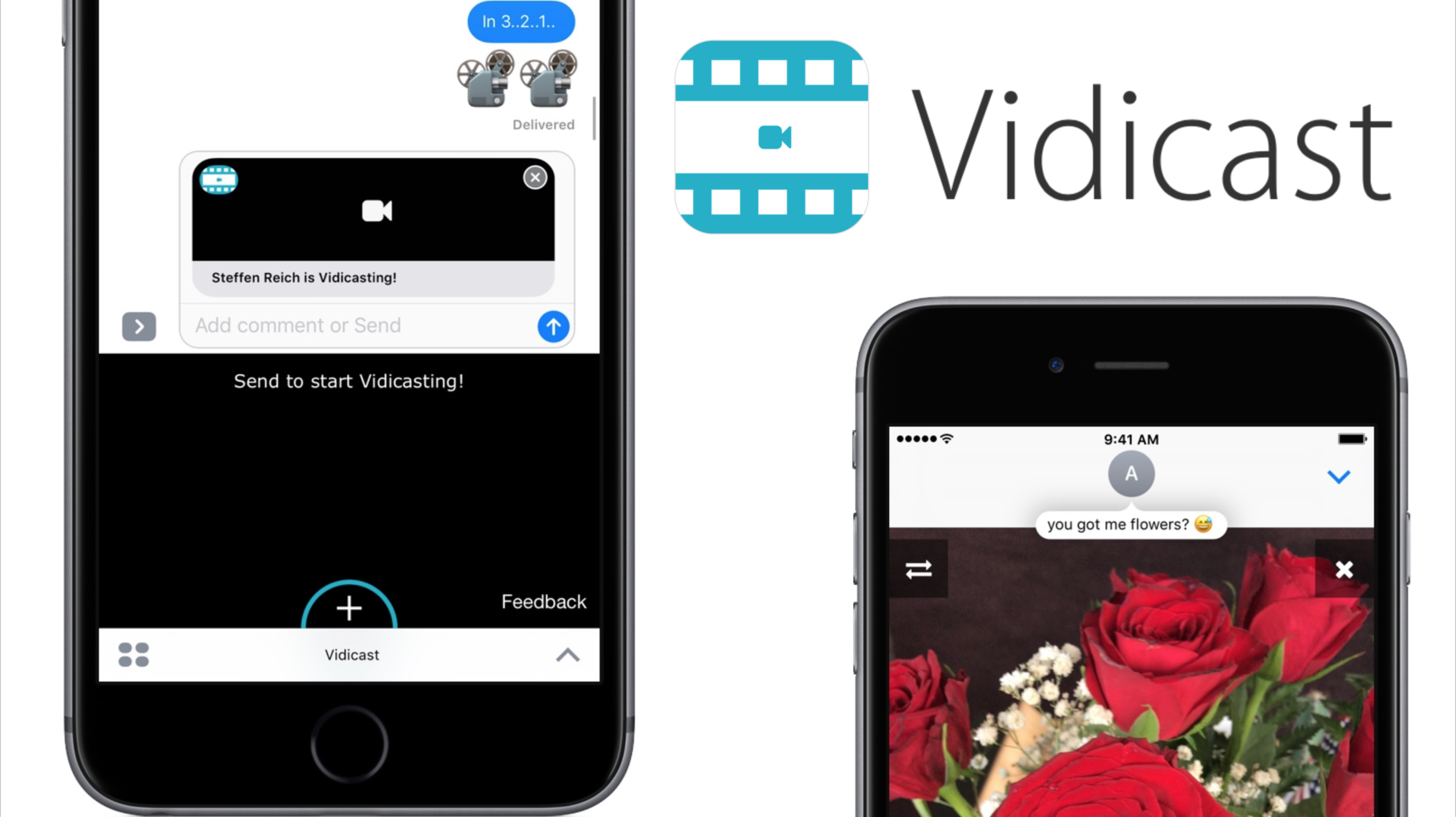
Sometimes you cannot help but feel the iMessage App Store still owes us a couple of unique entrants to wholly justify its establishment last year. Games and stickers aside, the depth and breadth of the store leaves a lot to be desired and must-have iMessage extensions are few and far between. With that, it is always refreshing to welcome a new aspirant to the ranks that sets out to shake things up a little by bringing genuinely new functionalities to your keyboard. Vidicast, a video broadcasting app operating autonomously inside iMessage, does just that.

The iMessage application is best synthesised as a cross of any video broadcasting feature on the most popular social networks today (Instagram, Facebook, etc) and FaceTime. When hooked up, it provides the recipient of the iMessage invitation with a one-way live video stream, which then can be responded to in real time. The ambition of Vidicast is bold, bold enough in fact that one should be willing to give it some rope in regard to early days hiccups. Before you whizz to your iMessage App Store, here’s what you need to know about Vidicast’s attempt to break the mould of iMessage app extensions.

17 months later, Gmail gains a single 3D Touch shortcut

Google today refreshed its mobile Gmail app for iPhone, iPad and iPod touch on App Store, adding very limited 3D Touch support nearly a year and a half after Apple first brought pressure sensing to iPhone's display with the September 2015 release of iPhone 6s.

Owners of the iPhone 6s/7 series can now press Gmail's icon to quickly compose a message, but that's about it. Thank you, Google, but seriously?

In my view, Google doesn't really have a clue how to properly build 3D Touch gestures into Gmail in a manner that would save users time and boost their productivity.

The app still lacks Peek and Pop gestures., but we'll get those next year, right?

You can now share multiple photos and videos in one Instagram post

Photo-sharing service Instagram announced today that users are now able to share up to ten photos and videos in a single post and swipe through to see them all. Such multi-item posts are presented inline in your feed in a carousel format that displays only the first item of the post.

The first photo or video shows a new icon, denoting there’s more to see. Simply swipe to reveal additional media.

You can adjust the order in which your photos and videos appear, edit them one by one or apply a filter to everything at once. Instagram 10.9 for iOS is required for this functionality.