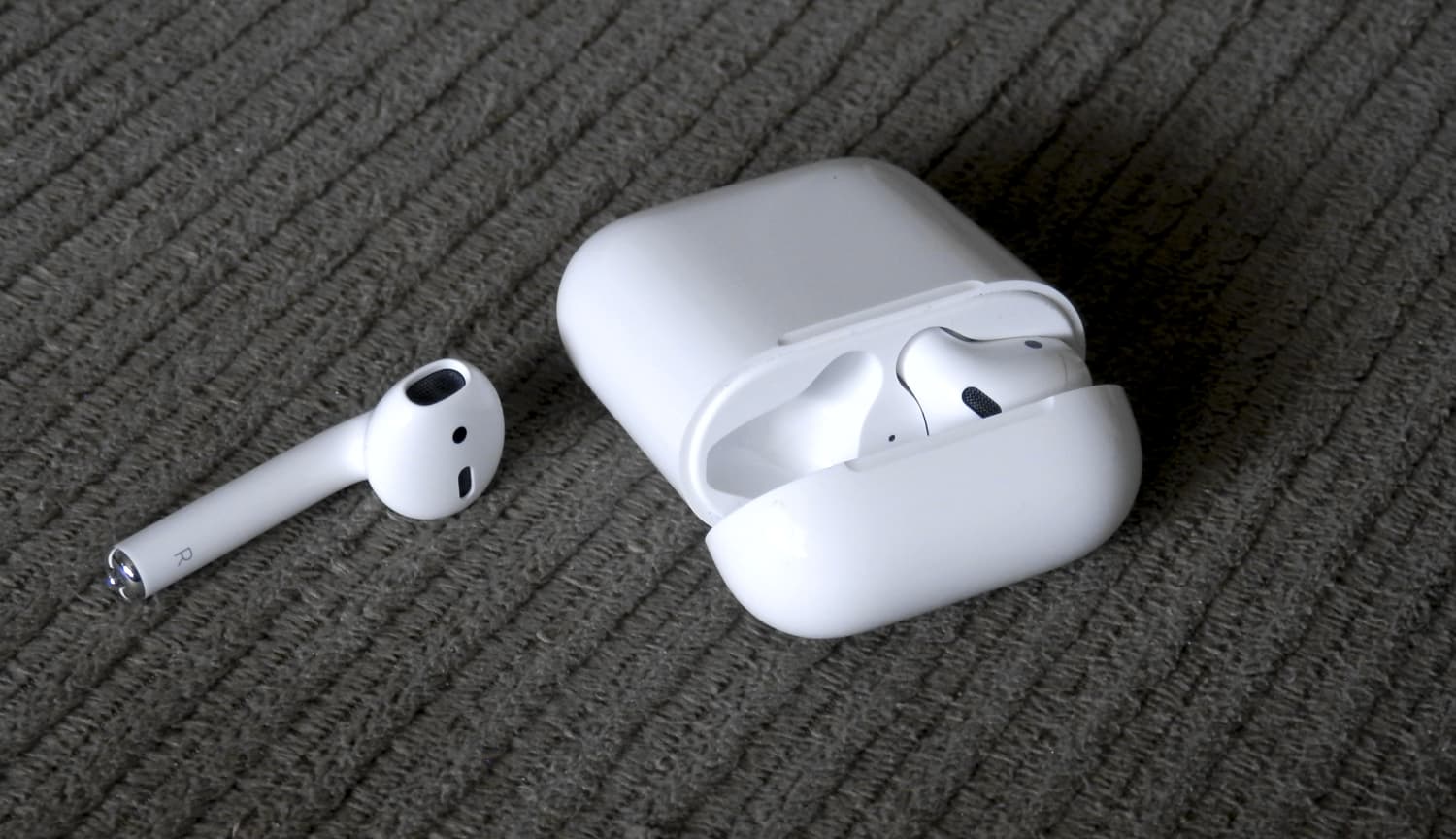
AirPods

Stay up-to-date on the latest AirPods news and learn how to get the most out of your AirPods with our comprehensive tutorials and guides. Discover new features, troubleshooting tips, and more!

AirPods Next/Previous track controls also work on iOS 10

One of the little things in iOS 11 includes the ability to set up the AirPods double-tap action to skip forwards and backwards between tracks, cancelling the need to invoke Siri to change songs. As iDownloadBlog reader Harshit Yadav has discovered and shared with us, you can also get this next/previous track control functionality to work on your iPhone, iPad or iPod touch with iOS 10, here's how.

First of all, your AirPods must be running the firmware version 3.7.2 or later, which enables you to customize double taps independently for both the earbuds. To find out your AirPods current firmware version, go to Settings → General → About → AirPods on your iPhone.

Your AirPods must be connected to your iPhone to appear there.

TUTORIAL: How to install software updates for your AirPods

To ensure your AirPods have the latest available firmware, put both the earbuds inside their charging case, then close the case and connect it to a charger or a USB port on your computer. Your iPhone must be paired with your AirPods and connected to Wi-Fi in order for the firmware to download and install.

With the 3.7.2 firmware installed on your AirPods, do the following:

1) Connect your AirPods to an iOS device running iOS 11. This is very important that your AirPods be connected to an iOS 11 device. If not, the option to customize Left and Right ear will not appear.

2) Go to Settings → Bluetooth on your iOS 11 device.

3) Tap the “i” next to your AirPods.

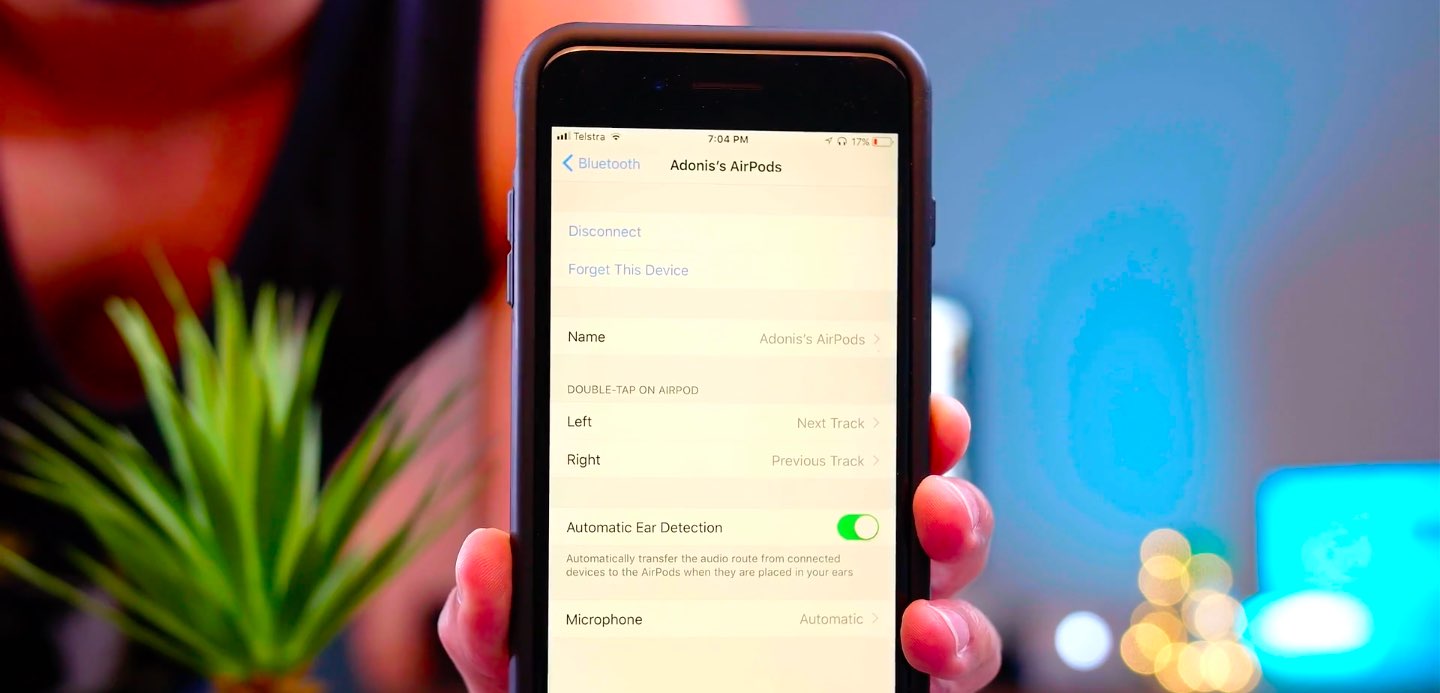
4) Tap Left underneath the Double Tap on AirPod heading, then choose Previous Track from the list of double-tap actions for your left earbud.

5) Tap Right underneath the Double Tap on AirPod heading, then choose Next Track from the list of double-tap actions for your right earbud.

6) Close out the Settings app and play some music to verify that double-tapping either AirPod takes you to the next or previous track.

7) You're done.

With your AirPods updated to the firmware version 3.7.2 and the double-tap action set to next/previous track, you can now pair them back to an iOS 10 device and they will continue to work.

It's important to note that attempting to change your AirPods settings on iOS 10 will overwrite any changes made on your iOS 11 device, meaning you'll loose the next/previous track functionality.

Let us know in the comment section below how it went for you.
iOS 11 lets AirPods owners skip forwards and backwards between tracks with a double tap

The most common complaint about AirPods is their inability to change the currently playing song directly on the earphones, without invoking Siri. Well, YouTuber Appsolutely Tech has discovered that iOS 11 solves this customer pain point by adding the ability to skip forwards and backwards between tracks with a double tap.

On iOS 11, your AirPods settings include some handy new options for choosing a double-tap action separately for the left and right earbud.

TUTORIAL: Tips and tricks for using AirPods like a pro

You could, for example set your left AirPod to skip to the next track and your right AirPod to go to the next track. Or, you could leave Siri as the default action for one of your AirPods and set the other one to go to the next track when double-tapped.

Watch Appsolutely Tech's video below.

https://www.youtube.com/watch?v=VsQ9J1mwU78

Simply tap the “i” next to your AirPods in Settings → Bluetooth on your iOS 11 device.

You will see you can now set a different double-tap action for each of your AirPods:

Siri Play/Pause Next Track Previous Track Off

It's unclear if Apple might bring this new feature to iOS 10 via a future AirPods firmware update.

Apple releases AirPods firmware 3.7.2

AirPods

Apple today released AirPods software 3.7.2, bringing unspecified improvements and bug fixes to the company's first Bluetooth earbuds featuring the in-house designed W1 wireless chip.

According to the German-language publication Macerkopf.de (Google Translate), which first spotted the new firmware, it's possible that it addresses the reported Bluetooth connectivity issues where AirPods would lost connection with their paired iPhone during phone calls.

To install the new AirPods firmware, put both earbuds inside their charging case, then close the case and connect it to a charger or a USB port on your computer. Your iPhone must be paired with your AirPods and connected to Wi-Fi in order for the firmware to download and install.

TUTORIAL: How to install software updates for your AirPods

Keep the charging case within a few inches of your iPhone or the AirPods firmware won't be updated. Keep in mind that updating your AirPods may take a few minutes to complete.

During the update process, your AirPods may be unavailable for use.

You can find out your AirPods firmware version in Settings → General → About → AirPods on your iPhone when the earbuds are connected to the phone.

AirPods originally released with firmware version 3.3.1.

Hey Apple, we need to talk about AirPods (again)!

AirPods teaser

On the back of their latest earnings call, a fair bit of renewed attention has been paid to Apple’s prodigious AirPods. In it, we got confirmation of what owners of the cordless headphones likely already knew, and what analysts were anticipating: AirPods crush customer satisfaction surveys and the sales are, to quote Tim Cook, a runaway success. As such, surely the Cupertino head office must feel in a party mood with regard to their EarPods successor?

Put it this way, something tells me the sound and sight of popping bottles and Eddy Cue flailing his arms to the sound of Pharrell’s Happy will have to wait - because for all their success, almost half a year into their lifecycle AirPods remain a problem child. It only takes one metric and four words to back up that not so outlandish case: ships in six weeks.

JPMorgan: iPhone 8 to bring enhanced stereo sound and waterproofing, ship with AirPods

JPMorgan analysts who track Apple's supply chain in the Asia-Pacific region, including Gokul Hariharan, shared a new research note this week. In it, the they predicted that the company's upcoming iPhone 8 will come outfitted with an enhanced earpiece sporting “further improvements” to stereo sound and waterproofing.

The note, obtained by MacRumors, does not specify what acoustical improvements Apple could introduce to iPhone 8's earpiece.

JPMorgan also made the prediction that AirPods could come as a free accessory with iPhone 8. If true, Apple's $159 wireless earbuds could replace the firm's $29 wired EarPods with Lightning connector that come in the box with current iPhone models.

https://www.youtube.com/watch?v=R17WDY3BIfo

Subscribe to iDownloadBlog on YouTube

The research note mentions other previously rumored iPhone 8 features, like an OLED display, a stainless steel and glass design, a faster A11 processor, a larger battery, wireless charging and enhanced cameras with new sensors for 3D mapping, 3D selfies, facial recognition, augmented reality capabilities and more.

The analysts estimate that iPhone 8 will be $75 to $80 more expensive to manufacture.

iPhone 7 became the first iPhone to feature stereo sound.

Rather than use two separate speakers at the bottom of the device, Apple has opted to combine a speaker unit at the bottom with the earpiece at the top to create “immersive stereo sound” delivering two times the audio output of iPhone 6s and increased dynamic range.

Chinese firm is seeking approval to sell these knockoff AirPods in US

Chinese company called Dacom Electronics has created a pair of wireless headphones that look remarkably similar to Apple's $169 AirPods with the custom W1 chip that first went on sale in December.

As reported by Business Insider, Dacom via its recent FCC filing is now seeking approval to sell its knockoff AirPods to customers in the United States.

Upcoming tweak will bring new features to your AirPods

AirPods

AirPods are a hot commodity among iPhone users these days. In fact, they’re so popular that Apple can’t even keep up with the incredible demand they’re receiving from consumers.

That aside, users will soon have the ability to use their jailbreak to customize the way their AirPods work. iOS developer LaughingQuoll is currently working on a new jailbreak tweak called Siliqua that's specifically designed for using your AirPods in a bevy of new ways.

Protect your AirPods case with PodPockets

If you are lucky enough to own a set of AirPods, you love them, you take them everywhere, you show them to everyone, you run back into the house if you forget them. You are constantly grabbing and going these little wizards, which by most standards, are the best technology forward product Apple released in 2016. With all Apple products, I want to keep them safe and sound, but the high polish white plastic does not hold up very well against scratches.

Within about two days, my AirPods case was scratched and ruined. I use ruined fairly loosely, but any scratch on my Apple products is a total travesty. Thankfully, I stumbled across PodPockets, which now safely cradle my AirPods case.

Apple updates AirPods firmware to version 3.5.1

AirPods

Apple today updated the firmware on AirPods. The company did not publish the official changelog at post time so we don't know what this new firmware update provides in terms of new features aside from bug fixes and performance improvements, but we'll make sure to update the article as soon as we find out more. The new software bumps the AirPods firmware from the initial version 3.3.1 to version 3.5.1.

Which W1 chip-equipped audio device should you get?

Because Apple nixed the 3.5mm headphone jack from the bottom of the iPhone 7 and iPhone 7 Plus, you either have to use the supplied Lightning dongle for backwards compatibility with your 3.5mm audio accessories, or you have to kick it up to the new age with a pair of wireless or Lightning-enabled audio devices instead.

When you don’t want to be bothered with the issue of charging your device at the same time you're listening to audio with headphones or earbuds in, the obvious choice is to go wireless. While there are tons of options, only a few come with Apple’s brand new W1 chip, which supports the slick new Bluetooth pairing process. Among those are AirPods, Beats Solo3, and Powerbeats3.

If you’re in a predicament and can’t decide between the three then you should find this piece helpful, because I'll be comparing the strengths and weaknesses of each from a variety of angles.