WWDC

iOS 5 & iCloud – A Summary of The New Hotness

It's been a hectic day or so here at iDB towers and we're sure we aren't the only ones. Yesterda's WWDC kickoff provided more than a few talking points, with iOS 5 and iCloud being two of the biggest. Granted OS X Lion is one fine looking piece of software, but for us it's the mobile stuff that gets the pulse racing.

This post will be a little roundup of just a few of the most important new things we've learned today, with links to some more in-depth coverage inside the iDB content vaults. So, without further ado, let us begin...

Breaking: More Mouth Watering Photos of iOS 5 Revealed

As if you needed any more reason to anticipate the biggest upgrade to iOS ever! Yep, we have a few more savory pictures of iOS 5 in the flesh, and we want you to see them.

This next batch of photos show off three new features to iOS 5: Newsstand, Reminders, and Twitter integration.

It's funny because prior to the show, Twitter integration was probably one of the most highly anticipated rumors. After the show, you almost forget that Apple even announced it, that's how insanely deep iOS 5 is.

Check out a few more screenshots of iOS 5 inside...

Breaking: New iOS 5 Albums and Camera Photos Emerge

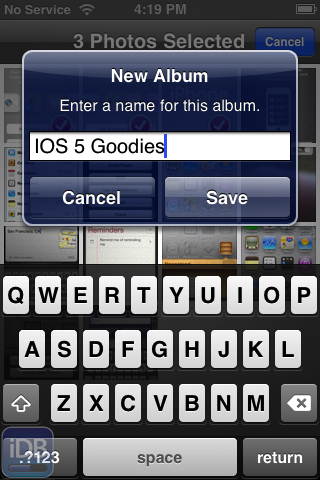
More photo goodness has emerged from a friendly email, and this time they illustrate some new features surrounding photos.

To be more specific, these images focus on album creation and management.

In iOS 5, you're no longer relegated to managing your photo albums on your Mac or PC; nope, now you can manage albums directly on your iPhone.

Apple is apparently very serious about their new PC Free initiative, and it shows when looking at the screenshots contained inside...

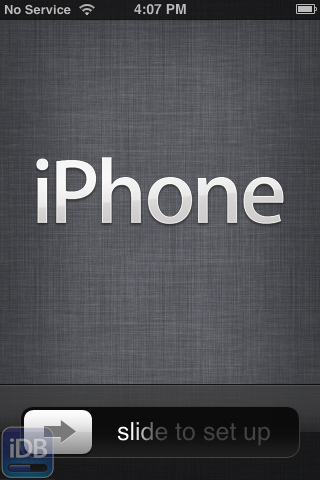
Breaking: New Photos of iOS 5 Initial Setup Emerge

Someone sent me a few exclusive photos of some of the new features in iOS 5, and it looks like a doozy folks.

If you tuned into this morning's WWDC keynote, you are well aware that Apple is implementing a new PC Free strategy for iOS 5, and that includes the initial setup of your iPhone.

Inside we have a few interesting screenshots of the iPhone's initial setup screens, along with the new Home screen equipped with a new iPod touch-esque Music app, along with a settings screen for iCloud.

Interested in seeing the iOS of the future? Check out the exclusive images inside...

WWDC 2011 Keynote Now Available for Streaming

Ok folks, that WWDC 2011 keynote is here and available for your streaming pleasure. Two full hours of pure Lion, iOS 5, and iCloud goodness. This is assuming that you can get it to work because mine has just been hanging in there for 15 minutes.

Maybe Apple didn't get the memo about iCloud yet?

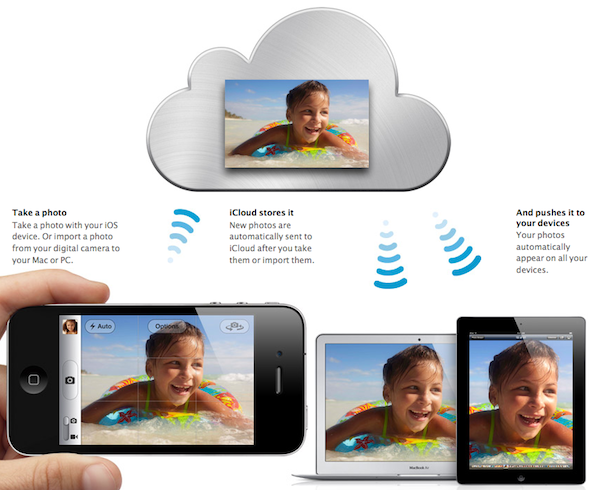
Photo Stream Makes Manually Syncing Photos a Thing of the Past


Syncing photos from your iPhone to your desktop and other devices has always been a bit of a pain. Most iPhone users have taken to services like DropBox to upload photos to their desktop, to avoid the old plug-and-play method.

What if you wanted to show off your iPhone photos on your iPad? In the past you had to upload the photos to your desktop and then sync them to your iPhone using iTunes. The new iCloud feature Photo Stream takes away all of the headache with instant, wireless photo syncing...

Apple Introduces iTunes in the Cloud

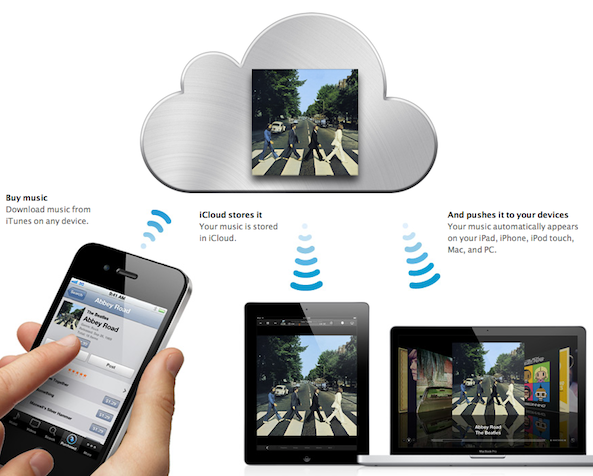
Here is the feature a lot of you were waiting for: iTunes in the cloud. This new feature will allow you to sync your songs purchased in iTunes across all your devices. Let's say for example you download a song on your iPhone, you can then grab your iPad, see your purchased history, and decide to download all or individual songs to your iPad, at no additional cost.

Even better, you can turn a setting on so the song you purchased are automatically downloaded to your other devices. This is just a killer feature...

iOS 5 to Bring Automatic Backups to Your iDevices

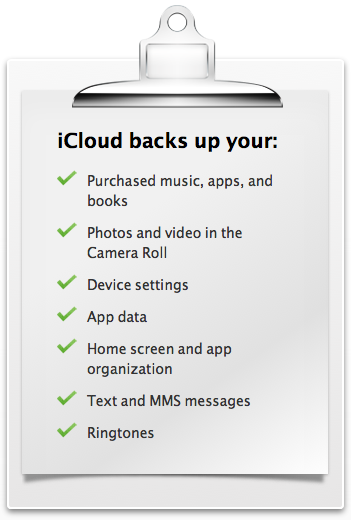
With iCloud, Apple is introducing yet another feature in iOS 5: automatic backups. Every day, most of your content on your iPhone, iPad or iPod Touch will be automatically backed up to the cloud. Should you get a new iPhone, everything will be loaded to this new phone automatically.

Automatic daily backups will be done over wifi and will allow you to back up your music, books, apps, camera roll, device settings, and app data... 

Mail App Gets Rich Text and Other New Features in iOS 5

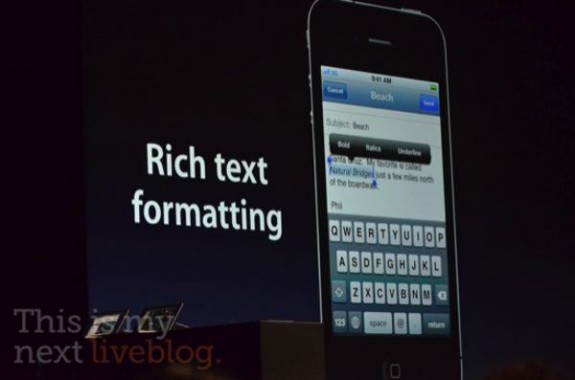
The new features keep pouring in as Scott Forestall, the man behind iOS, announces update after update in the new iDevice software. While we knew that a new notifications system and other revamps were coming, not much was said about the iOS Mail app.

There wasn't really anything wrong with the previous version of the iOS Mail app, but it did leave a couple of things to be desired. Apple must've gotten wind of jailbreak tweaks like Rich Text for Mail, because they just included it and other features in iOS 5...

iOS to Be Available This Fall

Wondering when all these new great features in iOS 5 will come to your iPhone? I hope you're not in a hurry because it's not going to be available until this fall. When is this exactly, we're not sure.

iOS 5 will be available for iPhone 3GS, iPhone 4,iPad, iPad 2, and the iPod Touch 3G and 4G...

This fall, huh? I'm not sure I can wait that long. You?

Apple Announces iMessage. It’s Like BBM, but for iOS Only

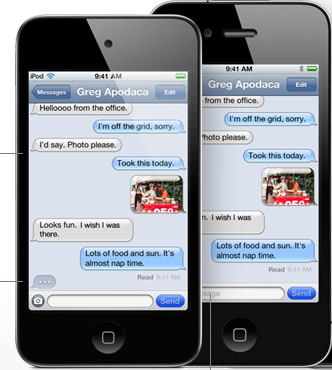
If you haven't been excited much about the few features iOS 5 has already unveiled, here is one that should get you pumped. iMessage.

iMessages is a service that works for all iOS 5 users. It supports iPhone, iPad, and iPod touch, and it allows you to send text, photos, videos, contacts to any of your friends, assuming they have an iOS device...

iPhone Camera Revamped in iOS 5

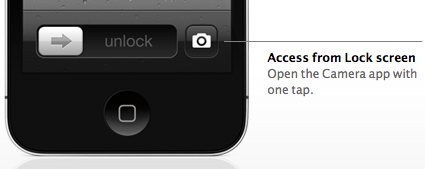
This is a very exciting new feature of iOS 5. It appears that the Camera app is getting quite a few improvements. First one of them is that you'll now be able to launch the Camera app from the lockscreen, with the addition of a new icon there. Additionally, you will be able to shoot the picture by pressing the volume buttons.

Another great feature brought to iOS 5 new camera app is the ability to edit pictures on the fly. We'll now be able to crop, reduce red eye effect, and a few other quick enhancements...