WWDC

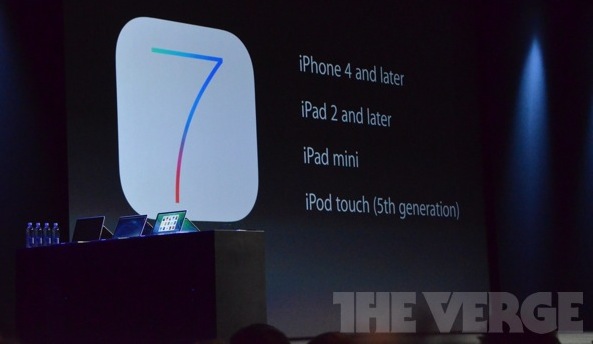
iOS 7 availability and the devices that will be supported

Although the beta version of iOS 7 is already available to registered developers, it was announced today that the public version won't be available until this Fall, presumably around the same time the new iPhone will be released.

The question that might come to your mind is "will my device be supported?" Chances are it will...
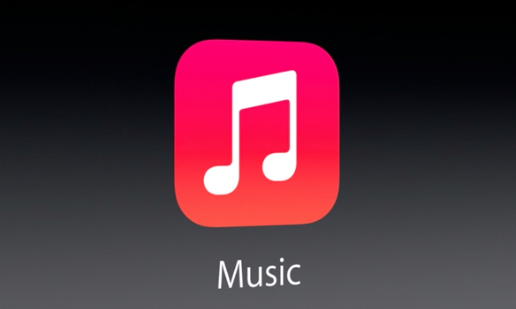
iOS 7: Music app redesign

The big news with the Music app in iOS 7 is iTunes radio, but the interface to the Music app in general received a huge update. Compare what we're currently using to what we're going to get with iOS 7, and the current Music app appears hopelessly outdated.

iOS 7 beta 1 download available today for developers

Eager to get your hands on all the goodness that's packed in iOS 7? The good news is that if you're a developer, you can get access to it today, assuming you can get into the Dev Center, which is crawling under massive amounts of traffic right now.

Everybody else, you'll have to wait for the Fall to be able to enjoy iOS 7, once it becomes available to the general public...

App Store gets auto updates and more in iOS 7

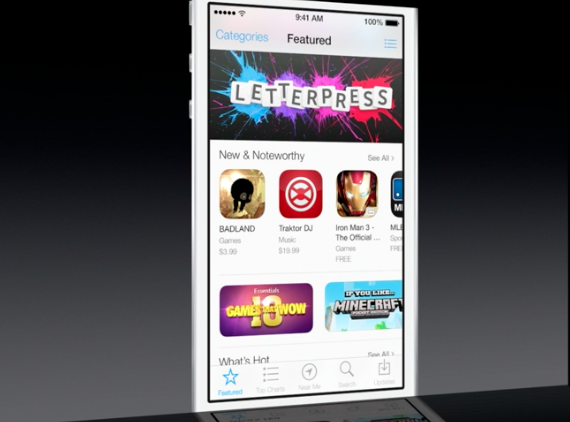
Folks hoping that Apple would make some changes to the dark-themed App Store in iOS 7 will be happy to hear their wish has come true. In line with the rest of the UI design changes in the new software, App Store is now flat, white and easier to read.

In addition to the makeover, the App Store also receives several enhancements in iOS 7. Perhaps the most compelling change is the fact that users can now opt to have their applications automatically updated. Keep reading for more on the update...

iOS 7: Photos + Camera

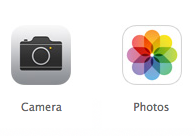
Thew new Photos app and Camera app included in iOS 7 is, as expected, a pretty significant departure from what we currently know and use. First and foremost, the new Photos app. The new Photos app auto organizes pictures based on when and where you took them, a featured dubbed Moments.

One interesting aspect of Moments is the ability to zoom out, and selectively pick specific photos from the grouping by tapping and dragging your finger over the photos. Photo streams have received a significant update as well, as you can now share your photos directly into other's photo streams, and vice versa.

Siri gets a makeover, new features and improvements in iOS 7

Apple's system-wide overhaul in iOS 7 brings a new look to everyone's favorite snarky digital assistant. Siri gets a complete makeover in the update with a new UI, new animations, and more realistic-sounding voice samples—now available in both male and female voices.

In addition to the redesign, Siri also gets a handful of new features and other improvements. Phil Schiller says that it's smarter, with faster responses, in-app Bing search results and links to Twitter, and deeper vehicle integration for automakers to take advantage of...

iOS 7 simplifies file sharing with AirDrop

In addition to Control Center, a new iOS 7 feature which puts often used Settings toggled just a swipe away anywhere in the system, Apple has also made it easier to send your files and documents to other iOS devices and Macs with AirDrop. As you know, Apple launched AirDrop on Macs with OS X Lion.

AirDrop talks to devices directly over Wi-Fi, without the need for an Internet connection or having to join a Wi-Fi network. In fact, the system is hassle-free in that you don't need to configure anything - it just works...

iOS 7 features an all new mobile Safari

Among the many changes in iOS 7 is a completely revamped mobile Safari app. The browser, which has long been the subject of user criticism, has been given a complete UI makeover and a slew of new features.

The first thing you'll see when you load up the new mobile Safari is a new Home page with all of your favorite and recently visited websites (very similar to OS X version). Then once you select a page, you'll see...

iOS 7: Multitasking

Rejoice, Apple has brought Multitasking to all apps in iOS7. The new multitasking features included new intelligent scheduling, opportunistic updates, adaption to network conditions, coalesced updates, and push triggers.

The new multitasking includes a completely redesigned app switcher with full screen app previews, which will make it much easier to identify running apps. Needless to say, it's a pretty radical change from the current concept of multitasking in iOS...

iOS 7 brings brand new Control Center with toggles

Now that Apple has formally announced a Jony Ive-ified iOS 7 ("it's like having a new phone, but one you already know how to use," said Tim Cook), executives here on stage at San Francisco's Moscone West are telegraphing the key features of iOS 7. One of such handy additions is an all-new Control Center. So, what does it do?

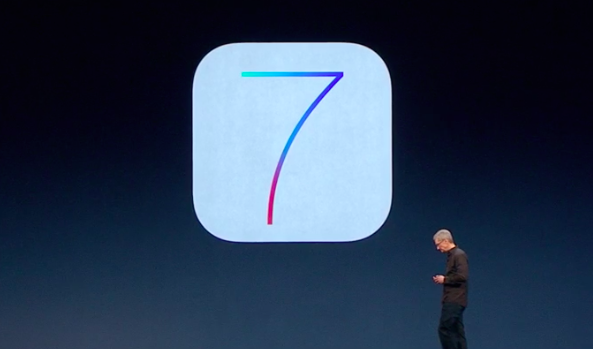
Apple introduces iOS 7

Tim Cook and company just took the wraps off of the next version of its mobile operating system, iOS 7. And as expected, it's by far the biggest update to the platform since the original iPhone launched back in 2007.

What's different? Everything. In line with previous reports and speculation, Apple has completely redesigned the OS from the ground up with an all new user interface and a slew of new features. And honestly, it looks amazing...