In its never-ending quest to improve app discovery, Apple with iOS 6 added to its App Store on the iPad, iPhone and Mac something called App Collections, a curated section which lists apps that the company personally tested. As of recently, App Collections are now prominently featured on iOS devices and Macs via a dedicated section nested within the Categories menu of the App Store and iTunes. All of the apps featured in App Collections are basically recommendations by Apple's editorial team...
Mac
Stay up-to-date on the latest Mac news, and tutorials. Get expert tips and tricks to optimize your Mac’s performance and learn about the latest Apple products and software updates. Discover the best Mac apps and accessories to enhance your user experience.
How to hide Newsstand on the iPhone, iPad, and iPod touch, no jailbreak required
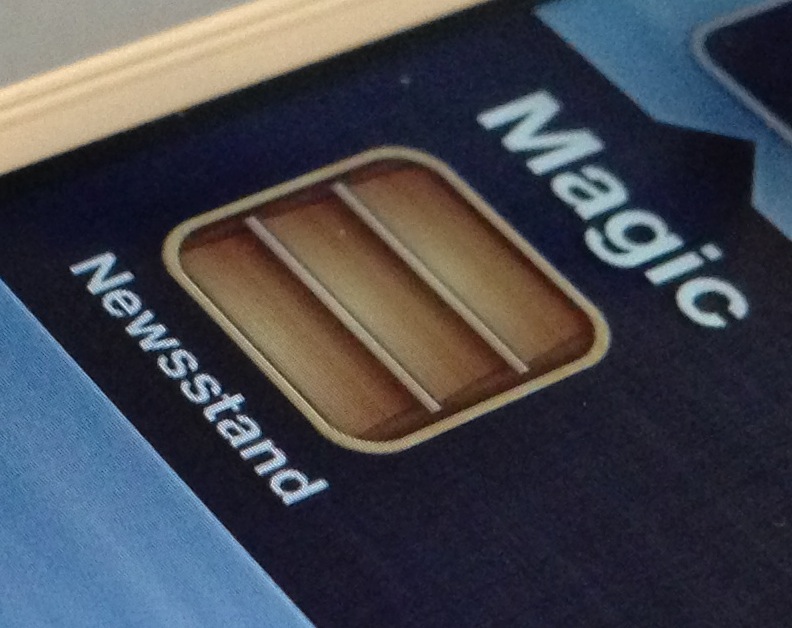
Although I occasionally use Newsstand, I can plainly see why many deem it to be worthless. Almost all of my friends have Newsstand apps that look just like the screenshot above — empty. With that in mind, wouldn't it be great if Apple didn't force the app upon you?
I mean, it's not even really an app after all, it's a folder, yet Apple forces you to keep it on your Home screen with no way to hide it. Most people who really hate the app, and don't have the luxury of a jailbreak, relegate Newsstand to the last page of their Home screen, but this latest Mac app one-ups that solution.
Like previous tricks that allowed you to place Newsstand in a folder, Filippo Bigarella's StifleStand does something similar. StifleStand, though, is much more easy to execute, because it doesn't require any special timing on your part.
The best thing about StifleStand is that it doesn't require a jailbreak, which makes it entirely possible to hide the Newsstand app on the iPhone 5, or any other iOS device for that matter. Take a look inside as I show off the easy to follow process on video...
Google enables better iOS contact sync via CardDAV protocol
If you wanted to sync your iOS Contacts with Google with changes instantly reflected across devices, Microsoft's Exchange ActiveSync used to be your only option. As of today, Google announced that “we’re adding CardDAV to that list”, allowing for seamless contact syncing between your Google Account and third-party apps, including iOS devices running iOS 5 or later...
The HackStore is a viable alternative to the Mac App Store [sponsored]
Back in April, a handful of developers launched the HackStore, an alternative to the Mac App Store. Similar to Cydia for iOS, the HackStore hosts third-party Mac applications that for one reason or another didn't make it past Apple's approval process.
In our first take, we noted that while the Store looked good, it needed some work. It was a bit buggy, and only contained around 50 apps. But after nearly 6 months and a number of updates, we figured it was time to give the HackStore another run-through...
Apple beats Aston Martin, Google, Bang & Olufsen to rise as UK’s coolest brand
CoolBrands, an annual initiative to identify the UK's coolest brands annually since 2001, has published the official results for the calendar year 2012. Based on responses from 3,000 consumers and a panel of 39 experts, Apple was voted UK's number one brand. In fact, the Apple brand beat second-ranked YouTube, Aston Martin (#3), Twitter (#4) and Google (#5). Last year, the iPhone and iPod brands were ranked second and third, respectively, as Aston Martin took the leading spot...
Skitch gets cleaner UI, new features, now supports the iPhone natively
Today's update bonanza has seen mainstream iOS apps improved with support for the iPhone 5 and its taller display. By the way, Apple really pushed those updates at a rapid pace, didn't it?
Among them is Skitch, a Mac and iPad annotation and image editing software, which got refreshed today with a revamped interface and a slew of new features, such as pixelate and highlighter tools, social sharing options and more .
The new Skitch version 2.0, now a universal binary, finally supports the iPhone and we've got you covered with a quick overview and promotional video...
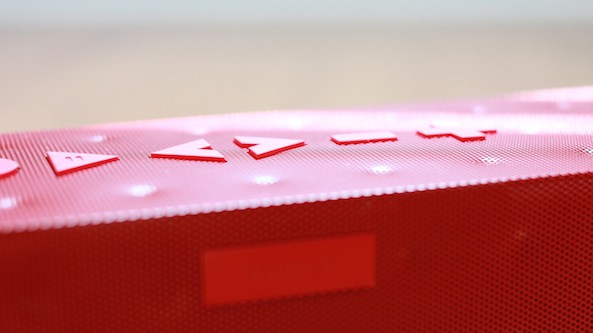
Can the Big Jambox replace my office stereo system?
In the last month or so, I've been on a minimalism tear. For example, I traded in my 27" iMac for a MacBook Pro with Retina Display. I also decided to get rid of my 2011 MacBook Air.
As it turns out, I rarely used the MacBook Air, because it was just too slow to get any real work done. The iMac was a beast, but it wasn't portable, which caused many of my files to fragment between multiple devices. I decided it would be best if I just had one powerful, yet portable machine to get all of my work done. It just so happened that the MacBook Pro with Retina Display was the perfect device to meet my needs.
To go along with these changes, I decided it was time to rid myself of my old antiquated component audio system. I have a Pioneer receiver coupled with Pioneer speakers. It's a 5.1 audio system that's incredibly heavy, a birds nest of wires, and power hungry to boot.
I needed something smaller, totally devoid of wires, and easier on the power consumption — all without sacrificing too much in the way of sound quality. Obviously, the highly regarded Jawbone Big Jambox was on my short list of devices to choose from, but was it up to the challenge of completely replacing my traditional stereo system?
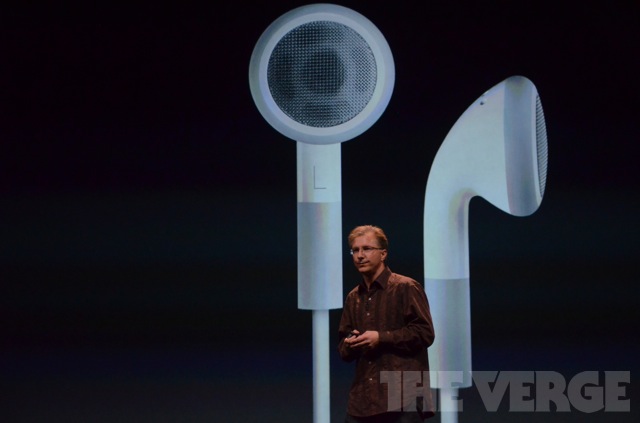
Meet EarPods, Apple’s new in-ear headphones
It is no secret that Apple's in-ear headphones that ship with iPhones and iPods leave a lot to be desired. Sound quality is average, at best, bass is non-existent and highs sound a little too robotic. Of course, we knew Apple would be introducing a brand new headset today. What we haven't known is that the company spent three years designing the new headphones, dubbed EarPods. Yes, three years...
Echofon for Mac updated with Retina Display support
Rejoice Macbook Pro with Retina Display users, another Twitter client, besides Tweetbot for Mac, now features Retina Display support!
Echofon for Mac version 1.6.1 was just pushed to my desktop a few minutes ago, and it finally brings support for the Retina Display, Notification Center, and more...
How to add a keyboard shortcut to any Mac app menu command
Don't you just hate it when one of your favorite Mac apps is missing an obvious keyboard shortcut for an often used menu command? I recently ran into that issue with Pixelmator.
I made the switch to Pixelmator, because it is one of the few decent image editing apps that features support for the MacBook Pro with Retina Display. Normally I'm a CS5 user, but since Adobe's suite lacks Retina support, I felt compelled to make the switch.
Although I don't find Pixelmator to be as intuitive as Photoshop, making the switch hasn't been all that bad. It's snappy, features a bevy of options, and best of all, it looks gorgeous on the Retina Display. If I had to pick a flaw, I'd say that one of the most glaring miscues is the lack of a dedicated keyboard shortcut for exporting your work. Fortunately that can be remedied with a quick trip to System Preferences...