Mac

Stay up-to-date on the latest Mac news, and tutorials. Get expert tips and tricks to optimize your Mac’s performance and learn about the latest Apple products and software updates. Discover the best Mac apps and accessories to enhance your user experience.

How to enable Yosemite’s somewhat functional dark mode

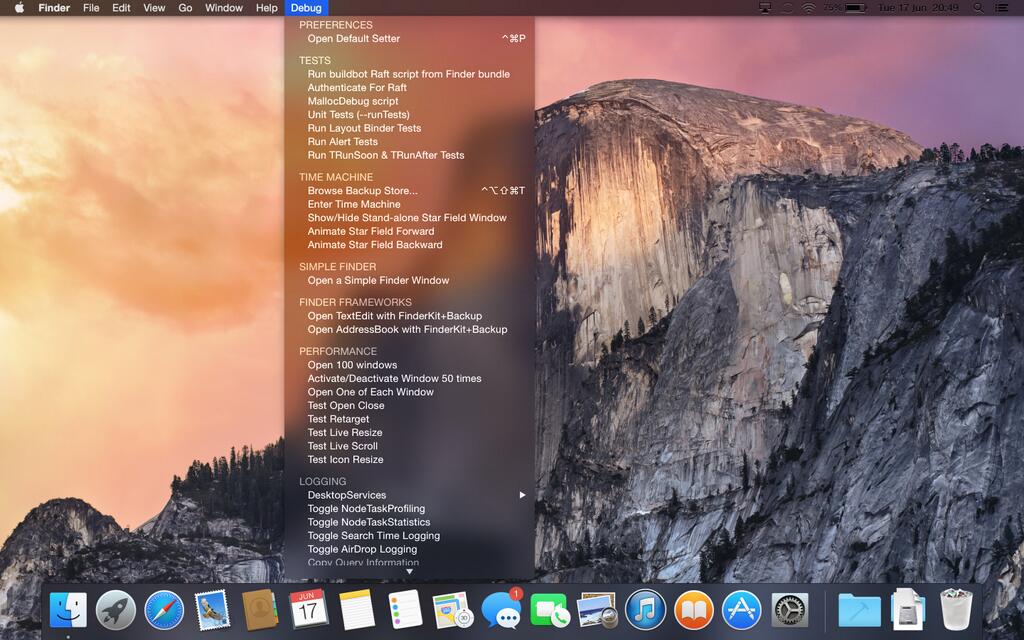
There were lots of oohs and aahs in response to Apple's software engineering chief Craig Federighi showing off a new dark UI mode in OS X Yosemite at WWDC two weeks ago. It basically alters the appearance of the menus, sliders, buttons, windows and other UI elements.

The gorgeously subdued look is inspired by the dark appearance of Apple's pro software such as Aperture and Final Cut Pro. In fact, I like it so much that I enthusiastically tweeted right after the keynote that I was very much looking forward to using it on a permanent basis come this Fall.

However, dark mode was notably absent from the first beta of OS X 10.10 and is nowhere to be found in the just-released Beta 2. For a good reason, too, as it's unfinished and very much work in progress so not really ready for prime time yet.

If you're a type of person who can't wait to see it in action, you can enable Yosemite's dark UI using just a simple Terminal command...

Parallels Access now lets you access remote desktop via iPhone

Parallels Access was released last August as an iPad-only application allowing users of the popular desktop virtualization software Parallels to access remote computers on their Apple tablet.

It instantly became indispensable to mobile warriors who want to run Mac or Windows apps remotely and need to access desktop files and documents wherever they are.

Today, the free Parallels Access app has been updated with native support for the iPhone and iPod touch so users can now access their desktop on the go and use their PC and Mac applications in full-screen mode like they were made for their handset...

Screens VNC app now supports Dropbox, in addition to iCloud

An app called Screens is one of the best and most elegant pieces of software for accessing your desktop through the iPhone, iPod touch and iPad devices, over Wi-Fi or cellular. It lets you connect to remote computers as if you were sitting in front of them, run apps remotely, copy documents between machines and lots more.

Edovia Software, the company behind Screens, has updated both the $19.99 iOS client and $34.99 Mac client with support for Dropbox for seamless syncing of your saved screens across devices...

Macphun Bundle offers $260 worth of pro photo-editing Mac software for just $99.99

San Diego, California based developer MacPhun is kicking off the summer with an attractive bundle which appeals to your inner photography buff.

The prolific developer is responsible for some of the top-rated photo-editing software on iOS and OS X platforms and you could imagine I've gotten pretty excited about their new promotion. Beginning Tuesday, June 10 and through Sunday, June 22, you can get a $260 worth of Mac software for just $99.99.

That's a cool $160 saving right off the bat. The MacPhun Bundle includes Creative Kit Plus which is comprised of Intensify Pro, Snapheal Pro and Focus 2 Pro apps. They're also throwing in a ViewBig Premium membership and a free copy of a brand new app, when it ships later in the summer...

How to install OS X 10.10 Yosemite beta on a separate partition

When Yosemite was first announced with all of its awesome features, I exclaimed on iDB's group chat session that I would be installing the OS as soon as it was available for download. Sebastien quickly rebuffed my excitement and told me how unreasonable it was to install a beta OS on my main machine, and especially so while I'm out of the country. After being a bit disappointed (that wasn't what I wanted to hear at all...I mean, SMS texting on OS X!) I eventually came to the realization that he was right.

But then, I remembered that I didn't need to settle. I could easily create a partition on my Mac and keep Yosemite completely separate from my main (and stable) Mavericks install. It had been a while since I had last messed around with disk partitioning in OS X, but it didn't take long before I was installing the Yosemite beta on the same Mac where my primary Mavericks install lays its head down at night.

The benefits are multi-faceted. Number one, you get to try out Apple's new OS right now. Number two, you don't have to worry about buggy beta software cramping your style; after all, you're still running your main OS on the a separate partition. Number three, it can be done quickly, and with little to no downsides (as long as you have the disk space to spare). Check inside for our full tutorial that shows you how to install OS X 10.10 Yosemite on a separate partition on your primary Mac.

Yosemite includes the ability to initiate screen sharing via the Messages app

There's a plethora of new features to be found in Yosemite, and one of the latest has been found in the Messages app. Along with the ability to initiate FaceTime audio and video calls directly from a Messages app conversation, comes the ability to initiate screen sharing.

Users will be able to either request a screen sharing session from another user, or initiate their own screen sharing session directly from the Messages app. Check inside for more details.

Tim Cook praises ‘American manufacturing expertise’ and AppleCare staff

Apple's boss Tim Cook was photographed looking over the shoulder of a factory worker helping assemble a Mac Pro at Apple's manufacturing plant in Austin, Texas. The CEO tweeted out the image on his Twitter account as part of Apple's ongoing effort to promote bringing back (some) manufacturing jobs to the United States.

"Watching the Mac Pro come together in Austin yesterday, thanks to a team loaded with American manufacturing expertise," reads the tweet.

Although the new Mac Pro is not actually 'Made in USA', much of assembly work happens at the Austin plant in which Apple poured in about $100 million...

1Password for Mac gains WhiteHat Aviator browser support, tons of fixes

AgileBits has updated 1Password for Mac with support for the WhiteHat Aviator browser, adding several minor improvements as well. The new 1Password for Mac version 4.4.1 is now live in the App Store and you should update your copy now because the new version comes with a ton of bug fixes, too.

Additionally, AgileBits has reflected on Apple's technological announcements announced during the WWDC keynote.

Developers have touched on such hot topics as Apple opening up the Touch ID fingerprint scanner to third-party developers and allowing apps to install system-wide extensions, explaining what it all could mean for 1Password...

Evidence of Retina iMac found in OS X Yosemite beta

Folks wanting an iMac with Retina display will be happy to hear that some evidence has surfaced in favor of the mythical machine. The recently-released OS X Yosemite developer preview includes a new file that defines display scaling resolution options for an iMac.

The native resolution of the computer is not mentioned, but the file includes a series of scaling resolution options that max out at 6400 x 3600 pixels, or 3200 x 1800 as a Retina display. It's likely the display will scale down to a lower resolution like the MacBook Pro...

Can your Mac run OS X Yosemite? Find out here

With Monday's announcement of OS X Yosemite now off our backs, many people are wondering whether the next major revision to Apple's desktop operating system will run on their Macs. There's some good news and bad news.

The good news is, Yosemite doesn't impose steeper requirements in terms of the minimum hardware needed for a productive and hassle-free experience, simply because Yosemite is much like Mavericks in this regard. The bad news is, some older Mac models will inevitably be left behind, call it the price of progress.

Will your Mac be able to run Yosemite? Read on...