Mac

Stay up-to-date on the latest Mac news, and tutorials. Get expert tips and tricks to optimize your Mac’s performance and learn about the latest Apple products and software updates. Discover the best Mac apps and accessories to enhance your user experience.

SemiRestore is now (sort of) available for Mac OS X

Three days after the release of SemiRestore for Windows and Linux, the tool is also now supporting Mac OS X. Well, sort of, as the developer notes in the ReadMe file that "SemiRestore for OS X is provided on a 'works for me' basis." So our initial warning about using this tool still applies here, as you might do this at your own risks.

Microsoft rolls out Planner to all eligible Office 365 customers worldwide

Microsoft today said that its new productivity and teamwork app, called Planner, is now rolling out to all eligible Office 365 customers worldwide. “Beginning today, Planner will start rolling out to all eligible tenants,” said the Windows giant.

“We expect the rollout to be complete in the next several weeks.” Companion Planner apps for iOS, Android and Windows are currently being worked on and should release later this year.

Mark Gurman shares more details about upcoming WWDC announcements, new iPhones, and more

While in between two jobs, reporter Mark Gurman appeared on the latest episode of The Jay & Farhad Show podcast, where he shared more details about what we might see at WWDC this year, including new iOS features and design tweaks. Gurman also revealed more information about this year and next year's iPhone models.

While most of Gurman details were already known or rumored for a while, he did also offer information about features we hadn't heard of until now.

Tip: customize the Safari toolbar on your Mac

Last week, we showed you how you could customize the toolbar on your Mac's Finder window to better suit your needs, but there are other apps throughout the macOS operating system that come with toolbar-editing capabilities as well.

In this tutorial, we'll show you how you can customize the toolbar in the Safari web browser to make your web surfing experience the best it can be for your specific needs.

MacID for iOS and Mac updated with a slew of new features and fixes

The popular app for iPhone and iPad that lets you unlock your Mac with your Touch ID sensor over a low-energy Bluetooth connection has received an important update on Tuesday that adds a number of new features to the app and fixes a number of previously-known issues.

The update is free for everyone who owns MacID already for both the iOS and OS X apps, and make the new features and stability available across both platforms immediately following installation.

Photos of alleged MacBook Pro seemingly confirm OLED touchpad rumors

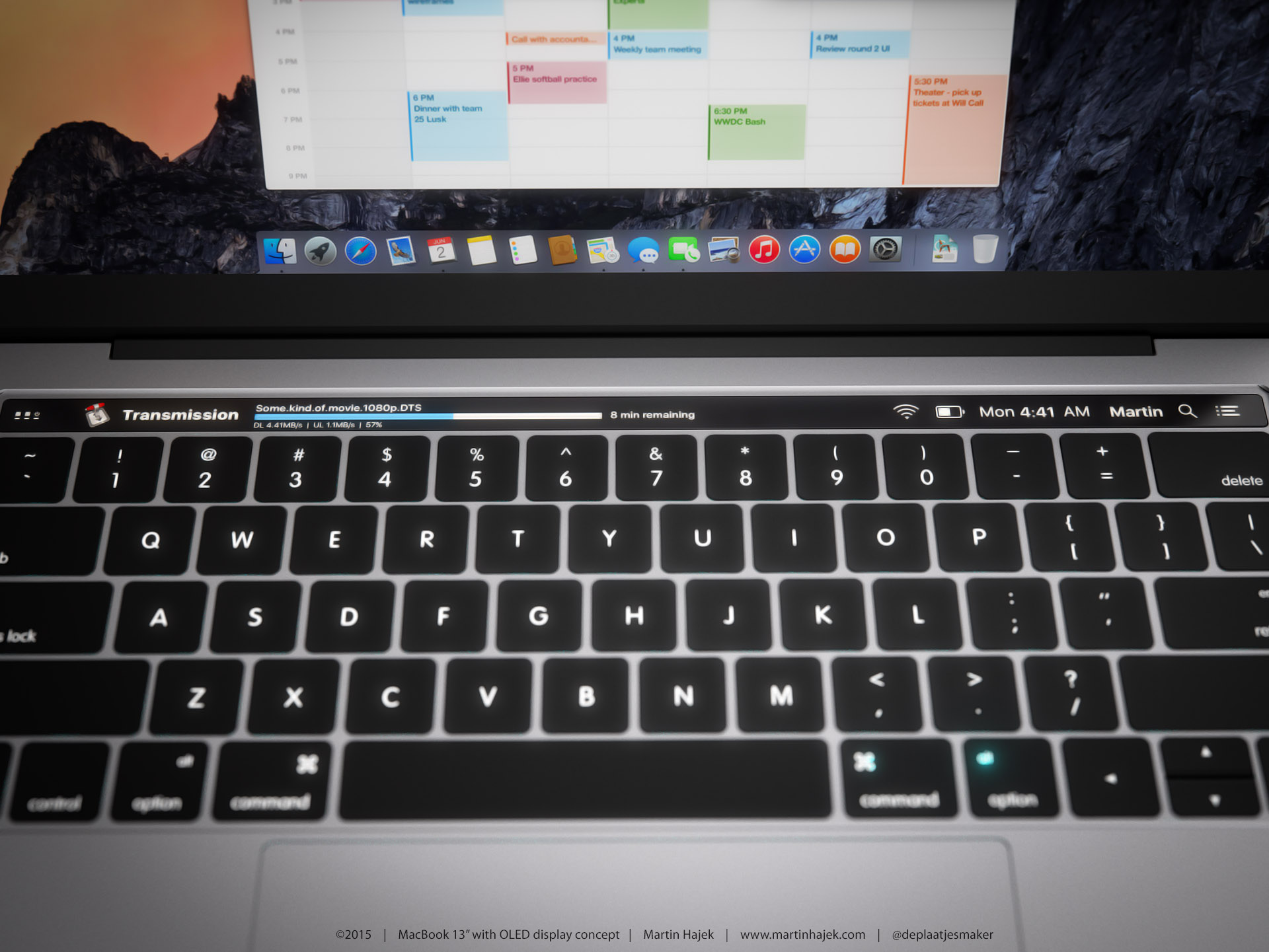
New images surfaced on Tuesday of what is said to be a chassis for Apple's upcoming MacBook Pro. Cult of Mac says they were sent the photos by "an anonymous source who claims to work for one of Apple’s manufacturing partners in China," but that of course cannot be confirmed.

The so-called spy shots are interesting because there's a noticeable gap in the laptop chassis, just above the keyboard. The oddity lines up with a recent investor note from prominent Apple analyst Ming-Chi Kuo, which called for this year's MacBook Pro to feature an OLED touchpad.

All the ways you can start up your Mac

We've talked quite a lot about Recovery OS, an underestimated feature of OS X that makes it easier to troubleshoot your Mac even if it refuses to start up properly.

But as you'll see for yourself in this post, Recovery OS is but one of the more than dozen different ways to start up your computer, aside from OS X's regular startup mode. In this tutorial, we'll list all the ways you can start up your Mac and detail each one.

Intel shares details of next-gen Kaby Lake chips, Core i7 Extreme Edition and more

Intel today announced at the Computex 2016 show in Taiwan that its seventh-generation Core processors, code-named Kaby Lake, are slated to arrive later this year. It also shared details about an all-new ”Extreme” edition of the Core i7 chip for gamers and content creators, the Apollo Lake chips for tablets and hybrid devices such as all-in-ones, and more.

The company highlighted some of the advancements in performance, battery and media capabilities that the Kybe Lake platform provides. In a way, the announcement has paved the way for future Macs built around the Kybe Lake platform.

Cool-looking concept converts legendary Macintosh LC into a retro iPad Pro dock

German magazine Curved.de recently published an interesting mockup which envisions an iPad Pro dock with vintage Macintosh look complete with a monitor, keyboard and mouse. Released in the early 1990s, the Macintosh LC (“LC” stood for “low-cost color”) was the company's low-end, inexpensive Mac which due to its Apple II compatibility was adopted primarily in the education and home markets.

“For such a concept to prove beneficial, Apple would have to implement a modified version of its desktop operating system OS X on its Pro iPads,” writes the magazine.

Clean up time: how to remove your account name from your Mac Menu Bar

Any time you set up a new Mac, or make a new user account, macOS will automatically display your account name in the Menu Bar so you know what account you're logged into.

But for some people, you probably already know what account you're logged into because you only have one account, or perhaps that text is just cluttering up your Menu Bar and you want it gone.

No matter what the scenario may be, there's an easy way to remove your macOS account name from the Menu Bar and we'll show you how it's done in this simple tutorial.