Jailbreak

Check out the most comprehensive jailbreaking coverage on the internet, including the latest news, apps, tweaks, and detailed tutorials about everything jailbreak.

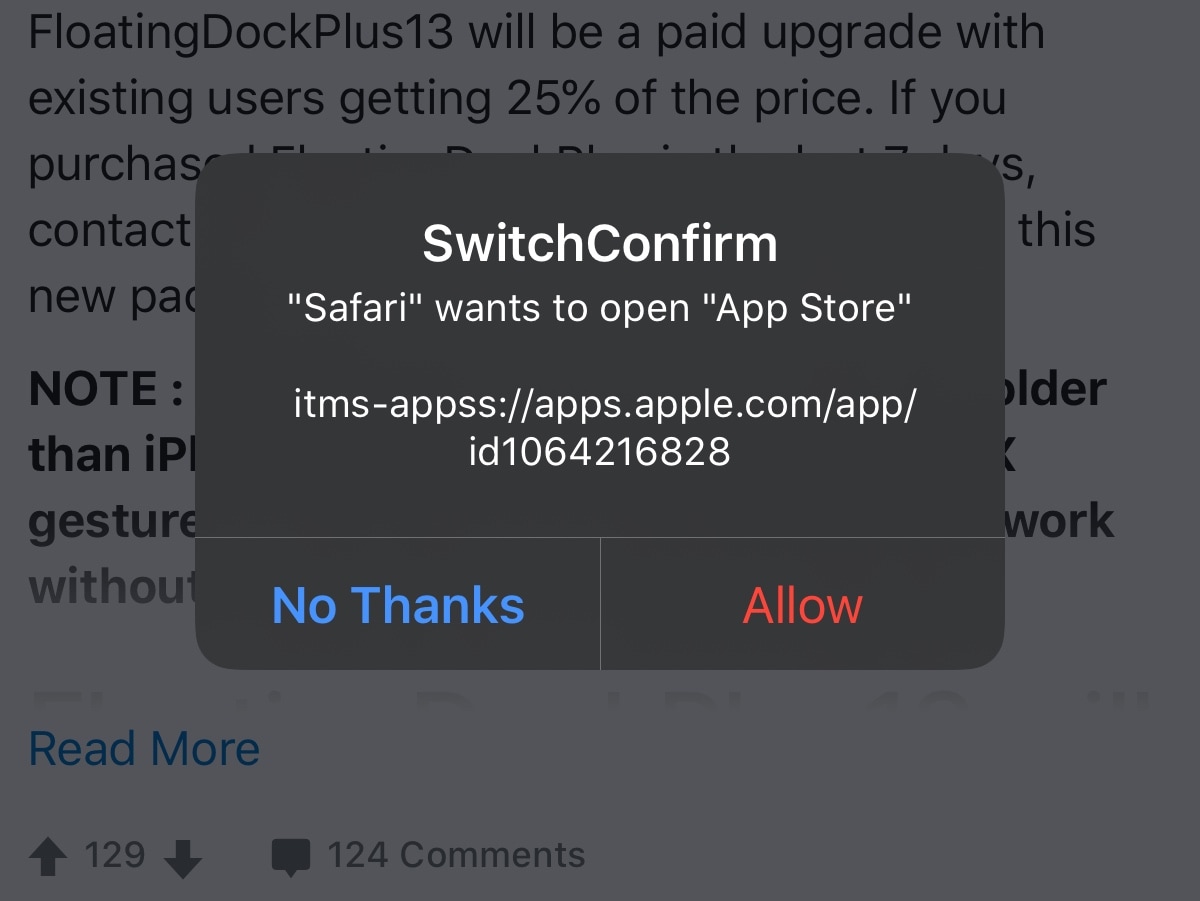
SwitchConfirm prevents links from automatically redirecting you to other apps

There’s nothing I hate more than when I’m trying to enjoy a good article or conversation thread on a web page in Safari, and then I suddenly get smacked in the face with a redirect to another app. Whether it’s the App Store, my Reddit app, or something else, getting forcibly ejected into another app doesn’t feel nice, and it’s downright annoying!

That’s why I’m excited about a new and free jailbreak tweak release called SwitchConfirm by iOS developer P2kDev, as prevents these automatic application redirects from hijacking your user experience by displaying a popup that asks you to confirm if you want to be redirected or not. Snazzy indeed!

10 reasons to jailbreak in 2020

It’s been a great weekend for the jailbreak community, especially now that two of the most popular jailbreak tools – checkra1n and unc0ver – picked up support for Apple’s latest and greatest iOS/iPadOS 13.5 firmware. But one question we’ve been getting asked often from both new and veteran jailbreakers alike goes something like this: “Why should I jailbreak in 2020?”

In all fairness, it’s a valid question. My own mind goes crazy with endless answers because I’ve been at this for so long, but if you’re new to the community or used to jailbreak in the past and went on hiatus after things seemed to go stale a few years back, then I would totally understand why you might be asking this question right now. In this post, I’ll discuss at least 10 reasons why I think jailbreaking is still relevant even in 2020.

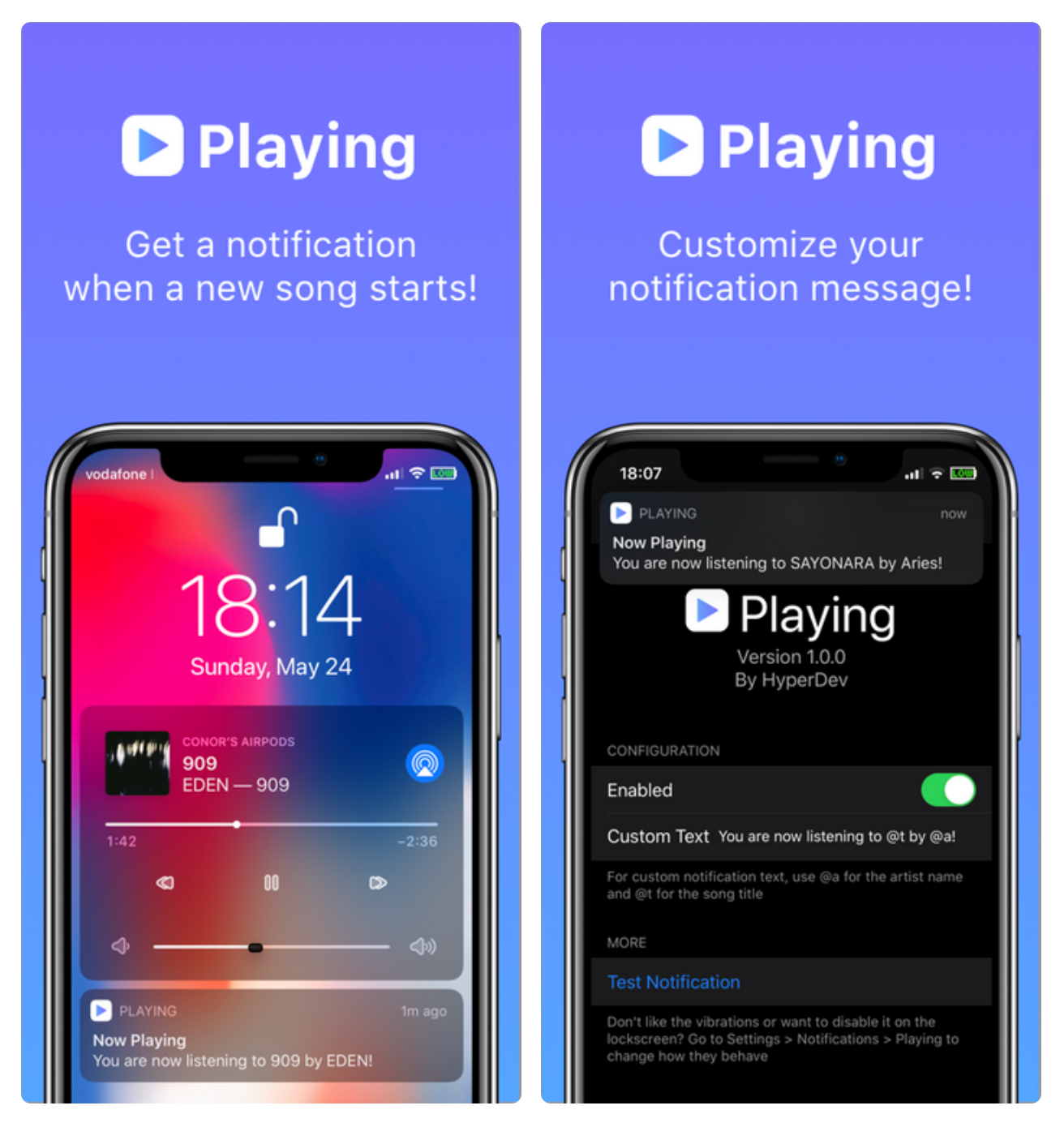
Playing produces a notification when a Now Playing track changes

If you're any bit into music discovery and sometimes find yourself scratching your head about new songs when they begin playing, then we have a somewhat conscious feeling that you’re going to enjoy learning about the likes of a newly released and free jailbreak tweak called Playing by iOS developer HyperDev.

Playing aims to keep you in the loop about Now Playing music as one song ends and another begins by displaying a notification banner with informative details about the new track. By default, the tweak shows you the song’s name and artist, but that can be modified with custom text if it isn’t enough to tickle your fancy.

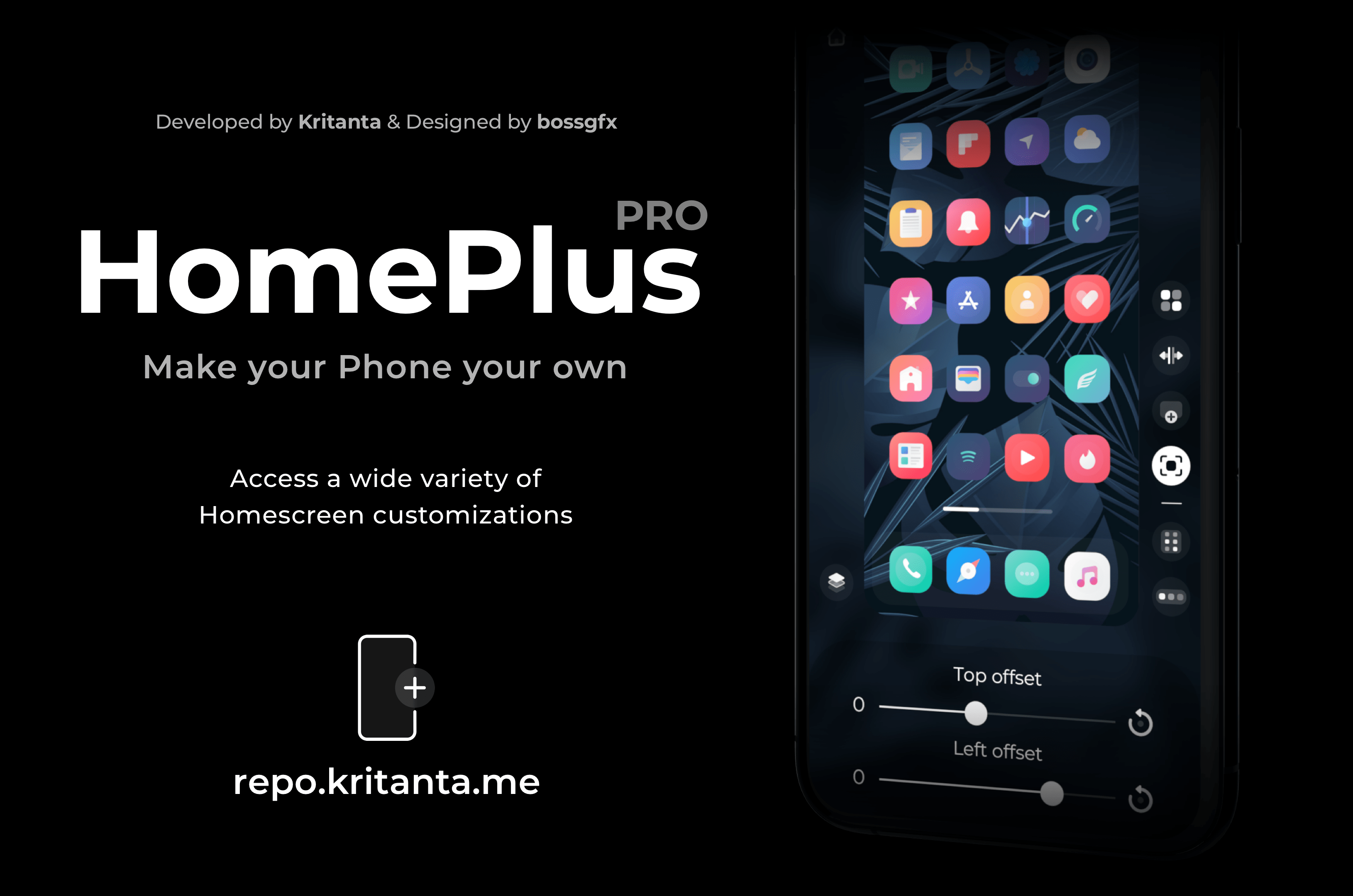
Dynamically modify your iPhone’s Home Screen layout with HomePlus Pro

One of the hallmark things you can do with a jailbroken iPhone is customize the Home Screen’s app icon layout. Not only does it help break the monotony that you deal with when everyone around you uses an iPhone, but it also lets you enjoy custom formats for themes, widgets, and other extensions not mentioned here.

While there have been a lot of Home Screen layout-based jailbreak tweaks in the past, a new release dubbed HomePlus Pro by iOS developer Kritanta seems to provide one of the sleekest user interfaces we’ve seen. Best of all, it’s entirely dynamic, which means you can make edits on the fly directly from the Home Screen without spending much time in the Settings app.

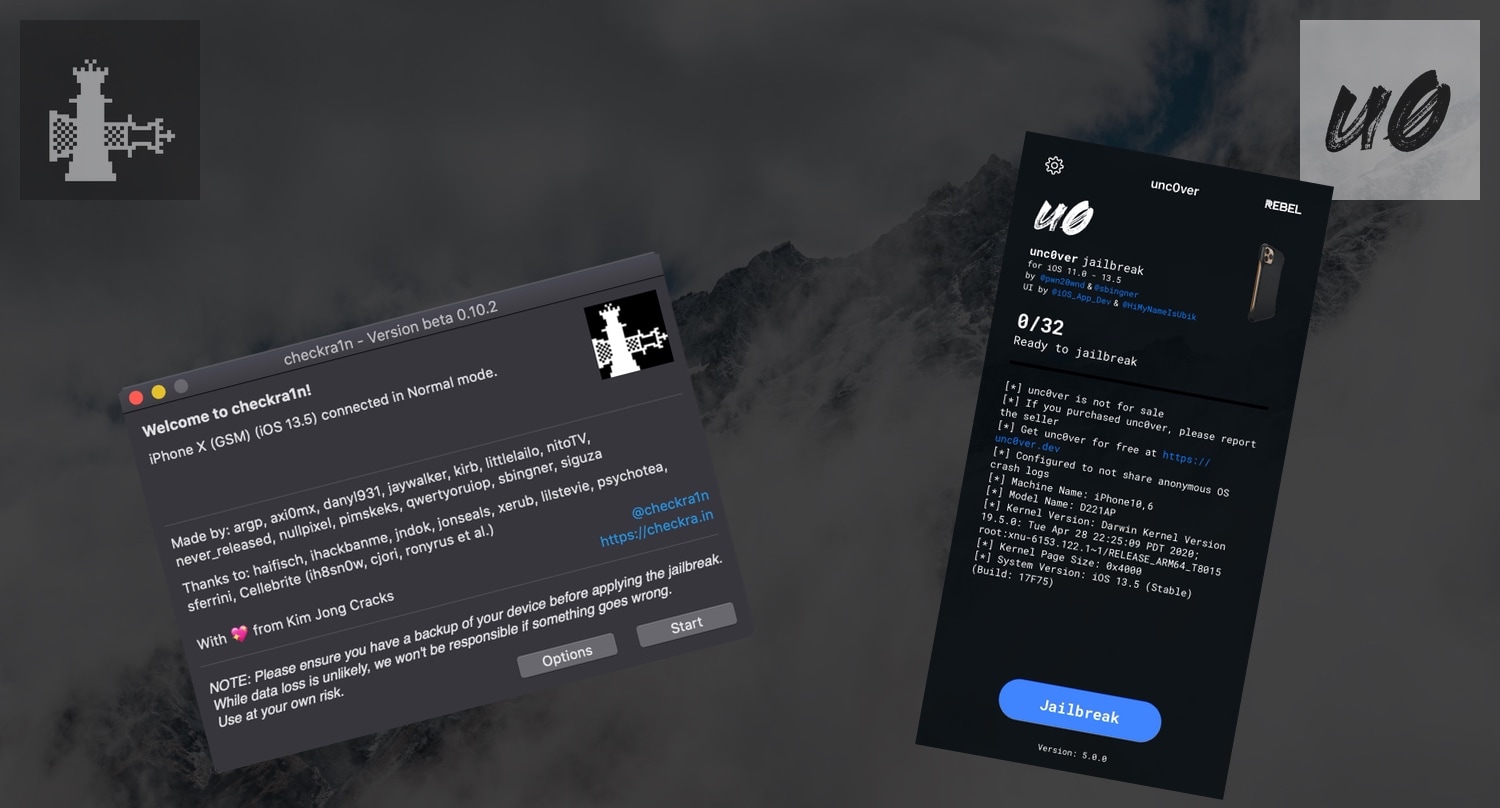
How the checkra1n and unc0ver jailbreaks compare and contrast

The jailbreak community had quite the field day on Saturday when both the checkra1n and unc0ver jailbreak tools picked up official support for iOS 13.5, permitting jailbreak hopefuls to pwn the latest version of Apple’s mobile operating system for iPhones and iPads alike. It’s not often that jailbreak tools support a current signed firmware, and it may come as no surprise that these updates attracted many new users to the jailbreak scene.

One of the most frequent questions we’ve seen over the course of the past 24 hours is “what’s the difference between checkra1n and unc0ver?” Albeit obvious to more seasoned jailbreakers, we wanted to take a moment to discuss the differences and similarities between the two for those who are just entering the jailbreak community's territory for the first time. Without further ado, let’s get started:

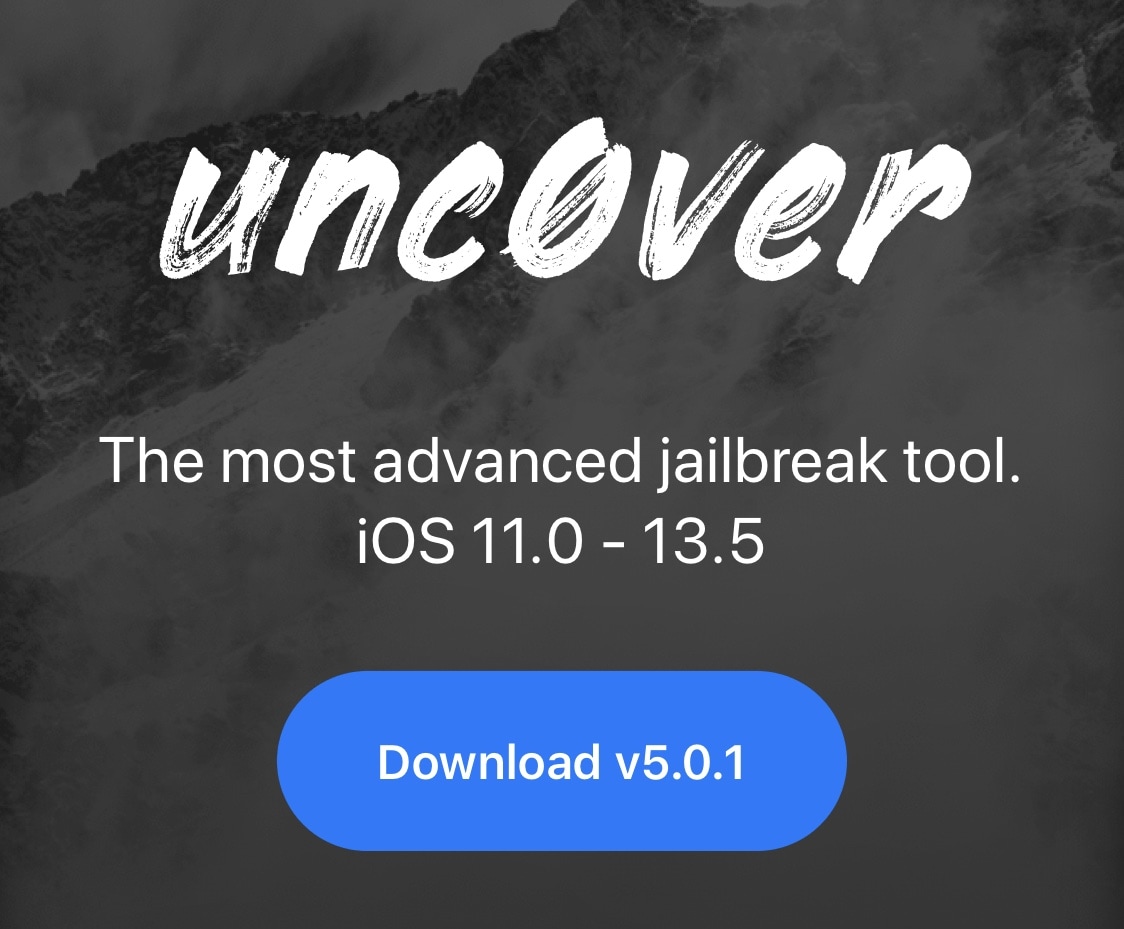
Unc0ver v5.0.1 brings secure unrestricted storage access to jailbreak apps

After successfully releasing unc0ver v5.0.0 Saturday evening with full-fledged support for all devices running iOS/iPadOS 13.5, hacker and unc0ver project lead developer Pwn20wnd has followed up this quiet Sunday evening with a minute update that brings additional improvements to the jailbreak experience.

The update, announced just minutes ago by Pwn20wnd via Twitter, has been dubbed unc0ver v5.0.1 and is now officially available to the masses:

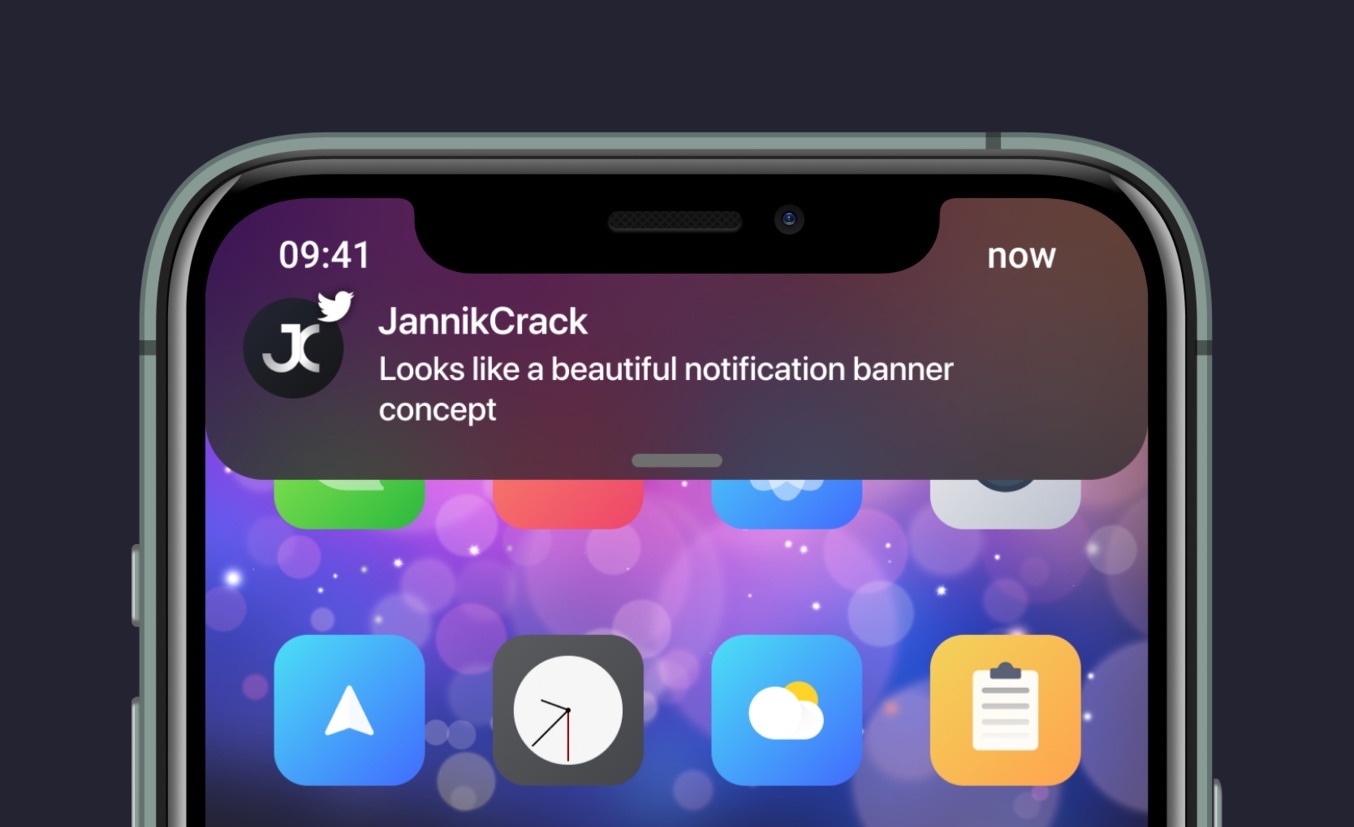
Enjoy an improved iOS notification banner experience with Dayn

I’ll be the first to say that I love how notification banners look on the iPhone in a post-iOS 13 era, but I also think there’s room for improvement in both the aesthetics and the functional implementation to make the user experience a bit better from anywhere in the operating system.

While perusing the New tab in my package manager over the weekend, I happened upon a new jailbreak tweak release dubbed Dayn by iOS developers Devvix and JannikCrack, which appears to offer some serious upgrades to the native notification system found in iOS 13. Curious as I was to better understand how it worked, I decided to give it a try.

Zebra v1.1.9 released to fix frustrating error message on latest unc0ver

If you excitedly jailbroke iOS 13.5 yesterday using the new unc0ver v5.0.0 jailbreak and then went to install the Zebra package manager as an alternative to the preinstalled Cydia package manager, then you probably found yourself plagued with error messages claiming “Operation Not Permitted” before your very eyes.

Evidently, you weren’t alone if you experienced this issue. Many Zebra users reported this problem after jailbreaking with the new unc0ver on Saturday, and now Zebra has been updated to version 1.1.9 with an official fix so that users can use the package manager error-free on their newly pwned handsets.

Jailbreak tweaks of the week: Docktyle, Dress, DualClocks, NoClutter, and more…

It’s been a crazy couple of weeks for jailbreak tweak releases, and that’s one of the reasons why we like to sum everything up in these weekly postings. Not only does it help organize all the chaos, but it helps jailbreakers discover all the best and latest releases.

In this roundup, we’ll discuss all the latest jailbreak tweaks released from Monday, May 18th to Sunday, May 24th. As usual, we’ll kick things off by discussing our favorites first and then wrap things up with an outline of the rest afterward.

Unc0ver v5.0.0 officially released with support for all iOS 13.5 devices

Just as promised, the unc0ver Team officially delivered unc0ver v5.0.0 on Saturday with support for the latest version of Apple’s mobile operating system, iOS 13.5 (and iPadOS 13.5), on all handsets capable of deploying it. Apple only just released iOS 13.5 on Wednesday, making this a particularly jaw-dropping release as it's the latest available firmware at the time of this writing.

The announcement that the update was coming took the jailbreak community by storm following more than two months of silence on the unc0ver Team’s behalf, but the wait was unquestionably worth it as jailbreakers now have the ability to liberate the latest iOS release on Apple’s newest handsets for the first time in what feels like forever.

Checkra1n updated to v0.10.2 with support for iOS 13.5, additional bug fixes

The unc0ver jailbreak is about to be updated to version 5.0.0 with official support for all devices that can run iOS and iPadOS 13.5, and in a silent and rather unexpected undercut, the checkra1n team released v0.10.2 beta of its bootrom exploit-based jailbreak tool for macOS Saturday evening with official support for iOS and iPadOS 13.5.

According to the release notes for the updated version of the checkra1n jailbreak, v0.10.2 not only adds support for Apple’s latest mobile firmware versions, but also incorporates a few different bug fixes at that:

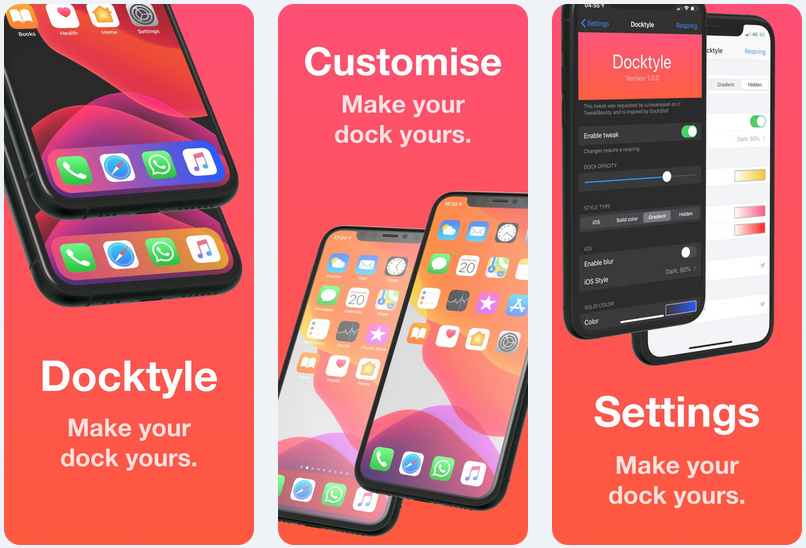
Add some personality to your jailbroken iPhone’s Dock with Docktyle

Anyone invested in the Apple ecosystem knows just how essential the iconic Dock can be to their workflow. Natively present on the iPhone, iPad, and even the Mac, the Dock is a convenient place to store your most-used apps such that you always have quick access to them when you need them.

As much as we like the Dock on these platforms, it’s worth noting that Apple doesn’t offer much by way of aesthetic customization. Fortunately, a newly released and free jailbreak tweak dubbed Docktyle by iOS developer Marcel Braun lets jailbreakers customize the aesthetics of the Dock on the iOS platform.