Home screen

Identify apps you never use on your jailbroken iPhone with Ash

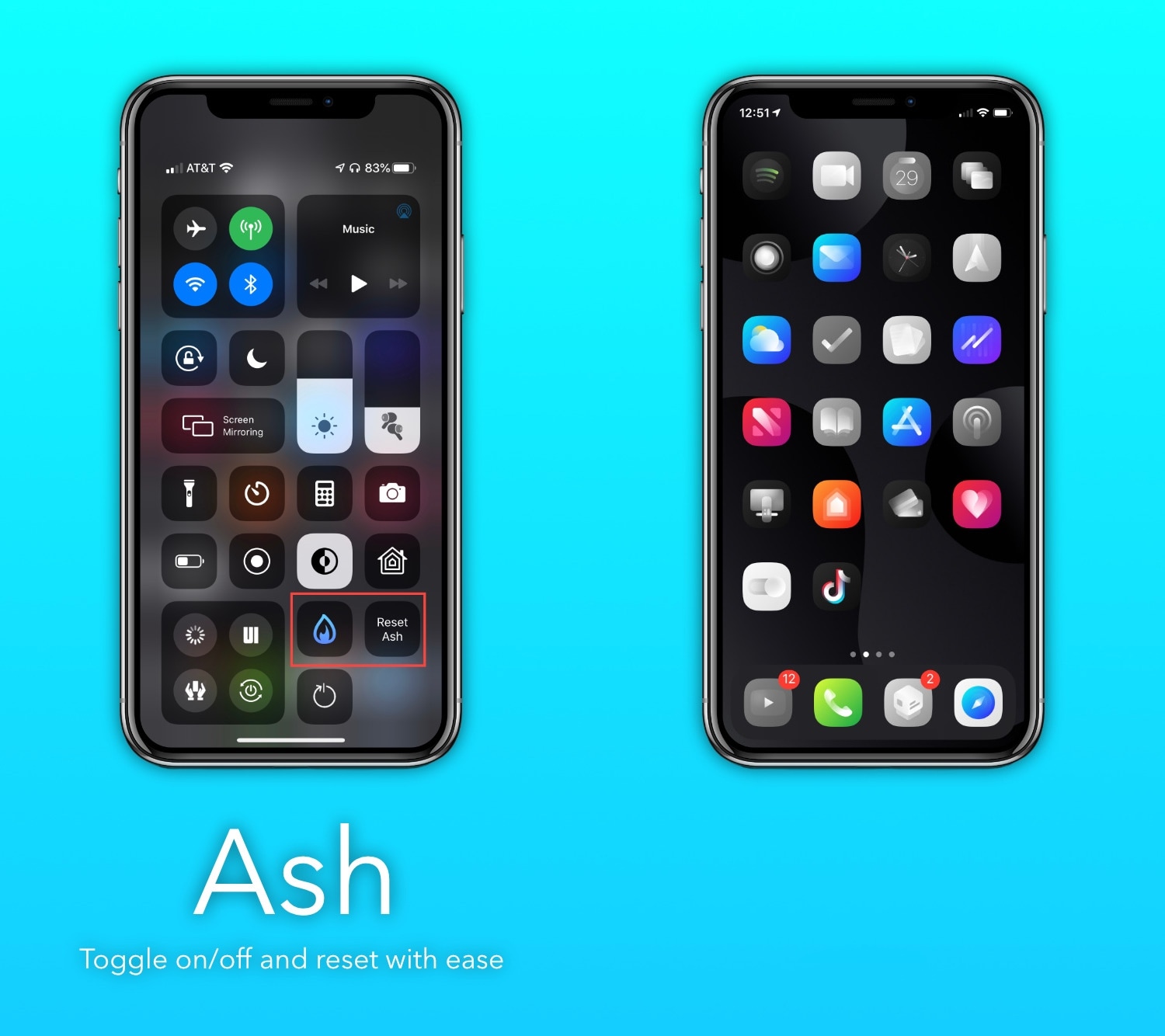
If you’re the type of person who installs tons of apps from the App Store and then only uses a small number of those after installing them, then you just might enjoy a newly released and free jailbreak tweak called Ash by iOS developer burrit0z.

Ash implements an intelligent app icon dimming effect to help jailbreakers keep better track of the apps they use and the apps they don’t use. Never-used app icons appear gray in color when being displayed on the Home Screen, whereas used app icons retain their original color, as depicted in the screenshot examples above.

Colorize the page dots on your jailbroken handset with Dots color

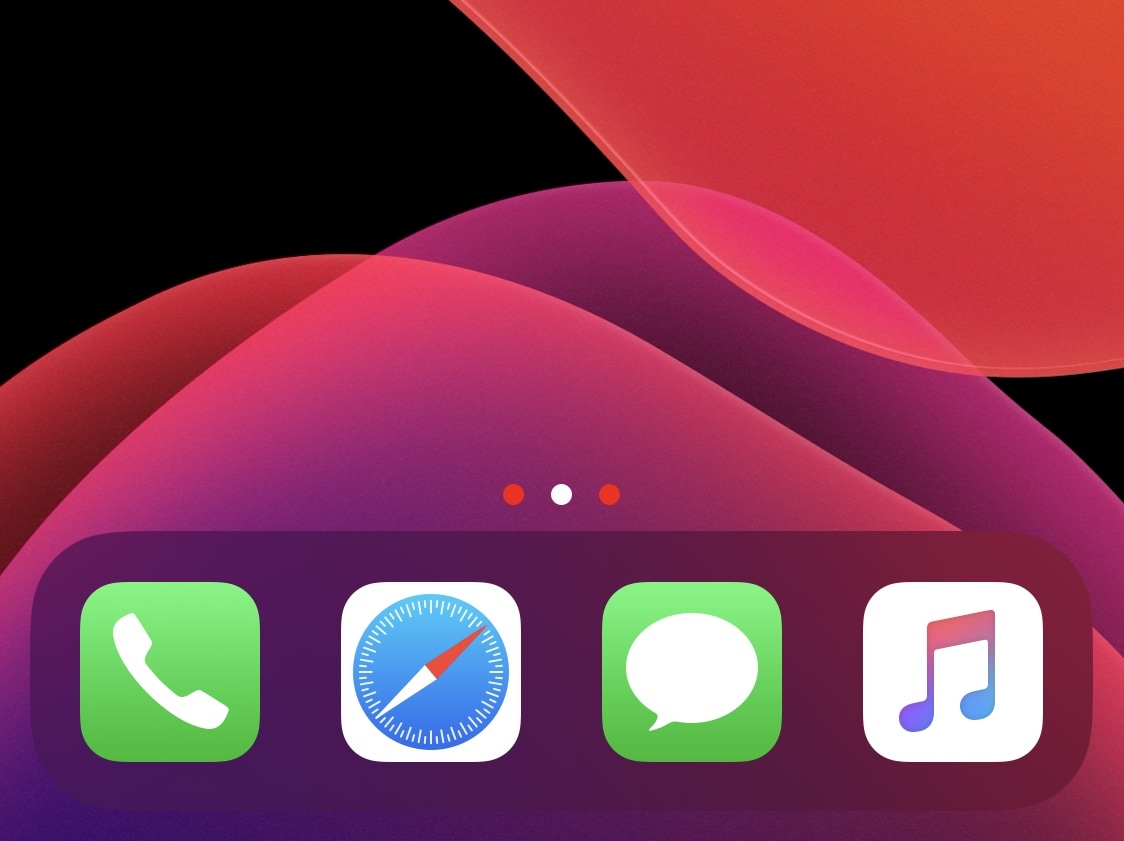
Jailbreakers can customize virtually anything they want about their iPhone or iPad’s user experience and behavior, but if you consider yourself a bit of a minimalist and prefer subtler changes over the more extravagant ones, then we think you might want to try a new and free jailbreak tweak release called Dots color by iOS developer 8a1wkar.

Just as the tweak’s name implies, Dots color lets users apply a custom color to the paging dots that typically appear on the Home Screen and Lock Screen. As you’ll see in the screenshot examples above, the selected page dot remains white, whereas the deselected page dots appear red instead of grayed out.

HSWidgets is a beautiful and free way to add widgets to your Home Screen

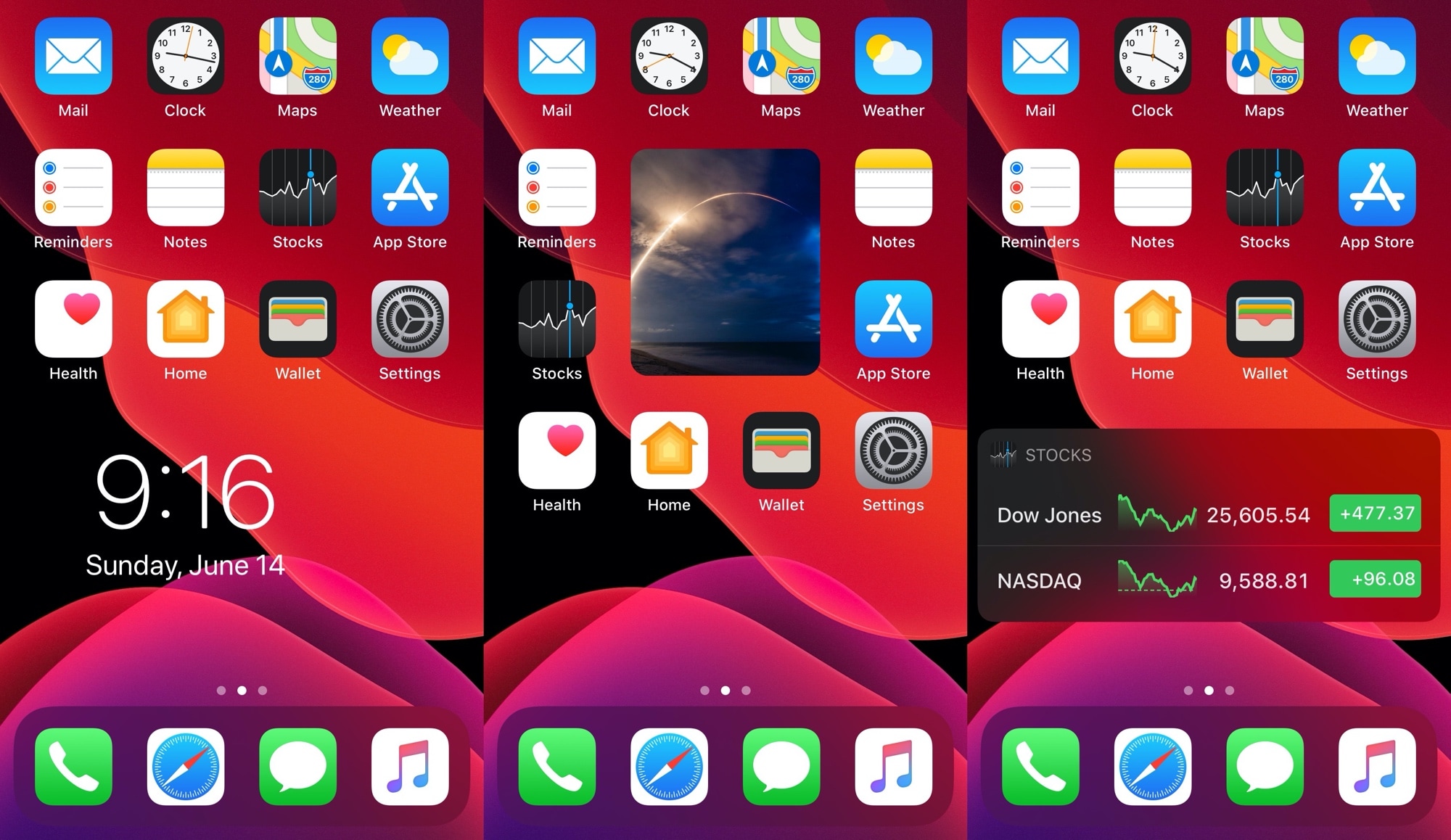
The iPhone is still one of the only mainstream smartphones on the market today that doesn’t offer a way to place widgets directly beside your Home Screen icons. Most Android handsets can already do this, and from what we can gather, Apple may be working on something similar to this for iOS 14. Unfortunately for those on vanilla iOS 13 and earlier, swiping over to the Today page is as close as you’re going to get to this experience.

Fortunately for jailbreakers, these silly boundaries are easy to break. A brand new and free jailbreak tweak called HSWidgets by iOS developer DGh0st lets users inject all sorts of widgets directly into the Home Screen interface, effectively having them ‘snap’ into place alongside the bevy of app icons that you might already have.

Add a splash of color to the Home Screen’s contextual menus with Color3DIcons

Whether you’re new to or experienced with jailbreaking, one thing that remains true about most users of pwned iPhones is that they love personalizing the native user interface in ways that makes it stand out from a crowd of vanilla handset users.

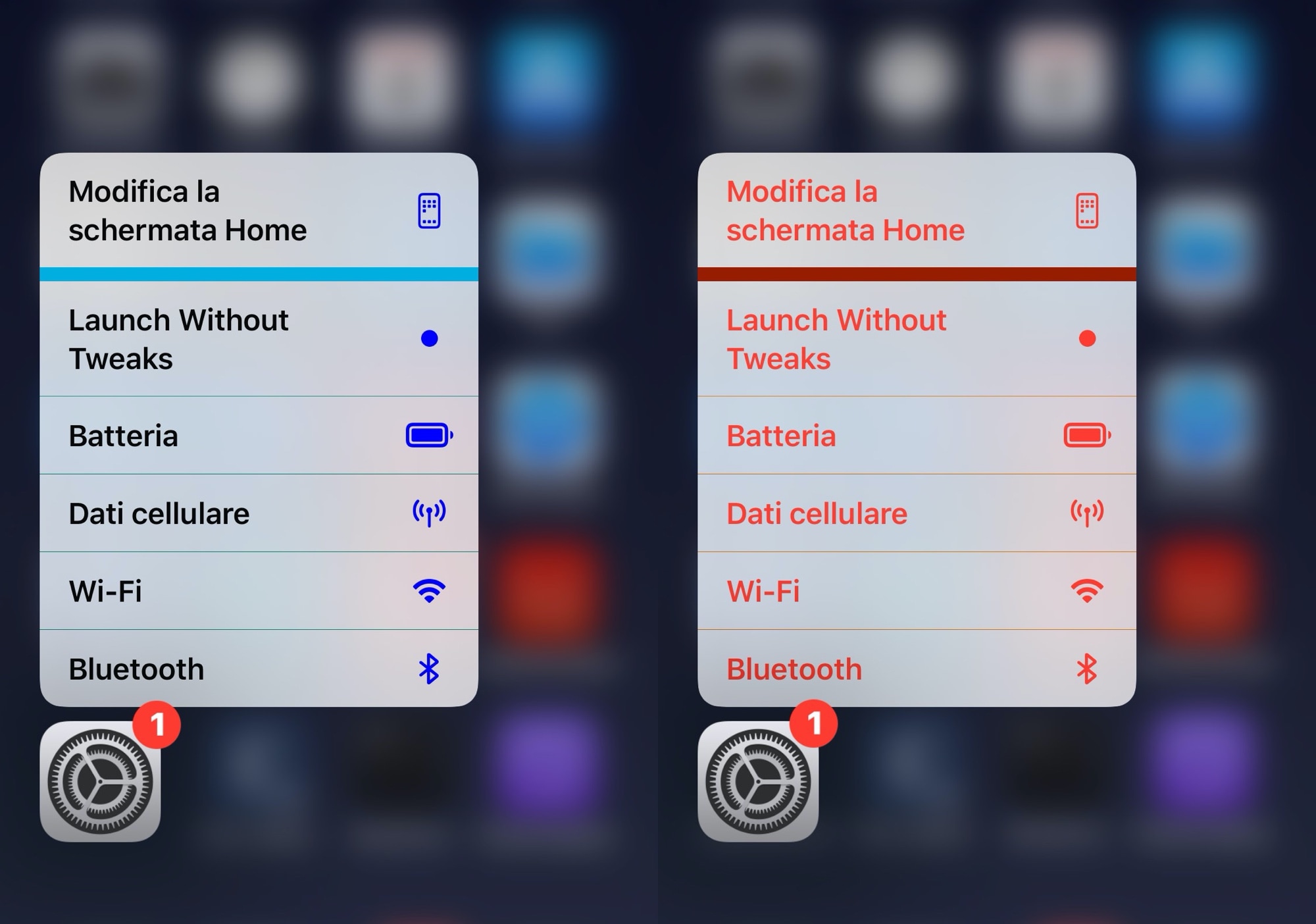
If you’re moderate when it comes to personalization and you like adding custom colors to existing interfaces as opposed to replacing them with something different outright, then you just might appreciate a newly released and free jailbreak tweak called Color3DIcons by iOS developer CydiaGeek.

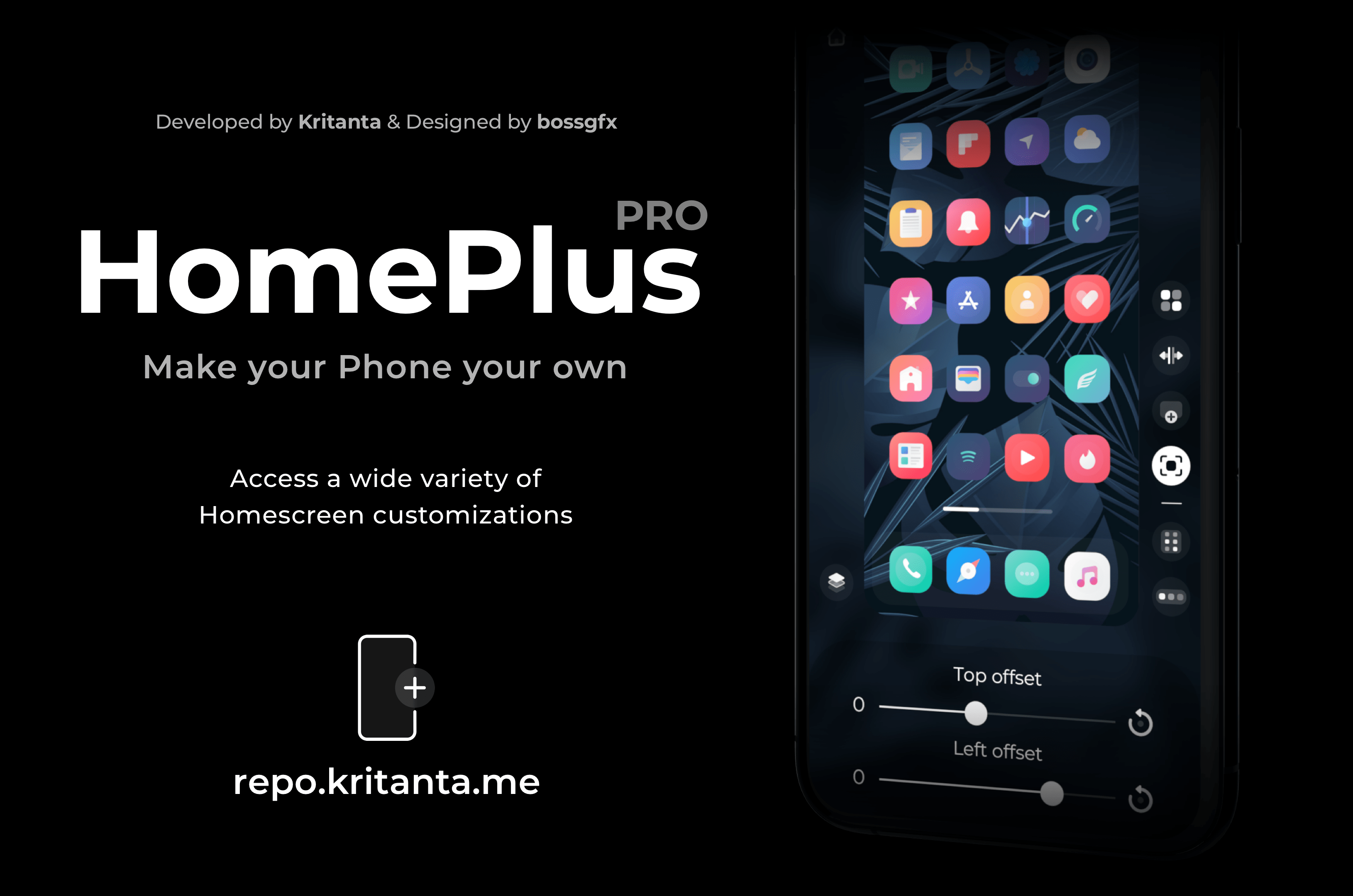
Dynamically modify your iPhone’s Home Screen layout with HomePlus Pro

One of the hallmark things you can do with a jailbroken iPhone is customize the Home Screen’s app icon layout. Not only does it help break the monotony that you deal with when everyone around you uses an iPhone, but it also lets you enjoy custom formats for themes, widgets, and other extensions not mentioned here.

While there have been a lot of Home Screen layout-based jailbreak tweaks in the past, a new release dubbed HomePlus Pro by iOS developer Kritanta seems to provide one of the sleekest user interfaces we’ve seen. Best of all, it’s entirely dynamic, which means you can make edits on the fly directly from the Home Screen without spending much time in the Settings app.

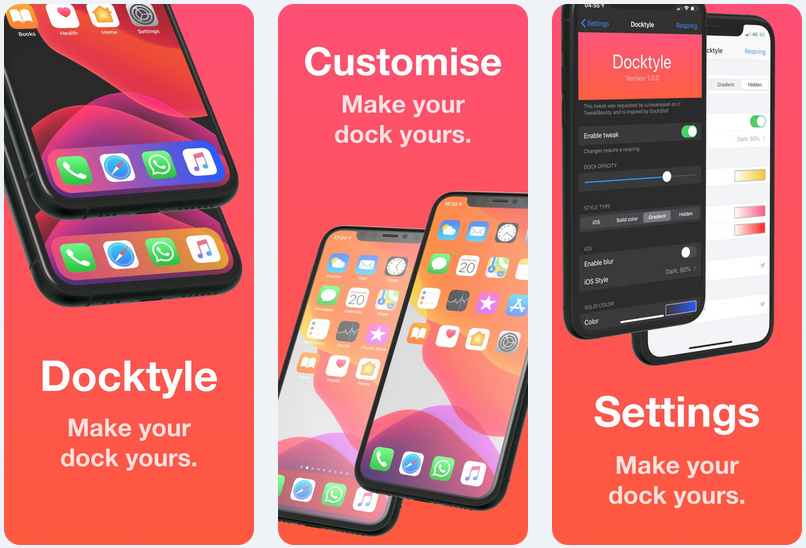
Add some personality to your jailbroken iPhone’s Dock with Docktyle

Anyone invested in the Apple ecosystem knows just how essential the iconic Dock can be to their workflow. Natively present on the iPhone, iPad, and even the Mac, the Dock is a convenient place to store your most-used apps such that you always have quick access to them when you need them.

As much as we like the Dock on these platforms, it’s worth noting that Apple doesn’t offer much by way of aesthetic customization. Fortunately, a newly released and free jailbreak tweak dubbed Docktyle by iOS developer Marcel Braun lets jailbreakers customize the aesthetics of the Dock on the iOS platform.

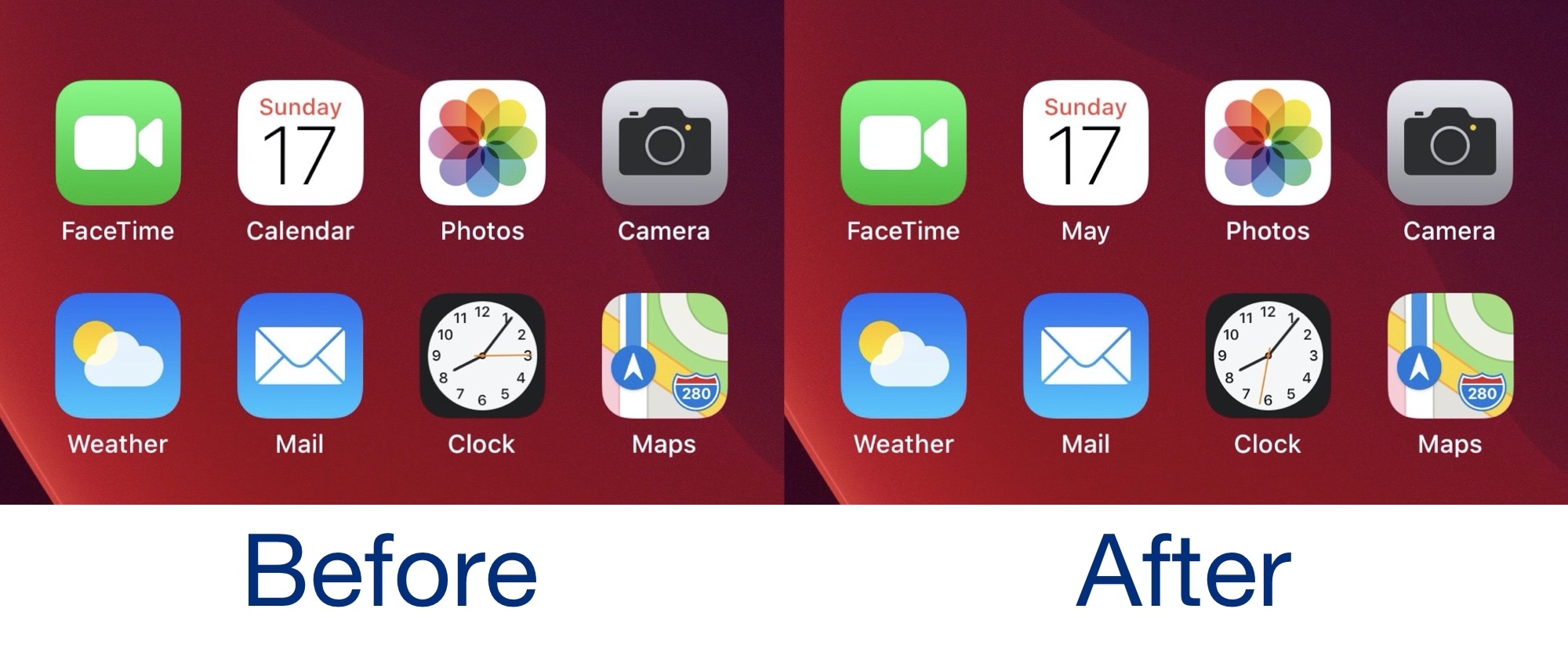
Calendate replaces the Calendar app icon’s label with the current month

Apple designed iOS’ Calendar app to present the current date as a large number on the Home Screen icon itself. I have just one gripe though – most traditional calendars also display the current month somewhere, but Apple’s dynamic Calendar app icon doesn’t seem to follow this tradition.

If you’re interested in aligning your iOS Calendar app icon experience with the traditional paper calendar experience, then you’re certain to appreciate a newly released and free jailbreak tweak dubbed Calendate by iOS developer ArtikusHG.

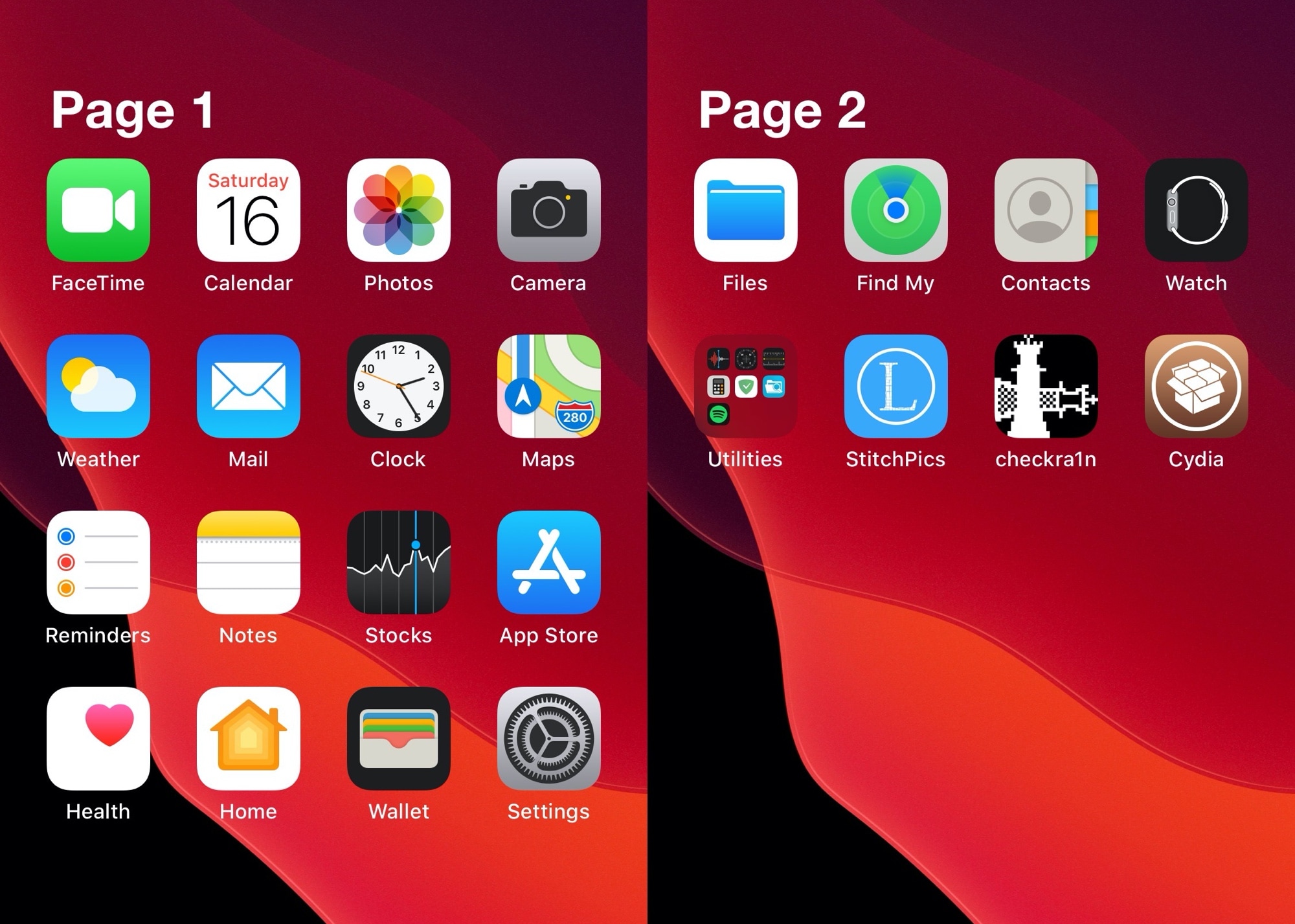
Chapters lets iPhone users name individual Home Screen pages

The iPhone’s Home Screen has always been somewhat bland. The introduction of folders in iOS 4 brought with it a new dimension of app icon organization, but even to this day, I still find myself asking for more on my iOS 13 devices.

If you’re on the same page as me and looking for an interesting new way to organize your Home Screen’s app icons, then we think you’ll enjoy a newly released and free jailbreak tweak dubbed Chapters by iOS developer Kritanta. Simply put, this tweak lets users label each one of their Home screen’s pages.

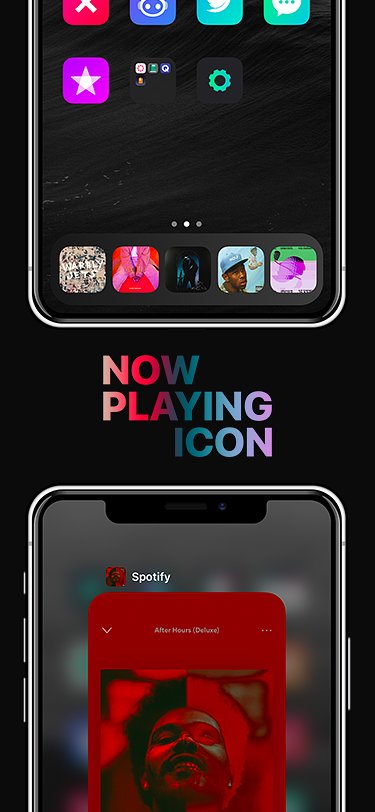
NowPlayingIcon replaces the Music icon with Now Playing media artwork

Jailbreakers who are looking for a quick and easy way to integrate some spice into their handset’s native music listening experience will do good to check out a newly released and free jailbreak tweak called NowPlayingIcon by iOS developer LacertosusDeus.

Just as the tweak’s name implies, NowPlayingIcon replaces the app icon of your Now Playing app with the album artwork of whatever media you have playing at any given time.

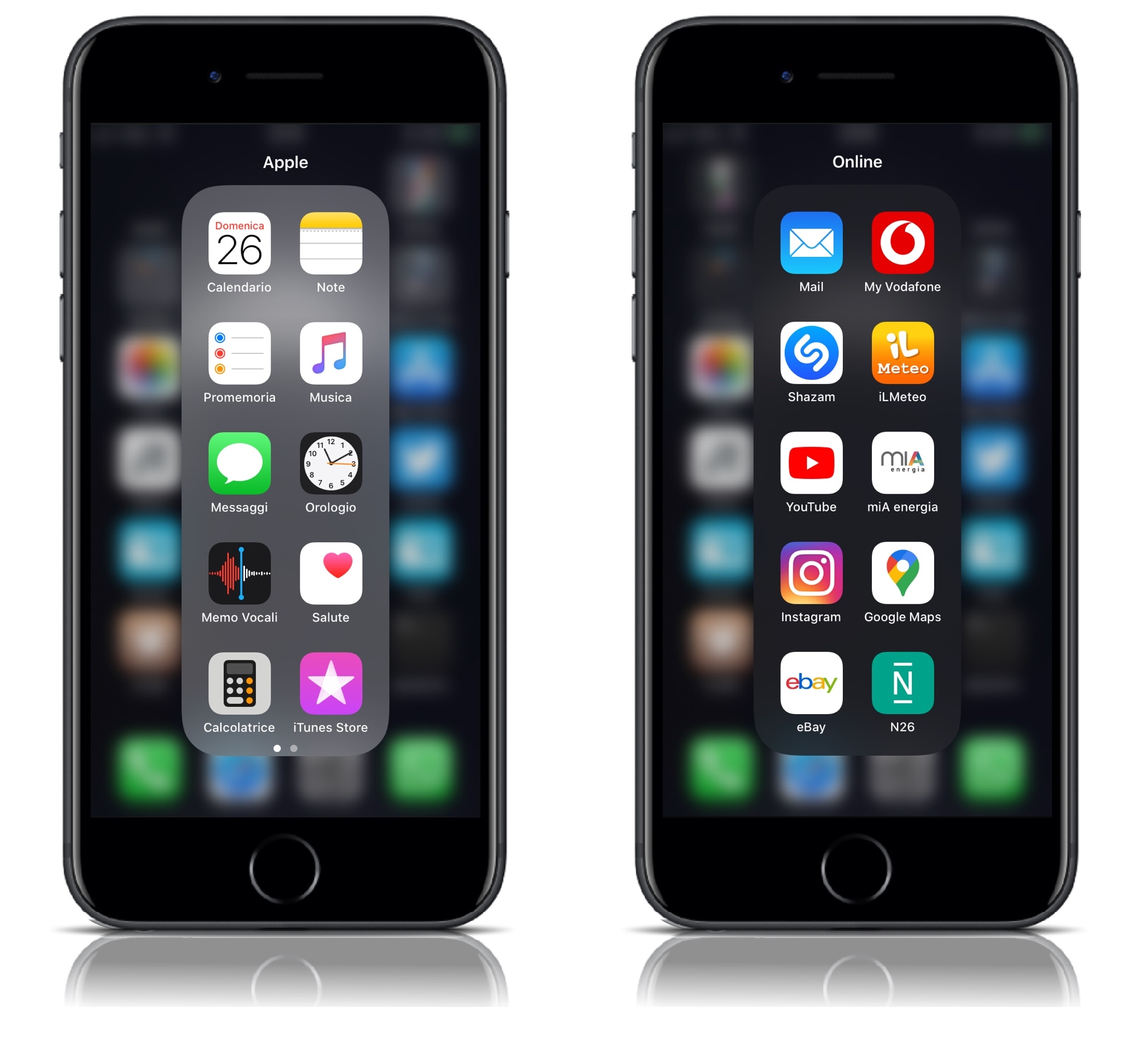
YouFold helps folders take better advantage of your iPhone’s tall display

Folders can make organizing your iPhone’s Home screen a lot easier, but the native implementation leaves a lot to be desired. For example, why would anyone want to have a square-esque full-screen folder on a portrait-oriented rectangular display?

YouFold is a free and snazzy new jailbreak tweak by iOS developer Plat-Ykor that addresses this concern head-on by replacing the traditional full-screen folders in iOS with something more friendly to the iPhone’s natural display shape.

WeatherGround unlocks fancy new Weather-centric features in iOS

WeatherGround provides more dynamic weather views on jailbroken iPhones.

Some of my favorite jailbreak tweaks of all time have been those that transform my iPhone’s weather reporting experience, and that’s one reason why I’m especially stoked to be sharing the news about a new free release dubbed WeatherGround by iOS developer Tr1Fecta.

In a nutshell, WeatherGround brings surreal weather-centric animations to the wallpaper of your Home screen and/or Lock screen. What’s more is that the effects can be displayed exactly how they’d appear in your iPhone’s native Weather app, or you can have the effects superimposed over your existing wallpaper image.