Hack

Want Glasses-Free 3D on Your iPad 2?

We've shown you some pretty sweet iPad 2 hacks recently, but this one takes the cake. A couple of guys from the EHCI Research Group have managed to create basic 3D graphics on the iPad 2, using the front facing camera. Confused yet?

The technology is called head tracking, and has become fairly common verbiage among tech websites. Essentially your head movements can be captured and turned into commands for applications or controls for games.

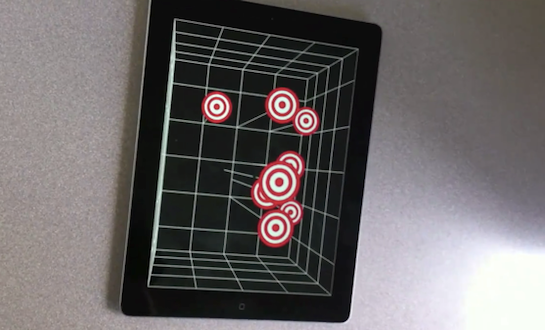
These guys obviously didn't get the memo. They have decided to use head tracking to present 3D graphics on Apple's latest tablet. Their software uses the front facing camera to judge your position in relation to the iPad, and then it manipulates the graphics accordingly.

We track the head of the user with the front facing camera in order to create a glasses-free monocular 3D display. Such spatially-aware mobile display enables to improve the possibilities of interaction. It does not use the accelerometers and relies only on the front camera.

Still not impressed? You've got to check out the video below. Although many critics have brushed 3D technology off like a passing trend, companies like Nintendo are starting to take it seriously. But do we really need it in the iPad? If nothing else, this has to be one of the coolest non-jailbreak hacks I've seen.

It's currently just a tech demo, and has yet to be decided if/how it would be implemented in user software.

Would you want 3D graphics for your iPad 2?

[macstories]

http://www.youtube.com/watch?v=bBQQEcfkHoE
iPad 2 Hack Allows HDMI Video Out Without the Wires

We've all watched in awe as Firemint showed off their gorgeous Real Racing app on a big screen HDTV. No they aren't a console company. The iPad 2 is so powerful it can support the output of full 1080p video to an HDTV.

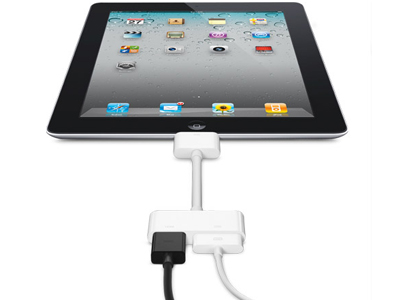
With Apple's new HDMI adapter they released alongside the iPad 2, connecting your tablet to the big screen was supposed to be easier than ever, right?

Not according to inventive hackers Eric Govoruhk and Kelly McAteer. These two managed to put together a wireless adapter for the HDMI port that would allow you to send the HDMI signal wirelessly to a receiver tapped into the back of your T.V.

They even fit this adapter into a molded iPad 2 case, so everything still looks nice and clean. Not only that, but they completed the entire project with materials bought at their local electronics store.

The hack involves an Apple Digital AV Adapter which is hooked into a wireless HDMI transmitter, and a battery capable of powering the transmitter for up to 2 hours. The total cost of the project was just under $300.

They claim that wireless presentations were the goal behind this project, but this could open up a world of possibilities for developers. While Firemint's racing game looked cool on the big screen, the HDMI cable would certainly limit your game play.

Something like this would enable wireless, big screen gaming from your iPad at a fairly affordable price, as mass production would certainly drive costs down. Or we could see Apple do something with AirPlay that would give similar benefits at little or no costs.

They go over what they used to make the adapter in the video below, would you attempt to do something like this with your iPad 2?

http://www.youtube.com/watch?v=BnM8ciByJps

iOS 4.3.1 Already Jailbroken With PwnageTool 4.2 [Tethered]

The latest build of iOS has already been jailbroken! Thanks to the work of DjayB6 on the 4.3.1 jailbreak bundle and Universal Ramdisk Fixer, Apple's newest version of iOS has already got the jailbreak treatment.

PwnageTool 4.2 can be used to perform a tethered jailbreak for 4.3.1. This jailbreak method is not for the faint of heart, and is by no means considered a "stable" release for jailbreakers.

You will need several tools to perform a successful jailbreak of 4.3.1, and we have yet to hear about a stable untethered solution...

Times Square Video Billboards Hacked Using an iPhone?

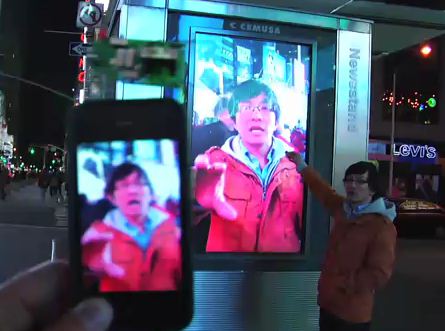
The iPhone has been known for many useful things, but hacking Times Square billboards is a first.

A video has been posted on YouTube showing a man who uses his iPhone to hijack video billboards in Times Square. CBS news has commented on the video, claiming that they would assume it's fake, but if it's in fact real, they'll be the first to purchase one...

iPhone 4 Hacked at Pwn2Own

Earlier today we mentioned that the iOS hacker, i0n1c, stated that he was going to wait until iOS 4.3.1 to release his jailbreak. This comes in wake of the events that took place in Canada at this years Pwn2Own contest. Of large interest to hackers and corporations alike, thousands turn out to witness the latest in cyber security fraud.

The name of the game is Pwn2Own, meaning if you are the fastest to hack it, you get it. These devices range from Blackberrys and iPhones, to MacBooks and laptops. Google was even on hand with a $20,000 reward to anyone who could hack their Chrome software. But day 2 was all about the iPhone 4, and was once again exploited by security expert, Charlie Miller...

Geohot Will Try His Hacking Skills On Windows Phone 7

Geohot has been causing quite a disturbance due to his ongoing legal battle with Sony. Geohot jailbroke the Sony PS3 to run unsigned code. Sony is now suing him, and Geohot is under the tech industry's spotlight more than ever.

So, what does all this have to do with Windows Phone 7? Microsoft has shown interest in Geohot before, and the company even reached out to him financially for his legal fight against Sony. Geohot will know be using his hacking skills at an upcoming convention to try and jailbreak Windows Phone 7...

How to Enable Hidden Multitouch Gestures in iOS 4.3 GM on iPhone 4

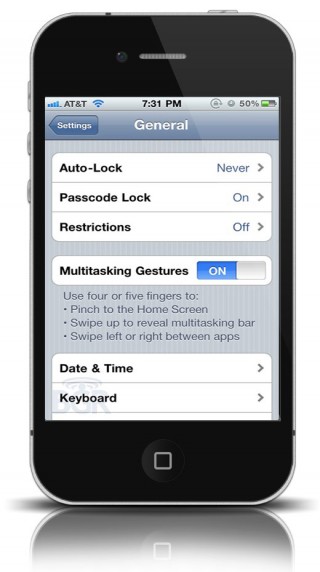
Remember when we told you about the new multitouch gestures that Apple hid in earlier developer builds of iOS 4.3? Apple has seeded the final developer GM build of iOS 4.3 before the public launch on March 11th, and the very same gestures are still "hidden" inside 4.3.

When the story first broke that there were new gestures in 4.3, the gestures were only enabled on a specific build of 4.3 that wasn't available to the general audience of Apple develepors. In the final GM build of iOS 4.3, these hidden multitouch gestures can be enabled through a jailbreak exploit.

Let's take a closer look...

Microsoft Donates to Geohot’s Cause Against Sony

Take that Apple! Microsoft has allegedly donated money to the famous iPhone hacker Geohot for his legal battle against Sony. In case you didn't know by now, George "Geohot" Hotz is in a legal skirmish with Sony because he jailbroke the PS3.

Since Geohot represents the jailbreak community, he obviously isn't on Apple's good list. Perhaps Microsoft wanted to take a little jab at Apple by supporting one of the most famous iPhone hackers...

Geohot Interviewed Again Over Sony Lawsuit

In case you've been too busy playing on your PS3, renowned iPhone hacker George "Geohot" Hotz is in the middle of a heated lawsuit with Sony. Geohot "jailbroke" the Sony PS3 and circumvented Sony's DRM. The ramification of his exploit is that Sony is now suing Geohot for "encouraging piracy" on their platform.

Geohot has done another interview on The Alyona Show in which he addresses the issues with the Sony debate and clarifies his stance on the subject. Check out the video after the break.

Everything You Need to Know About “Safe Mode” on a Jailbroken iPhone

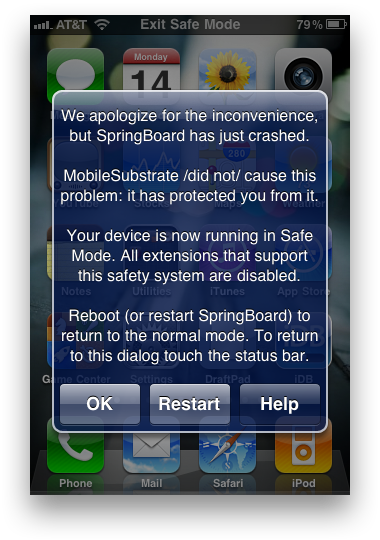
Did you know that the iPhone had a "Safe Mode?" Safe Mode on the iPhone has been apart of jailbreaking for years now, but many people still don't understand it. If your iPhone is jailbroken, Safe Mode will be invoked when MobileSubstrate (the Cydia support framework) crashes.

Desktop operating systems, like Windows and Mac OS X, have had a "Safe Mode" for a long time. On the desktop, safe mode is used for removing corrupted processes that may be causing the operating system to not function properly.

The iPhone has a "Safe Mode" for that exact same reason. A simple Cydia app called "Safe Mode Launcher" allows you to invoke the iPhone's Safe Mode with one tap. Let's take a look...

Tutorial: How To Save Your iOS Game Progress Before A Restore [Jailbreak Only]

There are a ton of great games to play on the iPhone. Most of them have multiple levels and achievements to unlock. You wouldn't want to lose your game progress and achievements in the event that you have to restore your iPhone.

For jailbreakers, backing up data is essential. To upgrade to a new version of iOS, a jailbroken iPhone is completely wiped and updated to the default setup of the next iOS release. A new jailbreak has to then be applied, and all personal data (media, contacts, jailbreak apps, etc) has to be synced back onto the iPhone.

Through the magic of SSH, you can save your iOS game data on your computer in the event that you have to restore. Here's how to do it...

iPhone 3G on BaseBand 06.15.00 Unlocked for Life

It's official. If you have an iPhone 3G on baseband 06.15.00 and you are unlocked , you better get comfortable. MuscleNerd confirmed in a recent tweet that since the iPhone 3G will not be receiving the 4.3 firmware upgrade, your iPhone 3G will remain unlocked indefinitely.

Now let's not all panic, this only affects iPhone 3G users on the above mentioned baseband. If you are unsure of your baseband version, you can go to settings -> general -> about -> modem firmware.  For most of us this isn't a huge deal, but to iPhone 3G users who unlocked using the 06.15 UltraSnow unlock, and have been experiencing GPS issues, this is devastating...