Firmware

Apple Releases iOS 5 Beta 5

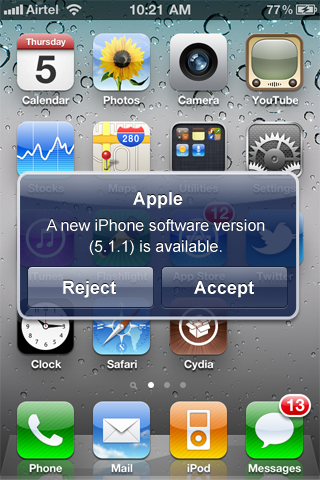
Roughly two weeks after releasing iOS 5 Beta 4, Apple just unleashed iOS 5 Beta 5 minutes ago.

According to Apple, in order to install iOS 5 beta 5 over-the-air, you will first have to backup your device through iCloud. Then delete everything on your device by going to Settings > General > Reset > Erase All Content and then Settings. Finally, start the over-the-air update by going to Settings > General > Software Update.
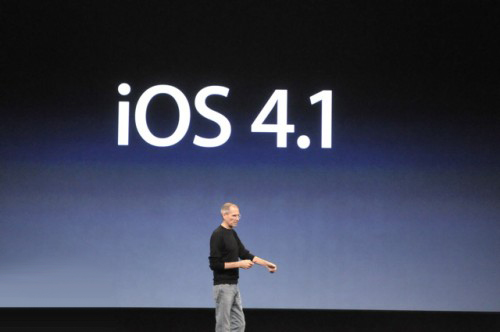
Apple Still Signing iOS 4.1 Firmware

Today, we received an interesting tip from iDB reader Burge. He informed us that Apple is still signing the iOS 4.1 firmware. He told us that he tested it on his newer model iPhone 3GS and his son's iPod Touch 2nd generation.

This is very interesting for 2 reasons. First, why would Apple sign a firmware that came out in September? Also, why out of all the iOS updates, 4.1 is the only one in the past still being signed?

Whited00r Firmware Provides Jailbreak and Unlock for Older iDevices

We've gotten some complaints in the past that we don't give older iPhones any lovin'. The truth is, we try to keep up with innovation in the jailbreak community and there just typically isn't much of that going on for devices older than the 3GS. Especially since Apple stopped supporting them.

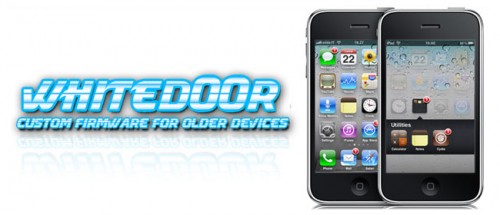
But for folks with older iDevices that really want to join in on the jailbreaking festivities, check out Whited00r. If you haven't heard about this cool little project, it's essentially a firmware file that has been modified to include multitasking, video recording and oh yeah, it's jailbroken...

Over-the-Air Updates in iOS 5 Shouldn’t Affect Jailbreakers

After the unveiling of iOS 5 by Apple at WWDC, we're trying to process all of the information that has been announced about Mac OS X Lion, iOS 5 and iCloud.

One of the cool new features in iOS 5 is OTA (over-the-air) firmware updates delivered straight to an iDevice. Instead of having to connect your iPhone to iTunes, an update to iOS will be pushed to your iPhone automatically by Apple.

While that concept sounds great, it doesn't sound like a good thing for jailbreakers. As it turns out, OTA iOS updates shouldn't un-jailbreak the iPhone...

How iOS Over-The-Air Updates Could Look on the iPhone

With the recent news that Apple is considering Over-The-Air (OTA) updates for iOS 5, people have begun to speculate about how these future firmware updates will work on the iPhone.

If Apple does start pushing software updates over 3G straight to iDevices, a new interface will need to be added to iOS for these in-house updates. A fellow Apple fan has created some mockups of how OTA updates could look in iOS 5...

ipswDownloader Now Called openIPSW, the Ultimate Download Tool for iOS Firmware

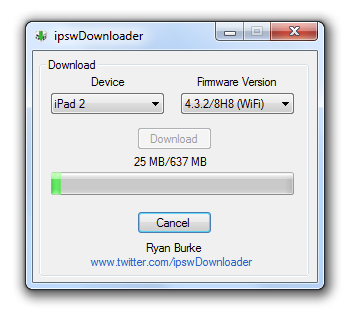
Remember when you told about the iOS firmware downloader called ipswDownloader? The lightweight download utility was originally only available on Mac OS X, and then it was ported into a Windows program.

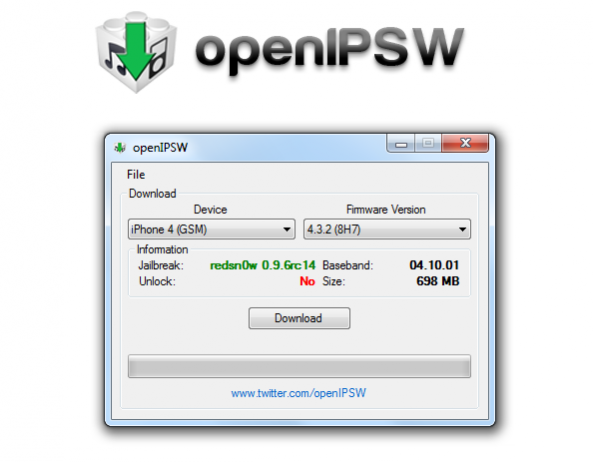
The Windows version of ipswDownloader has received a significant update and is now called "openIPSW." If you missed it before, openIPSW allows you to download any version of iOS with ease. The new update now shows you jailbreak information relating to each iOS version.

ipswDownloader Now Available for Windows, Download iOS Firmware with Ease

A couple days ago we told you about a nifty little tool for the Mac called ipswDownloader. The app allows you to manually download just about any iOS firmware version for your iDevice.

The only negative thing about ipswDownloader was that it was only available on the Mac. Luckily, someone has ported ipswDownloader for Windows! Now Windows users can download firmware with these easy tool...

ipswDownloader Makes Downloading iOS Firmware Easy

If you've jailbroken or unlocked your iPhone, iPod, or iPad before you're probably used to the usual procedure. You usually have to download the iOS IPSW firmware file in order to continue with the jailbreaking of your iDevice.

ipswDownloader by developer Vitaly Parovishnik makes this process a whole lot easier. The program not only downloads the IPSW firmware file for you, but also displays whether the firmware you've selected can be jailbroken and unlocked, along with the size of the IPSW and the tools needed to jailbreak the firmware. 

iOS 4.3.1 Released in iTunes

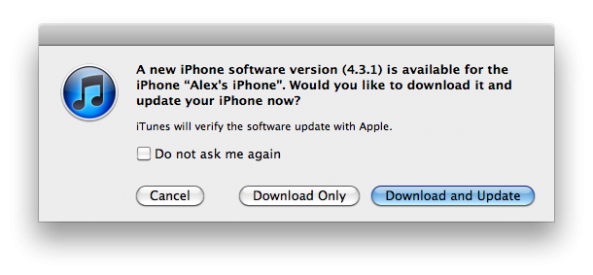
Apple has released iOS 4.3.1 for iPhone, iPod Touch and iPad. If you "Check for Updates" in iTunes, you will now have the option to download and install the latest version of iOS.

iOS 4.3.1 fixes multiple bugs relating to graphics, enterprise authentication, and cellular connection glitches. Nothing that significant is contained in this latest build of iOS, and if you jailbreak, you'll want to hold off from updating.

iOS 4.3 to Be Available at 10 PST Today?

According to Boy Genius Report, iOS 4.3 will be available today at 10AM PST. That's a full three days before it was expected to be available, but the earlier the better if you ask me.

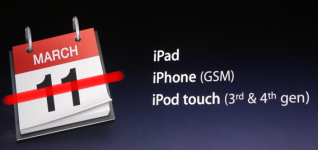
The folks at Apple said that it would be available on the day of the iPad's 2 launch -- March 11th, but I guess they decided it would be best to stagger the release date a bit.

One of the positive aspects regarding an early release is that this will give the jailbreak community even more time to jump on providing a jailbreak and solving the ASLR issues surrounding Apple's latest firmware...

WhiteD00r Brings iOS 4.2 To iPhone 2G/3G And iPod Touch 1G/2G

As many of you know, with the release of iOS 4.0 Apple discontinued support for the iPhone 2G as well as the iPod Touch 1G. This left iPhone 2G and iPod Touch 1G stuck on iOS 3.1.3 for life. Furthermore, while Apple did end up upgrading the iPhone 3G (which has the same amount of RAM/processor as the iPhone 2G), 3G owners experienced a great deal of problems after updating to 4.0. The OS was incredibly slow and was barely usable.

After various reports and angry iPhone 3G users, Apple began to look into the issue and stated the issues would be resolved in iOS 4.2.1. When iOS 4.2.1 came around, performance had been improved on the iPhone 3G, but it was still quite slow. Most users decided to downgrade/remain on iOS 3.1.3.

CallLock May Be a Workaround for Those With Proximity Sensor Issues

It's no secret that even after a few firmware updates, the proximity sensor issues are still a problem for a lot of people. Although I'm not a big talker, I still occasionally experience frustrating proximity sensor issues.

The proximity sensor is what the iPhone uses to know whether or not you are on a call. Its purpose is to sense your face, and disable the touch screen so that you don't inadvertently "face dial" or hang up on your caller.

CallLock aims to circumvent the issue by locking the iPhone altogether when on a call, but does it work?