Firmware

How to Permanently Preserve Your iOS 5.0.1 Untethered Jailbreak

If you've been paying attention to the jailbreak scene lately, then you've heard the warnings about preparing for Apple's next counter move against jailbreakers. The question is this: have you heeded it?

It's imperative that you update to iOS 5.0.1 now and save your SHSH blobs across all devices, including the iPhone 4S and iPad 2. That way, you can always downgrade to iOS 5.0.1 later, which means you will always have access to an untethered jailbreak.

We'll show you how to create a firmware file for your A4 devices that can always be jailbroken. We'll also tell you what to do to preserve the jailbreakability of your A5 devices as well. If you haven't done this yet, now is the time to act...


New iOS 5.0.1 Release Makes iPhone 4 Siri Port Legally Feasible

You may have noticed that Apple released an updated version of iOS 5.0.1 not too long ago, and with it comes some interesting news regarding security.

It appears that the new iOS 5.0.1r2 features decrypted ramdisks, which means that it now possible to write a script to download the 5.0.1 and extract the necessary files needed for a Siri port.

Since the download is publicly available from Apple's server, the idea of a Siri port just got a lot more legal...

How to Downgrade iOS 5.0.1 to iOS 4.3.3 For Untethered Jailbreak

If you absolutely must have an untethered jailbreak at this very moment, there is always the option of downgrading back to iOS 4.3.3.

Assuming you saved your SHSH blobs for the last firmware susceptible to an untethered jailbreak, you can follow this video tutorial and downgrade to iOS 4.3.3 in about 10-15 minutes. Inside we show you how, step-by-step...

How to Save iOS 5 SHSH Blobs and Create Custom Firmware to Downgrade iOS 5.x Using iFaith

As we told you yesterday, iFaith — the Windows based tool that allows you to manage SHSH blobs on all devices sans the iPhone 4S — has been updated with the ability to save iOS 5.x blobs, and create custom firmware that you can use to downgrade your iOS 5 device.

It works very similar to RedSn0w's stitching feature, except the big difference here is that it encompasses Apple's APTicket and features iOS 5 compatibility.

Up until now it was impossible to downgrade an iOS 5.x device to a previous version of iOS 5. That's no longer the case, as our video tutorial shows you inside...

How to Preserve Your Baseband For Unlock When Upgrading to iOS 5

Want to update your iPhone 4 or iPhone 3GS to iOS 5, but need to preserve your unlockable baseband for a future UltraSn0w unlock?

Early this morning, the Dev Team released an update to RedSn0w, which as we told you, incorporates some of the baseband preservation features normally found in PwnageTool.

Inside, you'll find an easy to follow video walkthrough that shows you how to preserve your baseband for a soon to be released UltraSn0w unlock...

New iPod Nano 6th Gen Unboxing

So, you're digging those 17 new watch faces included with the iPod nano's new firmware update?

If you've just ordered a nano, or you already have the latest hardware refresh, that means you'll need to upgrade the firmware to receive all of the new features Apple touted at yesterday's media event.

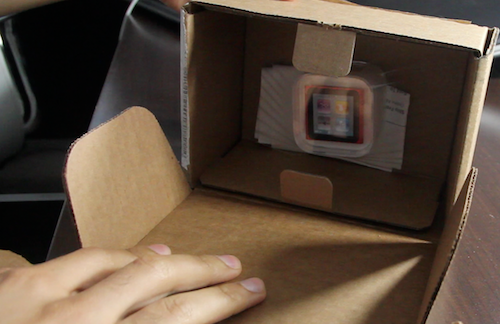
In this video, we unbox a brand new iPod nano, upgrade the firmware, show off all 18 watch faces, and touch on various other new features like the enhanced Nike+ app, and new Home screen layout...

All 17 New iPod Nano Watch Faces Exposed

The release of updated iPod nano firmware 1.2, along with a cheaper price for the hardware itself, quickly got overlooked due to all of the hype for the iPhone 4S, Siri, etc.

For those of you who love to rock their iPod nano as a watch, though, the announcement of a ton of new watch faces was probably your highlight of the keynote.

If you've yet to download the latest iPod nano firmware on your device, or you haven't checked out the expose on Apple's website, here's a visual roundup of all 18 watch faces included with the new software...

How to Stitch Your SHSH Blobs Using RedSn0w to Create Firmware That Can Always Be Downgraded

If you checked out our RedSn0w 0.9.9b1 video walkthrough, you saw for yourself how much of a drastic change the latest version is.

One of the most compelling features added to the new RedSn0w, is the ability to 'stitch' your SHSH blobs to their corresponding firmwares. This makes it so that you have a self contained means of downgrading firmware, well after it stops being signed by Apple.

Even better, is the fact that it's completely standalone, meaning you won't have to do any trickery in order to get iTunes to let you downgrade. By stitching an SHSH blob to a firmware file, iTunes is none the wiser.

Check out our full tutorial and video walkthrough of this incredibly handy new feature...

How to Save SHSH Blobs Using TinyUmbrella [Video]

There's no two ways around it, TinyUmbrella is just as much of a staple to jailbreakers, as the tools that actually perform the jailbreaks. For that reason, I figured it was only right to create a standalone TinyUmbrella tutorial, which shows you how to manage your SHSH blobs.

With TinyUmbrella, your blobs can be retrieved from either Apple, or Cydia. In this video tutorial, I show you the difference between both methods and how to save your SHSH blobs for possible firmware downgrades...

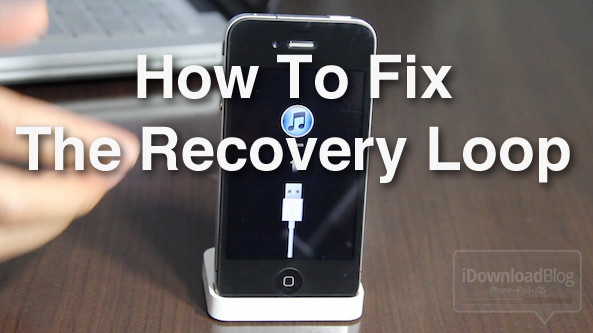
How to Fix the iPhone’s Dreaded Recovery Loop and Downgrade Back to iOS 4.3.3

If you're the type of person who likes to sell your current iPhone and use the funds to upgrade to the latest and greatest iPhone, then you've been there before. Restoring your iPhone to stock, and cleaning it up, is essential if you want to ensure you get top dollar for your device.

Thankfully, Cody already covered quite a few bases in his article, here. But what if you're still having issues downgrading your iPhone, or getting it back to stock after jailbreaking? I know a lot of you have personally told me about your struggles with the iPhone's dreaded recovery loop.

If you're having issues downgrading your iPhone back to iOS 4.3.3, issues with iTunes Error (1), and/or you're stuck in the recovery loop, and can't get out, this video tutorial should fix what ails you...

Video Walkthrough of the New RedSn0w Jailbreak Tool

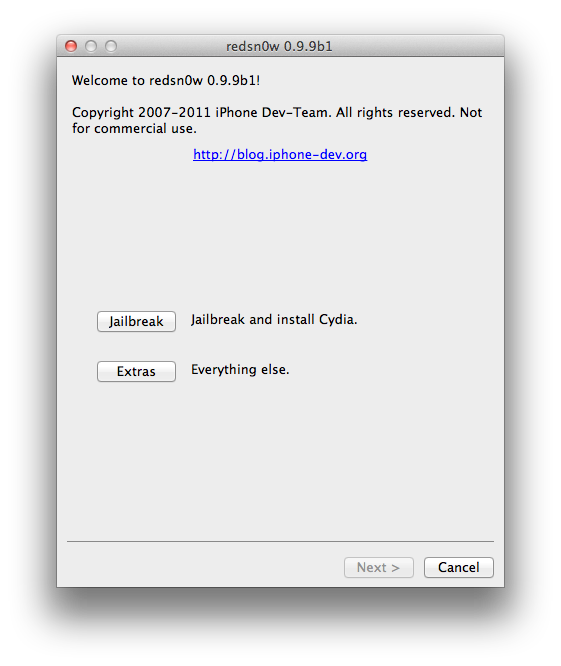
As we previously reported, RedSn0w received a massive update with its 0.9.9b1 iteration, released a few days ago.

This latest version of RedSn0w is a huge step in the right direction for the iPhone Dev Team, as it includes features like firmware fetching and caching, auto-detection from DFU mode, and SHSH blob management.

We're very excited about the future of RedSn0w, but admittedly, all of the new fangled features can be a bit confusing. For this reason, we've created a brief video walkthrough that touches on some of the new areas of RedSnow...