Apple Releases iTunes 10.1 [Jailbreakers Beware]

Apple just released iTunes 10.1, bringing AirPlay to the table. iTunes 10.1 will also be necessary to update your iPhone to iOS 4.2, whenever it's released.

So far there is no indication whether iTunes 10.1 is safe for iPhone jailbreak and unlock, so my advice to you is to stay away from it until we get confirmation from the Dev Team that it is indeed safe.

Here is the changelog of iTunes 10.1...

IncarcerApp “Locks Up” Current App, Disables Home Button

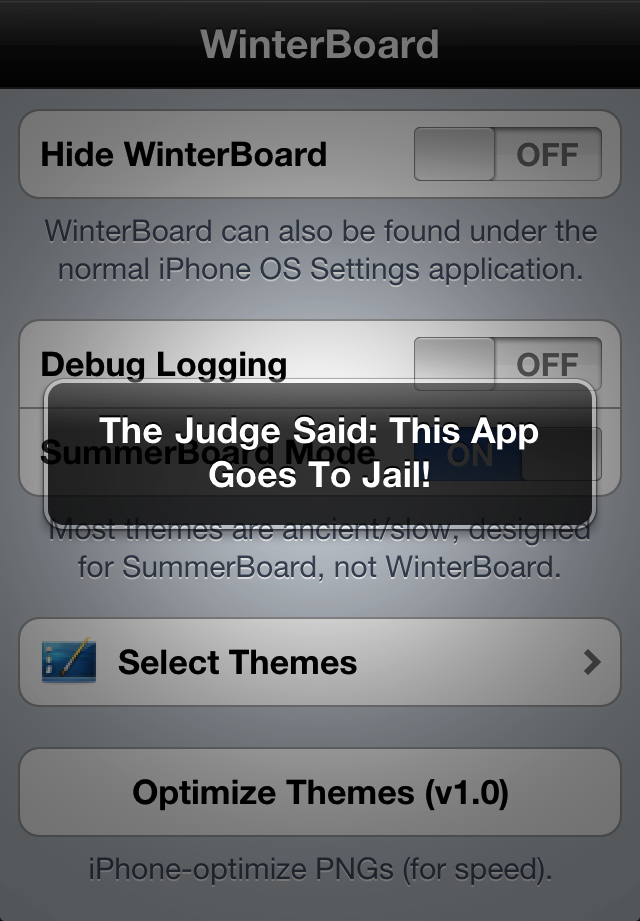
So your 10 year old nephew wants to look through your iPhone photos, but you're afraid to hand over the phone completely, lest he starts tapping away, deleting emails, sending prank text messages, and wreaking havoc on your homescreen. It'd be nice if you could limit him to the Photos app, right? There's a jailbreak app that'll let you do just that!

IncarcerApp for jailbroken iPhones will allow you to "lock up" the current app, leaving it fully functional but disabling the home button. With a quick gesture chosen by you through Activator, you can hand over your iPhone with no worries of them exiting the app and playing around elsewhere on the phone.

It's a simple but useful tweak if you have curious friends, family, or kids eager to play with an app or watch YouTube without you having to worry about sensitive data elsewhere on your phone.

Once you download the app in Cydia, you'll find there's some flexible options to choose from to make full use of the app...
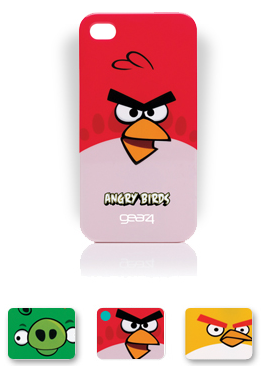
Angry Birds iPhone 4 Cases Coming to the UK

I don't know about you but I'm a big fan of Angry Birds. I'm such a fan that I actually set up my SMS ringtone to make an Angry Bird sound every time I receive a new text message. Yep, that's how I roll.

We'd already seen the Angry Birds plush toys before and it seems more goodies are being developed taking advantage of the momentum Angry Birds are having these days. The last product being developed is Angry Bird cases, which apparently will only be available in the UK via the 02 carrier...

Cydia Ready to Go for iOS 4.2

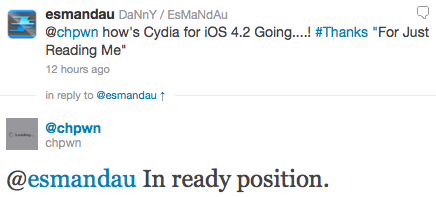
Last week we gave you a quick preview of a page on the new Cydia. At the time, Chpwn, who's working with Saurik to update Cydia, said that this was all he had done so far. That wasn't much and to be honest, it was kinda disappointing.

The good folks at Redmond Pie found out on Twitter that Cydia might now be ready for iOS 4.2. According to a tweet from Chpwn, Cydia for iOS 4.2 is "in ready position"...

How to Forward Your iPhone Voicemails to Google Voice

Yesterday my iPhone notified me I had 14 voicemails within the last 6 days. Why didn't it notify me of the new voicemails as they came? I have no idea. I'd be lying if I said I wasn't really pissed at my iPhone. Not only had I missed important voicemails that I should have received days ago, but it wasn't the first time this had happened to me.

Like every normal person of the 21st century, I went to Twitter and started bitching about it. Within a few minutes I received replies from people telling me I should let Google Voice take over my iPhone. I already use Google Voice but I don't want it to completely replace my normal line. Then someone told me I could actually replace my iPhone voicemails with Google Voice voicemails by forwarding my iPhone voicemails to Google Voice.

After doing a bit of research, this made complete sense to me and I decided to give it a go...

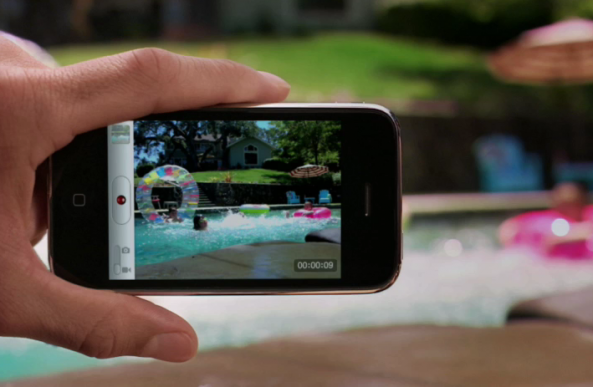
Tutorial: The Easiest Way to Enable HD Video Recording on the iPhone 3GS

We recently linked to a Cydia app that was rumored to enable HD video recording on the iPhone 3GS. Apparently, that app didn't work. There is, however, an easy way to enable HD recording through some file modifications on your iPhone 3GS.

The 3GS has had the ability to shoot in HD since it was released. Apple, for whatever reason, places a software limitation on the 3GS video recording capabilities. The ARM Cortext processor inside the 3GS is more than capable of handling 720p video encoding. I'm going to walk you through the easiest way to enable HD video recording on your 3GS...

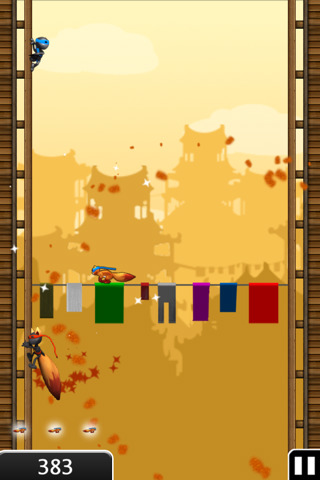
App Review: Ninjump

Backflip Studios (Paper Toss and Ragdoll Blaster) has done it again and created a amazing free game called Ninjump. This is a survival action game in which you run up against 2 sides of a building, achieving power-ups while dodging and avoiding obstacles.

Your goal is to not die and obtain the highest score possible. For those familiar with survival games than you should feel familiar with the concept, if not then I just explained it to you...

iPhone Quick Tip: Rearranging Your Icons

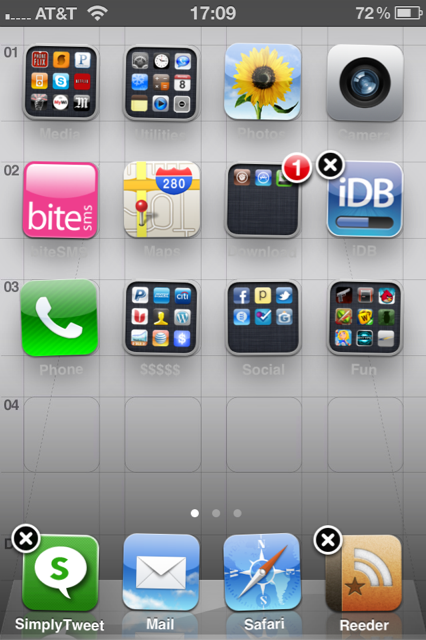
Today, in our iPhone Quick Tips section, we will learn how to rearrange your iPhone icons. While this might sound like the very basics to most of us, I can tell you from experience that some people out there still have no idea they can move their icons around. Don't laugh! You were an iPhone beginner once too.

You can easily customize the layout of application icons on the home screen of your iPhone, including the dock icons at the bottom of the screen...

Synergy Brings a Beautifully Designed Alarm Clock to Your iPhone [Sponsored]

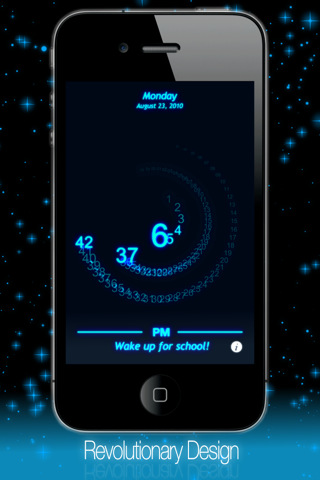
Synergy, the wildly popular jailbroken app is now in the official App Store featuring an all new design, fully functional alarm, customizable colors, background notifications, 24 hour mode, custom text, and so much more.

Synergy is a revolutionary new clock design that combines the beauty of both digital and analogue styles together to create one breath taking design.

With more features than ever, Synergy Alarm Clock Pro takes advantage of your iPhone’s ability to display stunning graphics as well as its ability to perform high complexity features. With a design unlike anything you’ve ever seen before, Synergy will keep you dazed with its magnificent beauty and vivid colors...

Obsessively Check Your Data Usage with New SBSettings Toggle

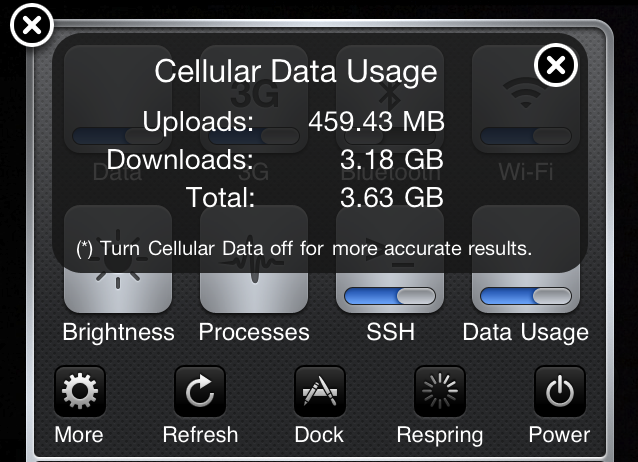
If you're a new iPhone adopter in the U.S., chances are you're on the limited 2GB data plan. To keep track of your data usage, you have two options: Navigate to Settings > General > Usage, OR log into your AT&T account via the MyWireless app or online. Neither option is quick or easy.

This simple add-on for jailbroken iPhones changes that. The Data Usage SBSettings tweak adds a toggle to your SBSettings menu that lets you see your total upload, download, and combined data usage. So now you can get quick and easy access to your monthly data usage (provided you're manually resetting the counter every month)...

Update About the iPhone iOS 4.2 Jailbreak & Unlock

With iOS 4.2 release day right around the corner, there are a few things that you need to be reminded of. Most jailbreak veterans out there probably know this by now, but I'm worried that the jailbreak novices will make mistakes they might regret sooner rather than later.

The Dev Team just posted an update on their blog about what to expect, and most importantly about what to do and what not to do. Here is a quick summary...

Use Voice Messaging with Heytell App for iPhone

Voice messaging through the Heytell app (download free in the App Store, also available on Android) is quickly becoming my preferred medium of communication. It combines the convenience of text messaging with the personal touch of phone calls. And it's a much safer alternative to texting if you're on the road or in a hurry and need to leave a message for someone.

Heytell takes out all the legwork of  dialing numbers, waiting through rings, listening to the voicemail, and then finally the beeeeep! Instead, just select your contact, record your message, and they'll receive a notification a message is waiting for them to check at their convenience.

Heytell isn't new, but I just recently discovered it. I'm assuming there's others out there who don't know about it or would like an explanation of how it works before trying, so if that's you, read on!