AllMail Brings Better Mail Management to iOS 5

If you purchased Delete Mail or Mark Read for your iDevice, you may have noticed that neither extension is compatible yet with the new Mail app in iOS 5. The iOS 5 update brings new mail management features to your device, but “Select All” is nowhere to be found.

Many of us with large email inboxes are very wary of manually selection multiple emails to apply Mail actions. Simply put, it is very disappointing that neither Mark Read or DeleteMail have received iOS 5 updates yet.

Thankfully, a new jailbreak tweak has been released to solve your massive message management woes. Most of Cydia's recent activity has been centered on compatibility updates, but some game-changing newcomers have been appearing in the updates. Enter AllMail...

Sprint iPhone Owners Complaining About Slow 3G Data Speeds

You have to feel for Sprint customers, don't you? First they had to wait four years to get their hands on an iPhone, and now that they have it, their data network doesn't appear to be coping too well.

As Macrumors is now reporting, there is now a fairly long thread developing over at the Sprint support forums, where iPhone owners are reporting issues, mainly of the "my iPhone's 3G data connection is soo slow" variety...

BBSettings: An SBSettings Killer in the Making?

Unless you've been living under a rock the past few months, you've no doubt caught wind of BBSettings, the so-called "SBSettings killer" for iOS 5's Notification Center.

True enough, it is a very beautiful widget, and its function is certainly promising, but can it take down the reigning king of all jailbreak apps?

Find out the answer to that question and more, as I go hands-on with BBSettings on video...

Siri’s Port to the iPhone 4 Improved

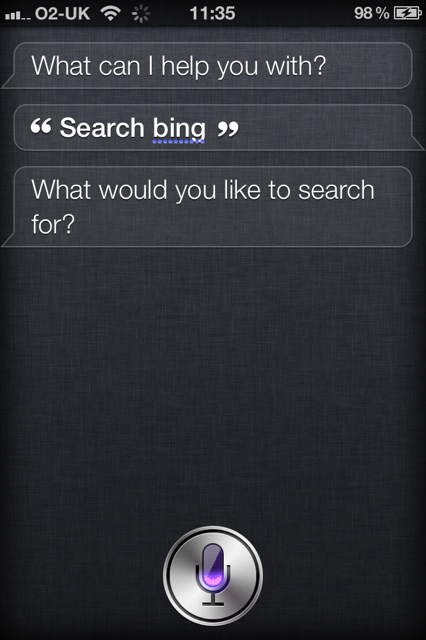
Yesterday, Siri was successfully ported to the iPhone 4 and shown on video. Today, the same person who made that video has uploaded another one, which shows more improvement.

In the first video, Siri was lagging, and looked like it could barely run on the iPhone 4. This is because the GPU was disabled for Siri, putting all the pressure on the A4 processor. As you can see in this video, Siri now works the way it should on the iPhone 4 performance-wise...

Steve Jobs Memorial to Take Place on Apple’s Campus October 19th

There wasn't an organized public memorial for Steve Jobs, which seemed only right given his secluded lifestyle. But fans still found a way to honor him, turning out by the thousands at Apple Stores around the world to pay their respects.

Apple has come up with a way to pay tribute to its fallen leader. On October 19, the Cupertino company is hosting an employee-only event to celebrate the life and achievements of its founder. And it looks like everyone at Apple will be participating...

Initial Thoughts After Using the iPhone 4S

I've been using the iPhone 4S heavily for about 24 hours now. After finally getting the phone activated on AT&T yesterday afternoon, I've had a chance to use the device pretty extensively.

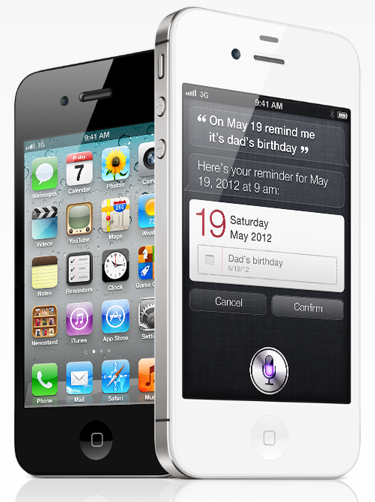
The iPhone 4S has three main selling points: a faster processor, better camera, and Siri. Here are my initial thoughts and impressions of Apple's newest smartphone...

Three Awesome Siri Tips for Your iPhone 4S

We've all spent a day or two with our iPhone 4S handsets, and we've been merrily chatting away with Siri, our new best friend. During those chats we've discovered one or two useful little tips that you may not be aware of that can make everyone's use or Siri a little more fun.

Siri, for those who've been hiding in a cupboard or shipwrecked on a desert island, is Apple's latest innovation to come to the iPhone. The idea is to give users their very own digital assistant, which really boils down to voice-activated commands. It is, of course, a little more interesting than that, and the way users can talk to their iPhones in real-world language is, at times, a sight to behold.

Let's get onto the tips...

Fix: Siri Can’t Connect to the Network

Twelve hours and countless reboots and resets later, I'm glad to announce that Siri is finally working again for me. Since last night, all Siri was able to tell me was "Sorry, I'm having trouble connecting to the network," or "Sorry, I'm not able to connect to the network right now." Quite disappointing for a $400 piece of hardware.

At first, I thought it was a server issue, which I hoped would be fixed by the time I got up today. But when I realized that other users were able to access Siri just fine, it was clear that the problem came from my device. Here is what I did to fix it...

iPhone 4S Death Grip Test

Remember the iPhone 4 antennagate debacle? For those of you who don't, when Apple released the GSM iPhone 4 last year, users began to notice that when the handset was held with the left hand, connecting the two antennas, cell reception dropped significantly (this was dubbed the "death grip"), often resulting in complete signal loss.

Although Apple tried to fix the antenna problem with a software update, the update did not completely rid the iPhone 4 of the issue. Apple then decided to give out free bumper cases, which seemed to prevent the antenna problem from occurring.

Last week, Apple announced the new iPhone 4S, in addition to an improved 8MP camera, Siri, and new A5 processor, included a redesigned antenna...