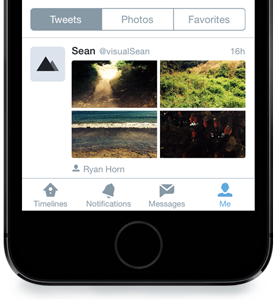
Twitter’s iPhone app gains interactive notifications on iOS 8, revamps profile pages

Twitter, the popular micro-blogging service, is rolling out a brand new profile experience on Twitter for iPhone, in addition to another cool new feature — support for interactive notifications for incoming tweets on iOS 8 devices — the startup announced in a blog post Thursday.

While the new profiles will be available for everyone using iOS 7 or above, the ability to interact with alerts on the Lock and Home screen is not because this capability is part of the great new features available only in iOS 8.
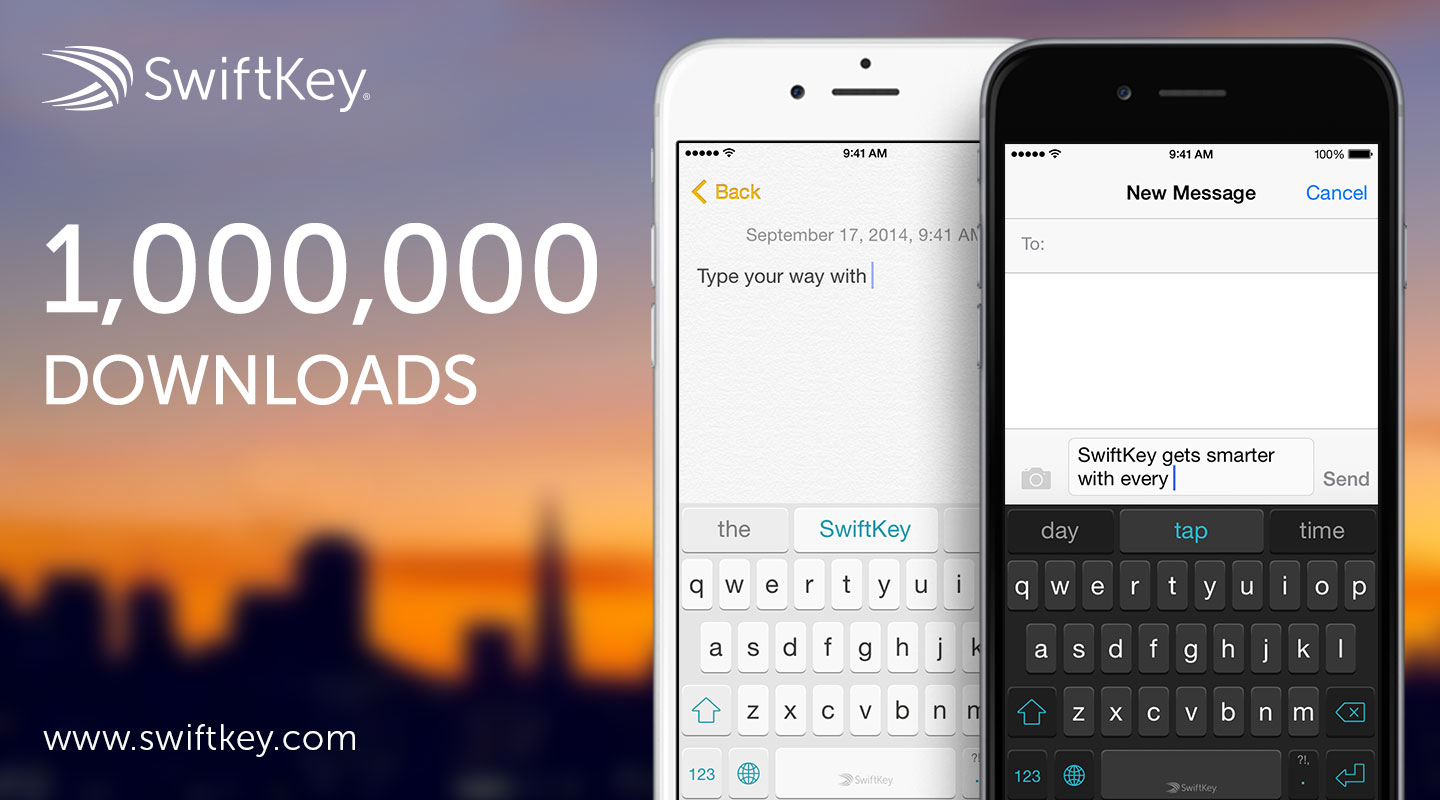
SwiftKey’s new iOS 8 keyboard surpasses 1 million downloads in first day

SwiftKey has announced today that its new iOS 8 keyboard has already surpassed the 1 million downloads mark. The news comes just 24 hours after Apple released the software update, which activated support for third party iOS keyboards.

At the time of this writing, SwiftKey is the #1 app in the Top Free chart of the US App Store. Other third-party keyboard apps like Swype and Fleksy are also sitting at the top of their respective charts, as users rush to try out the new feature.

iOS 8 apps with custom Sharing and Action sheets

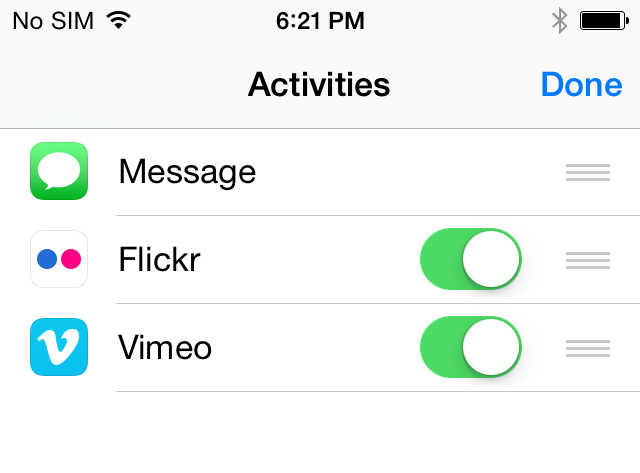
With the introduction of iOS 8 came vast amounts of new functionality, including the ability for users to add custom sharing and actions options to iOS's share sheet. This enables anything from in-line translation to saving notes to your favorite app from anywhere on your iPhone, iPad, or iPod touch.

We've worked to bring together a compilation of iOS apps that have been updated by their developers to include support for these new features. As we happen upon them, we'll be adding more apps to the list below, so check back soon for those. 

Apple said to have ‘War Room’ hunting for iOS 8 bugs on social media

Apple is fairly well known for its over-the-top customer service, and we've come across a story that provides the perfect example why. Reddit user Kiggsworthy posted an anecdote in r/Apple today captioned "Pretty indescribable Apple service experience yesterday," and we thought it was worth sharing.

Like many of us, Kiggsworthy was playing with iOS 8 yesterday when he came across an issue with Family Sharing that did not allow him to download content from his wife's account. So naturally, he tweeted about his problem, and to his surprise, an actual Apple employee responded to his call for help.

The survival guide to waiting in line for iPhone 6

We're almost there, folks! After months of rumors, speculations, and leaks from "sources familiar with the matter," iPhone 6 will be launching tomorrow Friday at 8am. For many of us, this is arguably one of the most exciting days of the year. If you have pre-ordered your iPhone 6, then you'll likely be waiting for it from the comfort of your home, or maybe it will just be waiting for you at the door when you come back from work.

But for those of us who haven't pre-ordered and opted to get in line to pick up an iPhone 6, some decisions have to be made, and a game plan has to be drawn. Today, I'll share with you some of the things I've learned from waiting in line for an Apple product several years in a row. This is not rocket science, but it might as well be.

Flipboard receives iOS 8 Share menu extension, support for iPhone 6 screens

Like many other popular apps, Flipboard, the beloved social news magazine for the iPhone and iPad, has received a nice update today bringing out support for iOS 8's Share sheet extension which allows you to more conveniently collect what you love into Flipboard magazines across Apple's ecosystem.

Now available free of charge in the App Store, the new Flipboard 2.3.8 also includes support for the bigger screens on the iPhone 6 and iPhone 6 Plus.

Kindle update brings iOS 8 Today widget, translation cards, copy & paste and more

Thursday morning, the online retail giant Amazon has released the new Kindle 4.5 for the iPhone and iPad in the App Store, bringing out a Today widget and compatibility fixes for Apple's latest iOS 8 software update, in addition to the ability to copy passages of text from e-books, look up translations and more.

The 40.4-megabyte download is universal so any iPhone, iPod touch or iPad is supported natively as long as it's compatible with iOS 7.0 or later.

Safari 7.1 for Mavericks is out with encrypted Yahoo searches, DuckGoGo and more

Apple on Thursday released an update to its desktop Safari browser for Macs running OS X Mavericks which contains improvements to compatibility and security while introducing a pair of new options for strengthening your privacy when searching.

The first such feature turns on SSL encryption for all Yahoo searches conducted from Safari's search field. As a result, no one can eavesdrop on what you're searching for online.

The other adds DuckGoGo, a search engine that does not track you (Google won't like this) as a built-in option in the search field. Note that Safari in iOS 8 and OS X 10.10 Yosemite already includes DuckGoGo as an option.

Safari 7.1 has arrived on the heels of yesterday's OS X Mavericks 10.9.5 update which contains Safari 7.0.6 and improves the stability, compatibility and security of your Mac.

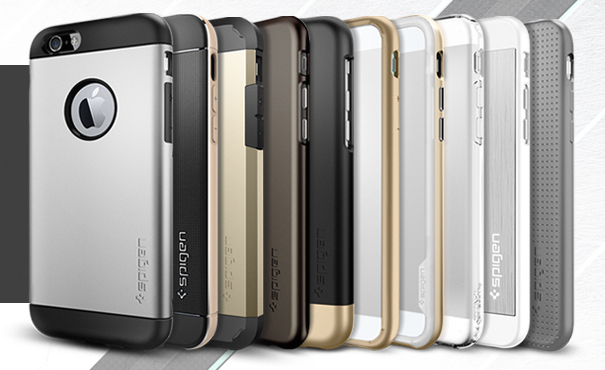
iPhone 6 cases: a look at Spigen’s line up

We are all anxiously waiting for the iPhone 6 launch on Friday, September 19. While some have been lined up for weeks, others constantly refresh their browsers in hopes of seeing their precious pre-ordered device move from one state to another. Currently, most people are simply worried about getting iPhone 6 into their little hands.

Others also worry about keeping their iPhone protected from the moment it leaves the Apple cocoon. Personally, I am an Apple nudist, but with a penchant for perfection, I hate to see a scratch on my iPhone. Additionally, the rising cost of Apple's device with the iPhone Plus may also cause some additional interest in keeping the device shielded. Over the weekend, I put together an early iPhone 6 case round up but it appears Spigen hosts one of the largest order-ready inventories. Inside we take a look of all the cases they have to offer. 

VolumeStatus 2 adds a volume indicator to the Status Bar

One of the ways of finding out the current volume level of your device is to press the volume buttons on the side of your device. VolumeStatus 2 is a brand new jailbreak tweak that allows you to quickly determine the current volume level of your device directly from the Status Bar.

The tweak adds a volume indicator to the Status Bar that allows you to take a quick peek at the volume level without pressing the volume buttons. The tweak doesn't display the exact volume level, but it gives you an idea of how much the volume is. The icon is followed by curved lines indicating the device's volume level.

Gameloft updates Modern Combat and Asphalt with iOS 8 Metal-powered graphics

Following up on yesterday's public release of the free iOS 8 software update for Apple's iPhone, iPad and iPod touch mobile devices, French games maker Gameloft on Thursday unleashed a pair of updates for its two highly-successful titles: Modern Combat 5: Blackout, a first-person shooter, and Asphalt 8: Airborne, a crazy racing game driven by a powerful physics engine which has you performing dynamic, high-speed aerial stunts.

Both games are now powered by iOS 8's new Metal framework which provides low-level access to the GPU inside the Apple-designed A7 chip (the iPhone 5s, iPad Air and iPad mini with Retina display) and its A8 counterpart (the iPhone 6 and iPhone 6 Plus). When played on these devices, both of these games benefit from close-to-the-metal access to graphics cores, without the overhead of the OpenGL graphics run-time.

Staged rollout could explain slow iOS 8 adoption rate

Apple's implementation of what appears to be a staged release of iOS 8 could very well explain why adoption numbers have been lower than past rollouts. Reports of iOS 8 having a significantly slower adoption rate than previous iterations of iOS have been attributed to a variety of factors from its large download size to a lack of visible changes, but over yesterday's rollout, many users saw "Update Requested" messages when trying to update to iOS 8, notifying them they will be alerted once the software has been downloaded and ready to install.