What you can do with your iPhone’s plastic screen protector

So you just got your iPhone 6 or iPhone 6 Plus. Or, perhaps you're waiting for it to arrive via the mail. Whatever the case may be, you just got (or are getting) a new device, and you're thrilled.

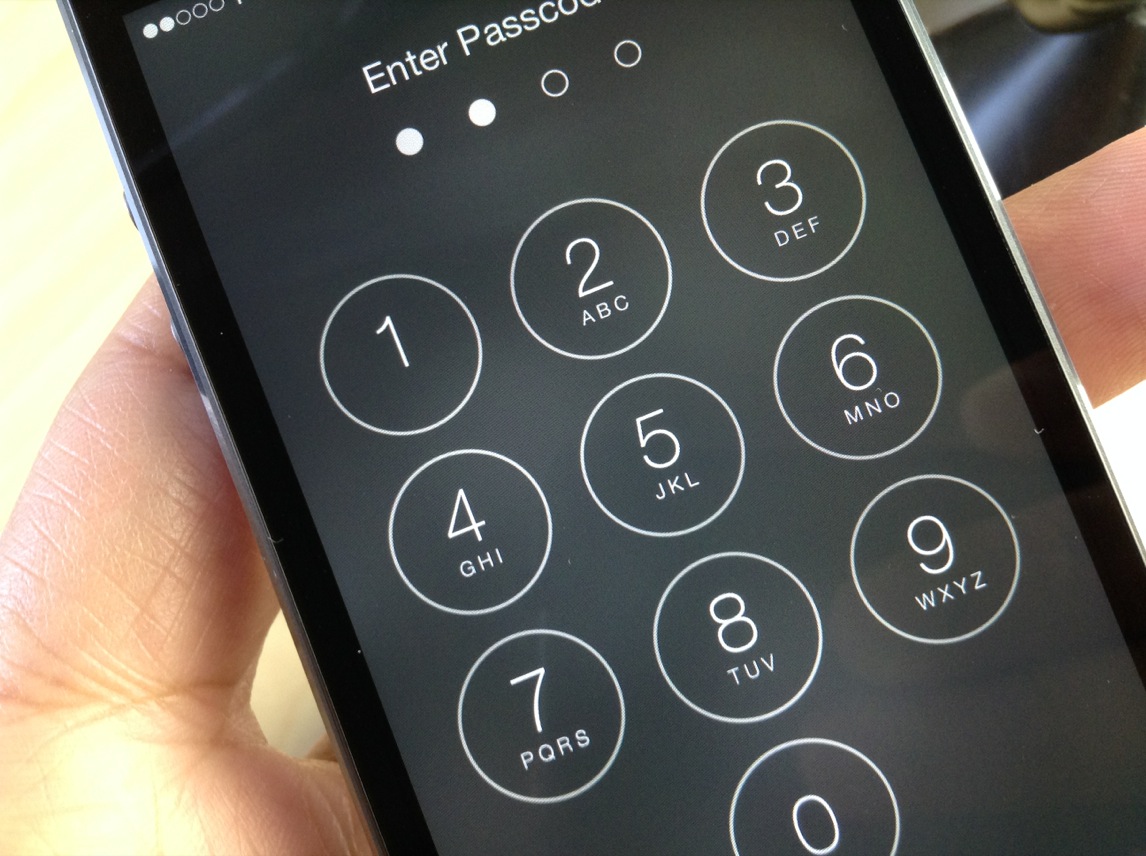
Now, the question that all of us have to ponder at some time during the day: What do I do with the plastic screen protector that wraps around my iPhone?

If you're like most people, the answer to this question is simple: Remove it as fast as humanely possible, and let your hands enjoy the build quality and curves of Jony Ive's latest creation.

But for me, and no doubt, others, the answer to that question is a tad more complex. Sometimes I find myself removing the plastic, yet at other times, I like to keep it on my device. It is free, after all...

Google’s Search for iOS app gains Google Now traffic info and TV recommendations, more

The Internet giant Google on Friday refreshed its native Google Search application for the iPhone and iPad with enhancements to the built-in Google Now feature in the form of new cards for personalized TV recommendations and traffic information.

Furthermore, version 4.2 of Google Search for iOS now includes better Chromecast integration allowing owners of the $35 HDMI dongle to ask Google “what’s on Chromecast?” to open the Chromecast for iPhone app and start casting.

First iPhone 6 drop-test videos surface

As Apple Stores around the world opened this morning to the legions of fans and early adopters eager to get their hands on the company's new iPhone 6 and iPhone 6 Plus handsets, enthusiasts have already recorded first drop-test videos that provide non-scientific evidence as to whether the new phones are more easily damaged versus the previous models. I've included a nice drop-test video by YouTube users PhoneBuff who was among the first customers at Apple's retail store in Australia.

I've also put in another clip of a brand spanking new iPhone 6 slipping out of its packaging and slamming onto the concrete — as the cameras were rolling — much to the horror of its proud owner.

TeeVee 3 updated with iOS 8 Today widget, interactive alerts and now free

TeeVee 3, a TV show-tracking app that I reviewed in May by Tomas Perzl of the Czech Republic and Slovakia-based CrazyApps Team, now lets you tweet out upcoming episodes or mark the ones you've seen as watched, directly from the notification itself, and also see which shows are coming next in the Today view of the iOS Notification Center, thanks to its iOS 8-focused update released yesterday.

Other new features available in this excellent iPhone and iPad app include new sorting options (Alphabetically, Reverse, AirDate and Unwatched), the ability to delete a show by long-pressing it in the list and several bug fixes.

As a cherry on top, the team has decided to discount the $2.99 app to zero bucks, for a limited time, in an effort to bring in new customers. If you're going to grab the latest TeeVee 3.1 update, please keep in mind that the app now requires iOS 8.

Flinfo lets you view additional details about an iOS application

If you ever wanted to quickly find out additional information about an app such as its version or bundle ID, you should probably check out a brand new jailbreak tweak known as Flinfo.

The tweak allows you to find out an app's bundle ID, display name, executable name or even its current version by swiping up its app icon. After doing so, an action menu pops-up that allows you to select the information you want to view. Once you've chosen the information you want to display, it will be copied to your clipboard and you can view it by pasting it in the Notes app or anywhere else.

New App Store section highlights apps updated for iPhone 6

You may have noticed over the past 24 hours that a new section has appeared in the App Store entitled "Apps & Games for iPhone 6." As you'd expect, the section is meant to highlight apps and games that have been updated for the larger displays on the two new iPhones.

There are likely thousands of apps that are compatible with the handsets, with many more to come. Apple rounded up about 65 of them, and we thought we'd share 10 of our favorites, so you know what apps we'll be downloading when we get our new iPhones tomorrow.

iPhone 6 Plus teardown reveals 1GB of RAM, high-capacity battery

We've still got a good 8 hours or so before the iPhone goes on sale here in the US, but it's already begun flying off the shelves in Australia. And as usual, the folks over at iFixit were on hand at the launch to grab one of the new iPhone 6 Plus models for their customary teardown.

After popping the handset open, the team discovers what it says is a very similar layout to the iPhone 5s, albeit a much bigger battery. In line with the rumors, the battery is rated at 3.82 V and 11.1 Wh of energy, for a total of 2915 mAh—nearly double the capacity of last year's 5s.

App bundles are now live on the App Store, here are a few worth checking out

Alongside iOS 8, the App Store received a number of improvements, including video previews and support for app bundles. And with yesterday's release, several app bundles popped up in Apple's digital storefront, so we've decided to roundup a few worth checking out.

To give you an idea of how this works, among our list is the Runtastic Cardio Pack, which includes 5 iPhone apps made by runtastic that are meant to track various fitness activities. Individually, these apps would cost you $16, but the bundle is just $8—a 50% savings.

A first look at Fleksy for iOS 8

One of the cool new features available in iOS 8 is the ability to set third-party keyboard apps as the default on your iPhone and iPad. I was quick to jump on that bandwagon. Fleksy Keyboard – Happy Typing was my first third-party default because, frankly, I wanted my keyboard to look like a candy store. It is a gesture-based, colorful, super fast keyboard for iOS 8 with autocorrect and word suggestions. I’ve been playing with it for about a day now and I’ve got some hands-on experience to pass along to you.

Twitter’s iPhone app gains interactive notifications on iOS 8, revamps profile pages

Twitter, the popular micro-blogging service, is rolling out a brand new profile experience on Twitter for iPhone, in addition to another cool new feature — support for interactive notifications for incoming tweets on iOS 8 devices — the startup announced in a blog post Thursday.

While the new profiles will be available for everyone using iOS 7 or above, the ability to interact with alerts on the Lock and Home screen is not because this capability is part of the great new features available only in iOS 8.

SwiftKey’s new iOS 8 keyboard surpasses 1 million downloads in first day

SwiftKey has announced today that its new iOS 8 keyboard has already surpassed the 1 million downloads mark. The news comes just 24 hours after Apple released the software update, which activated support for third party iOS keyboards.

At the time of this writing, SwiftKey is the #1 app in the Top Free chart of the US App Store. Other third-party keyboard apps like Swype and Fleksy are also sitting at the top of their respective charts, as users rush to try out the new feature.

iOS 8 apps with custom Sharing and Action sheets

With the introduction of iOS 8 came vast amounts of new functionality, including the ability for users to add custom sharing and actions options to iOS's share sheet. This enables anything from in-line translation to saving notes to your favorite app from anywhere on your iPhone, iPad, or iPod touch.

We've worked to bring together a compilation of iOS apps that have been updated by their developers to include support for these new features. As we happen upon them, we'll be adding more apps to the list below, so check back soon for those.