Top 3D Touch shortcuts in Apple’s Podcasts app

Podcasts, previously an optional download from the App Store and now a stock application in iOS 9, may not be the most elegant software to enjoy your favorite podcasts, such as iDownloadBlog's Let's Talk iOS series.

That being said, the app is adequate enough for basic use: with it, you can easily browse, subscribe to and play your favorite audio or video shows on your iOS devices.

And if you own an iPhone 6s or iPhone 6s Plus, you can take advantage of 3D Touch to start listening to the next unplayed episode of your favorite show right from the Home screen, use Peek and Pop gestures in the app to preview shows, see unplayed station episodes and more.

Upshot, Roger, Patternator and other apps to check out this weekend

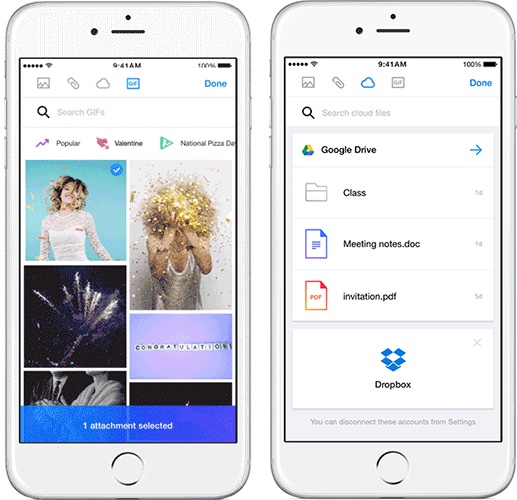
Whether you're looking to load up your new iPhone SE or 9.7-inch iPad Pro with some apps and games, or you're just looking for some new titles to try out this weekend, you're going to want to check out our latest Apps of the Week roundup. The list includes a new way to share photos, a pattern-creator and of course Nintendo's long-awaited mobile release.

Star Wars: The Force Awakens hits iTunes as HD download ahead of physical release next Tuesday

Apple has been accepting pre-orders for J.J. Abrams' Star Wars: The Force Awakens on the iTunes Store for a few weeks now.

Today, April 1 (not a joke), the movie released on the iTunes Store. The $19.99 high-definition download includes iTunes Extras like deleted scenes and interviews with the cast and filmmakers.

The movie is not yet available for renting. The SD version will follow on April 5 for $14.99, when Star Wars: The Force Awakens is scheduled to launch at physical retailers.

Taylor Swift wipes out on the treadmill in latest commercial for Apple Music

Pop artist Taylor Swift, whose public critique of Apple Music not originally paying out royalties to artists for free trials did force Apple to change its stance, is now the star of the latest commercial for the subscription streaming-music service.

In a comical 60-second video, published this morning on Beats 1's YouTube channel and aptly titled “Taylor vs. Treadmill”, the singer preps for a cardio workout.

She browses workout playlists on Apple Music and then sings along to a track by Drake and Future for a while before falling off the treadmill while still continuing to rap along, with the tagline describing Apple Music as “distractingly good”.

Sprint to fix an issue preventing iPhone users from connecting to LTE cellular data

Sprint customers took to Reddit to complain about the inability to connect to Sprint's LTE cellular data network after upgrading to Apple's iOS 9.3 software update last week. The most recent iOS 9.3.1 update does not appear to have fixed the issue.

Sprint has acknowledged the issue in a text message to affected users and promised a fix, which will likely be delivered in the form of an over-the-air carrier settings update. “Your iPhone may be having data connection issues with the recent software update,” reads Sprint's message. “We're working quickly to fix. We apologize for the inconvenience”.

Believe it or not, Apple just turned 40!

Forty years ago today, Apple was founded by Steve Jobs, Steve Wozniak and Ronald Wayne to develop and sell personal computers. Yes, Apple Computer Company was started on April Fool’s Day back in 1976. And now, on the company’s 40th anniversary on April 1, 2016, a familiar piece of folklore has returned to Apple's campus at 1 Infinite Loop: a pirate flag with a big skull and crossbones in white at the center, in a cheeky nod to Apple's past.

Back in the early 80s, Steve Jobs assembled a rebellious team to work on a skunkworks project: the original Macintosh. Referring to themselves as the pirates of the company, they hoisted a “jolly roger” pirate flag above 1 Infinite Loop.

“It’s better to be a pirate than join the navy,” Steve Jobs famously told the Mac team.

6 great jailbreak tweaks for the Messages app

If you have an iOS device, then you already know one of the main features is the Messages app. On iPhone, it serves as an iMessage and SMS platform; on iPod touch and iPad, it serves as an iMessage platform only. Nevertheless, you can even use your iCloud account to sync your SMS messages with all your devices across the board.

Despite how useful it is to be able to message anyone on demand from any of these devices, jailbreaking has opened many doors for incredible functionality for the Messages app that Apple has yet to implement in iOS in its stock form.

In this roundup, we'll be showing you some of our favorite jailbreak tweaks for iOS 9 that enhance the messaging experience in Apple's mobile operating system.

This tweak lets you copy the Bundle ID of apps with 3D Touch

Those that are into theming or other jailbreak-based device modifications that may require knowledge of app bundle IDs may find a new use for a jailbreak tweak dubbed CopyBundleID.

With this tweak, getting the bundle ID of an app has never been easier. We'll walk you through the tweak and show you how it works all in this short review.

iFixit tears down iPhone SE, reveals some interchangeable 5s parts

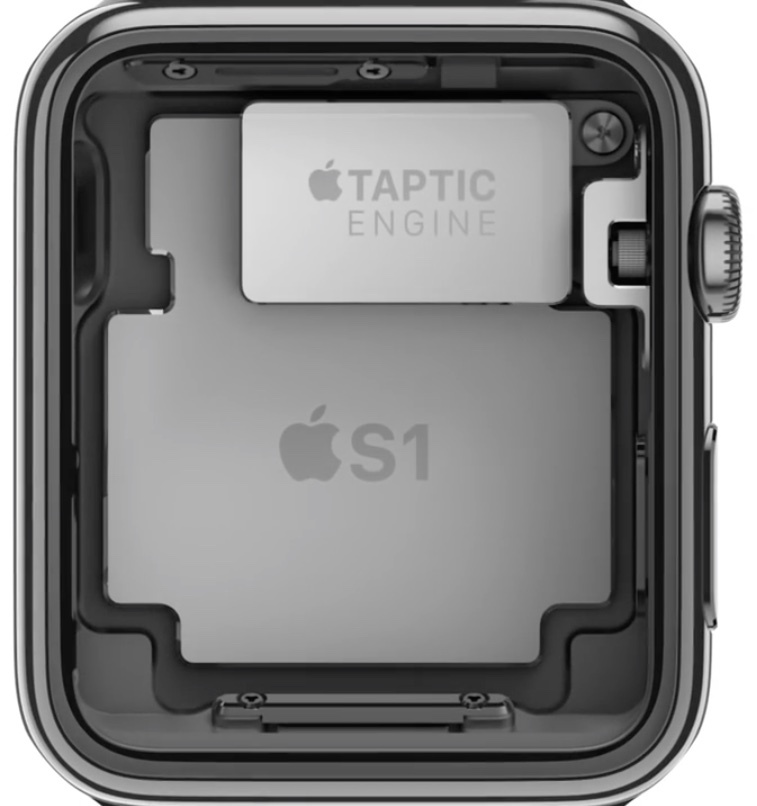
Following the first day of availability of the iPhone SE, iFixit has gotten their hands on their own unit and has started their ritualistic practice of disconnecting every little screw, cable, and hinge that comes on it.

The iFixit teardown comes a day after Chipworks' version, which revealed a lot of familiar parts in the iPhone SE that could be found in previous iPhone models, such as the 5s, 6, and 6s.

iFixit has not only confirmed these findings from Chipworks, but also provides some new insight about the iPhone SE's parts that is sure to interest its consumers.

A quick overview of nitoTV for Apple TV 4

Kevin Bradley just released an update to nitoTV a few hours ago, and we've already showed you guys how to install it once your Apple TV is jailbroken. Now Andrew took nitoTV for a quick spin and briefly walks you through some of the things you can install.

How to install nitoTV on Apple TV 4

If you've been around the jailbreak community for a few years, you are probably familiar with nitoTV for Apple TV, the installer that gained popularity back in the days of the Apple TV 2. Things had become a little uneventful for a few years due to the lack of a jailbreak for Apple TV, but now that things have changed, nitoTV developer Kevin Bradley is back at it with an updated version of the popular installer.

In this post, we'll show you how to install nitoTV on your jailbroken Apple TV.