The top stories of the week on iDB

Like every Sunday, we get to take a look at some of the most popular posts that were published on iDB during the week that just ended. Whether it is a news item, a new jailbreak tweak, a tutorial, or an app review, we sum it all up in one convenient place for you.

As always, if you like what you're reading, please feel free to spread the love by sharing our posts on your favorite social network.

We're usually hanging out a lot on Twitter and Facebook, more rarely on Google+.

Don't forget to listen to the latest episode of our new podcast, Let's Talk iOS:

Subscribe on iTunes

And of course, make sure to catch up with the new episode of Let's Talk Jailbreak:

Want to support iDB? Visit our Deals Store and buy something from us.

PalBreak tweak lets you use PayPal on jailbroken iOS devices

If you have a jailbroken iOS device, then you're probably familiar with the fact that PayPal is designed to crash on your device to keep you from using the app.

A new free jailbreak tweak called PalBreak is now available in Cydia that lets you disable jailbreak detection via the PayPal app so you can use it even on your jailbroken iOS devices.

AppDelete prevents you from accidentally deleting iOS apps

Those of you who are familiar with the new iOS 9.3.3 jailbreak that was just recently patched by Apple in the iOS 9.3.4 release know that the jailbreak installs an app on your Home screen that is easily deleted if you're not careful.

A new free jailbreak tweak called AppDelete helps prevent you from accidentally deleting apps from your Home screen, including but not limited to the Pangu app.

Apple acquires AI startup Turi for a reported $200 million

Apple has acquired machine learning and artificial intelligence startup Turi, reports GeekWire. Citing sources close to the deal, the outlet says the purchase price was somewhere in the neighborhood of $200 million, and the team will stay on and continue its work.

Turi, formerly Dato, builds platforms for developing intelligent applications using machine learning technology. Its products are used by a number of Fortune 500 companies for fraud detection, recommendation engines, lead scoring and other predictive capabilities.

Latest drone flyover gives overview of landscaping progress at iSpaceship site

The iPhone maker's upcoming circular-shaped corporate building, Apple Campus 2 aka “iSpaceship”, seems to be coming along nicely as the company pushes the project to meet its self-imposed January 2017 deadline for moving in.

YouTubers Matthew Roberts and Duncan Sinfield have been taking their pricey drones to the skies every month, like clockwork, to keep us updated on construction progress with birds-eye 4K footage.

The most recent drone video from Matthew focuses on landscaping work as other smaller structures are beginning to pop up throughout the campus, with landscaping on the corporate auditorium set to begin shortly.

How to watch the 2016 Summer Olympics on your iPhone, iPad and Apple TV

The 2016 Summer Olympics (officially known as Games of the XXXI Olympiad) are finally upon us. For the next two weeks, Rio de Janeiro, Brazil will play host to a number of thrilling sporting events featuring some of the best athletes from around the world.

Despite the various health and social issues going on in Rio, millions are expected to tune-in to watch the Olympic Games. With that in mind, we thought it'd be helpful to put together a quick guide on how you can join them on your iPhone, iPad and Apple TV.

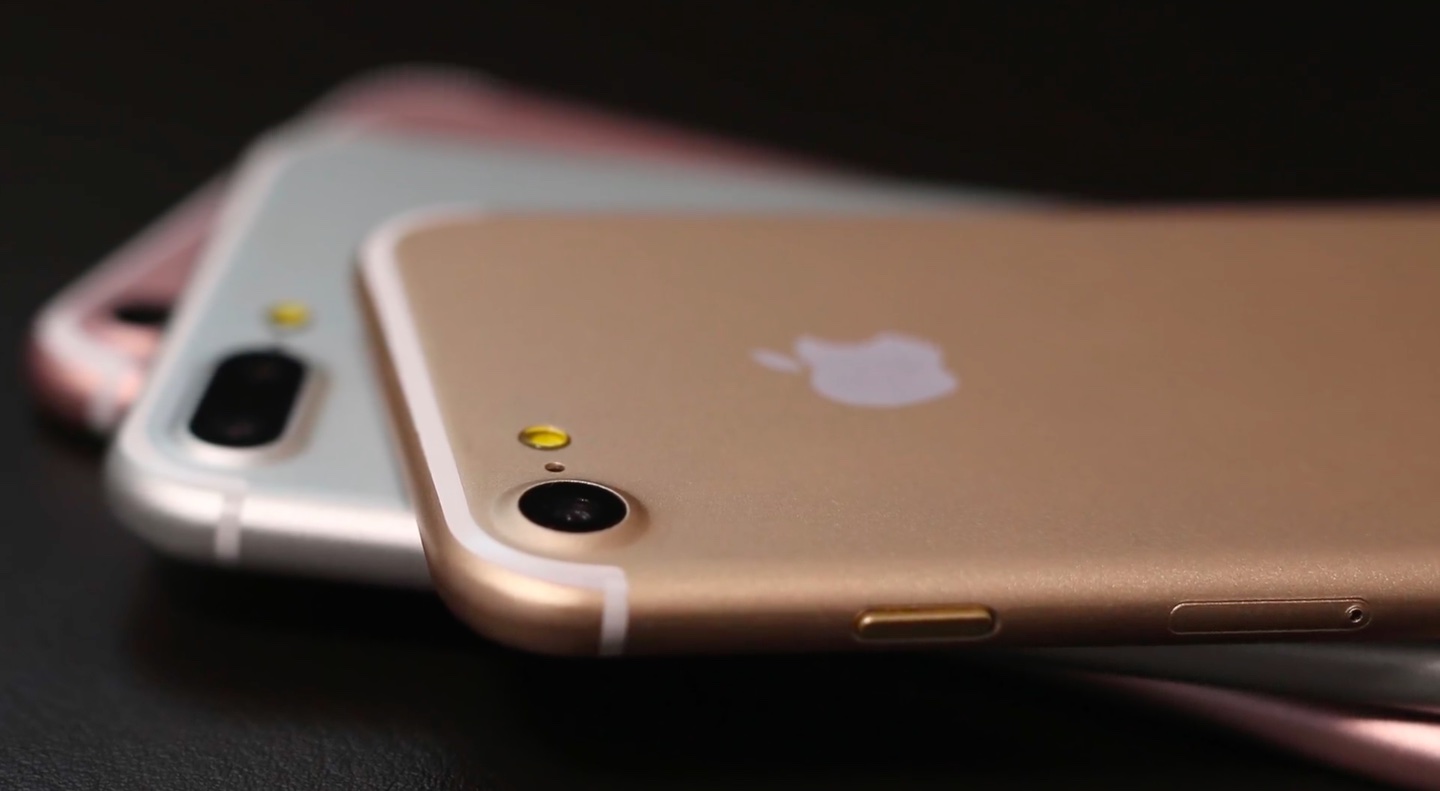
Sonny Dickson posts nice-looking iPhone 7/Plus photos, but are they genuine?

Noted Australian leakster Sonny Dickson, who made a name for himself by supplying a steady stream of photos showing genuine components for unreleased Apple products, has been pretty silent lately. Silent, but not inactive.

Yesterday, Dickson re-joined the rumor game by tweeting out a pair of quality images that appear to show off a 4.7-inch variant of the iPhone 7 next to its 5.5-inch brethren. Both devices are in Rose Gold and have a tweaked camera design on their backside.

How to post from your camera roll to your Instagram story

Post iPhone Photos as Instagram Story

When first playing with Instagram Stories, I couldn't figure out how to upload pictures or videos that I had already taken. Instead, it seemed I was forced to first shoot using the Instagram app and upload from there.

Quickly, I finally figured it out, and because it's not that obvious, I thought I should post about it as it may help a few readers wondering the same thing - how do you post from your Camera Roll to an Instagram story?