Weather Atlas, Stream Time, Bloom, and other apps to check out this weekend

This week's edition of our Apps of the Week roundup features a new weather app, a TV guide for live streaming, and a sharp-looking new coloring book. And as always, we've selected two interesting new games for you to check out.

Weather Atlas

Looking for a new weather app? Check out Weather Atlas. This beautiful app offers a window into current and future weather conditions, with a great mix of sharp design and powerful features. It has both hourly and 10-day forecasts, weather map with radar and clouds, Notification Center widget, and more. Unfortunately some of the app's best features—themes, custom icon, no ads etc.—are hidden behind a monthly subscription, but at least you can use most of the basic features before committing to pay. Weather Atlas is available for free (with some IAPs).

Stream Time

Stream Time is the ultimate scheduling and discovery app for live streaming—no more missed streams or tiresome browsing for something interesting to watch. Build your schedule feed by following friends and favorite broadcasters. Set reminders for must-see broadcasts. Discover new broadcasters and see who is scheduled to go live soon. Twitch, YouTube and all other major live stream platforms are supported, and there are even tools for broadcasters to help keep their fans in the know. I know you're envisioning a lot of social media kids here, but a lot of professional athletes and popular comics/personalities live stream regularly, so it's worth checking out. Stream Time is available for free.

Bloom

Add color to your life, engage your creativity and relax by making beautiful art with Bloom. This coloring book app gives you access to over 500 exclusive designs from award-winning artists around the world, hundreds of colors, and the tools you need to create the effects you want and make each design a unique piece of art. I know there are several apps like this out there already, but this one looks promising and worth checking out if you don't have a favorite already. There are a few in-app purchases, to unlock new images and other content, but you can start coloring for free. Bloom is available for free (with some IAPs).

Battle Golf Online

The first rule of Battle Golf is that you don't talk about Battle Golf. I guess that would mean that I'm breaking the first rule, but hey what can I say? I'm a renegade. Anyway Battle Golf Online is an arcade golf game that you can play either by yourself, against the AI, or against a friend in real time. The graphics are pretty basic and the controls are straightforward (one tap), but there are cool hats and masks to unlock and daily challenges to complete. Battle Golf Online is available for free (with some IAPs).

Noblemen: 1896

Looking for something way different? Checkout Noblemen: 1896. The year is 1896, and war has begun... To your right, militia are cut down by saber wielding cavalry. In the distance, cannon fire echoes as a lumbering Steam Tank fires its auto cannons. Your gatling gun team unleashes a salvo of fire, cutting down an enemy squad like wheat. Behind you, the drone of your frigate class airship reassures you before unleashing its salvo of supporting fire. ou are a Nobleman, and it's up to you to lead your armies to victory! Noblemen: 1896 is available for free (with some IAPs).

More apps to check out Instagram Stories come to the web Apple’s free app of the week: 8mm Vintage Camera Microsoft releases Mixer Create app for broadcasting mobile games on the go Facebook is rolling out its new video hub to everyone in the US over the next few days Video: YouTube’s overhauled look and new features coming to iOS app The best voice recording apps for Apple Watch
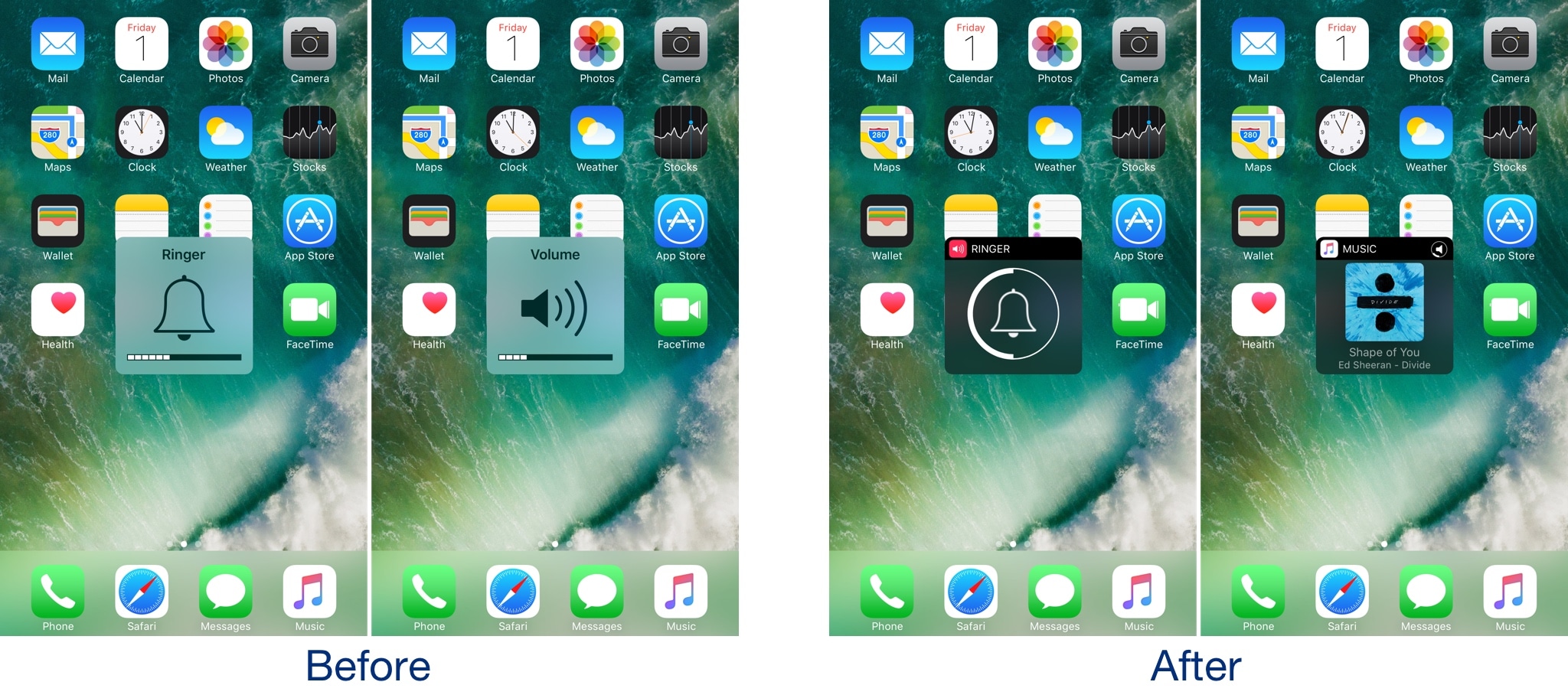

Castro gives the iOS volume HUD a much-needed facelift

I’ve said it many times before, and I’ll say it again: the volume HUD in iOS is a ridiculous mess, and it's in need of a facelift.

A plethora of jailbreak tweaks in Cydia can help with the situation, but after trying a new release called Castro by iOS developer candoizo, I’m convinced that this just might be one of the best looking alternatives to date.

Apple seeds macOS High Sierra beta 9 to developers

Following yesterday's beta 9 releases of iOS 11 and tvOS 11, Apple on Friday seeded beta 9 of macOS High Sierra to developers. The update can be downloaded over the air through the Mac App Store’s Updates tab, or for those who aren’t already running a previous beta, you can grab the full install from Apple’s Dev Center.

As indicated in its name, macOS High Sierra is more of a fine-tuning update to macOS Sierra, rather than a full-blown refresh. That doesn't mean there aren't any noticeable changes though. In fact, we were able to find 100 changes in the update. Be sure to check out our video below.

https://www.youtube.com/watch?v=QBna9ChoJd4

Subscribe to iDownloadBlog on YouTube

Yesterday, Apple sent out press invitations for an event to be hosted on Tuesday, September 12. We believe it will use the stage to unveil new iPhones and other hardware and announce official launch dates for macOS High Sierra and other updates.

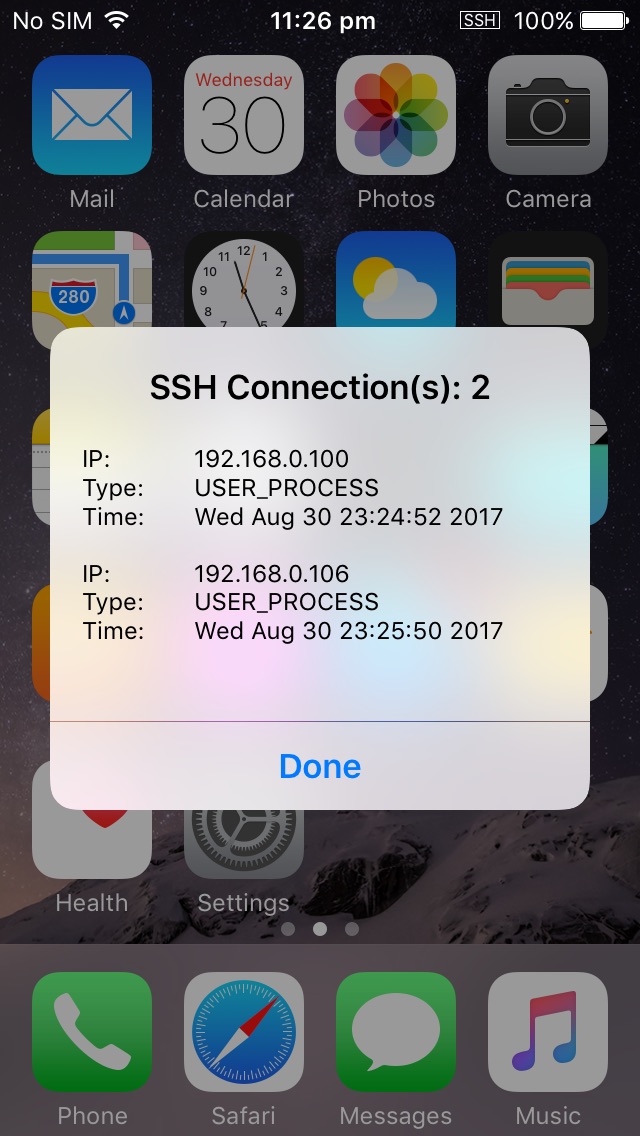
SSHIcon lets you know when there are active SSH connections to your device

SSH is a powerful tool that lets you access your jailbroken handset’s filesystem on the fly, but one of the things I don’t like about it is how there’s no indication when an SSH connection is initiated.

A new free jailbreak tweak called SSHIcon by iOS developer Sticktron solves this problem by putting an icon in your Status Bar any time you or someone else uses SSH to access your device.

Instagram Stories come to the web

Instagram announced on Thursday that it is bringing Instagram Stories to the web. The feature, which is slowly rolling out to users around the globe, will let anyone view their friends' stories on both mobile and desktop. Additionally, the company noted that users will also be able to post stories from the mobile web in the coming months.

Apple seeds beta 9 of iOS 11 and tvOS 11 to developers

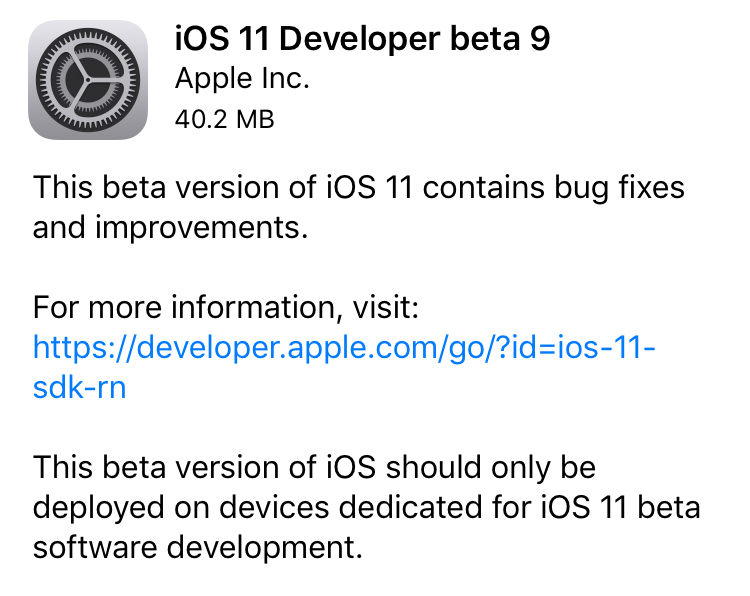
Apple on Thursday seeded iOS 11 beta 9 to developers. The release comes just days after beta 8 of the software was rolled out, suggesting that either a significant bug or security issue was discovered, or that Apple is charging hard down the final stretch of beta testing in an effort to finish the update on time for public release next month.

iOS 11 beta 9

If you're a registered developer with a device already running a previous iOS 11 beta, you can upgrade to the latest build (15A5370a) over the air using the Software Update mechanism in the Settings app.

Given the short lead time between beta 8 and beta 9, we don't expect many (if any) user-facing changes. But here are the new things we spotted in beta 8:

https://www.youtube.com/watch?v=b--2ov6pcIk

Subscribe to iDownloadBlog on YouTube

tvOS 11 beta 9

Developers with the appropriate configuration profile on their Apple TV (4th gen) can install today’s beta (build number 15J5378a) by visiting Settings > System > Software Update.

Otherwise, it requires you to hook up your Apple TV to your Mac via a USB-C cable and a quick trip to the Dev Center. tvOS 11 has shown to be a modest update, with just a handful of user-facing improvements.

As always, if you see something notable in the new betas you think we’ve missed, feel free to tell us about it in the comments below, or on Twitter @iDownloadBlog.