Apple is planning to implement a pair of interesting improvements to its Find My software on iOS 14, including augmented reality mode and new location triggers.
iOS 14’s Find My rumored to gain augmented reality mode and new location triggers
Apple is planning to implement a pair of interesting improvements to its Find My software on iOS 14, including augmented reality mode and new location triggers.
Apple is allegedly working on interesting photography improvements for future iPhones.
After placing per-customer restrictions on bulk iPhone, iPad and Mac orders last week, the company has now lifted restrictions on purchasing multiple devices by a single customer.
Oprah Winfrey has teamed up with Apple on a new free-to-view series in which the popular talk show host and producer holds remote interviews with people personally affected by COVID-19.
Apple is donation N95 masks to healthcare providers fighting COVID-19 in the US and Europe.
Learn how to customize the Calendar notifications and alerts on your iPhone, iPad, and Mac to stay on top of your important events and appointments.
Apple doesn’t provide much by way of power savings on the iOS platform apart from the Low Power Mode feature and the use of general common sense with regard to reducing battery drain. Fortunately, those looking for more than what Apple seems willing to provide out of the box might be in luck as of this week.
Both the Apple Watch and iPhone support silent mode – a feature that mutes all incoming notification sounds to prevent awkward situations in certain predicaments, such as a ringtone going off in the middle of class or disturbing participants during a work conference. Unfortunately, this handy feature doesn’t stay in sync between both devices, necessitating manual input for each.
This is a problem that a newly released jailbreak tweak called WatchMuteMirror by iOS developer Cardboard Face aims to resolve. As you may have inferred already from the tweak’s name, WatchMuteMirror keeps silent mode in sync between your iPhone and your Apple Watch so that the latter doesn’t make a bunch of noise even after you toggle the mute switch on the side of your iPhone.
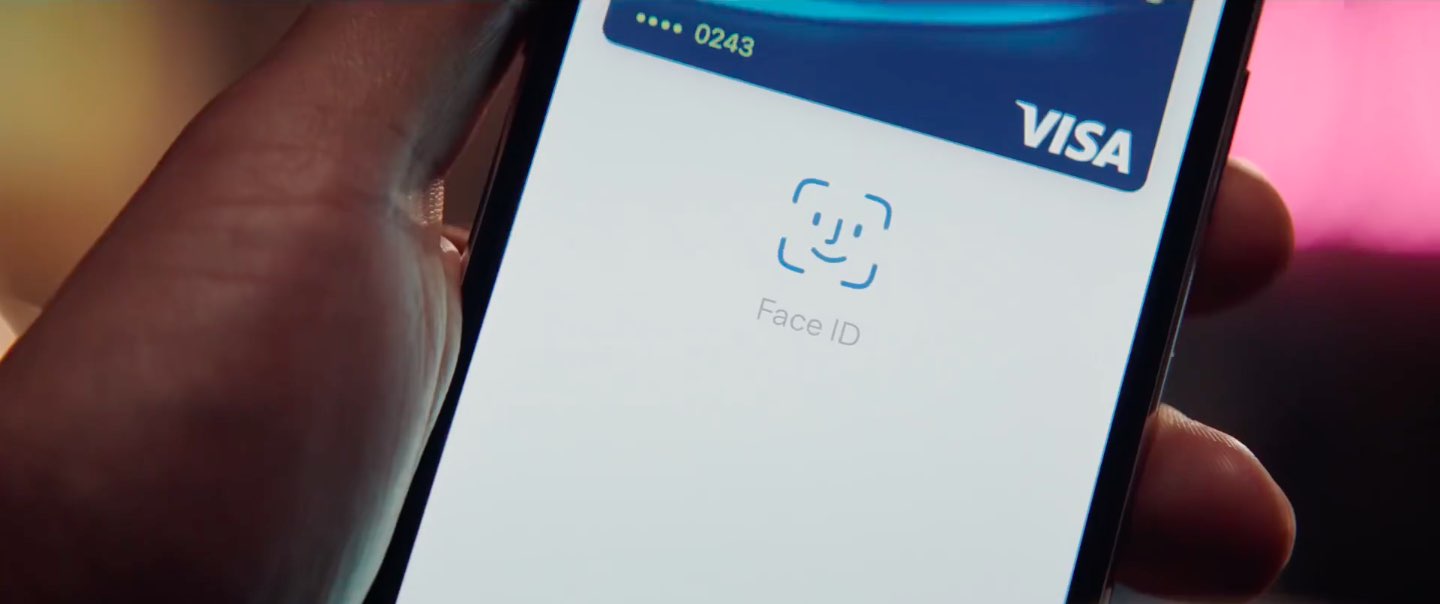
If you use Apple Pay via your jailbroken iPhone frequently, then you’re unquestionably familiar with the prompt that appears when it comes time to authenticate yourself with Face ID or Touch ID. While the native interface doesn’t necessarily look that bad, it’s somewhat unfortunate that Apple didn’t design it to be uniform with other interfaces that appear on the iOS platform, like the AirPods pairing prompt for example.
Those interested in a redesigned Apple Pay interface that has been heavily inspired by iOS’ native AirPods pairing interface are likely to appreciate the user experience that comes along with using a newly released jailbreak tweak dubbed AirPay by iOS developer Dylan West (@iOSthemem0d).
If you needed any more proof that we were supposed to get a spring Apple event, Wednesday's unexpected hardware launches via a pair of press releases and an Apple website refresh probably have you covered. We got a new dual-camera iPad Pro with a laser scanner (a first for Apple), a faster MacBook Air with scissor keys, a new pair of Powerbeats with "Hey Siri" and 3 additional hours of battery life, refreshed Apple Watch bands for the spring and other tidbits.
Your iPhone probably lights up with push notifications all day long, but only a small fraction of those are likely to be important. Unfortunately, there’s no easy way to discern between important and non-important notifications without looking at your display, and this means that if you’re smack in the middle of something important and can’t look at your handset, you won’t know what you’re missing.
The aforementioned situation doesn’t come up too often, but it may happen more frequently when you’re at work and stuck in meetings all day or when you’re in class and don’t want to make it obvious that you’re checking your iPhone for notifications. For that reason, a newly released and free jailbreak tweak called NotiVibe by iOS developer AnthPak may come in clutch.
When you’re generous enough to loan your iPhone to a friend or family member, or even worse a complete stranger to make a phone call, one thing that probably weighs heavy on your mind is whether that person is invading your privacy by launching apps they shouldn’t be, such as Messages, Notes, or Photos to name a few.
I’ve found myself in this situation quite a few times myself, and that’s why I’m particularly excited about a newly released jailbreak tweak dubbed Spy by iOS developer Elias. This tweak works to your advantage in situations like the one above by logging the apps that a user opens with the mere flip of a toggle switch.