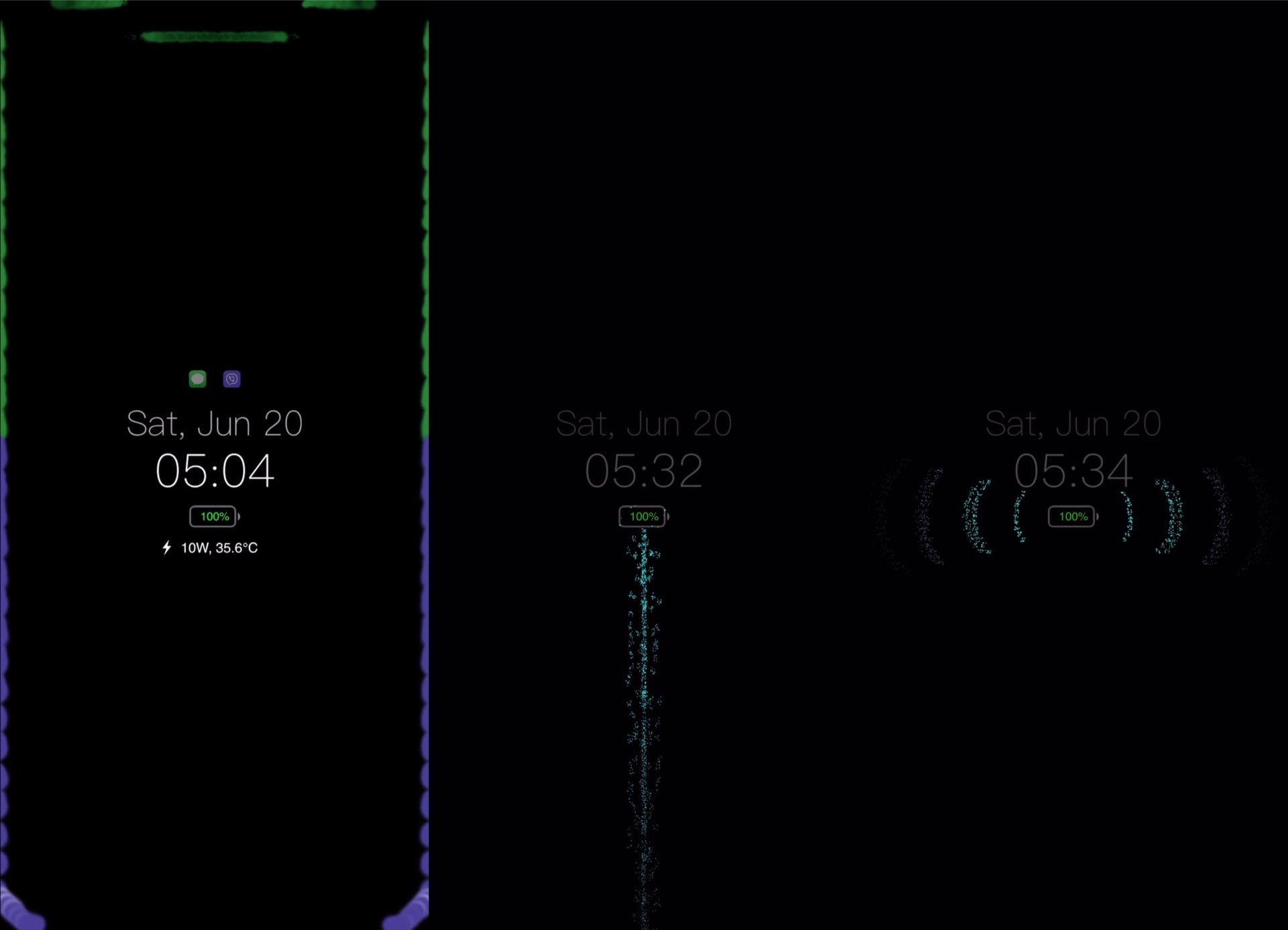
Ever since Apple first started integrating OLED display on its iPhones, starting with the iPhone X in 2017, we’ve witnessed a steady increase in the number of jailbreak tweaks attempting to bring a true always-on display experience to the platform. One of the latest attempts comes by way of respected veteran tweak developer Elias Limneos and has been aptly named Glow.
Like other always-on display tweaks before it, Glow takes full advantage of the OLED display in Apple’s high-end handsets to express true darks for the background. It simultaneously displays pertinent details such as the date, time, and battery level, along an indicator to let you know whether you’ve got any missed notifications. Best of all, it does all of this while consuming as little power as possible.