News

Centaur supercharges Notification Center with modules and other new features

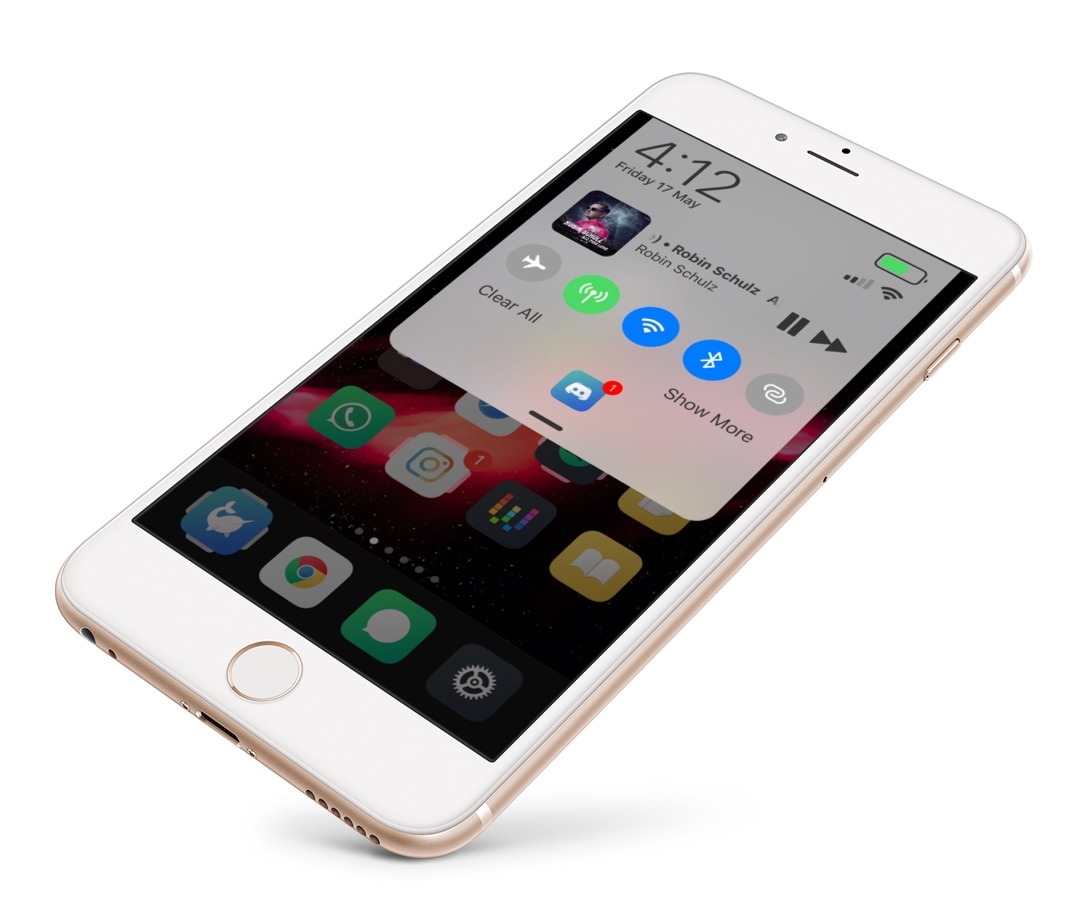
There’s no better place in iOS to look for missed notifications than the Notification Center itself, but you wouldn’t be alone if you thought that the native Notification Center interface could benefit from a facelift.

If you’re in the market for a refreshed Notification Center interface, then you just might come to appreciate a newly-released jailbreak tweak called Centaur by iOS developer Muirey03. Centaur reimagines Notification Center by incorporating a slew of useful features like Control Center toggles, device information, and music controls, to name a few:

Google is dumping Huawei out of the Android smartphone market

A dramatic escalation in President Trump's war on China unfolded this past weekend as Reuters reported that Google has abruptly rescinded Huawei’s Android license, effective immediately, in a move that has restricted the Chinese company to using an open-source version of Android called the Android Open Source Project (AOSP).

This tweak transforms the Home Bar into a Now Playing progress indicator

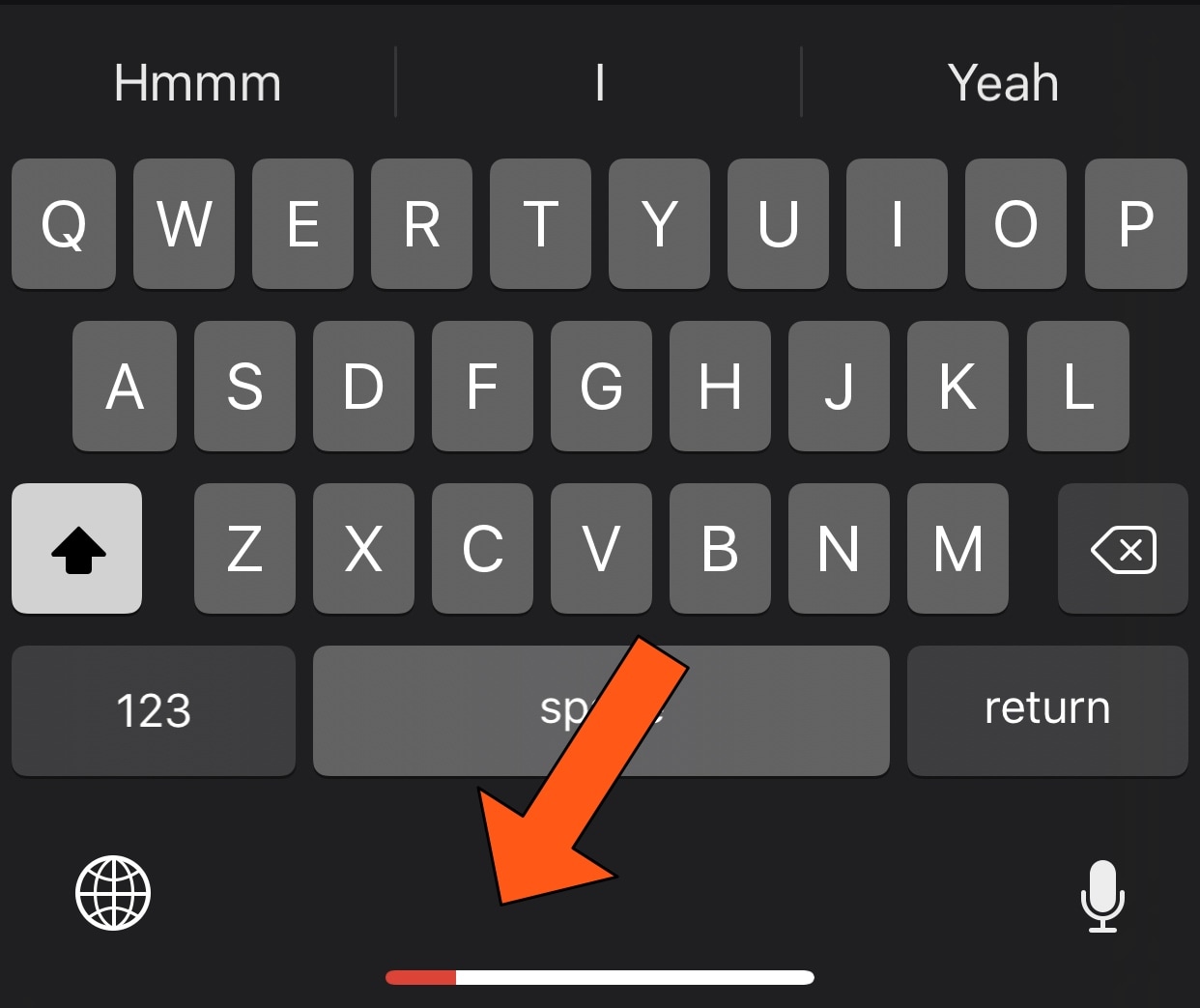
All notched handsets, including the iPhone X, XR, XS, and XS Max, ditch the traditional Home Button in lieu of the new Home Bar, which is a software-centric ‘grabber’ that lives at the bottom of your display. The Home Bar is used to unlock your handset, return to the Home screen, and access the App Switcher, but that’s about it.

It seems like the Home Bar could be made to do so much more, and that's why we were particularly fascinated by the release of a new free jailbreak tweak called HomeBarMediaProgress by iOS developer Jordan Koch (eskimo_dev), as it aims to give the Home Bar an added purpose. More specifically, the tweak transforms the Home Bar into a status indicator for any Now Playing media that might be playing in the background.
DockRemover hides the application Dock from your Home screen

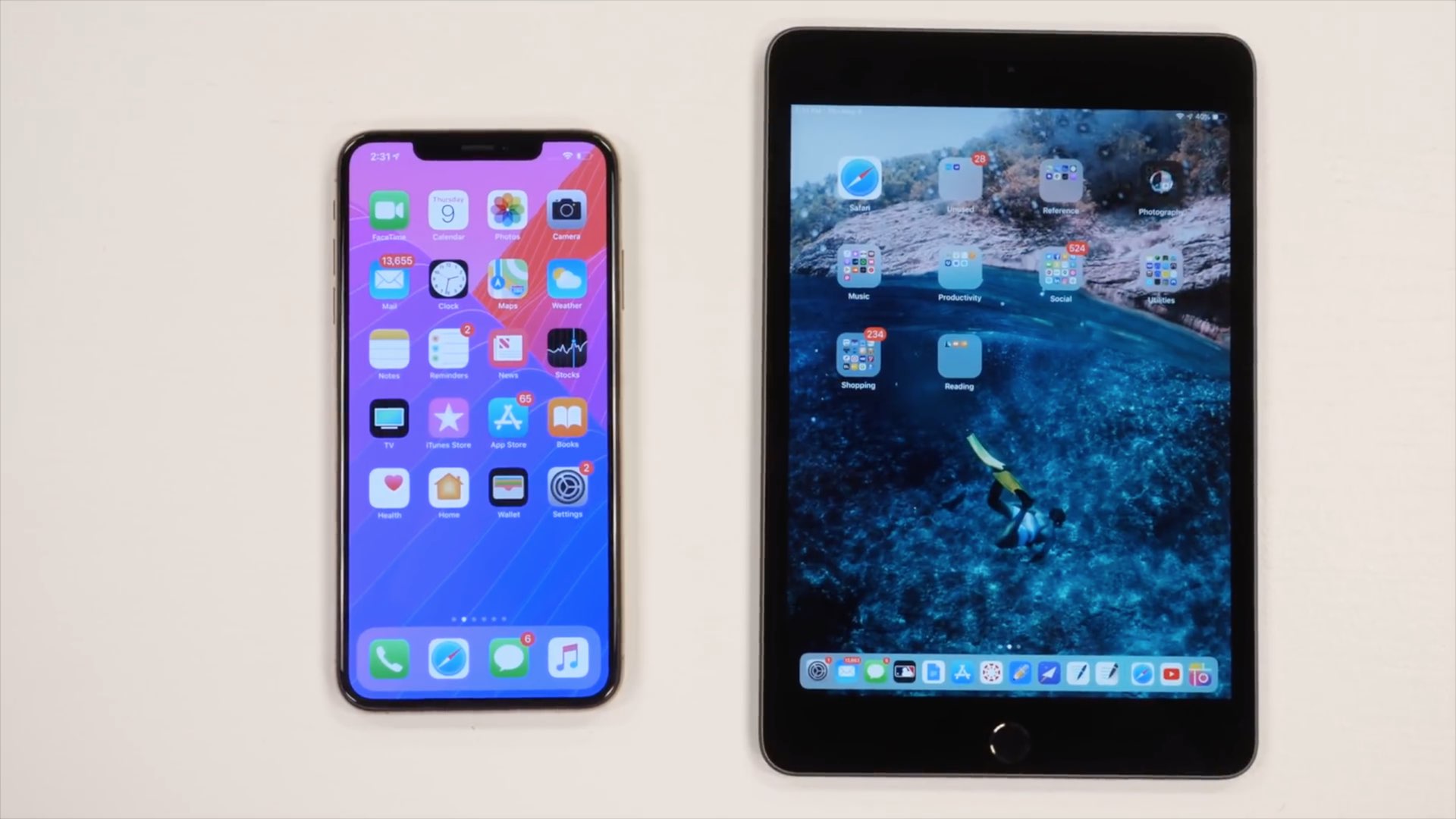
Most people use the Dock on their Home screen for fast access to their favorite apps, but that isn’t the case for everyone; some jailbreakers, for example, run custom Home screen setups and may prefer to hide the Dock altogether.

If you fall into the latter group above, then you may take an interest in a new free jailbreak tweak dubbed DockRemover by iOS developer Blake Boxberger. As you've probably inferred from the name already, DockRemover hides the  Dock from your iOS device’s Home screen, offering a cleaner overall aesthetic.

Electra Team releases Chimera 1.0.6 with bug fixes and improvements

It was just over a week ago that the Electra Team released Chimera version 1.0.5 to improve the jailbreak’s stability and tie up loose ends, but the update was later pulled until further notice when several users reported issues after using it.

Sunday evening, the Electra Team announced the release of Chimera version 1.0.6 to the general public via Twitter. The update appears to address the issues introduced in version 1.0.5 in addition to incorporating important bug fixes:

Wallpapers of the week: “grunge” for iPhone and iPad

Is that fancy iPhone screen looking too clean? Maybe you just don't want every single pixel to be crispy and perfect. Each Sunday, the iDB Wallpapers of the Week collection strives to bring you photo quality, high clarity images for your Home and Lock screen. Today, we break that promise.

These incredible, intentionally granulated images are the best contrast to our normal installment. Grunge wallpaper highlights your rebellious side, while still showing some class.

Jailbreak tweaks of the week: AirPort, HideYourApps, Springtomize 4, and more

We’ve witnessed an unprecedented number of high-quality jailbreak tweak releases in the last several weeks, and for that reason, we like to cap off each weekend with a roundup to ensure that you don’t miss anything good.

In this roundup, we’ll showcase all the most notable jailbreak tweaks released from Monday, May 12thto Sunday, May 19th. As usual, we’ll discuss our favorite releases first and then outline the rest afterward.

How to save blobs for the Apple TV 4K

Update: This guide is now outdated, and simpler methods are available. We recommend that Apple TV 4K users now do Step 2) of this guide to find their ECID, and then use our simpler guide on saving blobs with TSS Saver instead. This guide will remain up for advanced users, who may still want to use it to save beta blobs, or incremental blobs which are not saved by TSS Saver.