News

macOS Catalina wallpaper mods for iPhone

We are quickly approaching the September 10 "By innovation only" media event. It is largely anticipated the new 2019 iPhone devices and Apple Watch Series 5 will be announced by Tim Cook and company. Additionally, the GM versions of tvOS, iOS, watchOS, and macOS will be announced and shipped. Along with new versions of macOS, new wallpapers will be coming to your desktop devices. Download them ahead of schedule for your iPhone in today's Wallpapers of the Week addition.

Jailbreak tweaks of the week: CCBrightnessExtended, Docky, Storage3D, and more

If you're happily jailbroken on iOS 11 or 12, then you're likely wondering what you should install on your device to make it less boring. Fortunately, this jailbreak tweak roundup can help.

In this roundup, we’ll talk about all the jailbreak tweaks released from Monday, September 2nd to Sunday, September 8th. As usual, we’ll kick things off by discussing our favorites and then wrap everything else up in an outline afterward.

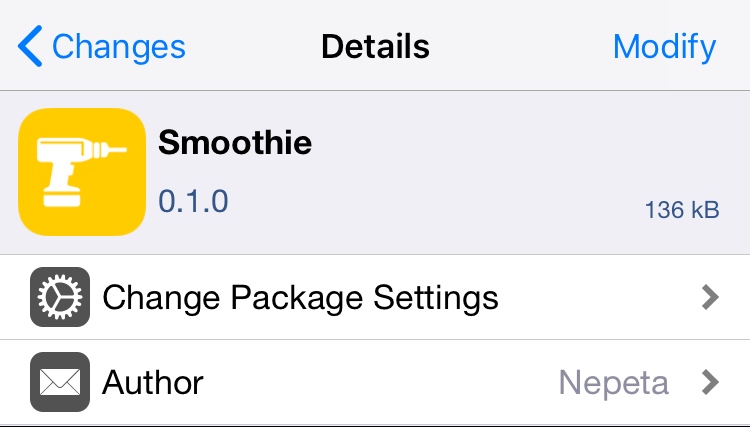
Smoothie removes the ‘paging’ effect when navigating the Home screen

As you scroll through the Home screen’s many pages on a stock device, the scrolling will automatically stop once you arrive on the next page, an effect known to many as ‘paging.’

If you don’t like this paging effect and would prefer that your Home screen scrolling experience felt ‘infinite’ as it does when navigating down a long web page, then you’ll probably come to appreciate a newly released jailbreak tweak dubbed Smoothie by iOS developer Nepeta.

Miss Infinidock? Docky is a jailbreak tweak that will trigger your nostalgia

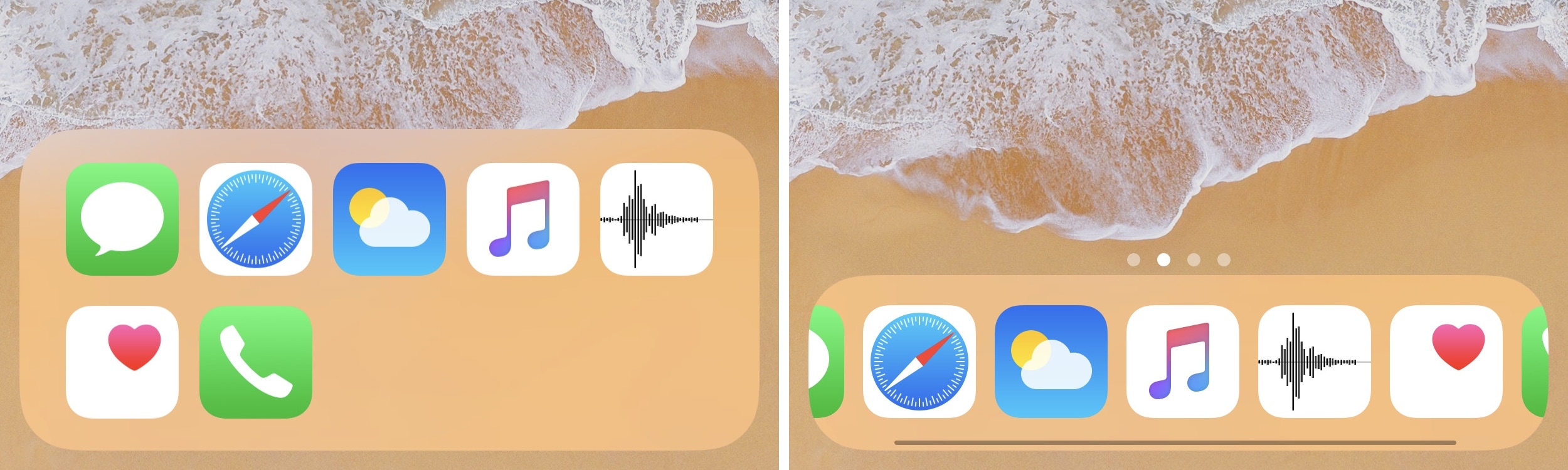
As you scroll through the multitude of pages that make up your iPhone’s Home screen, one thing that’s always visible is the application Dock. That said, the Dock is a wonderful place to store your most frequently used apps, as it makes them quick and easy to access in a pinch.

But for those who demand more than just four application spaces in their application Dock, a newly released jailbreak tweak dubbed Docky by iOS developer Nepeta shows a lot of promise.

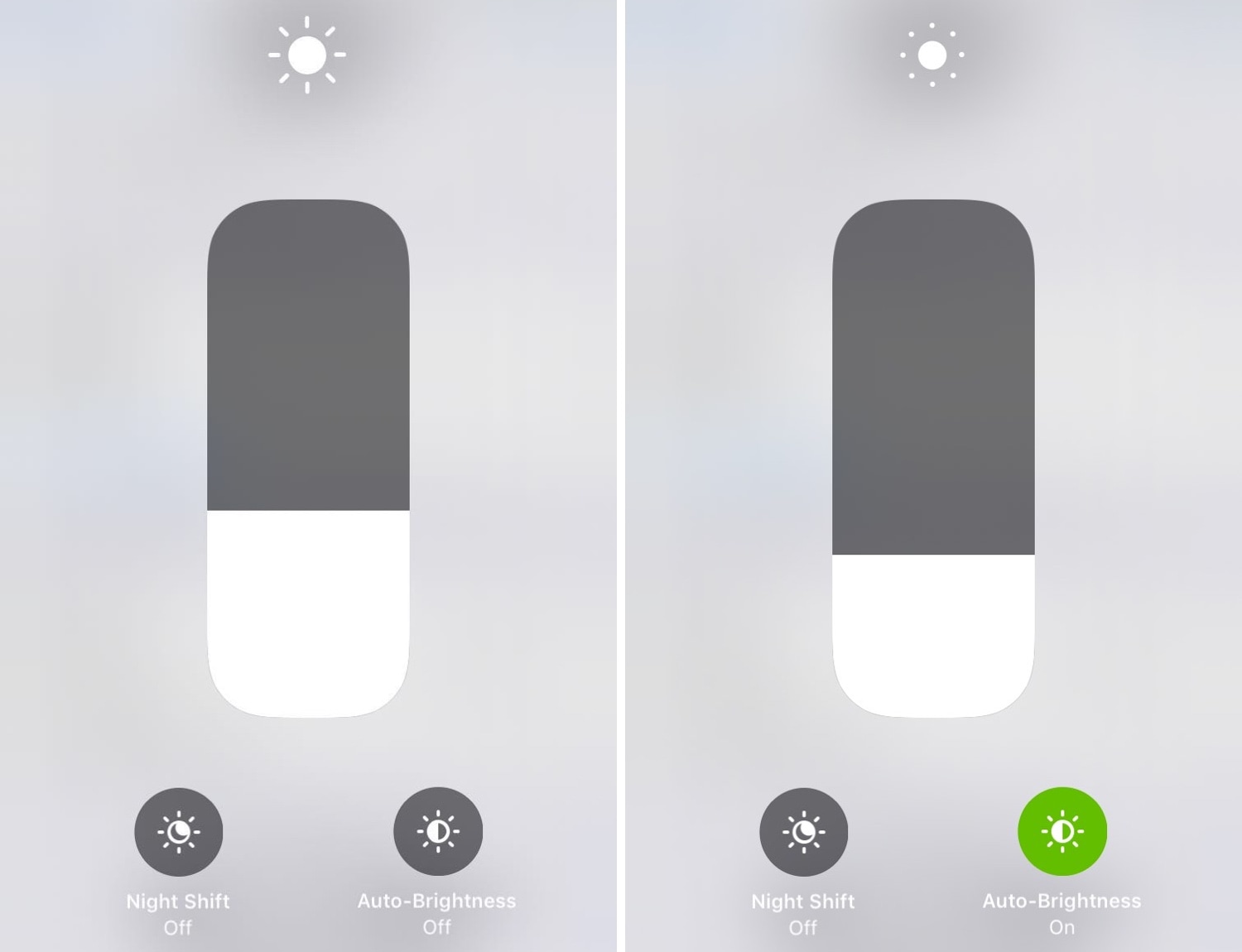
This tweak adds an auto-brightness toggle button to Control Center

If you’re ready to upgrade Control Center’s display brightness module, then we’d recommend turning your attention to a newly released jailbreak tweak called CCBrightnessExtended by iOS developer Paparajote Team.

In the screenshot examples above, you can see that CCBrightnessExtended augments Control Center’s display brightness module by integrating a toggle that can be used to turn automatic display brightness on or off on demand.

Score 100+ hours of app developer training for only $35

For many users, mobile apps are the beginning and end of the internet, games, and media. With this field exploding in popularity and importance over the past decade, opportunity runs aplenty for those looking to make a living off app development. The Complete Web & Mobile Developer Bundle can show you how, and it's only $35 today.

Rhino brings powerful media downloading tools to the Instagram app

If you frequently use the Instagram app on your free time and you have a jailbroken handset at your disposal, then you might want to turn your attention to a newly released jailbreak tweak dubbed Rhino by iOS developer Michael Lema.

Rhino is a powerful extension for the official Instagram app that lets users download images, videos, and even live videos from anything that appears in the News Feed. As you’ll notice in the screenshot examples above, the tweak adds a new Download button just to the left of the native Bookmark button.

Storage3D: View your iPhone’s remaining storage space with a 3D Touch gesture

Every so often, I happen upon new jailbreak tweak releases that incorporate ‘no-brainer’ functionality into iOS, and this prompts me to wonder why the software design team at Apple hasn’t implemented similar features into their platform out of the box.

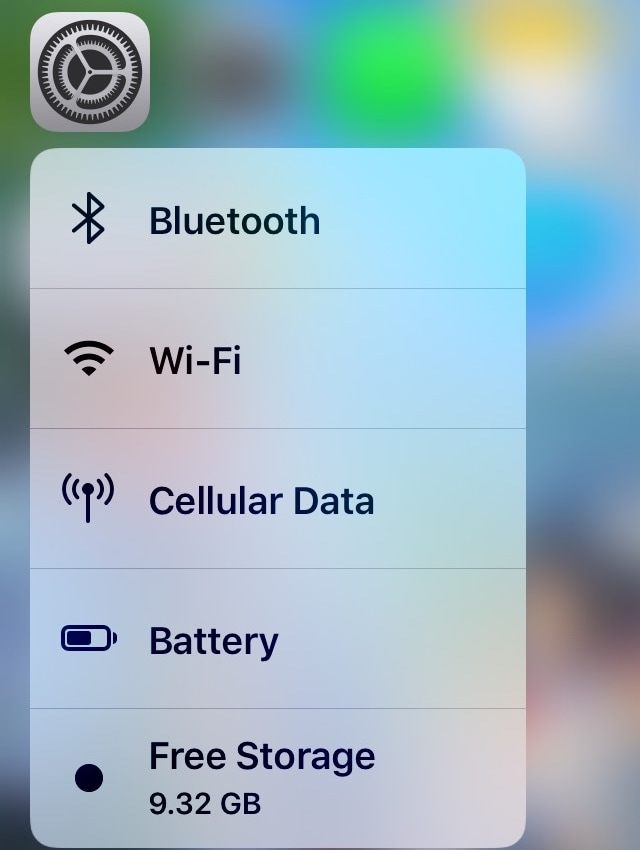
Storage3D by iOS developer Wh0ba is one such release, and as you can discern for yourself in the screenshot example above, this tweak lets you view your handset’s remaining storage space in the 3D Touch menu that appears when you use a 3D or Haptic Touch gesture on the Settings app icon via the Home screen.