Tutorials

How to reset NVRAM on your Mac

Macs are nice computers, but they're not without their issues that can spur up at random times. Fortunately, troubleshooting problems on a Mac isn't incredibly difficult and there are tons of simple steps you can take as a Mac user before calling AppleCare for support.

One of the easiest troubleshooting steps is resetting your Mac's NVRAM, a step which can solve an array of problems. In this tutorial, we'll explain what the NVRAM is responsible for and how to reset it to fix common problems.

How to measure Mac frame rates and enable HiDPI display modes on older models with Quartz Debug

Have you ever wanted to benchmark the graphics performance of your favorite Mac apps and games, or measure the refresh rates of macOS's user interface?

If so, you'll be delighted to learn that Apple provides a free application, called Quartz Debug, which has a built-in live frame rate monitoring tool that can measure the refresh rate of the graphics subsystem in frames per second (FPS).

Here's how you can download Quartz Debug to your Mac and use it to display the number of screen updates per second, see the FPS and CPU gauges changing as you perform different actions on your Mac, enable HiDPI display modes on non-Retina Macs and adjust other settings related to the computer's GPU.

How to disable transparency effects on your Mac

The release of OS X Yosemite in 2014 gave the Mac's user interface a fresh coat of paint in part through adopting much of the transparency effects that Apple added to iOS 7 in prior year.

Transparency is used throughout macOS and can be observed on the desktop and seen in drop-down menus, title bars, sidebars and toolbars.

This post will teach you how to disable transparency for all user interface elements that have a translucent appearance on your Mac.

How to choose which contacts appear in the Phone app 3D Touch shortcut menu

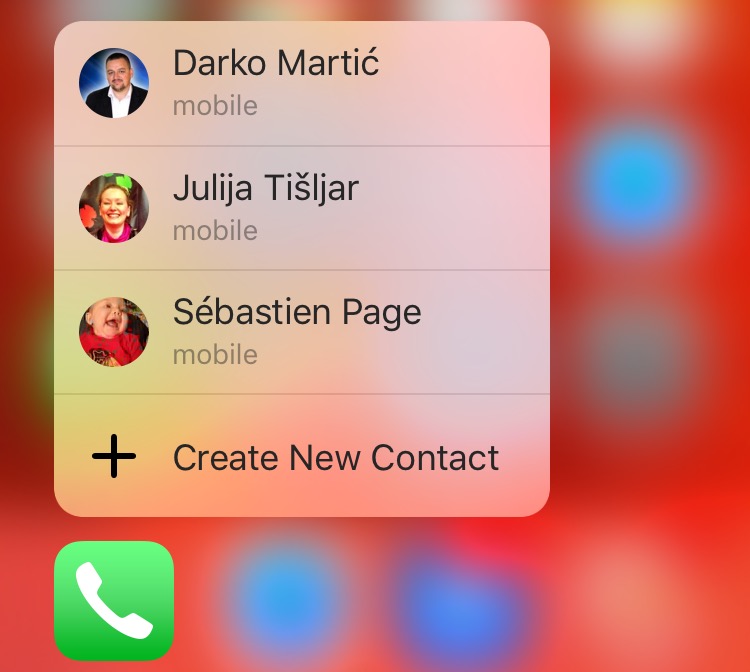
Are the contacts in the 3D Touch shortcut menu of the Phone app confusing you? Upon pressing Phone's icon lightly, a menu pops up with four seemingly random contacts, making it easy to call them quickly from the Home screen. Believe it or not, there's actually some logic behind listing these quick contacts. Even better, you can change their order as well as set other people to be listed in Phone's shortcut menu.

How to annotate email attachments in iOS with Markup

One of the major features that shipped with iOS 9 was Markup, better known for the ability to draw on and annotate attachments of various file types that you receive in the Mail app and then send them back to the original sender, or someone else for that matter.

Despite how useful this feature is, few people actually use it, either because they don't know it exists or they don't know how to access it. In this tutorial, we'll take you through how to access it and cover some of the features it provides.

How to hide device icons on your Mac desktop

If you're a minimalist type of person, then you might prefer to keep your Mac's desktop free of any icons.

Yes, you can easily drag documents and other files that have been cluttering your desktop and put them in a folder on your Mac. However, that doesn't change the fact that icons for external hard drives, USB thumb drives and other hardware devices will still pop up on the desktop as soon as they're connected to your Mac.

Wouldn't it be nice if you could do something about that? Thankfully, Apple's engineers though of that, too, because macOS makes it easy to optionally remove desktop icons for different types of devices with just a few clicks.

About OS X System Integrity Protection aka ‘Rootless’ and how to disable it

All Macs with OS X El Capitan installed on them have a new layer of security known as System Integrity Protection, which has been given the nickname 'Rootless' because it closes off a lot of system files to user access to prevent malicious programs and code from causing harmful changes to the core of OS X.

For some, the added security feels like a must for protection of your personal information, but for more advanced users who poke their noses into system files quite often, the feature can get in the way and prevent user modifications to the operating system. In this tutorial, we'll give you an overview of System Integrity Protection and show you a way to disable it.

Be more productive in Mail with these 3D Touch shortcuts

Apple's Mail is a great place to start trying out iOS's time-saving 3D Touch interactions on your iPhone. With 3D Touch, not only can you create a new email and jump to your inboxes right from the Home screen but manage your emails more efficiently with in-app Peek and Pop gestures.

In this tutorial, you will learn about all the ways Mail takes advantage of 3D Touch to make you more productive by letting you preview emails, contacts, web links, as well as embedded dates and times, airline codes, package tracking numbers and more.