Sébastien Page

Sebastien is the Founder and Editor in Chief of iDB. Once a BlackBerry user, Sebastien instantly fell in love with the iPhone when it was first announced in 2007. Shortly after, he decided to start sharing his knowledge of the iPhone and its nascent ecosystem, which led to the creation of this blog. Sebastien currently owns 14 iPhones, 4 iPads, a MacBook Pro with Touch Bar, a MacBook Air, 2 Apple Watches, 3 Apple TVs, countless HomePods and AirTags as well as a few pairs of AirPods.

Judge Denies Samsung’s Request to Ban iPhone 4S in Italy

Here we go again. In the pissing contest legal battle that has now been going on for months between Samsung and Apple, an Italian judge has once again decided to side with Apple.

According to Italian news website AGI, a judge denied Samsung's request to ban the iPhone 4S in Italy. While the judge turned down Samsung's request, she did ask both companies to provide further evidence, which will be reviewed later in December...

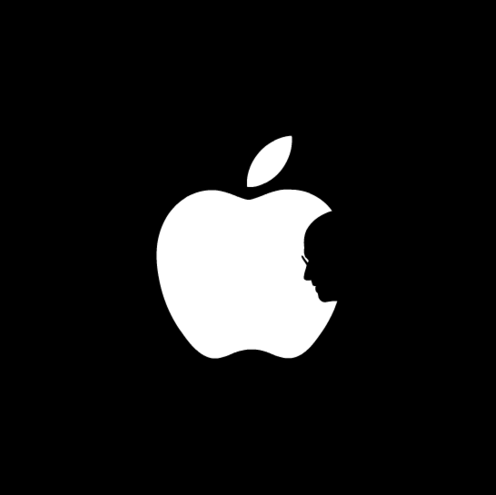
Steve is Watching Over Us

I don't know if Steve is literally watching over all of us, but I know that he's watching over me.

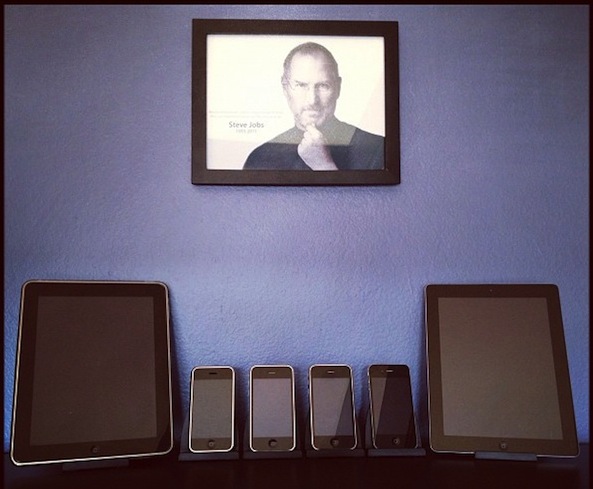
The above picture was taken in my office. The portrait of Steve is actually behind me when I am sitting at my desk, making sure that I do a good job and don't talk too much smack about the company he created.

I tweeted this picture yesterday and a lot of my followers thought it was pretty cool, so I figured I'd share it with you all. Some of you may appreciate it, some of you may find it creepy. To each his own, right?

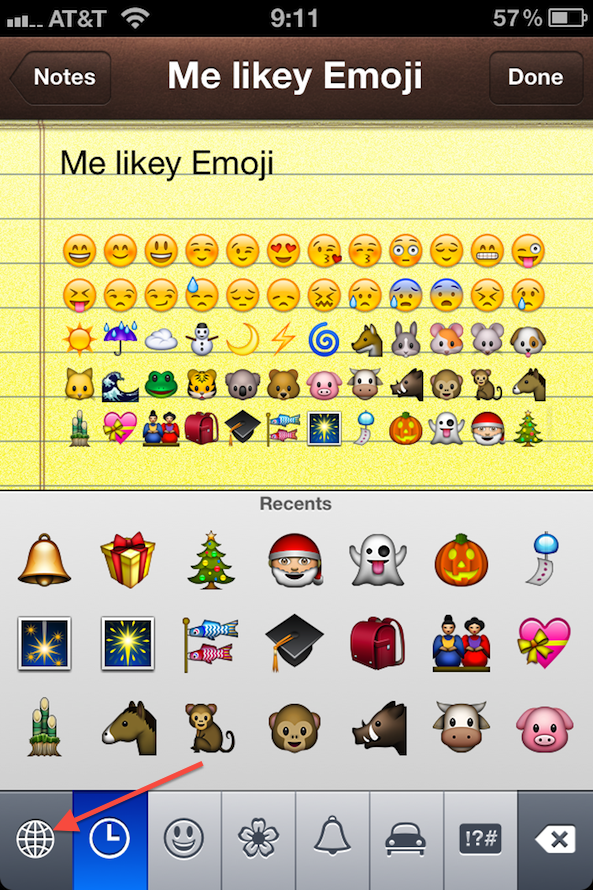
How to Get Emoji Icons on iOS 5 [No Jailbreak Required]

Up until now, the only way to get Emoji icons on your iPhone or iPad was to employ some workaround that either required a jailbreak or an app from the App Store.

Workarounds are great, but native solutions are even better. iOS 5 has made this much easier since it is now letting you use an Emoji icon keyboard on a stock iDevice. No jailbreak and no download required...

I Will Miss You, Steve

The death of Steve Jobs has been affecting me much more than I anticipated. Just like everyone else, I knew Steve's days were numbered, yet, I didn't really prepare myself.

Instead, I did what I sometimes do to unconsciously protect myself. I put my feelings aside and kept ignoring emotions as though they didn't exist.

When the news broke, I was terribly shocked, but not surprised. At the time, I was very sad, but I think I didn't process the information right away. Again, I think my brain blocked my feelings to protect me.

As I watched Apple's celebration of Steve Jobs in Cupertino yesterday, I couldn't help but feel immensely sad, my eyes filling with tears. A few of them eventually fell on my face.

How did I get there? How can I be so affected by the death of a man whom I had never met? A man that, mind you, I had very much disliked for many years.

Yes, for the longest time, I wasn't a big fan of Steve Jobs. While I respected the work he had been doing, I really disliked the man as a human being. Steve Jobs was a real asshole. A dictator. A selfish and egocentric man with little regard for the feelings of others.

I remember reading about Steve Jobs' return to Apple several years ago. The article told the story of how cutting the company's philanthropic program was one of the first thing he did upon his return in 1997. As an avid Windows user at the time, and someone with great respect for Bill Gates' charity involvement, I thought Steve Jobs was just what I always had assumed: a big asshole...

China Mobile Has 10 Million Unofficial iPhone Users

Despite the fact that China Mobile doesn't have an agreement with Apple to sell the iPhone, its network counts 10 million iPhones users, as the company reported this morning via Reuters.

With 630 million customers, those 10 million iPhone users are just a drop in the bucket. But they do tell a lot about how much China wants the iPhone...

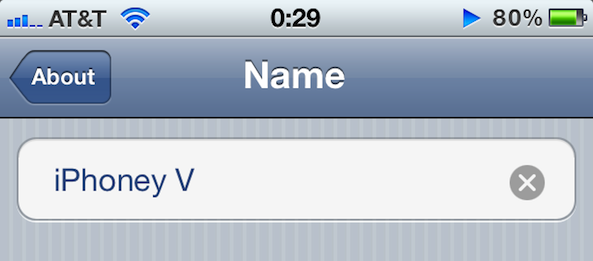
How to Rename Your iDevice on the Fly in iOS 5

You've always been able to name your iDevice in iTunes by plugging it in and clicking on its name in the sidebar to edit. With the introduction of iOS 5 and the PC-free mentality, you don't need to do that anymore.

Apple has made it even simpler to rename your device by letting you do it directly from your iPhone, iPod, or iPad...

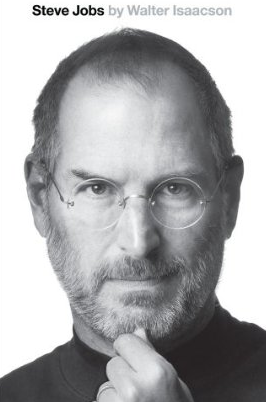
Steve Jobs Biography Now Available in the iBookStore

A quick note to let you know that the Steve Jobs biography by Walter Isaacson is now available in the iBookStore for $16.99. The release date was officially scheduled for November, but it was moved ahead when Steve passed away 18 days ago.

The book is also available right now for Kindle on Amazon. As of tomorrow Monday October, 24th, you'll also be able to buy this book from your local bookstore...

Apple Posts Steve Jobs Celebration Video

Last week Apple held a special event on its main Cupertino campus to celebrate Steve Jobs' life. The event was streamed all around the world to Apple employees, but unfortunately, the rest of us were not able to watch.

Apple today posted the video of the full event for everyone to watch...

AT&T Believes the iPhone 4S is 4G Compatible

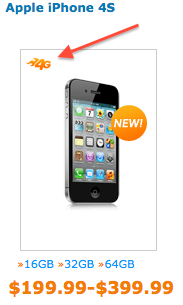
Oopsy! Someone at A&T didn't get the memo. Yes, the iPhone 4S is all new and fast, but it is not 4G compatible, unlike what AT&T currently advertises on its website.

If you go to this page on AT&T's site, you will get a list of 4G devices. The first one at the top of the list is the iPhone 4S, which we know only supports 3G at this point...

How to Make Sure You Receive iMessages on All Your iDevices

iMessage is one of my favorite new features in iOS 5. It's simple, fast, and most importantly integrated right into the Messages app, which makes it even more compelling, assuming you have friends with iDevices as well.

If you have an iPhone your iMessages are sent to your phone number by default, which acts like your iMessage ID, if you will. If you have an iPad, you can only receive iMessages sent to your registered email address. But what happens if you want to receive all your iMessages on all of your iDevices?

Google Voice is Back in the App Store

Last Sunday, Google purposely pulled its Google Voice app from the App Store due to some bug that caused the app to crash at sign in.

Almost a week later, Google Voice is now back in the App Store, with some stability improvement and also a new feature...