Sébastien Page

Sebastien is the Founder and Editor in Chief of iDB. Once a BlackBerry user, Sebastien instantly fell in love with the iPhone when it was first announced in 2007. Shortly after, he decided to start sharing his knowledge of the iPhone and its nascent ecosystem, which led to the creation of this blog. Sebastien currently owns 14 iPhones, 4 iPads, a MacBook Pro with Touch Bar, a MacBook Air, 2 Apple Watches, 3 Apple TVs, countless HomePods and AirTags as well as a few pairs of AirPods.

This week on iDB: everything you don’t know about the Music app, and more…

Like every Sunday, we bring you the stories that were the most popular on iDB during this past week. Whether it is a news piece, an editorial, a tutorial, a new jailbreak tweak, or an accessory review, we sum it all up in one convenient place.

If you like what you're reading, please make sure to spread the love by sharing our posts on your favorite social network.

We're usually hanging out a lot on Twitter and Facebook, more rarely on Google+.

iOS 7: The ultimate Music app guide Apps of the Week: MobileFamilyTree 7, Checkmark 2, Shin Megami Tensei, and more… Themes of the week: Inversify, Ayza, VectrOS and more Wallpapers of last week: still life How to enable Drunk Mode on iPhone Review: ProWidgets Winocm shows off untethered iOS 7.1 jailbreak on iPhone 4 Listen to unlimited music for free with Tuner for YouTube iPhone 6 said to feature ‘Ultra-Retina’ display, 3 new sensors and more How to place folders within folders on iOS 7.1 How to mail more than five photos at once on iPhone and iPad SlideWeather replaces “slide to unlock” with current weather conditions How to add a battery level indicator to the status bar Double mockup: 12.9″ iPad Pro + next-gen Apple TV with iPod touch style remote How to remove geolocation data from iPhone photos Motorola shows off its Android Wear smartwatch, Moto 360, coming this summer

Don't forget to listen to the latest episode of our new podcast, Let's Talk iOS:

And of course, make sure to catch up with the new episode of Let's Talk Jailbreak:

We’re social! Find iDB on Twitter, Facebook, Google+, App.net, YouTube, and in your RSS reader. Also make sure to subscribe to our new podcast!


Get your JailbreakCon 2014 tickets now

With only a few more weeks to go before JailbreakCon kicks off, tickets are now available for this one of a kind event that has been gathering everyone from casual jailbreakers to highly skilled hackers for the past 3 years.

Just like the previous years, the event boasts an impressive list of speakers. Not only attendees will be able to attend talks by Saurik, pod2g, Surenix, Ryan Petrich, and many more, but everyone will also get a chance to meet these high profiles in person. As someone who've attended JailbreakCon before, I urge you to get your tickets now...

This week on iDB: don’t break your jailbreak

Like every Sunday, we bring you the stories that were the most popular on iDB during this past week. Whether it is a news piece, an editorial, a tutorial, a new jailbreak tweak, or an accessory review, we sum it all up in one convenient place.

If you like what you're reading, please make sure to spread the love by sharing our posts on your favorite social network.

We're usually hanging out a lot on Twitter and Facebook, more rarely on Google+.

The ultimate Notification Center guide iOS 7.1 is out with CarPlay support, Siri and Touch ID improvements and more Jailbreakers should stay away from iOS 7.1 Apple credits iOS 7.1 security changes to evad3rs and other jailbreak community members Two new iPad models discovered in iOS 7.1 Hidden AirPlay feature discovered in Apple TV 6.1 Apps of the week: Brushstroke, Sliver, Faif and more Themes of the week: Newport for iOS 7, Trima HD and Lucid Wallpapers of last week: city vs nature Hands-on with the Hipjot keyboard beta for Cydia – try it now ProWidgets: a groundbreaking widget suite with multitasking features Asphaleia now available on Cydia Polus is now available on Cydia SoundCloud Downloader lets you… download music from SoundCloud directly to your iPhone How to get the iOS 7.1 calendar event list view on iOS 7.0 How to view iPhone photos metadata How to send group text messages on iPhone Suspected iOS 8 screenies show Preview, TextEdit and Healthbook app icons iOS 8: better inter-app sharing, improvements to Messages, Notification Center, CarPlay and more

Don't forget to listen to the latest episode of our new podcast, Let's Talk iOS:

And of course, make sure to catch up with the new episode of Let's Talk Jailbreak:

We’re social! Find iDB on Twitter, Facebook, Google+, App.net, YouTube, and in your RSS reader. Also make sure to subscribe to our new podcast!

How to send group text messages on iPhone

iPhone group text message

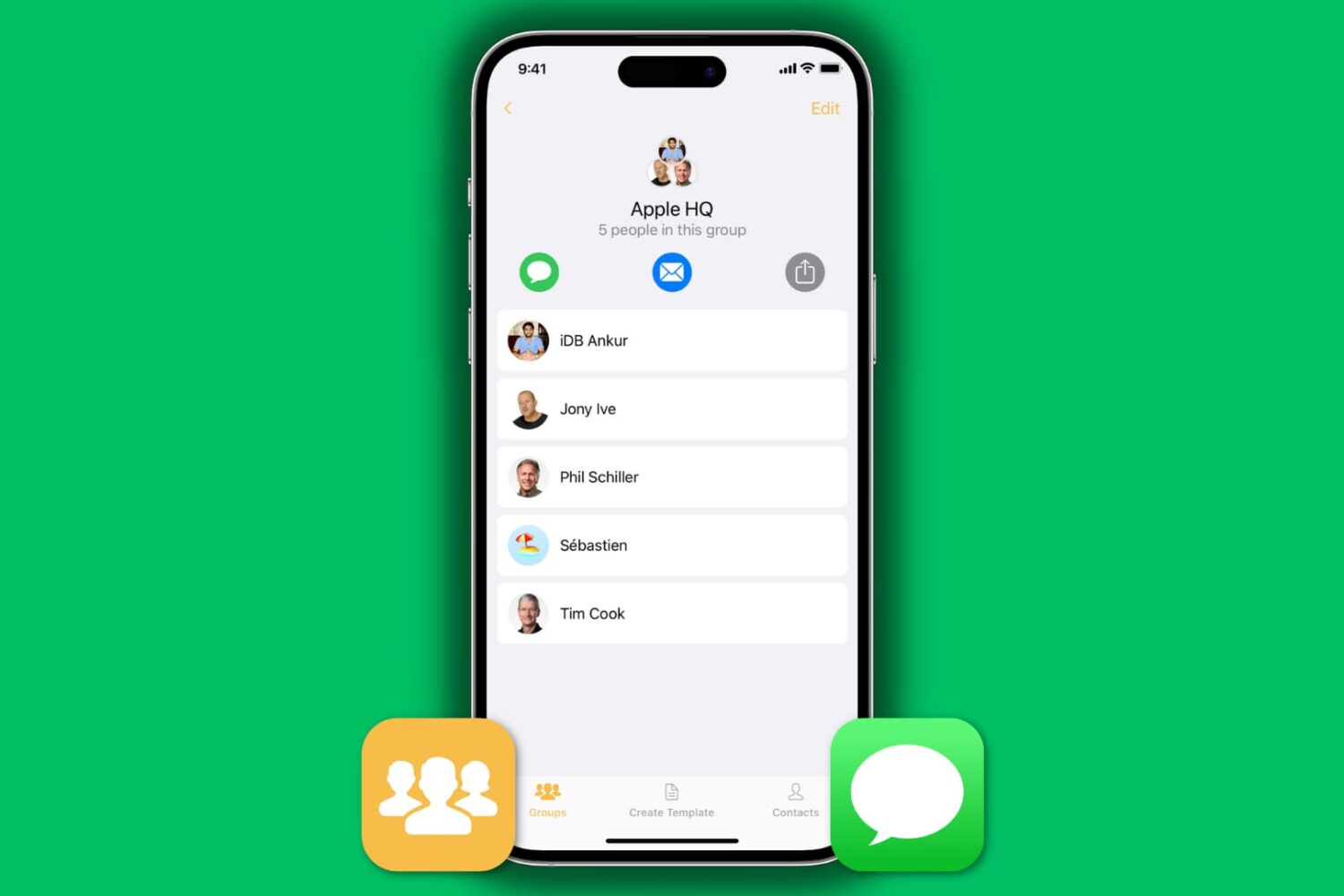
We all know how to send an SMS or iMessage to a group of friends: open up the Messages application and type in the name of the contacts you want to include in this group message. This is fine if you want to send a text message to just a handful of contacts, but what if you want to send a message to 25 contacts, for example? Adding each of them to the group chat could be a time-consuming process.

As always, the App Store can provide a solution to this problem. We will show you how to text message a group of contacts on your iPhone in a quick and efficient manner. To do so, we'll be using our application called Contact Groups, an app we developed ourselves. There are other applications that can streamline your group messaging, but we'll be using Contact Groups as it is a free alternative that works really well for what we want to accomplish.

Download ColorStrokes for free and enter for a chance to win goodies [sponsored]

Since it was released in the Mac App Store in 2012, ColorStrokes has been one of the top photo apps with dozens of glowing reviews. Fastforward two years later and ColorStrokes has now been downloaded over 1 million times. To celebrate the event, ColorStrokes developer Macphun (these are the guys behind Snapheal and Intensify for Mac – photo apps named 2012 and 2013 Best of Mac App Store) has decided to give free copies of the app to everybody, and they've also put up a giveaway where lucky winners will be able to grab 1 of 3 awesome Foffa Bikes, plus your ColorStrokes images printed on canvas.

What's the trick, you may ask? There is no trick. All you have to do is head over to Macphun website and get your free copy of ColorStrokes. You will have to enter your name and email address, then a download link and activation code will be emailed to you. Once you've downloaded your free copy of ColorStrokes, go back to Macphun website to enter the giveaway where you will have to like their page on Facebook and retweet a message.

That's all there is to it. If you don't believe in giveaways, you can always get your free copy of ColorStrokes, no strings attached!

Let’s Talk iOS 019: Discussing iOS 7.1

Episode 19: On this week’s episode we discuss the release of iOS 7.1, the head-turning traditional iWatch concept, rumors of Apple opening up Siri to third-party developers, the official iDB ultimate Siri guide, plus we tell you how to backup and restore SMS Messages on a clean iOS install.

Subscribe on iTunes

Thanks to our sponsor:

lynda.com: Learn iOS, Apple software, programming, web design, and more from easy-to-follow video tutorials at lynda.com/letstalkios.

Jailbreakers should stay away from iOS 7.1

We've mentioned it several times before, but looking at the amount of emails we've received about this matter, it is worth reiterating that anyone with a jailbroken device should stay away from the newly released iOS 7.1. If you update to iOS 7.1, you will lose your jailbreak. At this time, there is no indication that evasi0n7 will be updated for iOS 7.1, quite the opposite.

https://twitter.com/MuscleNerd/statuses/443080497023819776

Obviously, if you do not care about your jailbreak, you are free to update to iOS 7.1. If you choose to do so, you will have to plug your iPhone in iTunes as evasi0n7 disables OTA updates by default.

You've been warned. Now it's your responsibility to make the decision: is iOS 7.1 worth losing your jailbreak? You tell me.

How to send a group email on iPhone

Send group email from iPhone

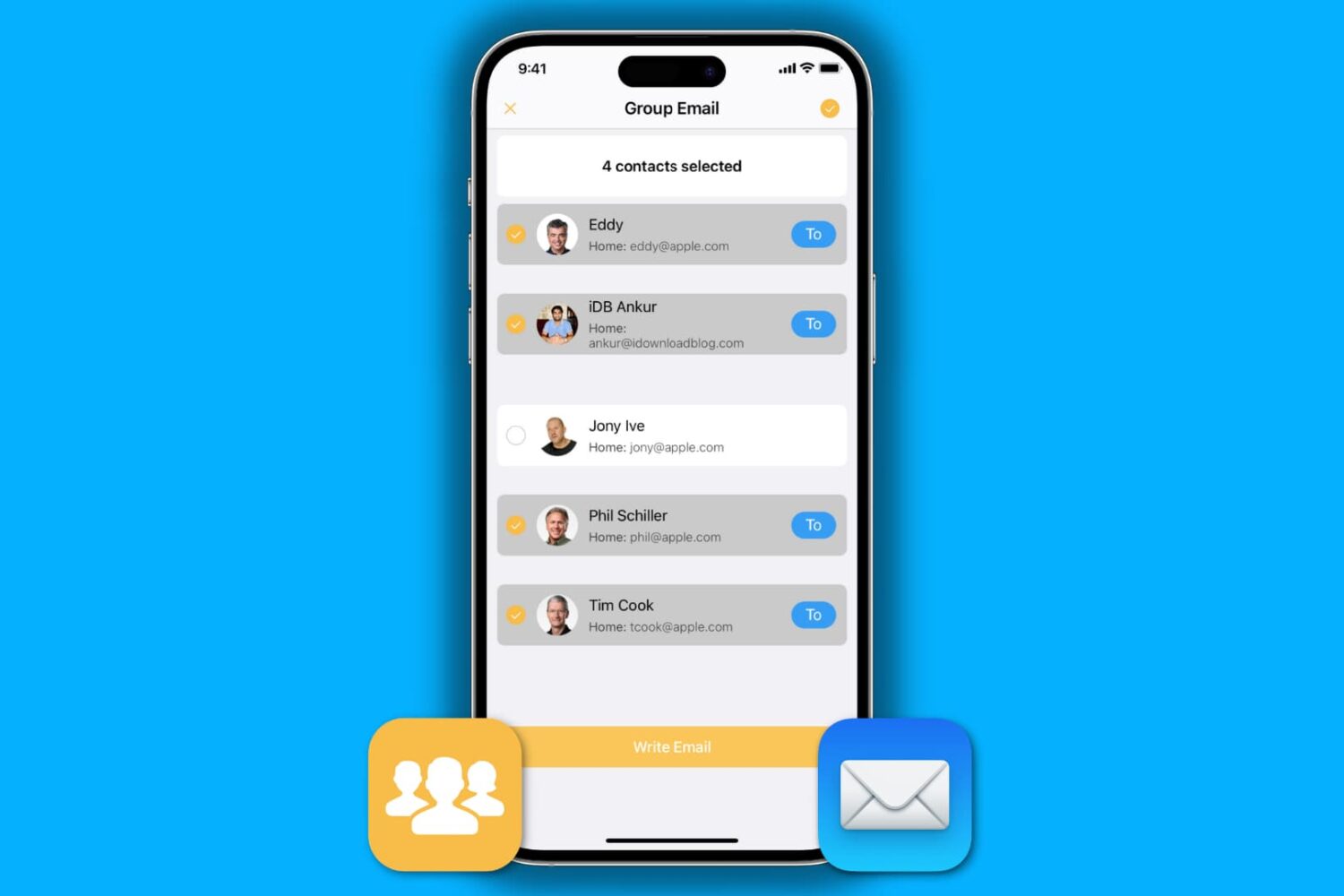
We recently published a post about how to send a group email from your Mac, so we figured we would have a similar one about sending group emails on iPhone as well. Of course, some of you may think it's easy to send a group email on your iPhone. Just fire up the Mail app, and add every contact you want to send the email to.

That sure works, but it's not very practical, especially if you want to send a group email on a regular basis to 20 contacts, for example. We do have a better solution to offer, and in this post, we will show you how to send a group email from iPhone.

How to send group emails on Mac

Creating a group email can be a real time saver as you don't have to manually enter each recipient's email address. Instead, you can quickly type in the name of a group of contacts that you want to send an email to and have the "to:" field of your email client populated for you automatically.

In this post, we will show you how to send group emails from your Mac. As you will soon be able to verify, sending messages to a group from your Mac is a fairly simple and quick process.