Jim Gresham

Editor at iDownloadBlog.com since 2012, Jim Gresham curates the finest wallpapers and customizations for Apple devices, enhancing user experience through visual creativity. With a keen eye for design and a passion for personalization, Jim helps readers transform their screens into stunning displays. He spent his younger years tinkering with computers, reading about technology, and watching Star Wars, while being teased by his peers at school for nerdy tendencies. Since 2008, he has worked on improving his Apple arsenal and spends his free time researching the latest gadget trends, trying to find the next awesome iDevice accessory for review. A native of the Commonwealth of Virginia, he enjoys the stiff crease on a well-ironed dress shirt and dons a bow tie on a regular basis.

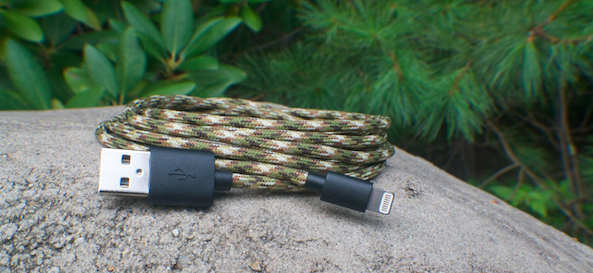
Prevent fraying cables with AwesomeCables

We spent several Let's Talk iOS episodes chatting about fraying cables. Many people suffer from OEM Lightning cables that over time fray near the tip. Arguably, this happens from bending, flexing, and tugging on the cable. Personally, like Cody, I have never experienced this problem. However, most of my cables remain in place, whether in the office, kitchen or car, I do not tote them around. Also, I am careful to pull them from the pin head, as opposed to using the wire as my tugging point.

Here to resolve several issues, including the fray, is AwesomeCables. The newly released 6' Braided Cable showed up for review, thanks to their offer. I am a big fan of the build quality and, most importantly, MFi certification.
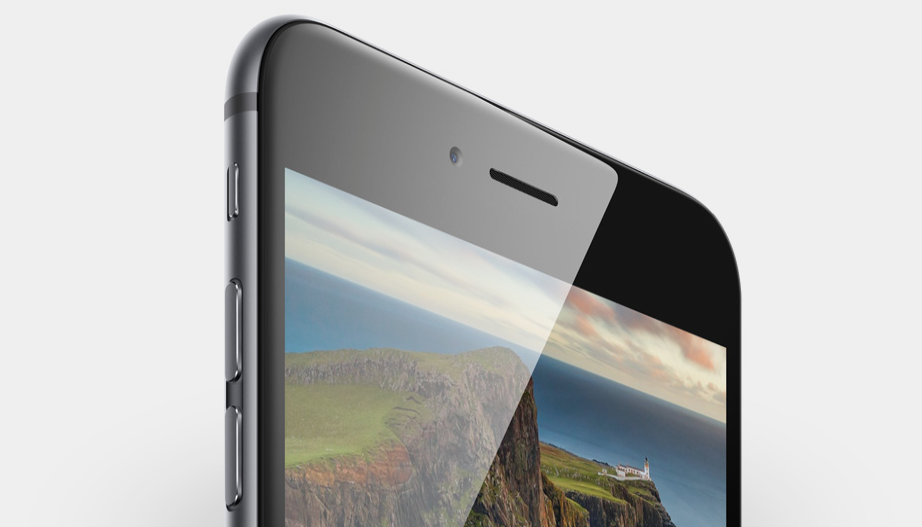
iPhone 6 wallpaper packs

With the excitement of a new iPhone, comes the need for individuals to customize their newest devices. Late last week, we were able to get our hands on the official iOS 8 wallpapers thanks to a few tricks from dedicated iDB readers. The official wallpaper images quickly became one of the most visited wallpaper post in site history. If you missed them, jump over to the download gallery and pick them up for iPhone or iPad, even before iOS 8 launches on September 17.

The Wallpapers of the Week section is dedicated to bringing stellar images to you on a weekly basis. Every Sunday, we release a new set of wallpapers, primarily for iPhone, but also for iPad and desktop. When new iPhones launch, there is always a scramble to find quality images to make a single iPhone stand out amongst the crowd of others. Step inside for your newest downloads.

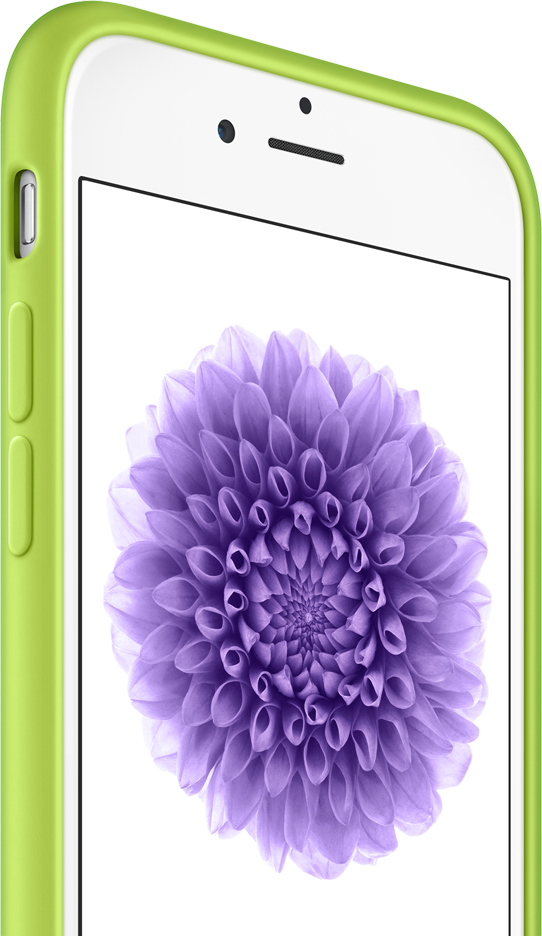
Early iPhone 6 case roundup

With the actual product launch behind us, we can turn to the accessory realm. Dedicated devices have been in production behind the scenes and I received information about a few select versions about a week ago. The cases in the post are either going on sale today or by week's end. Either way, the purchasing link is included below the case description.

Keep in mind, early production cases sometimes are not built on actual dimensions, instead using dummy devices that leak from the Chinese supply chain. Having never held any of these in my hands, or even an iPhone 6 for that matter, I cannot guarantee exact fit. However, if you are looking to keep your iPhone protected from day 1, you may want to nab one of these guys.

Download the new iOS 8 wallpapers

Along with the iPhone 6 and Apple Watch announcements, the GM version of iOS 8 was released to developers. As is typical with all major iterations of Apple's mobile operating system, there were new wallpapers released. The GM release is currently only available for registered developers, which means the common users are left waiting for iOS 8 to launch publicly before taking advantage of the images.

Thankfully, we have a connection with @JasonZigrino, who is the graphic artist responsible for publishing these iOS 8 wallpapers for us. Additionally, @BenjaminTourin helped with the technical aspect of snagging these files out of the iOS 8 GM and also launched them on his personal blog.

Down below, we have the full pack of iOS 8 wallpapers for iPhone and iPad for you to download.

Beach wallpapers

Summer is coming to a close and with it our trips to the beach. An upcoming Apple media event always seems the marked end of summer. For people in the business of covering Apple products, annual cycles are built around the media event launch season. To celebrate summer's end, there are four beach oriented wallpapers enclosed. If heading to the beach is no longer an option, at least enjoy the beauty of nature's largest body of water from your phone.

From orange sunsets to the blue water, beach wallpapers have staggering color difference and clarity, if the photo is taken correctly. We have selected four great wallpapers. Enjoy the serenity.

Hands on with Truffol’s reversible USB Lightning cables

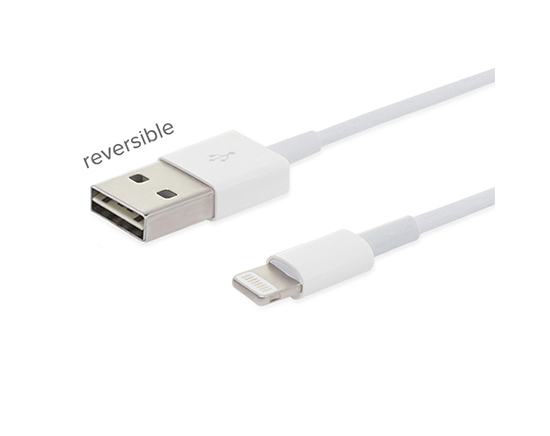
There have been a lot of rumors going around about Apple's alleged reversible cable. Most recently, reports are saying no such cable will be included with September's iPhone 6 launch. It is shocking reversible USB cables are not already in mass production. After all, the technology is quite old. Only since the reversible cable was linked with Apple, has there been such a firestorm.

Last week, we posted an article about accessory maker Truffol debuting a reversible cable, available for purchase immediately. I was able to get my hands on a pair of cables from the manufacturer and am quite pleased with their build quality!

Twelve South’s HoverBar 3 expands compatibility to work with any iPad

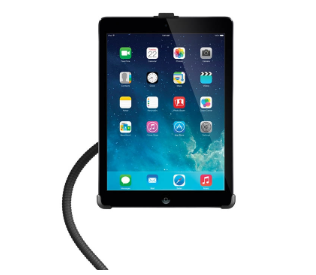
Way back in September of 2012, I wrote a fairly lengthy review of the HoverBar by Twelve South. The device is a mounting mechanism for iPad. It is not a new contender to the mountable space, certainly not two years later, but it is a well designed product. Twelve South, a South Carolina based company, limits their product development to a low number each year, ensuring proper care is spent on each device they launch.

The HoverBar 3 is an intentional upgrade on the previous generation. The 22" arm extends from a bi-directional assembly that screws into a metal clamp. Overall, the design and assembly is almost exactly the same. Where the new generation differs is the compatibility for iPad 2nd - 4th generation, iPad Air, and both versions of iPad mini.

The SmartStyle case gives a notebook feel to your iPad Air

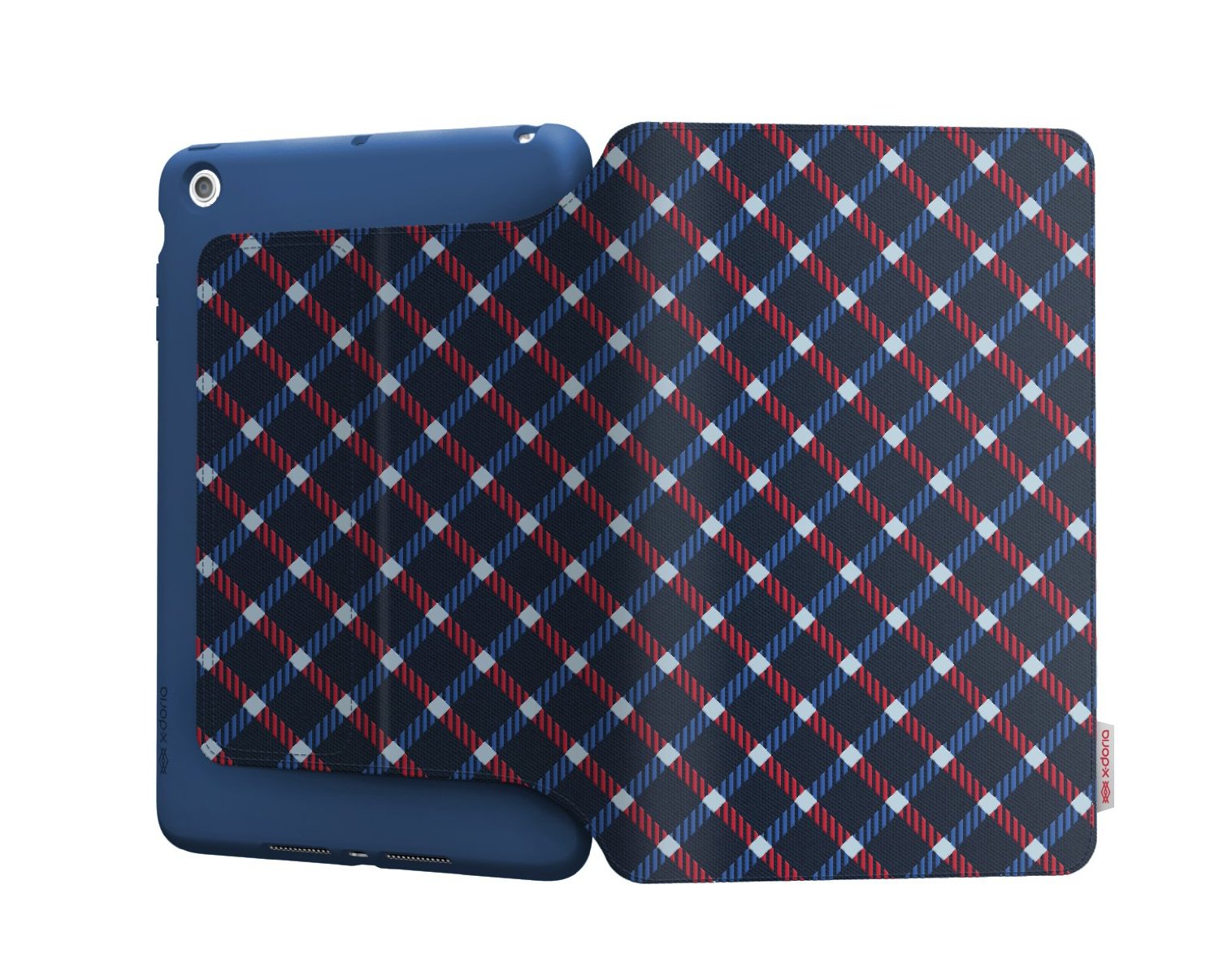
X-Doria is a relatively new comer to the Apple accessory arena. While they have been around for a couple years, they are still making a name for themselves. One of their key product features is a puffing ink that raises as it is heated in the production process. Almost any design you see in their product lineup, utilizes the 3D puffing ink, making it standout among other simply screen-printed competitors. The ink provides tactile feedback, offering an easier to handle case and a good looking stark color pattern.

The SmartStyle Patterns for iPad Air gets its name from the stylized printed patter and the Smart Cover technology. Using exactly placed magnets, SmartStyle behaves similarly to an Apple Smart Cover, waking or sleeping iPad as the cover is either opened or closed.

Universe galaxy creation wallpapers for iPhone

As the section is titled Wallpapers of the Week, it stands to reason we pick the best images we can find around the net on any given week. Today, there is a great selection of nebula and galaxy wallpapers, but I would not call them the most popular over the past seven days.

Going back a few days, Apple announced the September 9 event for iPhone, and possibly a wearable device. The event, which is always a hyped occurrence, is gaining more excitement by hosting media at the Flint Center and building a whole separate structure to house something. All of this to say, if you missed the Apple announcement wallpapers earlier this week, make sure to check out the handy work of some great iDB readers.

Alternatively, don't miss the great colorful wallpapers in today's post.

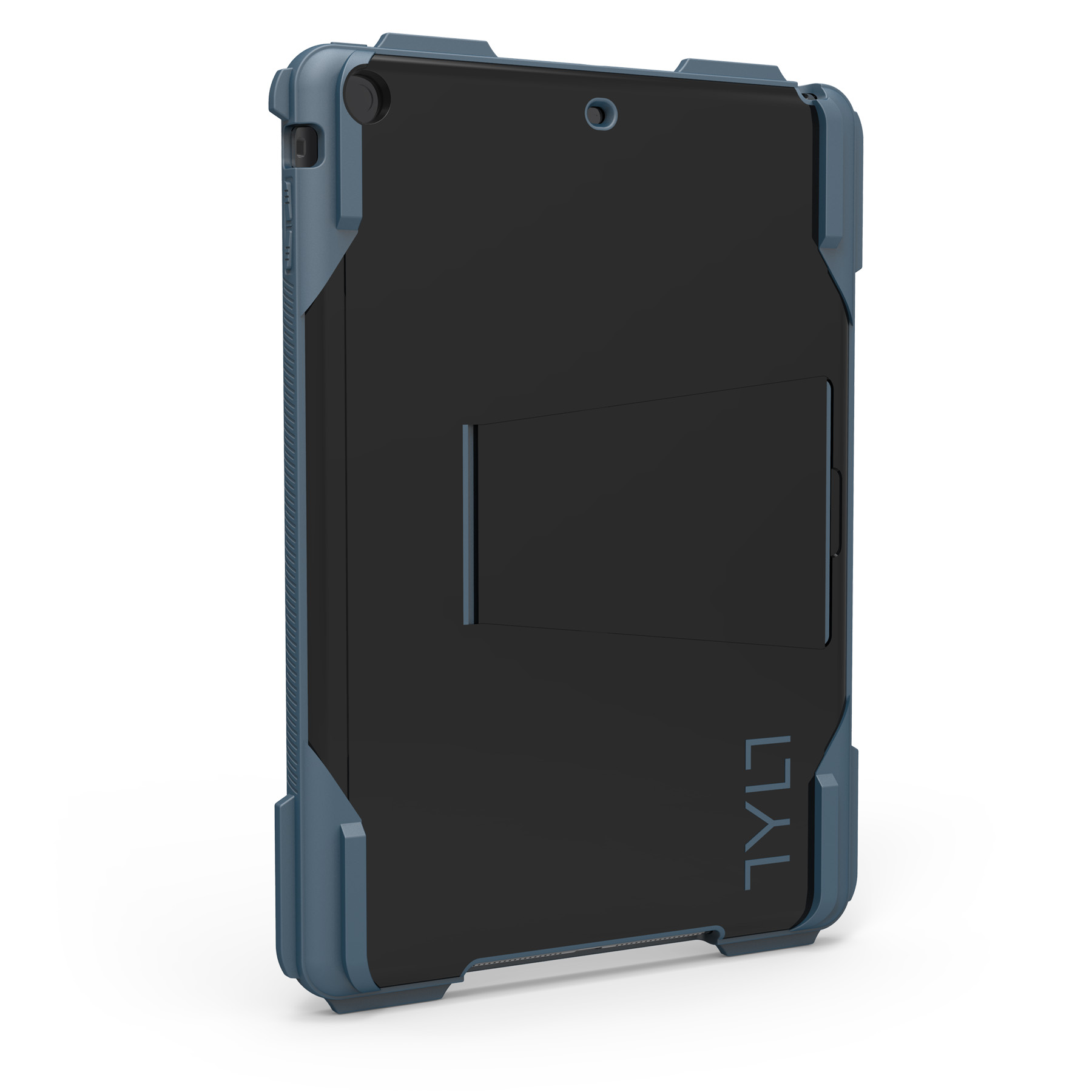
The Tylt Ruggd case is built for style and damage protection

If you are prone to dropping, abusing, and misusing your iPad Air, hopefully you are shopping around for a solid case. You are going to need something with a shockproof design, corner protection, rubberized absorbing base layer, and a little bit of flexibility. All of those features are built neatly into the TYLT RUGGD iPad Air case.

Making no bones about design, the RUGGD forgoes any eye candy design and goes straight for protection. With bulky corner cushioning and what appear to be four leg-like bumpers on the back, RUGGD should have you safe and sound, unless you drop it face down.

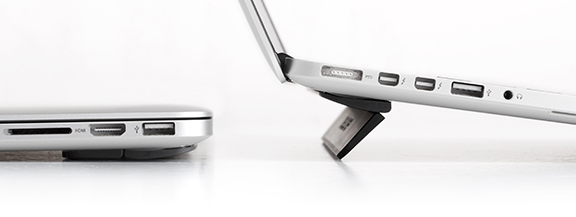
Kick your laptop up a notch with Kickflip

There are times when typing at a flat angle is uncomfortable. It is most noticeable when using my MacBook Air 13". All of the keyboards I use, including Apple's standard wireless keyboard, are angled for ease-of-use. Contrary to standard keyboards, Apples laptop line sits flat on the resting surface.

Asking to "kick it up a notch," Bluelounge released the Kickflip just a few weeks ago. Hoping to increase productivity and ease everyone's wrists, the Kickflip does just as the name suggests: props your laptop with just a flip.

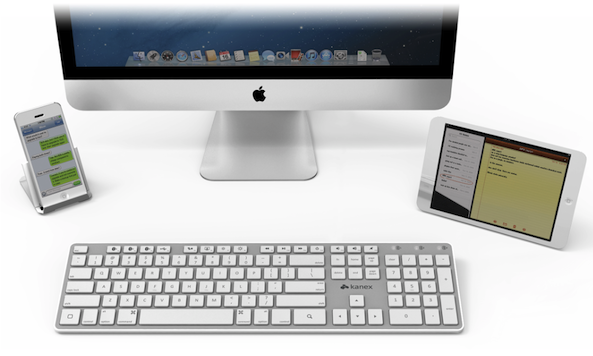
Share one Bluetooth keyboard between multiple devices with the Multi-Sync Keyboard

Have you ever used a Bluetooth keyboard with your iPad? Sure, you have! All serious iPad users have, at one time, tried to use a Bluetooth keyboard with their favorite tablet. I tried to use an external keyboard on several occasions with my iPad, not just for reviews either.

The same can be said for iPhone. In fact, at one time I was searching mini Bluetooth keyboards to keep on my desk, just to make iMessaging easier. That was before my OS X days. During the course of any day, I almost always keep my iPhone and iPad in a dock or stand next to my computer. Being a user of multi-devices, there are certain tasks I like to accomplish on each device.

Complicating my movement from device to device in a serious work environment is input. Typing on an iPhone or iPad's virtual keyboard is not the best experience, and that is coming from a fanboy. What would be perfect, is a wireless keyboard that operates either devices without the hassle of re-pairing each time. What would be perfect is the Kanex Multi-Sync Keyboard.