Jeff Benjamin

Jeff has been with iDownloadBlog since 2010, acting as resident video specialist, and tutorial expert. He earned his degree in Computer Network Systems back in 2001, but decided Cisco routers and the like just weren’t for him. Since then, he’s been heavily involved with online writing. He’s written for numerous tech and video game sites since the late 1990′s, and has a knack for explaining things in a simple, clear, and concise manner. Jeff works primarily from the east coast on his Retina Macbook Pro, and shoots video with a Canon DSLR. During downtime he likes to travel the world, visiting the various Apple Stores across the globe. You can email him at jeff [at] idownloadblog.com and follow him on Twitter @JeffBenjam or on Google+.

RemindMeLater Puts the Snooze on Your iPhone Calendar Events

Well, surprise, surprise. Here we are with another infamous case of ‘why didn’t Apple think of that?’ In case #1,559, we’re presented with a handy-little jailbreak tweak by the name of RemindMeLater. Its sole purpose in life is to increase the productivity of your procrastination efforts.

In other words, RemindMeLater adds a handy snooze button to your calendar events. And while it's true that this feature is included in virtually every piece of calendar software known to man, this isn’t the first time that something so obvious has been left on Apple’s cutting room floor.

FaceTime Spells Long Term Trouble for Skype

Given the impressive adoption numbers of the iPhone on a weekly basis, I’m simply stumped as to why Skype isn’t taking the iPhone platform more seriously.  Sure, they have an app, but it’s almost like they created it just to say they have an app in the App Store.

Skype has almost single handily revolutionized what it means to communicate in today’s digital world, and they've made it infinitely easier for ones across long distances to stay in relatively close touch with one another. So why is Skype resting on its laurels? Is this the attitude of a company who’s simply satisfied with its accomplishments thus far?  Does having 1 in 11 of the world’s population among your growing list of users result in stifling innovation? We examine the situation inside...

FaceTime Comes Back To The Mac

Okay, so it was never on the Mac to begin with, but who didn't see that coming? At Apple's 'Back To The Mac' event this afternoon -- or morning, depending on where you call home -- FaceTime was announced for Mac OS X.  This means that all of those with iPhone 4's just got a few million more potential friends to talk to via Apple's suddenly ubiquitous social service.

Of course the most exciting news is that FaceTime for the Mac is available for download today.  For your convenience, we've included a video demonstrating a FaceTime call between a Mac and an iPhone 4. Check inside for the full details.

Is This the Verizon iPhone 4?

A blog by the name of Richy Rich has posted what they claim to be spy-photo's of the upcoming CDMA Version of the iPhone 4, which is reportedly heading to Verizon in the near future. The device in the shots are said to be running a test operating system, which is a lot like what we saw from the GSM version of the iPhone 4, when photos of it inevitably leaked online earlier this year.

The blog also reports that the new CDMA iPhone 4 will retain its GSM micro-sim slot, which would indicate that the device could become a genuine "world phone" were it to be unlocked.  A few already existing phones on Verizon's network, most notably those in the Blackberry line, already offer dual CDMA and GSM connectivity...

FullScreen for Safari Adds Multitouch Functionality to Your iPhone Browsing Experience

Even with plenty of browser alternatives out there, I always find myself going back to Safari.  There's just something aesthetically pleasing about Apple's stock browser that keeps me coming back, even though it's totally devoid of some basic features.

For this reason, whenever I hear about any tweaks that add additional functionality to Safari, I'm all over it like white on rice.  The latest tweak to come out of the jailbreak community is called FullScreen for Safari, and it packs quite the punch.

ActionMenu Voice Plugin Lets Your iPhone Really Speak Its Mind

Sometimes it seems as if the iPhone truly has a mind of its own, and now with the latest plugin for ActionMenu, your iPhone can speak its mind as well.  Who needs to read all of the time anyway?  ActionMenu Voice plugin gets rid of the need to read by making transcribing quick, easy, and effortless.

Okay, so I was being facetious about the reading part. Reading's great, in fact we highly recommend it here at iDB, but it is cool to know that the option to transcribe is right at your fingertips.  And you know what the best part about all of this is?  It won't cost you a dime.

Free iPhone Case Friday

Now that Apple has officially discontinued its free case program, how’s a person supposed to get a case these days? Buy one?

Well, you could, or you could just win a free one on the house!  That’s right, this Friday happens to be Free Case Friday, and we’re giving away not one, but two brand-spanking-new speck PixelSkin HD for iPhone 4 cases to two of our fortunate readers.  Will you be one of them?

NowPlayingPandora Makes it That Much Easier to Share Your Barry Manilow Crush

NowPlayingPandora is an ActionMenu plugin that makes it easy to tell the world what you’re listening to. All that it takes is a quick copy and paste, and just like that, all of your twitter followers will know just how much you adore you know who.

It’s refreshing to see that one of the best jailbreak apps ever -- ActionMenu -- is still receiving support on the developer end. The latest plugin to arrive on the scene is appropriately entitled, NowPlayingPandora...

No Cydia Icon After Jailbreaking with greenpois0n? This May Help

The greenpois0n jailbreak has proved to be somewhat buggy for some users, including us. Fortunately, we've been able to navigate around a few of those bugs with a little bit of tinkering.

One of the biggest reported problems is the lack of a Cydia icon on your springboard following a successful jailbreak. Look inside for a step-by-step guide on how to add Cydia back to your springboard!

Mark Read Helps Keep Your iPhone’s Inbox Looking Good

Answer me this, how many times have you risen from a night’s slumber, only to find your email inbox littered with stuff that you don’t want to deal with at the moment? Or, what about mail that you just don’t need to read at all?

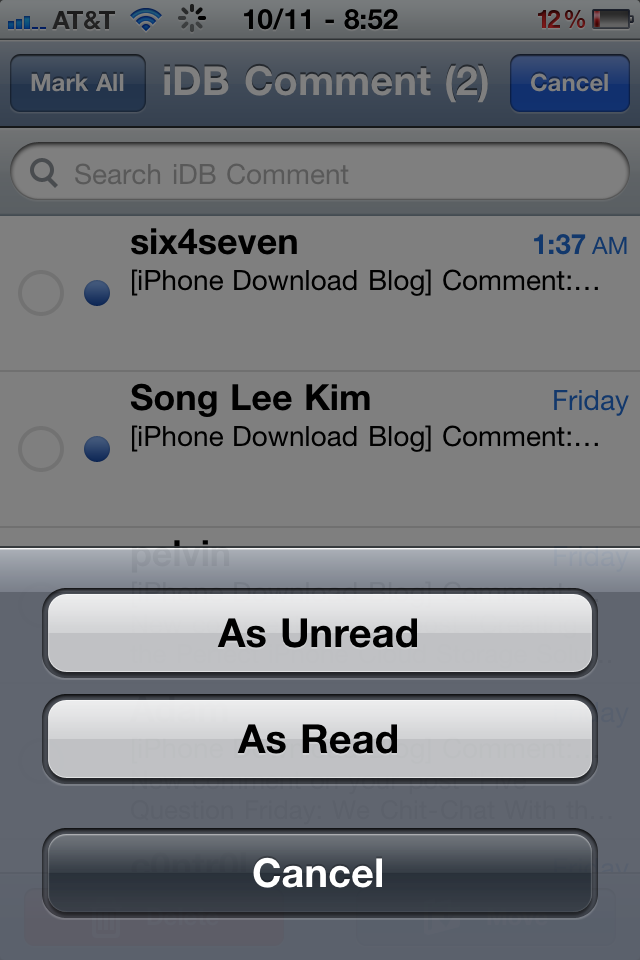
In times like these, it would be nice if the iPhone featured a “Mark As” feature to quickly mark email as being read or unread. I’m sure Apple will eventually get on the ball and add this strangely absent feature, but for those who are jailbroken, the future is now...

GreenPois0n Download

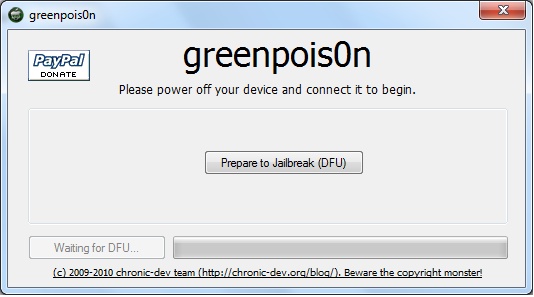
After a bit of a shaky start, the Chronic Dev Team has finally released the much anticipated greenpois0n jailbreak, and it's available for download now. Much like the already released limera1n, this jailbreak allows you to jailbreak iPhone running iOS 4.1 and iOS 4.2.1.

The GreenPois0n download is now available for both Windows and Mac, and a Linux version might be in the works. GreenPois0n will allow you to jailbreak the iPhone 3GS, iPhone 4, iPad, iPod Touch 3G, and iPod Touch 4G.

You can download GreenPois0n from our downloads section.

If you're not sure how to use it, you may want to refer to our guide on how to jailbreak the iPhone using GreenPois0n.

Tutorial: How to jailbreak your iPhone Using GreenPois0n

This step by step GreenPois0n guide and tutorial will show you how to jailbreak your iPhone 4.1 using GreenPois0n, the new jailbreak by Chronic Dev Team. This GreenPois0n guide will work for the iPhone 3GS, iPhone 4, iPad, iPod Touch 3G, and iPod Touch 4G.

GreenPois0n is is available for Windows, Mac, and Linux.

Although we encountered a few issues here and there, we were able to jailbreak our iPhone 4 successfully using greenpois0n. Once you get around a few hiccups, the process really isn't all that difficult.

Check inside as we step through the jailbreak process with greenpois0n using a Windows machine. The steps are exactly the same no matter what platform you use.