Jeff Benjamin

Jeff has been with iDownloadBlog since 2010, acting as resident video specialist, and tutorial expert. He earned his degree in Computer Network Systems back in 2001, but decided Cisco routers and the like just weren’t for him. Since then, he’s been heavily involved with online writing. He’s written for numerous tech and video game sites since the late 1990′s, and has a knack for explaining things in a simple, clear, and concise manner. Jeff works primarily from the east coast on his Retina Macbook Pro, and shoots video with a Canon DSLR. During downtime he likes to travel the world, visiting the various Apple Stores across the globe. You can email him at jeff [at] idownloadblog.com and follow him on Twitter @JeffBenjam or on Google+.

NotiPad: Growl like notifications on the iPad

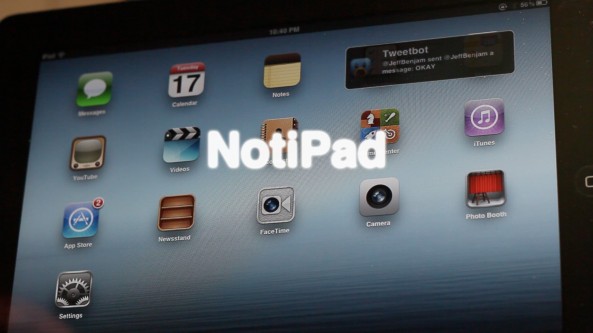
NotiPad is an upcoming jailbreak tweak that promises to provide Growl like notifications on the iPad. The notifications that appear with NotiPad replace the standard banners present in iOS 5 and above.

Each notification can be tapped to launch its respective app (or double tapped, if you prefer to dismiss it). There are also options contained within the Settings app, that allow you to configure the animation style and switch the position of incoming notifications.

Take a look inside for the full video walkthrough...
How to jailbreak iOS 6 beta 3

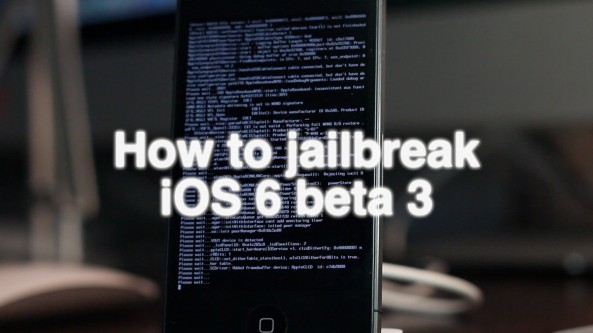
Now that the iPhone Dev Team has released RedSn0w 0.9.13dev3, it's easy to jailbreak the latest iOS 6 beta 3 release. This jailbreak will also work with previous versions of iOS 6 beta, such as iOS 6 beta 2.

Bear in mind that this is still a tethered jailbreak, and it will not install Cydia on your device. Since you must point to the current beta firmware, you need to be a developer so that you can access iOS 6 beta 3.

If you meet these requirements, then step right inside as we walk you though using RedSn0w 0.9.13dev3 to jailbreak an iPhone 4 running iOS 6 beta 3.

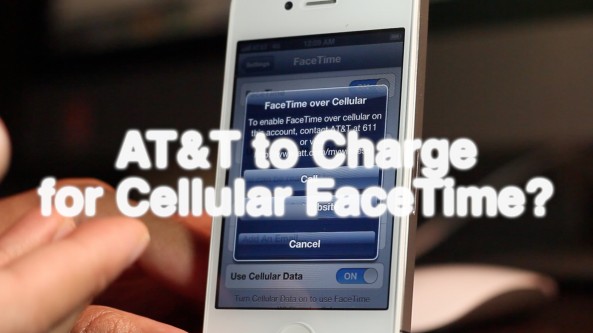
Here’s why we think AT&T might begin charging for FaceTime over cellular [Video]

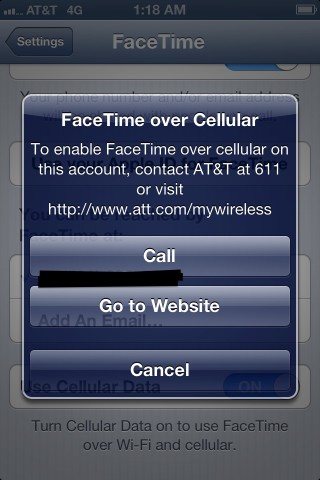
This video showcases the new pop-up dialogue box that interrupts you when trying to enable FaceTime over cellular in iOS 6 beta 3.

Apparently, AT&T has a scheme in the works to pry more dollars from their iPhone customers. As Cody noted via Twitter, perhaps they're thinking about rebounding after taking a hit on text messaging fees due to iMessage.

Take a look inside as we demonstrate the differences between an AT&T iPhone 4S, and a Verizon iPad 3, when attempting to enable FaceTime over cellular...

Will AT&T charge to use FaceTime over cellular?

It almost seems unthinkable, but there is a strong possibility that AT&T might charge to enable FaceTime over cellular capability in iOS 6. 9to5 Mac posted a screenshot that shows a dialogue box prompting the end user to contact AT&T in order to enable FaceTime over cellular. This is indicative that AT&T could perhaps plan on charging customers to use this feature, despite the fact that their customers are already paying for the data.

As Mark Gurman notes, this is highly similar to the process that users go through to enable the Personal Hotspot feature on the iPhone. Of course, we can't say for sure whether or not this "feature" will make the final GM version of iOS 6, but I'd say it's possible judging from the screenshot provided from the iOS 6 beta.

The question is this: Is AT&T brave enough to actually go through with this, further alienating an already highly pessimistic user base? I can smell the backlash already...

How to quickly search iDB on your iPhone from anywhere

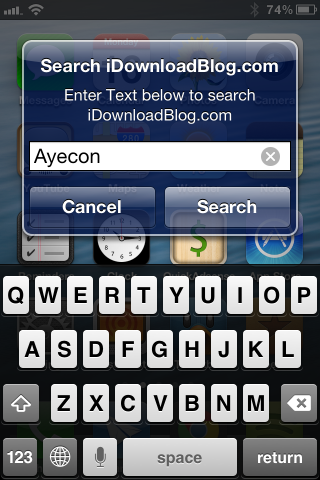
QuickiDB is an upcoming jailbreak tweak that will allow you to search the contents of iDownloadBlog from anywhere. It accomplishes this feat by means of an Activator action that invokes a dialogue box with a simple search field.

With QuickiDB installed, it's easier than ever to search the contents of iDownloadBlog. Now all of your favorite jailbreak apps, tweaks, reviews, and opinions are just a couple of taps away, and you don't even have leave your current activity to do so...

Octopus Keyboard now available on Cydia’s BigBoss repo

[tube]http://www.youtube.com/watch?v=8GCxr6NowXs[/tube]

Octopus Keyboard — the highly anticipated BlackBerry 10 keyboard tweak for jailbroken iOS devices — has finally touched down on the default BigBoss Cydia repo.

Prior to its landing on the BigBoss repo, the developer released the tweak on his own personal repo. You can check out our further analysis of Octopus Keyboard both here, and here.

Although the download is free of charge, be aware of the fact that you must purchase a $4.99 license via PayPal in order to use the tweak. Have you been waiting for Octopus Keyboard to finally appear on the default Cydia repos? If so, are you going to try it?

HomeCourts brings banner shortcuts to jailbroken devices

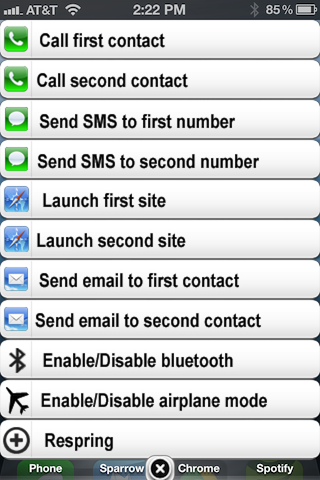
No, it has nothing to do with having an advantage in a game of basketball. HomeCourts is a jailbreak tweak that lets you access a series of banners on the Home screen that serve as shortcuts. I still don't quite get the name, but I think it has something to do with shortcuts being on the Home screen? That's my best guess anyway.

HomeCourts features pairs of configurable shortcuts. There are two shortcuts for making a phone call, two for sending a message, two for launching websites, etc. All of these shortcuts can be assigned and configured in the Settings app. Needless to say, HomeCourts is about as cumbersome as it gets for a jailbreak tweak.

How to make your iPhone speak the current time and date

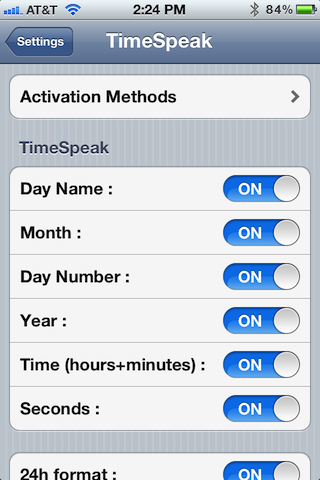
Sometimes you just don't have time to look at the time. Or maybe you're in a dark room, and don't want the iPhone's light to blind you as if you were staring directly into the sun. In either of these scenarios, using TimeSpeak would be appropriate.

TimeSpeak is a jailbreak tweak that will speak the current time and date out loud when invoked via an Activator action. The tweak contains numerous options for speaking certain parts of time like day, month, hours, minutes, seconds, etc. Take a look inside for a full video demo...

MultiBoot is a quick boot toggle for jailbroken iPhones

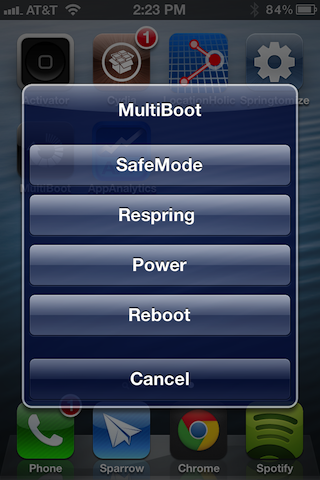
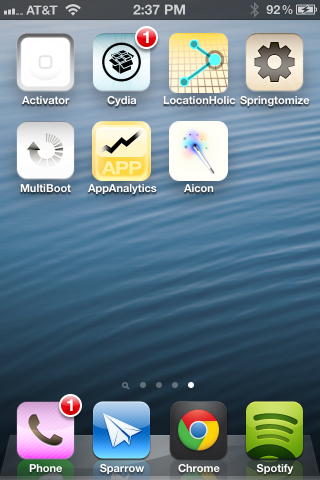
MultiBoot is a tweak that allows you to quickly respring, reboot, safe mode, or power off your iPhone using a Home screen app icon. This same concept has been accomplished time and time again on the Cydia store, so MultiBoot doesn't exactly have originality on its side.

That being said, MultiBoot is a solid tweak that performs its functions reliably. Check out our full video walkthrough for the full details on how it works...

AppAnalytics: a beautiful way to capture your app usage habits

Let's be honest here for a second. Jailbreak apps don't exactly have a reputation for being easy on the eyes. In the majority of cases, they are fairly basic, sometimes crude, but more times than not they get the job done. And when it comes to jailbreak apps or tweaks, getting the job done is enough; we're not overly picky when it comes to aesthetics.

But when a jailbreak app appears on the scene that looks like it was designed to move units on the App Store, you can't help but take note. AppAnalytics — an app usage app for jailbroken devices — is a great example of this. It's a beautiful looking jailbreak app, and it too gets the job done...

Aicon: add multiple layers of special effects to your Home screen

Aicon is a recently released tweak, which allows you to add one or more special effects to your Home screen app icons. There are nearly a dozen effects to choose from, and each effect can be stacked to create a greater variety of customizations.

With effects like Sepia, Glass, Black & White, Invert, Gloom, and Xray, Aicon is a surefire way to create an original look on your iPhone's Home screen. Take a look at our video walkthrough inside for more details...