Jeff Benjamin

Jeff has been with iDownloadBlog since 2010, acting as resident video specialist, and tutorial expert. He earned his degree in Computer Network Systems back in 2001, but decided Cisco routers and the like just weren’t for him. Since then, he’s been heavily involved with online writing. He’s written for numerous tech and video game sites since the late 1990′s, and has a knack for explaining things in a simple, clear, and concise manner. Jeff works primarily from the east coast on his Retina Macbook Pro, and shoots video with a Canon DSLR. During downtime he likes to travel the world, visiting the various Apple Stores across the globe. You can email him at jeff [at] idownloadblog.com and follow him on Twitter @JeffBenjam or on Google+.

The iPhone Dev Team introduces new RE-Restore functionality into RedSn0w

Hot on the heels of the iOS 6 official release, the iPhone Dev Team, headline by its most prominent member, MuscleNerd, is making moves as well.

Today they introduce new RE-Restore functionality that will allow users on iOS 5.1.1 to restore their devices to a fresh install iOS 5.1.1. This can come in handy if you ever need a fresh install for whatever reason, i.e. a bad jailbreak install, etc.

For those eligible to use the RE-restore, this means that you never have to worry about losing your 5.1.1 jailbreak, as long as you don't go near iOS 6. Check inside for the details...

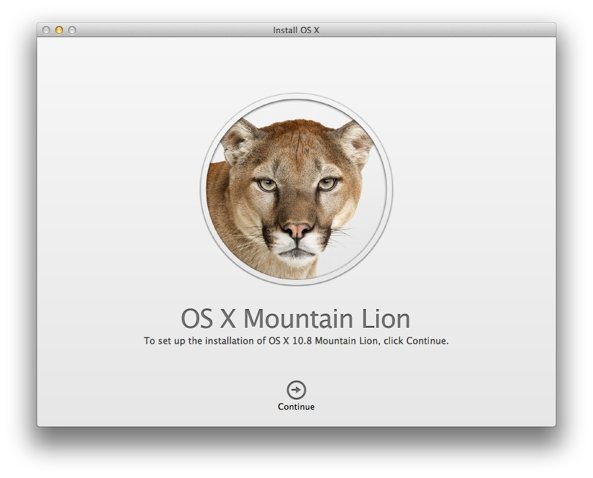
OS X 10.8.2 released, featuring Facebook integration, and better iMessage support

A few days ago, I highlighted my experience with OS X 10.8.2, which is like the perfect supplement for Mac users who've just upgraded their mobile devices to iOS 6.

Some of the biggest features included is phone number support for iMessage, which makes the entire iMessage experience lightyears better than before, and Facebook single sign on integration.

Don't be misled by the ".2", as OS X 10.8.2 is a huge upgrade over OS X 10.8.1. Take a look inside for the change log, and stay tuned for videos showing off the new digs.

An iOS 6 review from a jailbreaker’s perspective

I know everyone may not agree with this, but I think iOS 6 is worth ditching a jailbreak for, at least temporarily until a jailbreak surfaces. People that say you can get all of iOS 6's features with a jailbroken version of iOS 5 are kidding themselves.

iOS 6 is an interesting piece of work, and it's available now. The biggest story about iOS 6 is Apple’s banishing Google from nearly all facets of the OS. Nowhere is this more apparent than with the new Maps app — arguably the biggest feature of iOS 6.

Some claim that Google’s demotion within the Apple ecosystem is actually a step back for iOS, but I say otherwise. After months of usage, it’s clear that iOS users are much better off with an Apple designed Maps app. The Flyover (3D maps) option contained within iOS 6 shows promise, but without a doubt the inclusion of turn-by-turn navigation is my most used feature. Combined with Siri voice commands, it works gloriously...

Steve Jobs wax figure unveiled at Madame Tussauds Hong Kong

Marking the upcoming one year anniversary of the his death, Madame Tussauds Hong Kong has unveiled a new Steve Jobs wax figure that, unsurprisingly, looks strikingly realistic.

The statue costs just shy of $200,000 to create, and is the result of three months work from a dedicated team of sculptors. The figure will be officially revealed on September 27th, 2012, at Madame Tussauds Hong Kong, prior to touring other locations in Asia.

The best new iOS 6 features

To celebrate the launch of iOS 6, I thought I'd put together a quick video highlighting some of the major features of Apple's latest update to its mobile operating system.

Hopefully, you've already read our post that shows how to prepare for today's release. For now, watch and learn about all of the cool features that you'll be enjoying once iOS 6 officially drops...

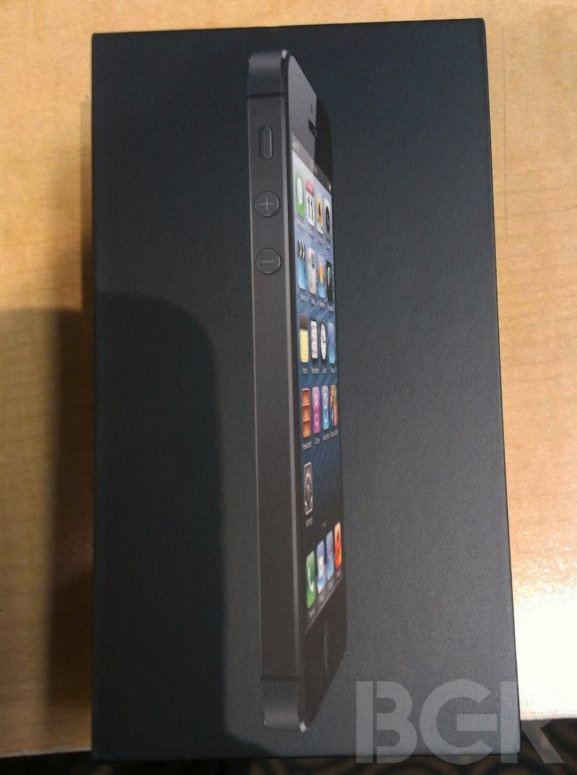
iPhone 5 unboxed

Well, it looks like the photo of the iPhone 5 box we posted earlier today is definitely legit. This, after BGR posts what they claim to be the world's first iPhone 5 unboxing.

I always thought that unboxings were only for video, but I guess they can appear in photo form as well. We look forward to bringing you a video unboxing, but in the meantime, these shots are admittedly pretty mouth watering.

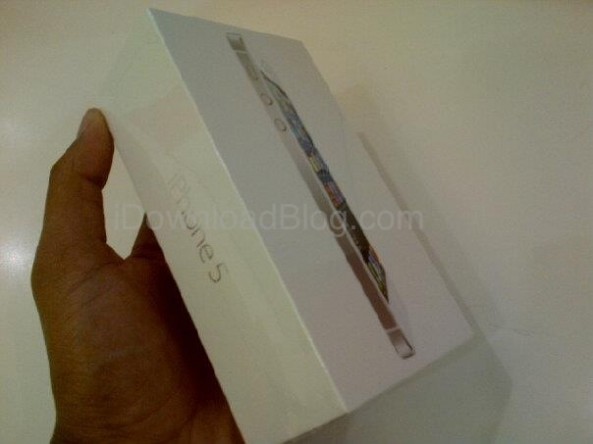
iPhone 5 box art

Someone sent this to me in an email just a few minutes ago.

This is, apparently, the box art for the new iPhone 5. How do you think it stacks up to previous box art?

How to “steal” an upgrade from someone else on your wireless plan

Many of you have likely ran into this conundrum: Someone on your wireless plan is eligible for an upgrade, but couldn't care less about upgrading their phone. With this in mind, you'd like to use their upgrade to upgrade your phone.

I actually encountered this issue myself, but I wasn't quite sure how to proceed with it. If I upgraded my wife's phone, but planned to take her upgrade to use for myself, how would I get a Nano SIM card containing my information, and not hers?

This wouldn't be much of an issue if the iPhone 5 used the same Micro SIM as the iPhone 4S, otherwise, I'd just swap out my Micro SIM into the iPhone 5. But since the iPhone 5 uses a brand new SIM card, this obviously presents a problem.

How do you go about handling the issue? As it turns out, if you're an AT&T customer, it's probably a lot easier than you might have expected...

Is iOS 6 a dud for jailbreakers?

Everyone is entitled to their opinion, and for that reason, let me preface this post with a disclaimer: I'm not bashing anyone's right to an opinion. That's one of the things that makes life so great, differing points of view on all sorts of matters.

Apparently, whoever posted this post on the Big Boss blog isn't too high on iOS 6, in fact, they go as far as to label it a "dud."

I certainly don't feel that way; I'm the complete opposite. That made me think, do most jailbreakers feel this way about iOS 6? Are many of you guys and gals planning on staying right where you are on iOS 5 until a jailbreak is released for iOS 6?

Apple promoting its free apps on iOS 6 using new App Store page

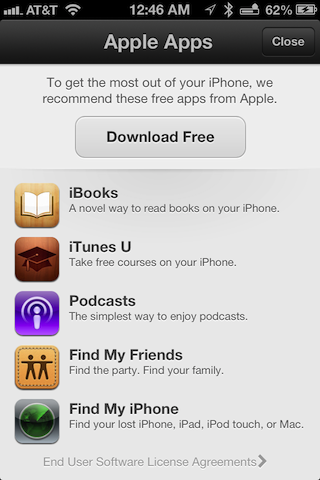
If you're a developer running iOS 6, try opening up the App Store app and open the Featured tab. As 9to5Mac points out, chances are you'll be greeted with a new page promoting five free Apple apps.

The free apps include iBooks, iTunes U, Podcasts, Find My Friends, and Find My iPhone, and all can be installed at once using the "Download Free" button at the top of this new page. Take a look inside for more info...

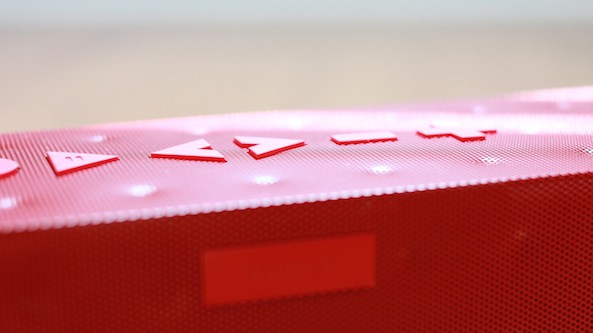
Can the Big Jambox replace my office stereo system?

In the last month or so, I've been on a minimalism tear. For example, I traded in my 27" iMac for a MacBook Pro with Retina Display. I also decided to get rid of my 2011 MacBook Air.

As it turns out, I rarely used the MacBook Air, because it was just too slow to get any real work done. The iMac was a beast, but it wasn't portable, which caused many of my files to fragment between multiple devices. I decided it would be best if I just had one powerful, yet portable machine to get all of my work done. It just so happened that the MacBook Pro with Retina Display was the perfect device to meet my needs.

To go along with these changes, I decided it was time to rid myself of my old antiquated component audio system. I have a Pioneer receiver coupled with Pioneer speakers. It's a 5.1 audio system that's incredibly heavy, a birds nest of wires, and power hungry to boot.

I needed something smaller, totally devoid of wires, and easier on the power consumption — all without sacrificing too much in the way of sound quality. Obviously, the highly regarded Jawbone Big Jambox was on my short list of devices to choose from, but was it up to the challenge of completely replacing my traditional stereo system?