Anthony Bouchard

Anthony Bouchard joined the iDownloadBlog.com team in 2016 after originally covering Apple and iPhone jailbreak news at ModMyi.com. As an experienced editor, he brings more than 15 years’ worth of jailbreaking knowledge to our in-depth guides, opinion pieces, and news articles. His passion for device customization and user choice sparks his strong push to empower readers with the tools they need to explore and enjoy the freedom that comes with jailbreaking. Anthony blogs about not only jailbreaking, but also Apple software & accessories, drones & photography, and Nintendo gaming systems. Anthony honed his advanced technical knowledge over the years with hands-on projects ranging from gaming PC builds to engine repair mechanics. His never-ending hunger for knowledge is why you’ll always find him tinkering – tearing things apart and putting them back together to understand what makes them tick.

How to recycle your old tech with Apple’s Recycling Program

If you have old tech sitting in your closet or attic that you don't use anymore because you've got something better, Apple will gladly make sure that tech is recycled properly free of cost via the Apple Recycling Program. In some instances, the company will even give you an Apple Store gift card as credit towards a new Apple device or accessories.

The Apple Recycling Program has been around for ages, but is often overlooked as an option. Although better deals can often be had elsewhere, the urge to trade in your device can come at inopportune times, and when you want quick money for your old Apple devices, or a quick and easy way to get rid of your junk tech, Apple can come in handy in a pinch.

In this tutorial, we'll show you how you can use the Apple Recycling Program to make better use of your unused tech.
Phishing emails: what they are and how to report them

Emails are a popular way to keep in touch with people, be it friends, family, or co-workers, but often companies that you deal business with will send you the occasional promotional email if you signed up for subscriptions.

Sometimes, you get an email that you think is legit, and it turns out it's just a fake email pretending to be something it's not and it tries to get you to click on stuff or give up your personal information. These emails are malicious and they're known as phishing emails.

In this piece, we'll go over some of the things you can look for to tell if the emails you're getting are legitimate, or if they're a con artist trying to scam you of your personal information.

OWC launches SSD Upgrades for Mid-2013 and later Mac Notebooks

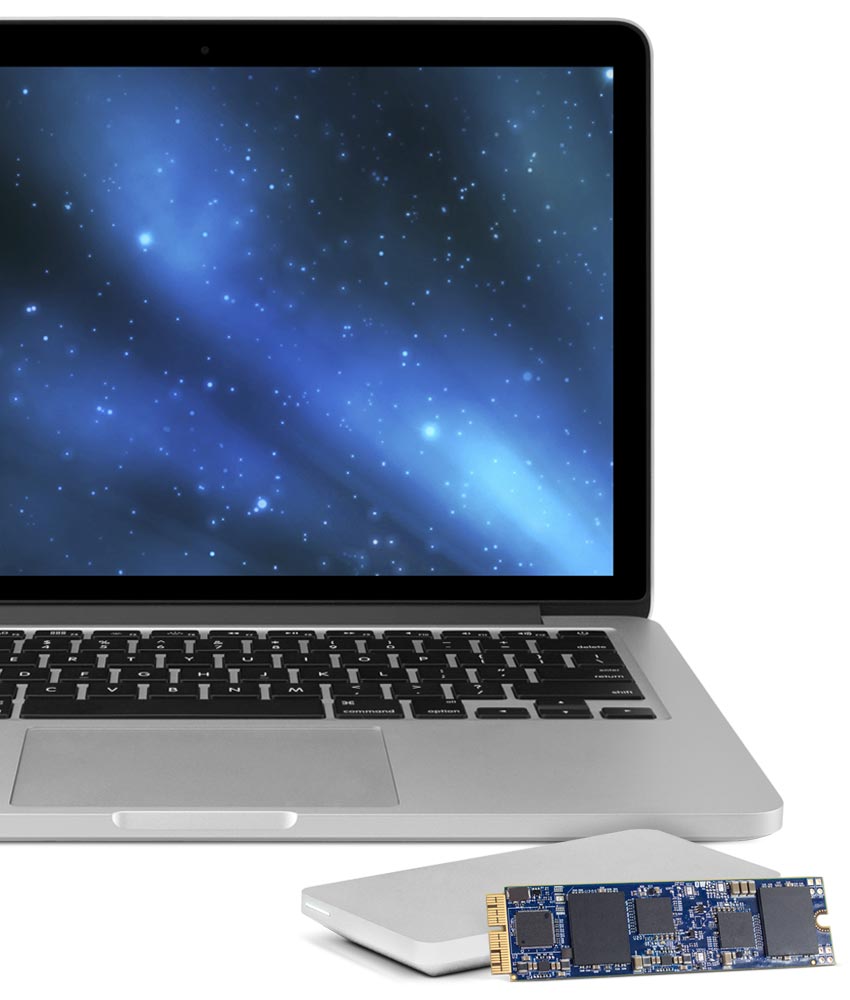
Other World Computing (OWC) has announced on Tuesday a major new step forward in upgrading the flash storage of your 2013 or later MacBook Air or MacBook Pro with Retina display.

Now available are the OWC Aura solid state drives (SSD), which come in flavors of 480GB and 1TB. These storage drive upgrades are direct PCI-e drop-ins for any of the supported computers.

My 5 favorite accessories to use with my MacBook Pro

Whenever I'm using my MacBook Pro, there are a number of third-party accessories I like to use to glorify my user experience based on what I may be using it for. In this piece, I'll share with you my five favorite accessories that I use with my 15-inch MacBook Pro with Retina display regularly.

How Apple secures its products and services

Apple's security and privacy features that come standard on every iOS device, such as end-to-end encryption and Activation Lock, are getting all the talk around the internet as of late as the Apple vs. FBI case continues to escalate.

What can be learned from this case is not only does Apple want to protect your privacy, but the a large number of American people also want to have their privacy. The FBI, on the other hand, wants a quick way to get into any iPhone they deem "suspicious" so long as they can get a court order to search it.

So just how secure is your Apple data, and what protection standards does Apple have in place for you? That's just what we're going to talk about in this piece.

A look at the Incipio Asher MacBook Pro carry sleeve

As I'm always on the go, I needed a way to safely take my 15-inch MacBook Pro with Retina display all around with me without fearing that it could get damaged from drops or scuffs, and I turned to Incipio for those needs.

The Incipio Asher sleeve, which can be had off of Amazon for $30, is perfect for the on-the-go MacBook Pro user, as it provides excellent padding protection and additional stowaway room for the AC adapter and some small MacBook accessories.

In this review, we'll talk about some of the features of the Incipio Asher sleeve, as well as its pros and cons.

What you need to know about the KeRanger ransomware found in the Transmission app

Users of the popular open-source Transmission BitTorrent client for OS X were in for quite a surprise this weekend when it was discovered that certain installers for version 2.90 of the application were found to bundle unwanted ransomware with the installation, which is a type of malware that restricts file access across the system to cause trouble for the user.

Dubbed KeRanger by security research firm Palo Alto Networks, the malicious software will try to encrypt the user's system files in such a way as to tamper with the user's access to their Mac and then force the user to pay money to get their access back.

The makers of the Transmission app are now pushing immediate mandatory app updates to remove the ransomware and fix the problem for those that may have been affected, and it's recommended for all users, but how do you know if you're affected?

Jailbreak tweaks of the week: PreferenceTag3 & more…

Every Sunday we come at you with a roundup of all the jailbreak tweaks that get released in Cydia, and this week will be no different.

This week we haven't had any groundbreaking new tweak releases, but there have been some worth talking about. We'll go over our favorites first and then give you an outline of the other new releases.

Postman: manually check for new emails from anywhere [jailbreak]

Normally, when you want to check to see if you have any new emails, you have to launch the Mail app and pull down to refresh the email inbox of your choice.

If you're already in the middle of something, stopping what you're doing to check to see if you have any emails is obtrusive. It would be so much better if you could just refresh your email from anywhere without leaving what you are currently doing in another app.

That's exactly what a new free jailbreak tweak called Postman is going to allow you to do, and it works with a key ingredient that most jailbreakers are already familiar with.