Learn how to use a built-in karaoke feature in Apple Music on iPhone, iPad, and Apple TV to sing along with time-synced lyrics and adjustable vocals.
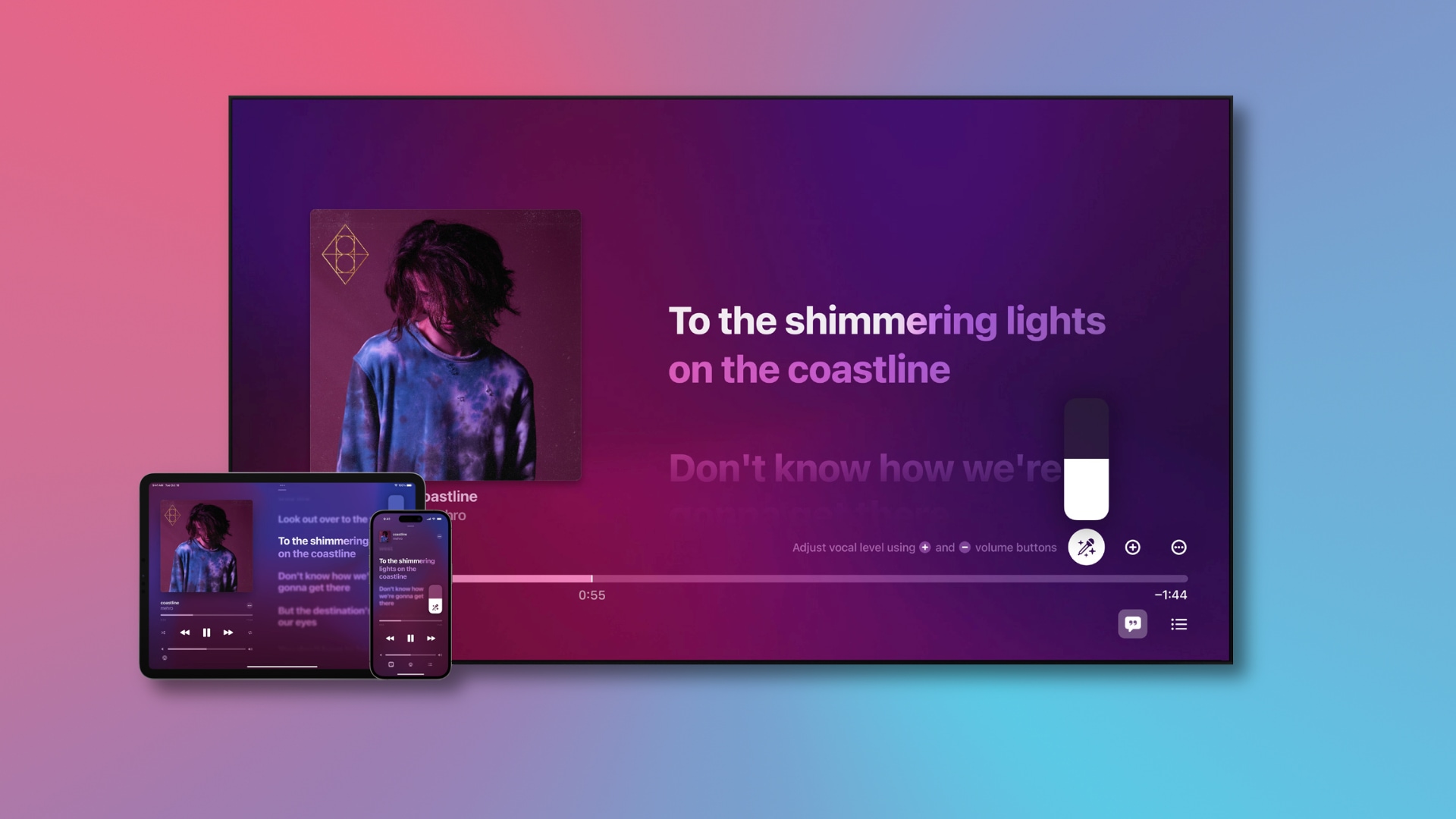
What is Apple Music Sing?
Whether you’re humming to your favorite tune or singing the hook of a new song heard on the radio, Apple Music lets you sing your heart out to your favorite music. The Sing feature is only available to Apple Music subscribers on iPhone, iPad, and Apple TV with the latest version of iOS, iPadOS, and tvOS.
Supported devices
You can enjoy Apple Music Sing on these devices:
- iPhone SE 3rd generation, iPhone 11, and later
- iPad Air (4th generation and later), iPad mini (6th generation and later), iPad (9th generation and later), iPad Pro 12.9-inch and 11-inch (3rd generation and later)
- Apple TV 4K (third-generation and later)
Note: Apple Music Sing is unavailable on Android phones, Macs, and Windows PCs.
How Apple Music Sing works

Apple Music Sing uses machine learning to separate a song’s vocals from everything else. As a result, you can adjust the vocals by dragging a slider.
Real-time lyrics make karaoke even better. Background vocals animate independently from the main vocals, and a duet view shows multiple vocalists on opposite screen sides for multi-singer tracks.
The Sing feature is unavailable outside the Apple Music catalog, like the music ripped from CDs or imported from other sources. You also cannot use this feature with surround sound; enabling the Sing feature while listening to a Dolby Atmos song will temporarily turn off Dolby Atmos.
Use Apple Music Sing
The steps for iOS and tvOS differ slightly as you can see yourself on the screen when using Apple Music Karaoke on an Apple TV.
On iPhone and iPad
1) Open the Music app and play any Apple Music song.
2) Go to the Now Playing screen and hit the Lyrics button.
3) Tap the microphone button to start using Apple Music Sing.
4) Drag the microphone slider up or down to adjust the song’s vocal levels.
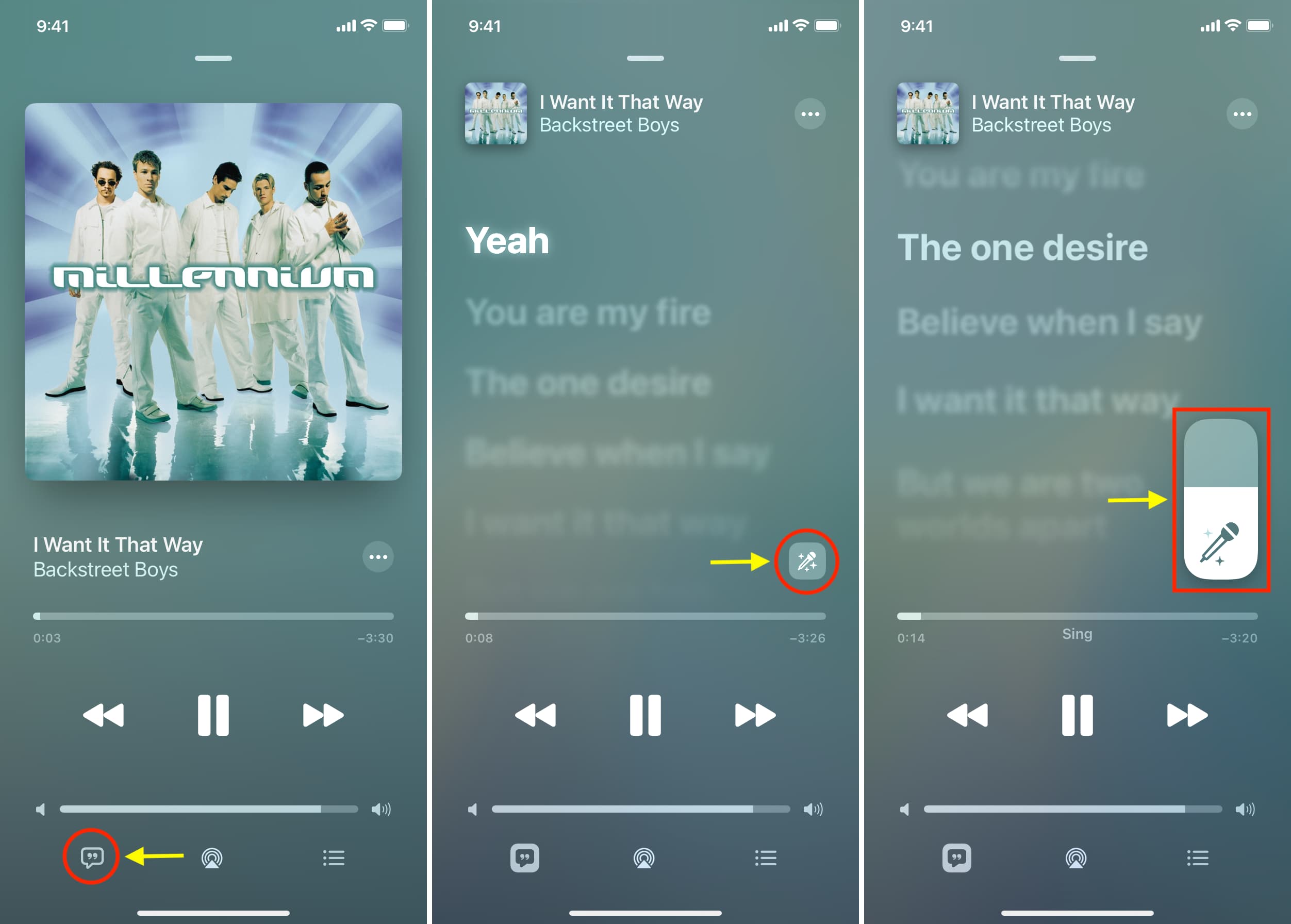
Hit the mic slider again to turn off Sing for the song.
On Apple TV
1) Open the Music app on your Apple TV
2) Play a compatible song from the Apple Music catalog.
3) Click the Lyrics button in the bottom-right corner.
4) Finally, click the starry microphone Sing button and start jamming.
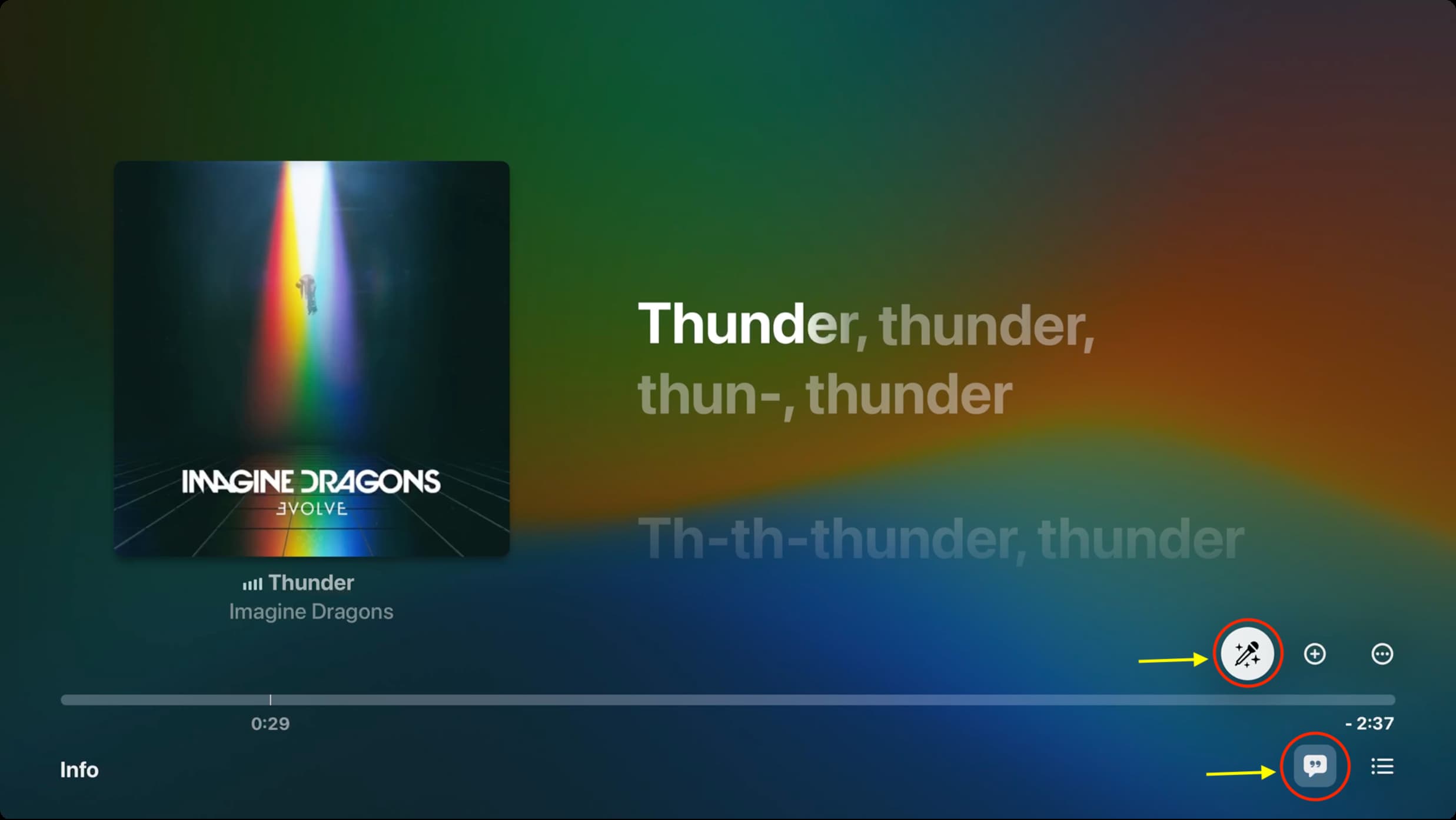
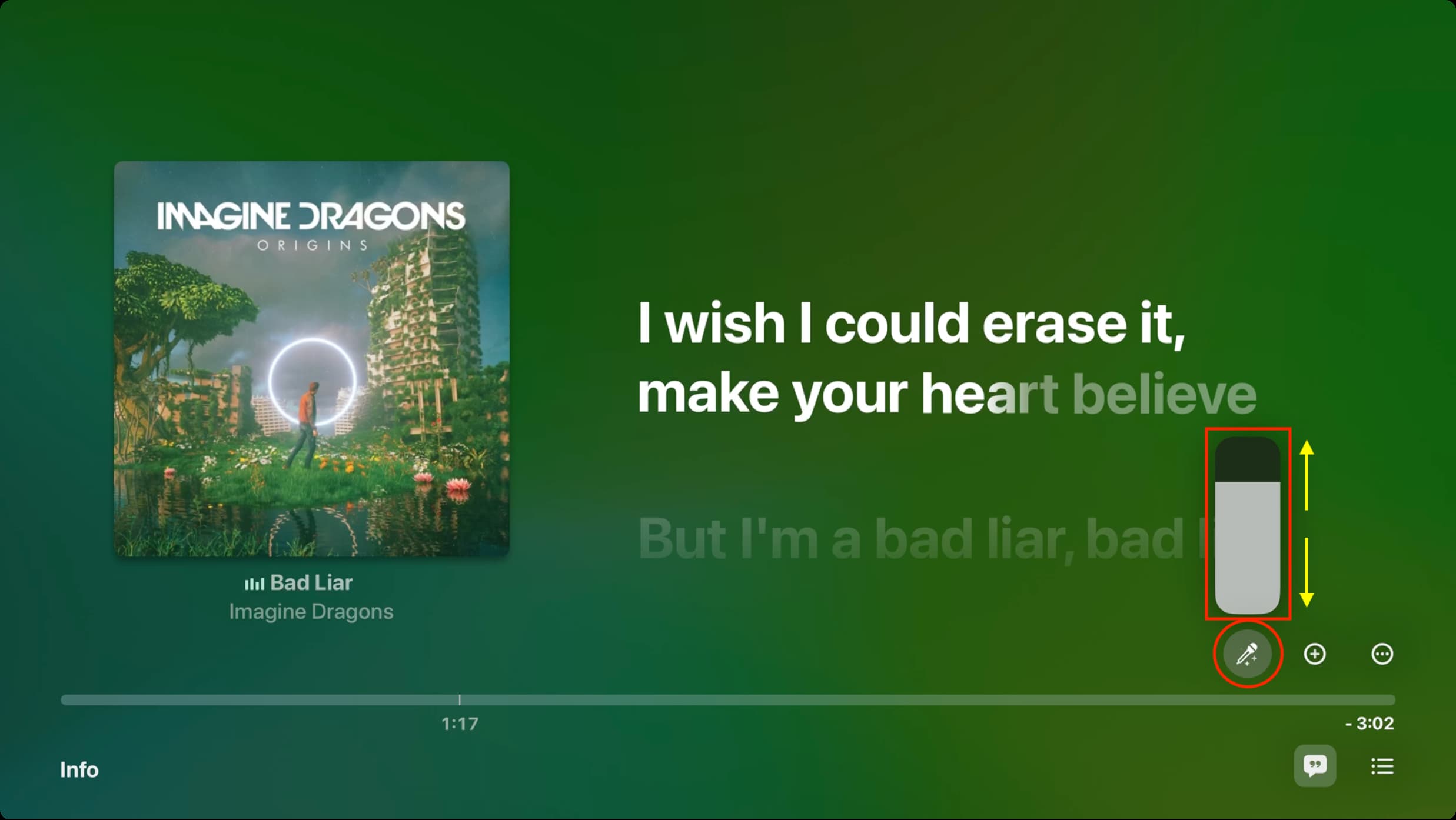
With the microphone icon selected, press the center button on your Apple TV Remote’s touchpad to bring up a vertical scrubber slider. You can now swipe up or down on the touchpad (or use the top and bottom buttons) to adjust the vocal track.
See yourself on the TV screen when singing
If your Apple TV is running tvOS 18.0 or alter, you can use your iPhone or iPad’s camera to see yourself singing karaoke on your TV for an immersive jamming experience.
1) Click the lyrics button on the Now Playing screen, then hit the video camera icon and touch the Connect iPhone or iPad option.

2) Select yourself or any other user you’ve added to your Apple TV.

3) The chose person receives a Continuity Camera alert on their iPhone or iPad. They need to tap it and hit Accept. You can now place your device horizontally on a stand so that the rear camera faces you.

4) Apple TV will return to the lyrics screen and show the camera feed. Select a video filter, if you want, and then click the microphone icon to start your karaoke session.

If you don’t see the microphone icon, that could mean two things:
- The song doesn’t yet support the Sing feature.
- Your device isn’t compatible with Sing. For Apple TV owners, you need at least the third-generation Apple TV 4K (2022). If you have an older model, you won’t see the microphone button.
How to find karaoke songs on Apple Music
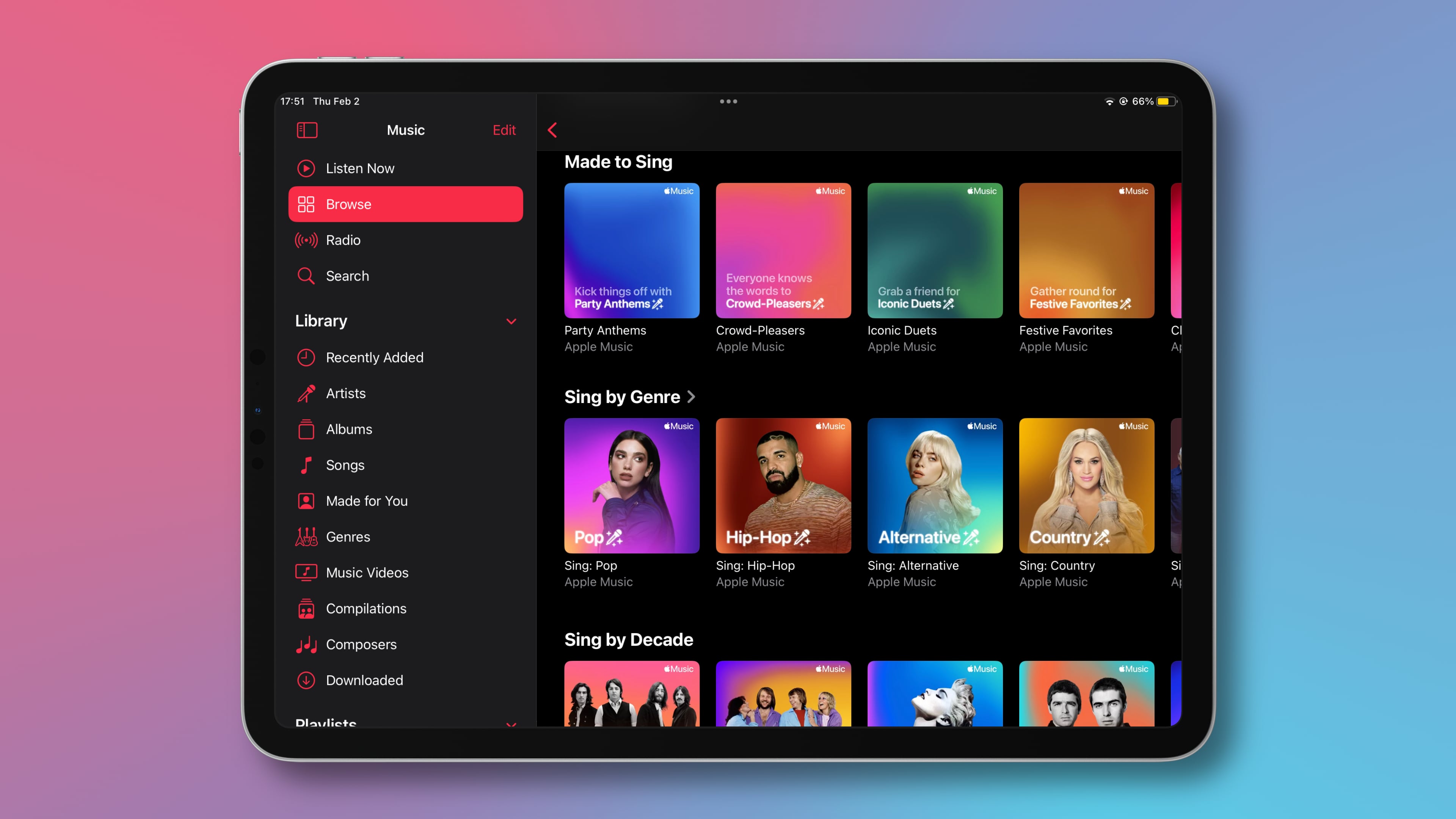
A song must have time-synced lyrics embedded in order to work with the Sing feature. Many songs in the Apple Music catalog support these animated lyrics, but those that only have static lyrics or no lyrics at all won’t work with Sing.
Apple has created special genre-based playlists to highlight popular songs that work great with Sing. You can find them manually in the app or access them via this link.
Karaoke nights will never be the same!
Whether you’re learning the lyrics of a new song or just singing the refrain, Apple Music makes karaoke nights fun and accessible to everyone. You can sing along to your favorite music on your iPhone, iPad, or Apple TV without any special setup!
Apple’s attention to detail with features like adjustable vocals, animated background vocals, camera feed, and the duet view ensures a seamless experience. All you need to do is focus on the lyrics as they’re highlighted—and sing!
Other useful Apple Music tutorials: