See the storage space used by podcasts and TV shows on your iPhone or iPad and manage them. If left unchecked, these can take up a lot of space on your device, which is why it’s a good idea to clean them up from time to time.
Your device is terrific for listening to your latest podcasts and watching your favorite shows. But if you continue to download these types of items, you’re going to keep using space. And if you’re finished with a podcast or show, why hang onto it?
If you listen to the same podcast episode or watch the same show over and over, that’s different. And you might want to keep them. But if not, why waste the space? You should at least take a minute to review what’s there to see what you can remove.
Find out how much space podcasts and TV shows are taking
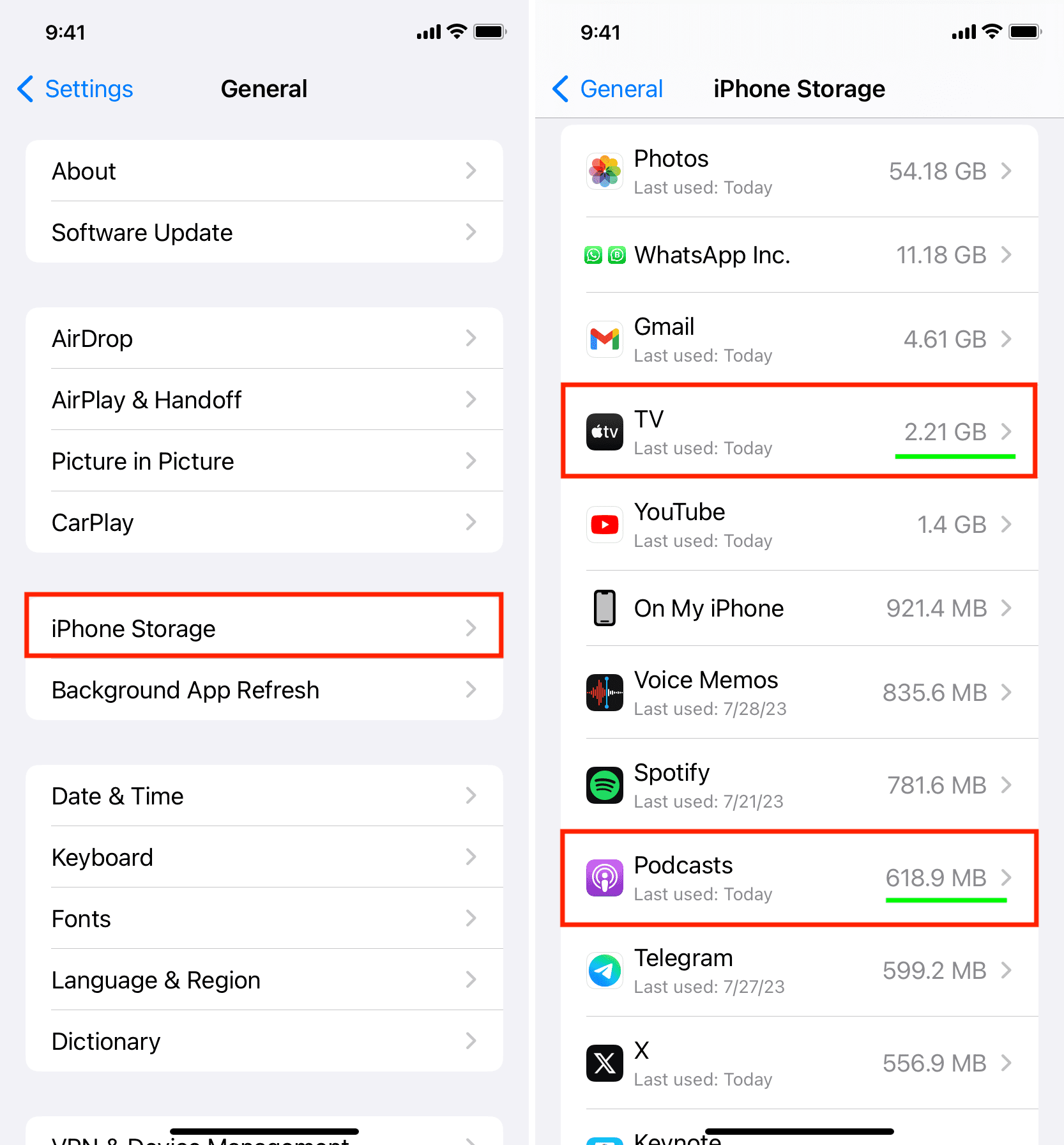
1) Open the iPhone or iPad Settings app.
2) Tap General > iPhone/iPad Storage.
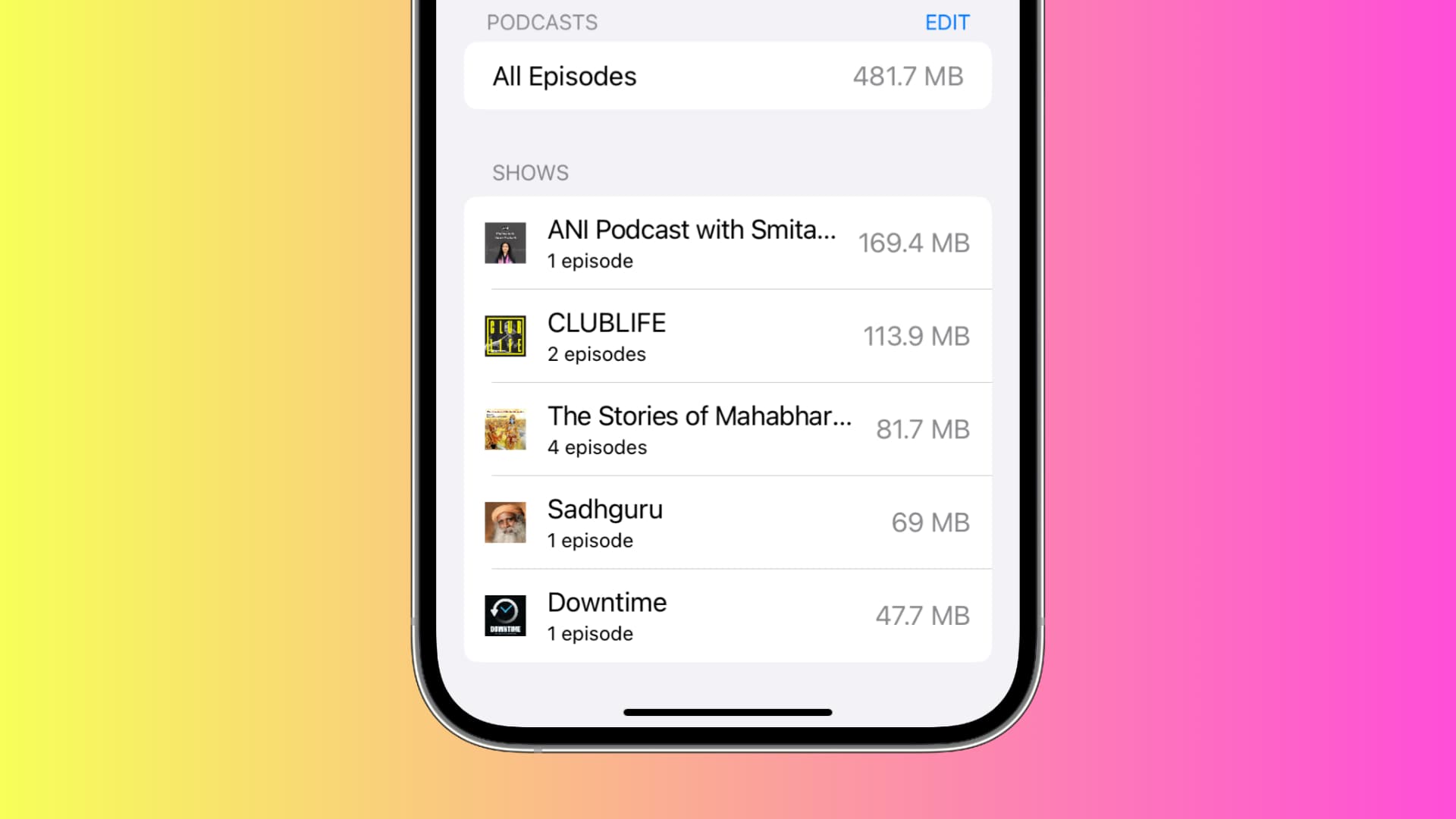
3) Once the storage screen loads, you can see the space taken by TV and Podcasts next to their name. You can also tap an app name to learn more. For podcasts, you can even see the space taken by each show. You can swipe left on a show here and delete it.
Delete downloaded podcasts and TV shows
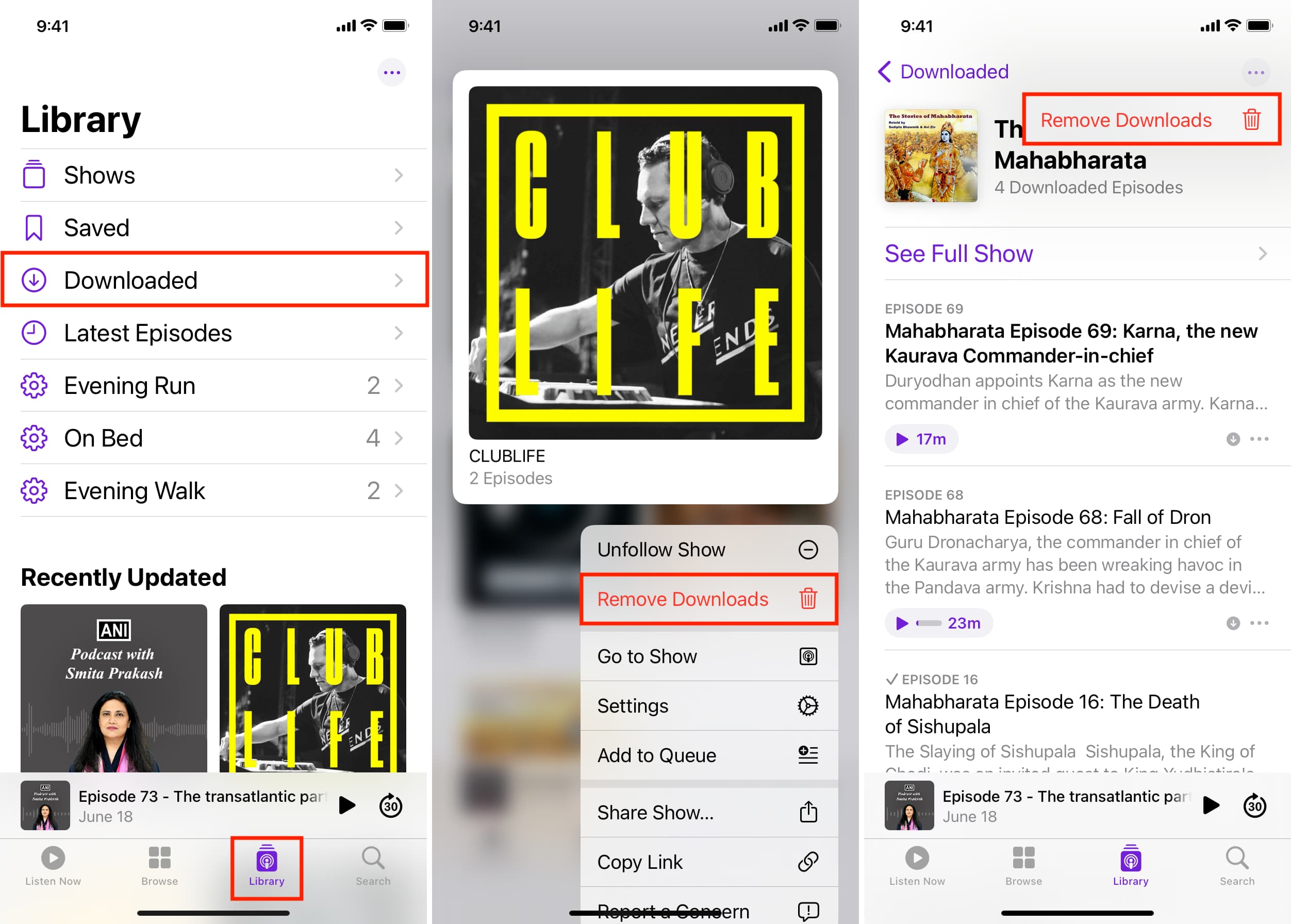
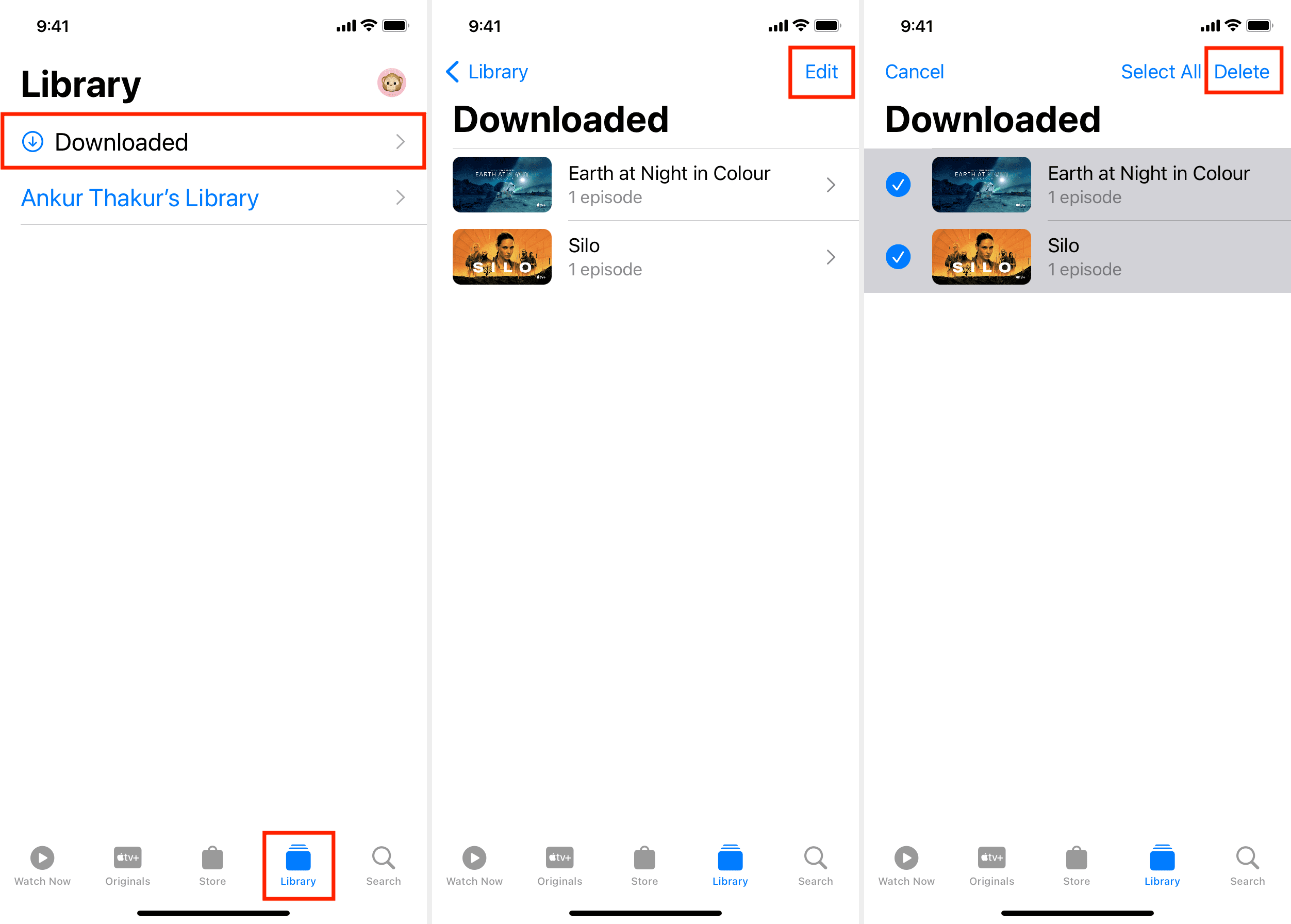
1) Open the Apple TV or Podcasts app on your iPhone or iPad.
2) Tap Library.
3) Tap Downloaded. You’ll see all the shows, movies, and episodes you’ve downloaded for offline viewing or listening.
4) For Podcasts, touch & hold a show or episode, and choose Remove Downloads. If you’ve saved multiple episodes of a show, you can tap the show artwork and then touch & hold an episode to remove it. Alternatively, you can also tap the three dots icon from the top right and choose Remove All Downloads or Remove Downloads.
5) For TV shows and movies, tap an entry. Next, tap Edit, select the items you want to delete, and hit Delete. You can do this for several downloaded shows and movies or episodes of a particular TV show in case you have downloaded more than one.
Also, check out: