Learn how to use the Sound Check feature in the Apple Music app on your iPhone, iPad, and Mac to play different songs at a consistent volume level.

Have you ever experienced inconsistency in volume levels while listening to music? One song might come out loud, while the other is much quieter, forcing you to constantly adjust the volume to maintain a steady level.
These volume variations can typically stem from the diverse sources in your music collection. Whether you’ve purchased tracks from the iTunes Store, downloaded them, or ripped them from CDs, each source can contribute to the fluctuations in volume.
Luckily, there is a feature on iOS and macOS to address this problem. With a slight adjustment, you can play songs at the same volume level in Apple Music.
The feature you’ll use to play tunes at the same volume level is called Sound Check. Follow these simple steps to turn it on.
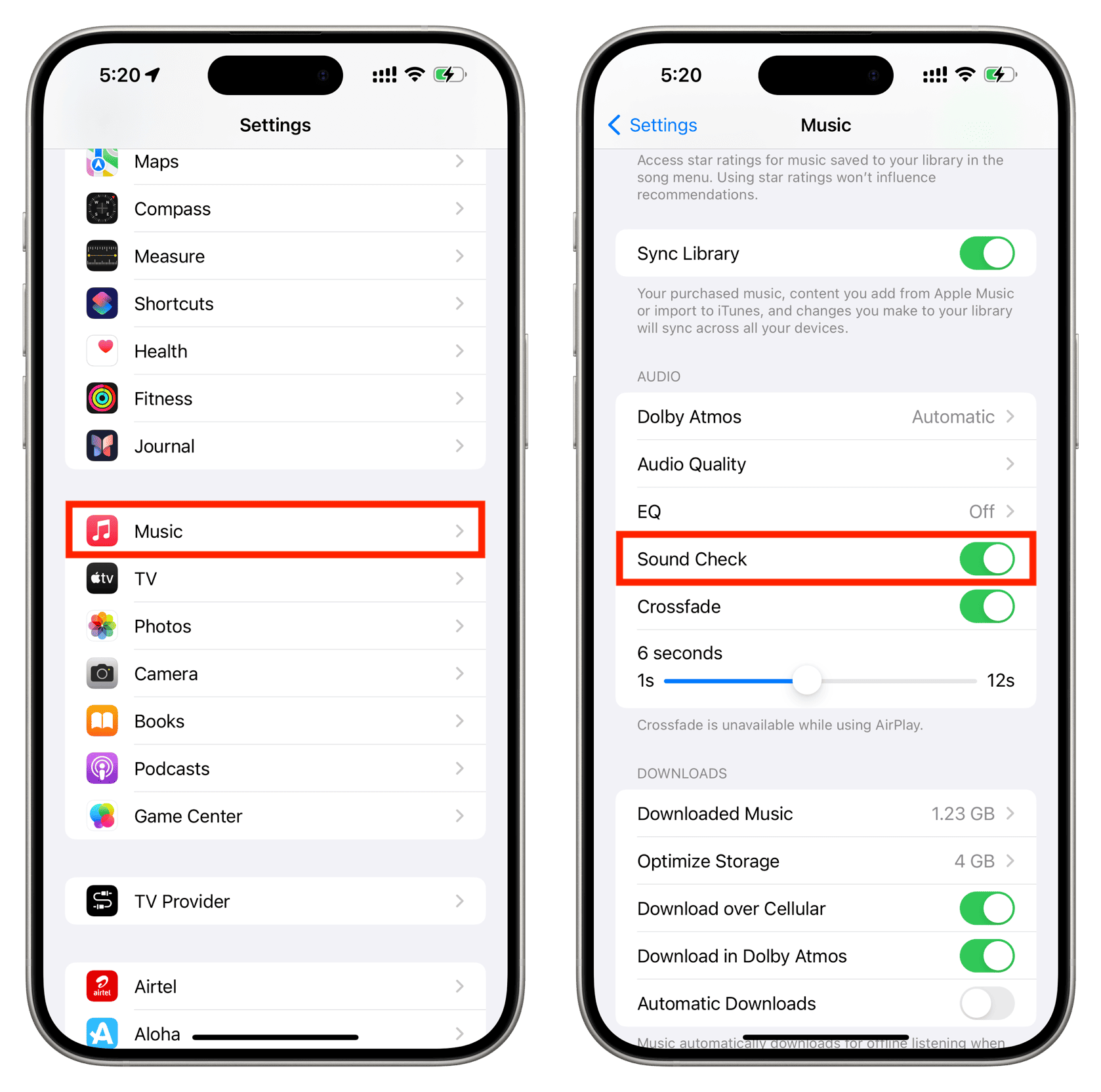
On iPhone and iPad
- Open iOS Settings.
- Tap Apps from the bottom.
- Select Music from the list of applications.
- Turn on the Sound Check switch.
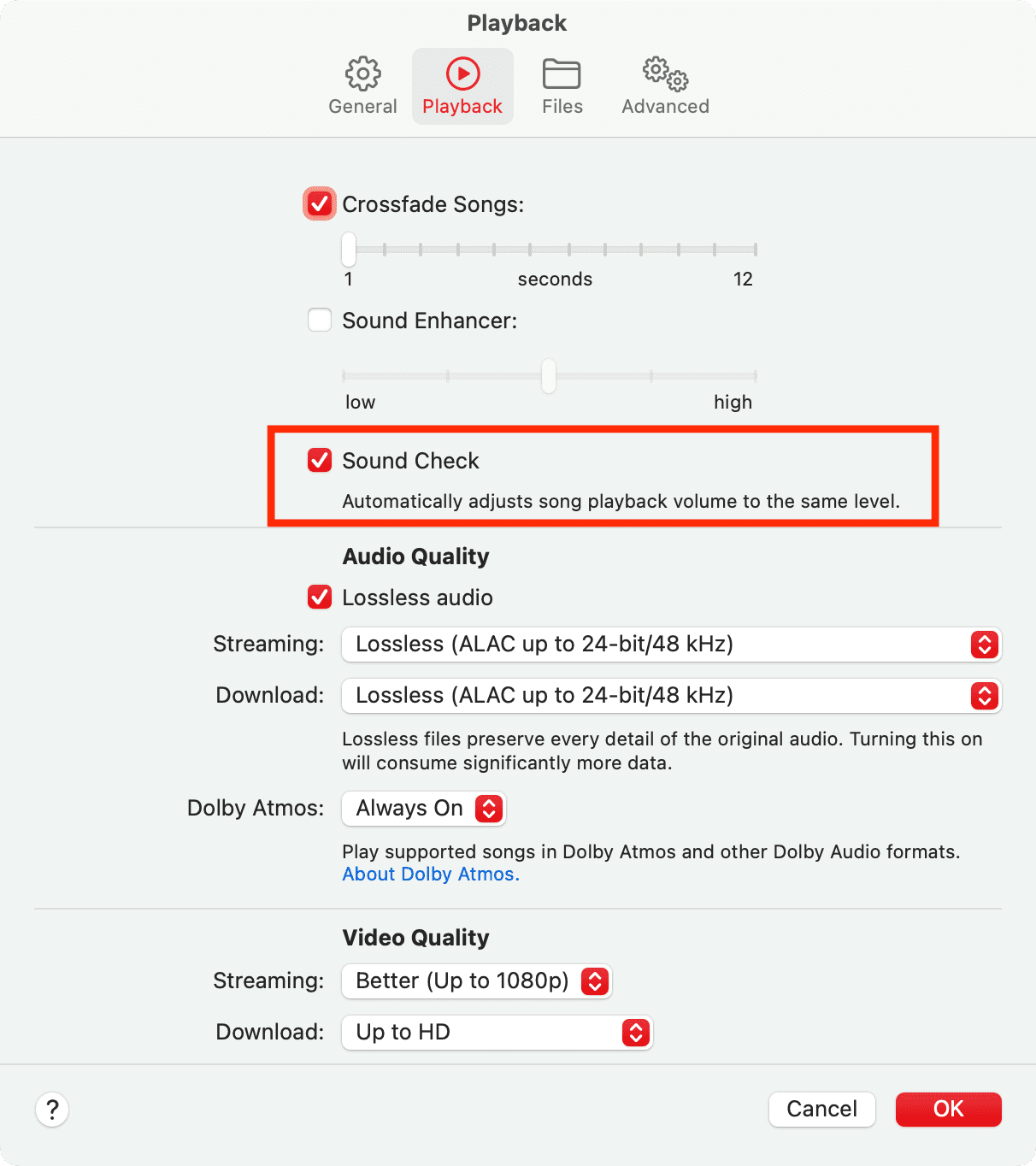
On Mac
- Open the Music app, then click Music > Settings in the top menu bar.
- Click Playback from the top.
- Activate Sound Check, then click OK to automatically set the playback volume to the same level.
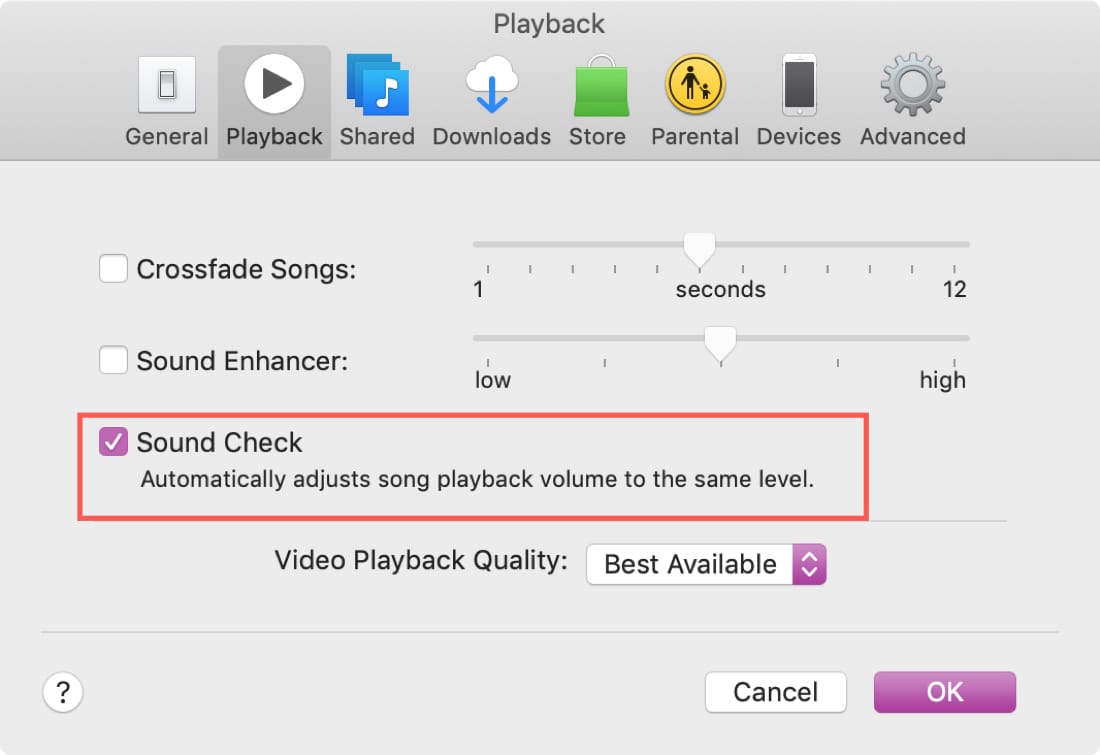
If you’re on an old Mac and use iTunes, here’s how to do that.
- Open iTunes and click iTunes > Preferences from the top menu bar.
- Go to the Playback tab and mark the checkbox for Sound Check.
Now that you know how to have a consistent volume level when you’re listening to your tunes, are you going to make the change? It may be a small adjustment, but you won’t have to worry about turning your volume up and down. You can just sit back and listen.
More on Music: