Learn how to locate your downloaded books on Mac to get the original EPUB files of these titles.

The macOS Books app (formerly iBooks) stores your book downloads in EPUB format. The EPUB format isn’t proprietary and can be used on non-Apple platforms as well. To get the original ebook files, you might want to find the location where they are downloaded and saved.
Save the original file of a book or PDF from your Mac’s Books app
1) Open the Books app and click All from the left sidebar.
2) Click the three dots below a book and choose Download. If the book isn’t added to your Library, search for it and click GET to download it.
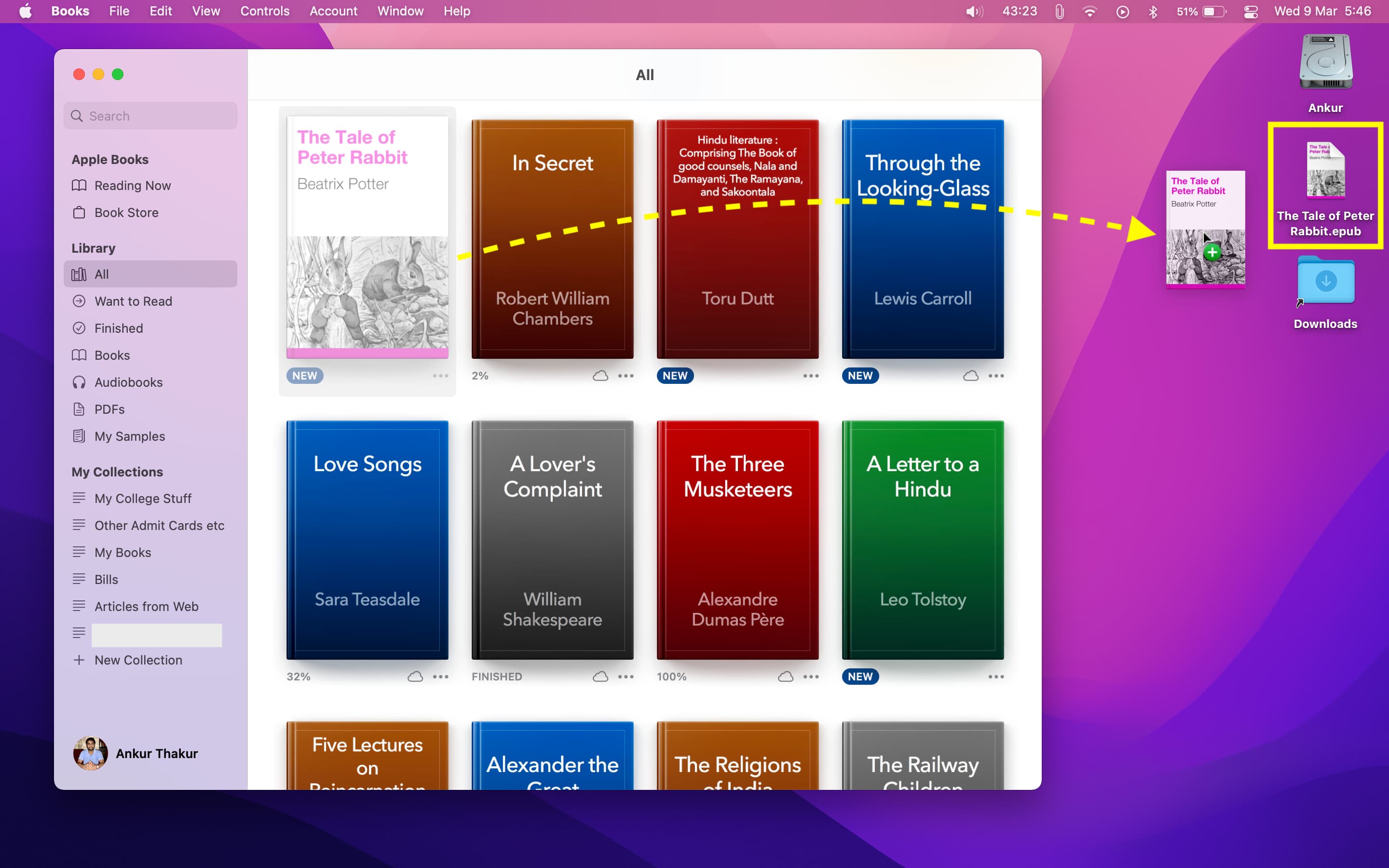
3) Once the book is downloaded, decrease the size of the Books app window. Now, drag the book from the Books app onto the desktop or a folder to get its EPUB file. Follow the same steps to export the PDF from the Books app to a folder.
Find the Books app library location in Finder on Mac
Unlike the Music app, the Books app doesn’t provide outward-facing options to change the books library location. But don’t worry; you can still browse your ebooks library location manually in Finder by following these steps.
1) Open Finder, and click Go > Go to Folder from the top menu bar.
2) Type or paste in the following path and press the return / enter key.
~/Library/Containers/com.apple.BKAgentService/Data/Documents/iBooks
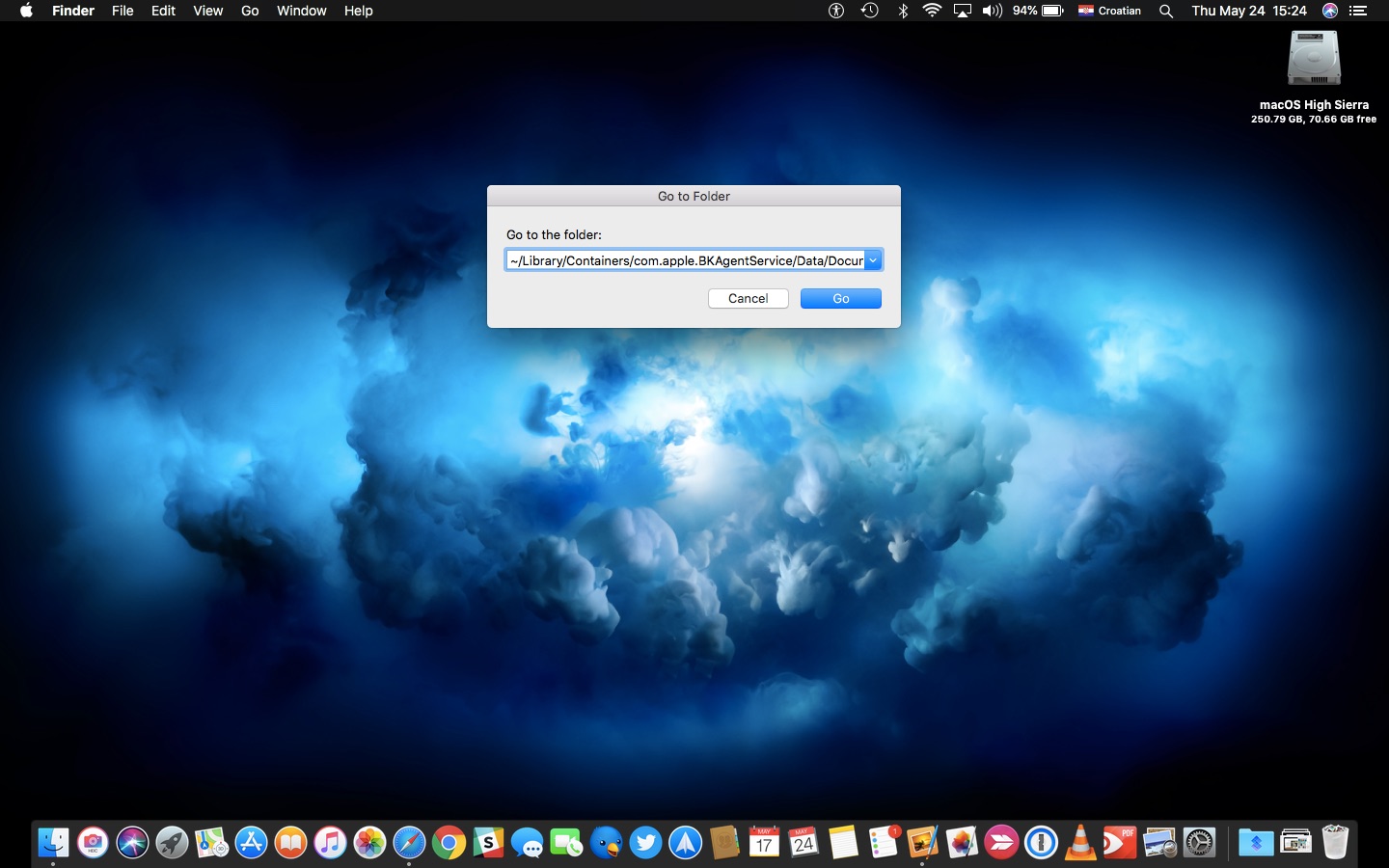
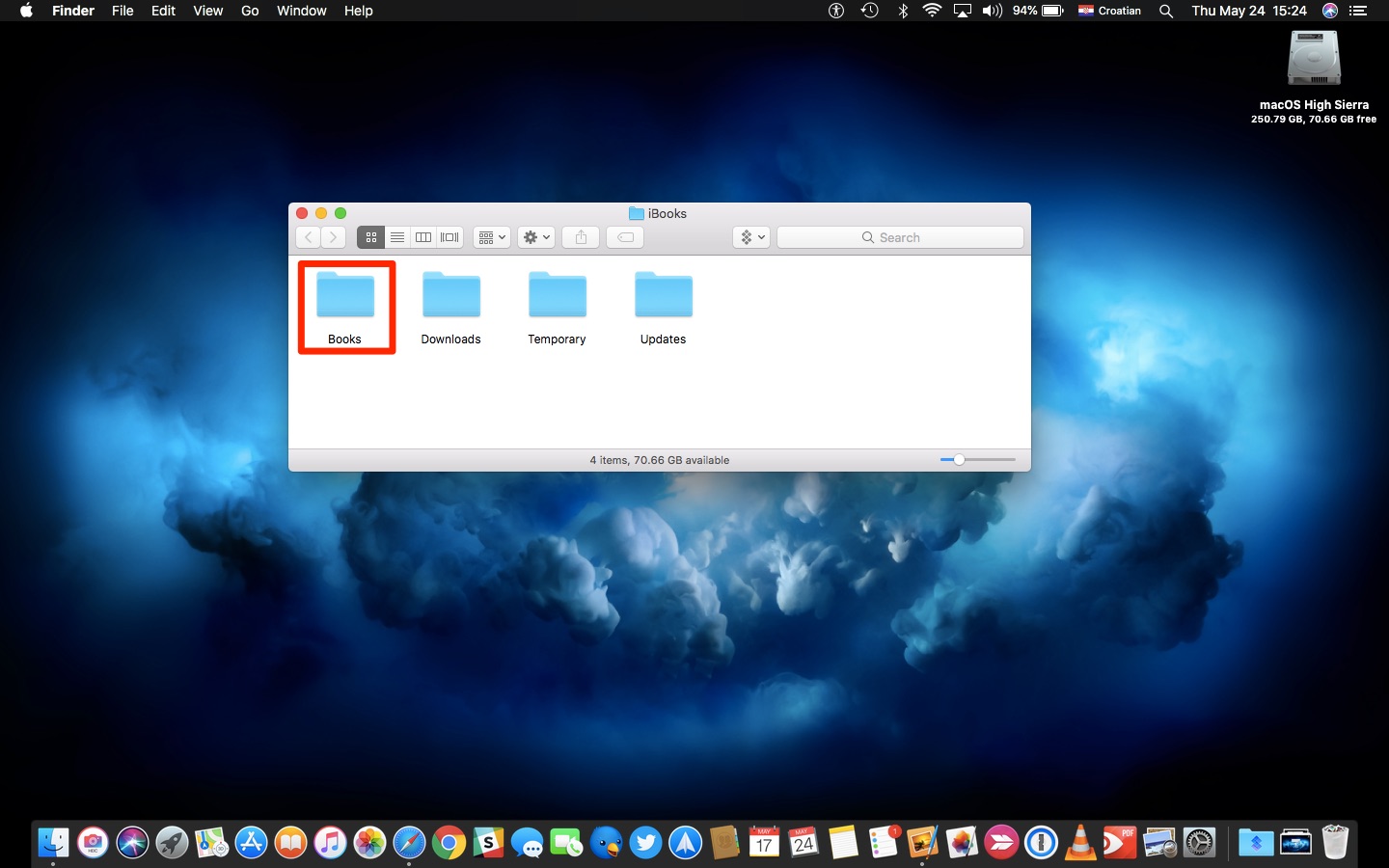
3) You should see a new Finder window with folders, specifically:
- Books: Your downloaded Apple books are here. If you don’t see anything here except a Books.plist file, that means you haven’t downloaded any books. Open Mac’s Books app to download a title.
- Downloads: In-progress downloads stay here until they finish.
- Temporary: Temporary files. Moving on, nothing to see here, folks.
- Updates: New versions of your books are temporarily stored here until installed.
4) To access your books, double-click the folder Books to open it. You can now browse your books in EPUB format. From here, you can copy them to a different folder for backup or right-click to share the file.
It may be a good idea to back up your books by copying the files to a custom folder on your Mac and ensuring they are included in your backup scheme. However, you are strongly discouraged from deleting, renaming, or otherwise manipulating Books in your library using the Finder because doing so may break the Books library structure.
The book’s file names in its location are not the book title but a string of numbers. Don’t change them. Follow the first method if you want to get the book file with its actual title.
More on Apple Books: