SoundCloud is popular with independent musicians and content creators who want to reach millions of unique monthly listeners. But if you have moved to other platforms like Spotify or YouTube, no longer use this service, or just have a burner account that you want to get rid of, it’s easy to do so.
This action will delete your SoundCloud account, all the music you have uploaded to it, comments you have made, and all other data.
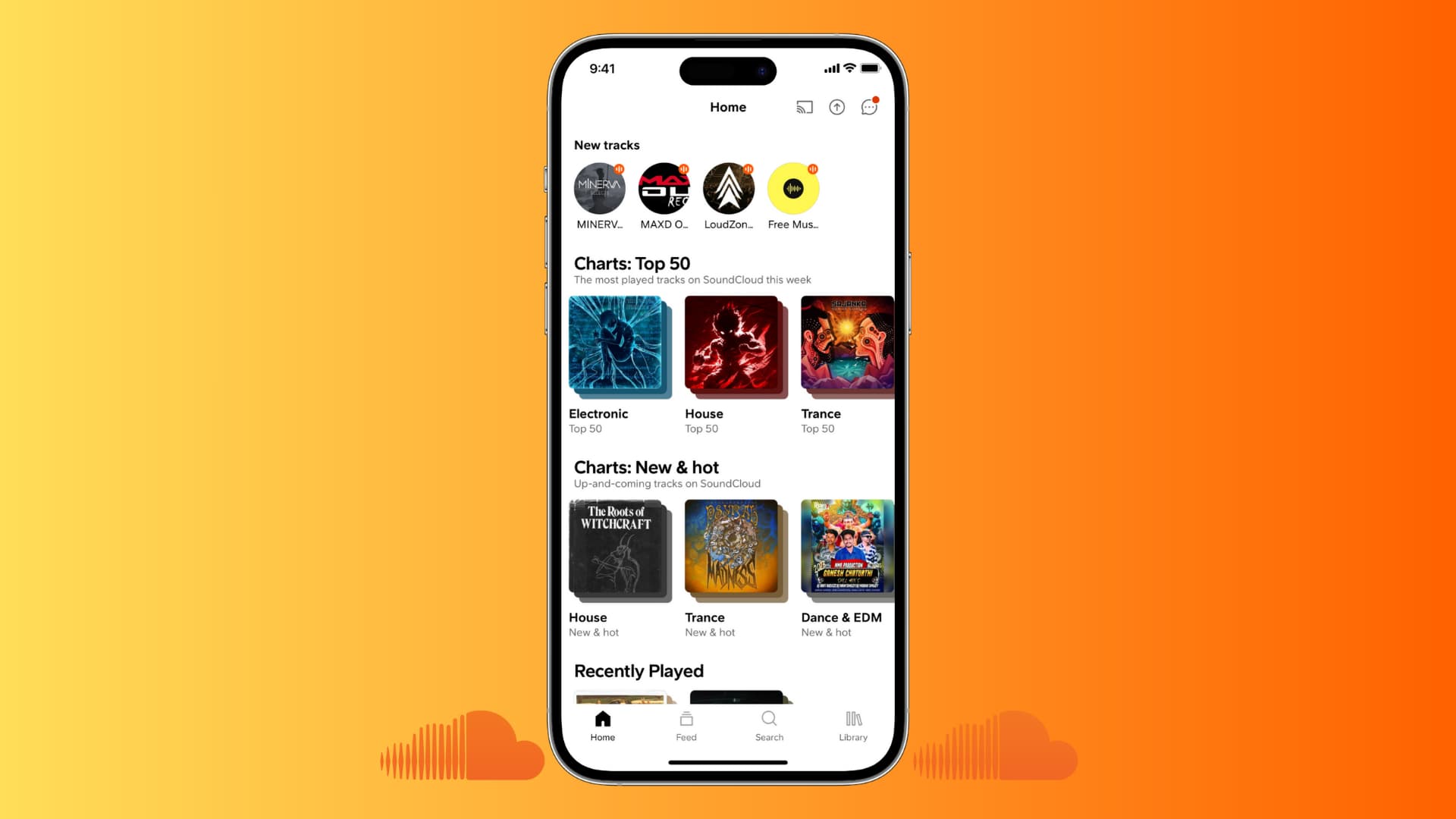
Before you begin: You should remove connected apps prior to deleting a SoundCloud account by clicking the Revoke Access button next to connected apps under the Connected Applications heading in the Connections section.
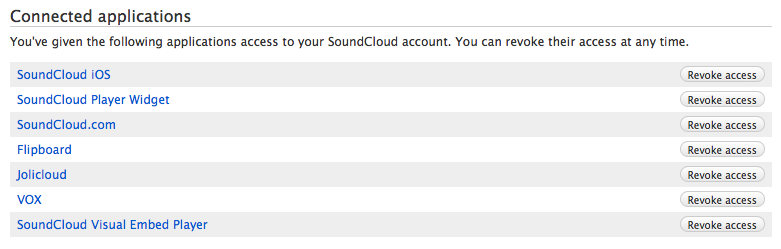
Delete your SoundCloud account
Follow these steps to delete your account with SoundCloud and remove all your data if you no longer plan on using this music service. Deleted accounts go into a queue and get removed from the servers in due time.
From your iPhone
1) Open the iOS SoundCloud app and make sure you’re logged into the right account you want to delete.
2) Go to the Library tab, and tap the gear icon at the top.
3) Tap Account.
4) Tap Delete account and confirm.

From your computer
1) Visit SoundCloud.com on your computer and log in to the service using your existing account credentials.
2) Now click the three dots button in the upper-right corner and choose Settings in the drop-down menu.
3) Scroll down the Account section and click Delete account.
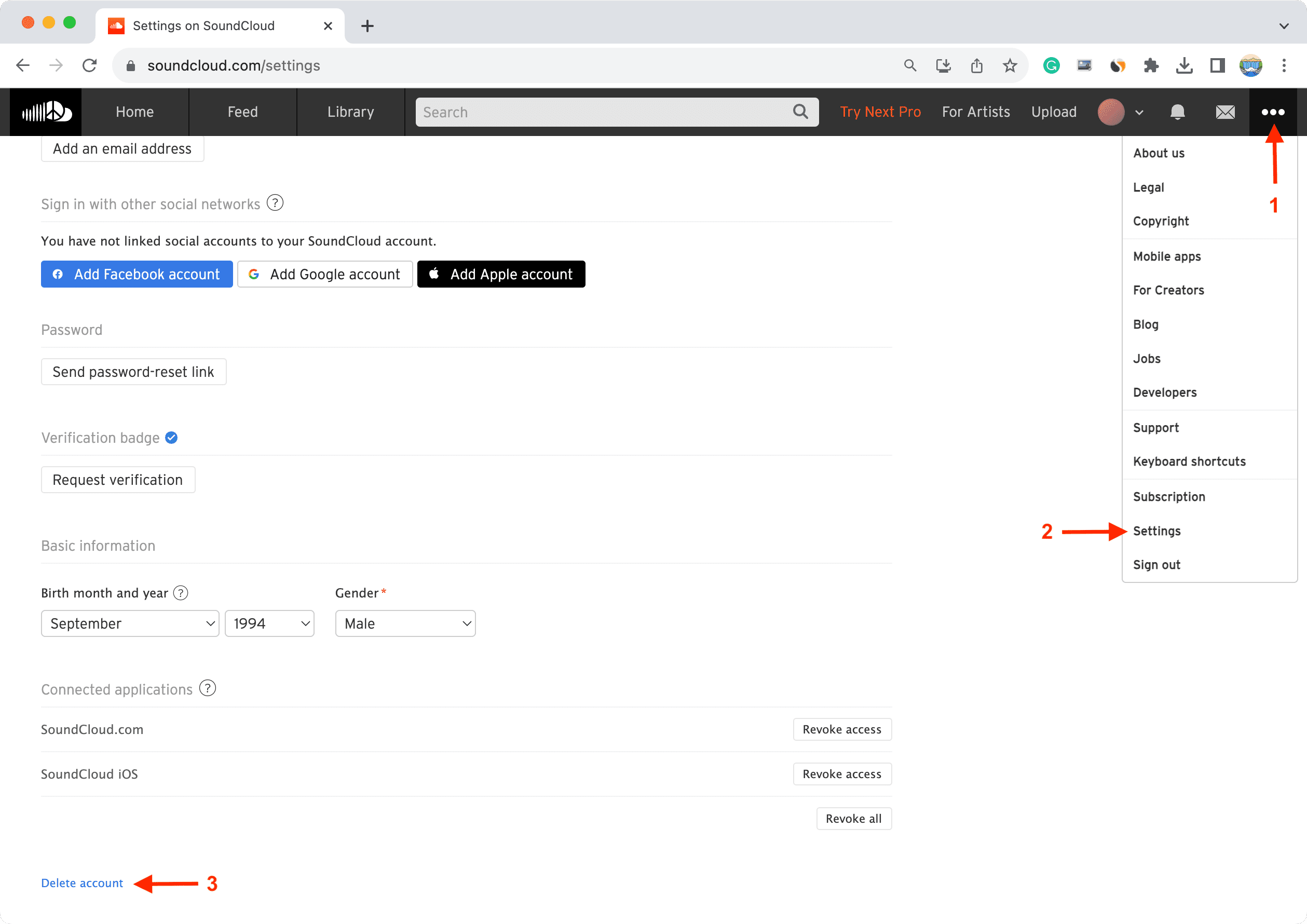
4) You may now optionally tell SoundCloud why you’re leaving the service by selecting one or more pre-populated answers. Confirm account deletion by ticking the box next to “Yes, I want to delete my account and all my tracks, comments and stats” and clicking the Delete my account button.
What next?
Once your account is deleted, you can safely delete SoundCloud’s mobile application from your iOS devices. As a reminder, don’t forget to disable sharing to SoundCloud from other services, such as Facebook, X (Twitter), and more.
Deleted account links may still show up in Google’s search results due to caching. If Google doesn’t recognize in due time that these links are dead, send a request to take down your information and SoundCloud profile from Google Search.
Reactivate your SoundCloud account
Once you choose to delete your account, your data gets immediately wiped clean from the servers. But if you deleted your account recently, SoundCloud might be able to restore it.
You’ll need to email the SoundCloud team from the email address associated with your account, and they’ll get back to you with information on whether it’s possible to recover your account. “If your account was deleted more than a few weeks ago, however, we will be unable to restore it,” reads an older version of this SoundCloud support page. If your deleted account cannot be restored, you will need to create a brand new profile on SoundCloud.
If you receive an error message while attempting to delete your account, saying it’s been frozen, your deletion attempt has timed out, and the account was not deleted properly. Should this happen to you, contact SoundCloud’s support team for assistance.
In case you get back your account, learn how to download music from SoundCloud to your iPhone.
SoundCloud’s data removal policy
As SoundCloud is based in Germany and has a duty to comply with German data protection laws, the usual data retention policies guiding online services based in the United States do not apply here.
As a result, deleting your SoundCloud account will immediately remove all your associated data from the servers, including the sounds that you have uploaded and the usage data associated with those sounds.
“In order to comply with data protection regulations, we need to fully delete data, when requested to do so by a signed-in user,” notes the company. “This means that we have a short time frame for restoring deleted content.”
On the same note: How to delete your Spotify account (and reactivate it later if necessary)