Video

These Videos Took First Place in the 2011 Original iPhone Film Festival

Last Summer we told you about  the Original iPhone Film Festival. The contest only had two rules of entry: the contestants must shoot their entire video with an iOS device, and the clip could not exceed 4 and 1/2 minutes.

Well it took a little while, but the winners of the Film Festival have finally been chosen. Continue reading to see the four videos that took home first place in their respective categories...


SlyCam: Snap Photos From Notification Center

Every few months there seems to be a jailbreak tweak that's released to cater to the James Bond wannabes out there, and SlyCam is the latest addition to the cache.

SlyCam allows one to covertly snap photos directly from iOS 5's Notification Center. Check out our video coverage of the jailbreak tweak inside...

How to Add a Google Trends Stock Ticker to Your iPhone

Besides perhaps Twitter, Google Trends are a good way to gauge what's hot on the web, and now there's a pint-sized version for iPhone owners.

GTrends for Notification Center is a jailbreak widget that conveniently places a trending stock ticker into Notification Center.

You can even launch any of the top 20 trending topics directly from the widget, and use your own custom search queries.

GTrends is an interesting tool that allows you to easily keep your fingers on the pulse of the web...

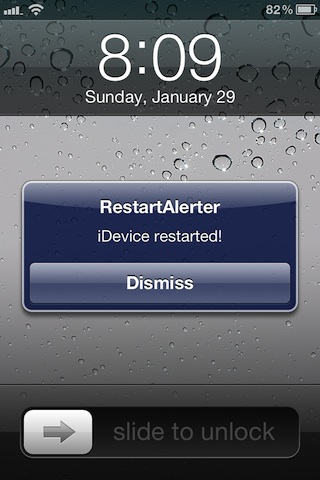
RestartAlerter: Be Alerted When Your Device Reboots or Resprings

Sometimes our iDevice's act crazy, unpredictable even. Sometimes, it's necessary to attempt to troubleshoot issues.

That's pretty much the only reason I could ever see a tweak like RestartAlerter coming into play; when troubleshooting issues.

Yep, it's a tweak that alerts your when your iDevice restarts or resprings, and that's pretty much all it does...

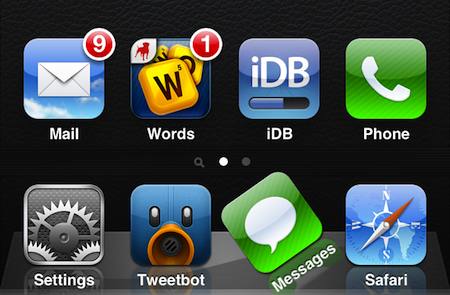
Make Your Dock Icons Do Tricks With IconBounce

There are some jailbreak utilities that are considered to be more or less essential. In fact, Sebastien wrote a post this morning detailing his top 10 must-have tweaks. Then there are others that don't really serve much of a purpose.

IconBounce definitely falls in the latter category. It's a simple utility that makes the dock icons on your iOS 4 or iOS 5 device do summersaults, flips, and other tricks without the need to mess with a bunch of settings...

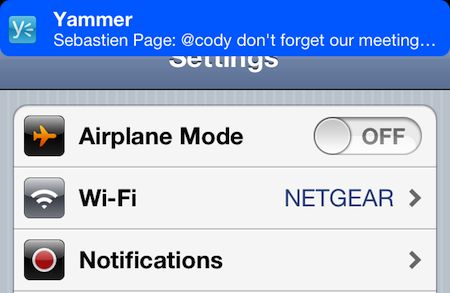
Customize Your Notification Banners With Vexillum

The latest version of Apple's mobile operating system, iOS 5, brought a number of new features and improvements. One of the most welcomed changes was the revamped notifications system with unobtrusive banner alerts.

But as usual, the jailbreaking community takes this feature a step farther. A new tweak has just surfaced in Cydia called Vexillum that allows you to customize both the background and font colors of your notification banners...

Lorem: Swipe to Remove Notifications

Lorem is tweak that brings swipe to dismiss functionality to Notification Center.

It is the companion to Ipsum, a tweak that brings swipe to dismiss functionality to Lock Screen notifications.

Both are great ways to alternatively dismiss the notifications you receive, as you'll see from our coverage inside...

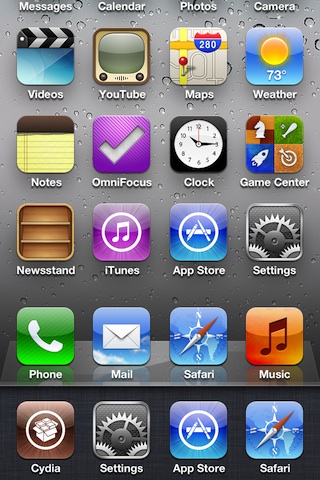
How to Remove Transparent App Icons When Using Folders or Multitasking

It's a bit hard to explain without showing you, but have you ever wanted to get rid of the transparent icon effect that happens when you open the App Switcher or open a folder?

Apparently, some of you did; hence the creation of a jailbreak tweak entitled No Ghostly Icons. As it name implies, it easily rids your iDevice of the transparent icon effect.

To see exactly what we mean, take a look at our video walkthrough...

How to Create Custom Siri Audio Introductions

Tired of the mundane "beep" that Siri does when you initially invoke her? Maybe you found our tutorial on how to make Siri say "Yes?" compelling?

If that wasn't enough for you, then you can take it a step further and create your own custom Siri audio introduction as well. Check inside for our full tutorial...

How to Make Siri Respond With a “Yes?”

I've received numerous questions, emails, and comments asking about one simple Siri feature. How do you make her say "Yes?"

Many have seen Siri say "yes?" on our videos after being invoked, and are curious as to how to go about replicating it.

The answer, is Hands-Free Control, a jailbreak tweak that we've covered in depth at iDownloadBlog. We've created a special video that shows you how to use this jailbreak tweak to make Siri more obedient, at least in theory; check it out...