Video

Add a mirror to Notification Center with ‘MirrorWidget’

MirrorWidget is a jailbreak tweak that places a mirror in iOS 5's Notification Center. The "mirror" is just an image from either the front or rear facing camera; you can switch between the two, and you have the ability to snap a photo in the process.

Making sure you look dapper has never been easier. Check out our video walkthrough straight ahead...

SwipeShiftCaret: Move your cursor a single character by swiping

Don't you just hate it when you need to position your character in a specific spot, but you can't accurately do so due to the iPhone's lack of single character movement? I think we've all been there.

Fortunately, SwipeShiftCaret solves that issue by allowing you to swipe your finger on the screen to move a character space either left or right.

It's an extremely simple tweak with no settings, but it makes editing on an iOS device so much more intuitive...

NCColors: Customize Notification Center background using simple RGB sliders

NCColors is a simple and straightforward method for customizing the background color of iOS 5's Notification Center. To do so it uses simple red, green, and blue sliders to adjust the hue proportions, which allows you to easily come up with a seemingly infinite amount of custom colors.

The RGB sliders alone make NCColors one of the best tweaks available when it comes to changing Notification Center's background color. Check out our further coverage inside...

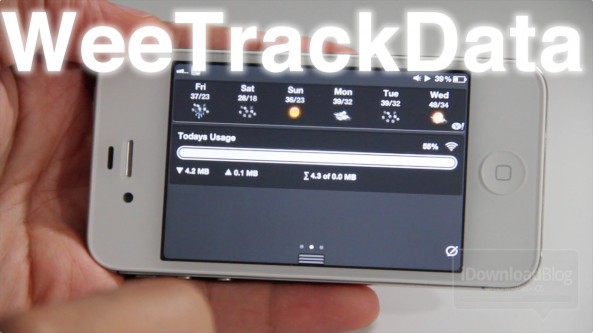
‘WeeTrackData’ tracks data usage via Notification Center + Giveaway

It doesn't take long to realize that your mobile provider isn't really worried when you go over your data limit. In fact, they're happy to ding you with a fee for another allotment of data.

WeeTrackData is a jailbreak app that resides in Notification Center, and it puts you back in the data monitoring driver's seat.

This is an awesome tweak that will help you monitor your data usage using a variety of intervals, and user configurable billing cycles. If you're struggling with managing your data usage, then you don't want to miss this...

LockInfo: iOS 5’s Notification Center inspiration stands the test of time

LockInfo is one of the few jailbreak apps that could single-handedly convinced people to jailbreak their iDevices over the past few years.

It's arguably the primary inspiration behind iOS 5's Notification Center. IntelliScreenX, one of the most popular jailbreak apps at the current moment replicates some of its features.

Without a doubt, LockInfo is a staple in the jailbreak community on a variety of levels. If you're new to the iPhone, or you've just never given LockInfo a try for whatever reason, we recommend that you take a look at our video walkthrough inside...

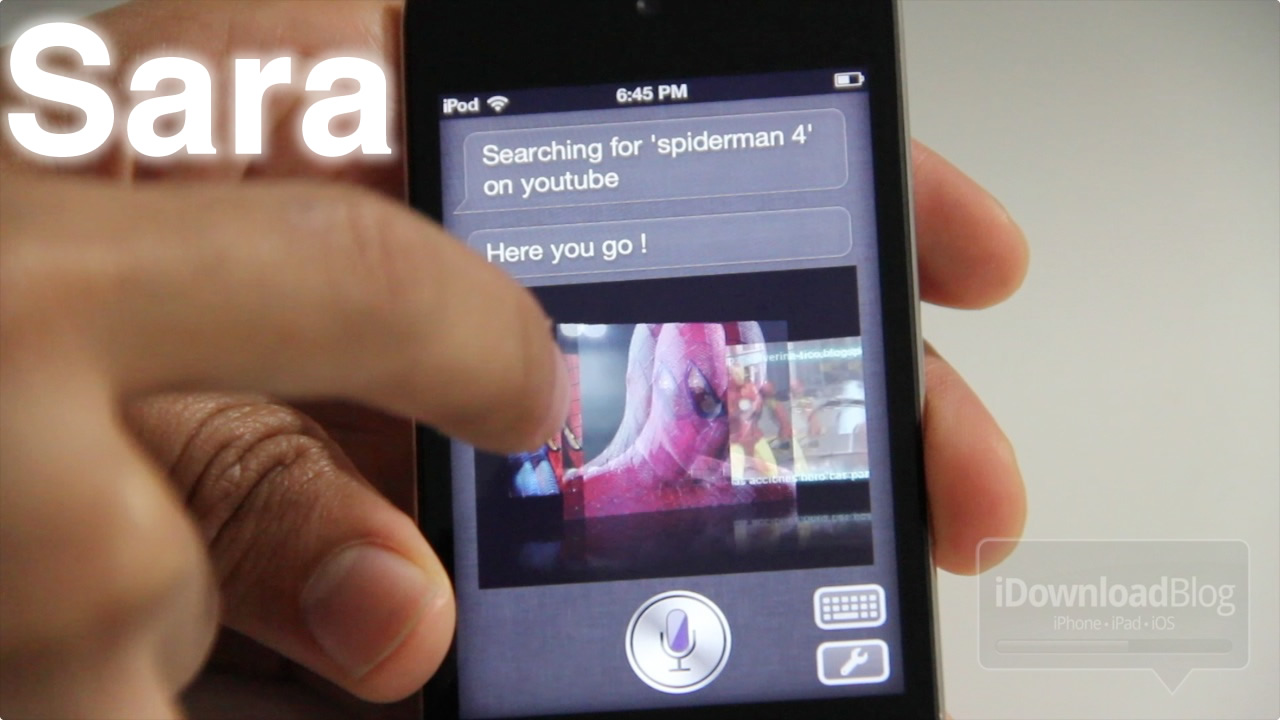
Apple releases two new TV ads focused on Siri

With any new product launch, Apple is known for their creative television advertising for almost every one of their products. Apple has already released a slew of advertisements for the iPhone 4S and Siri, showing how handy the personal assistant really is.

Tonight, 9to5mac points us to two new TV ads being aired by Apple. The thirty second advertisements show off Siri, and are titled "Road Trip" and "Rock God"...

‘WeKillBackground Pro’ makes killing apps a walk in the park

WeeKillBackground Pro is a very robust app management tweak that allows you to kill all backgrounded apps in one fell swoop.

Residing in iOS 5's Notification Center, WeeKillBackground Pro is always at your fingertips when you want to quickly kill all of your running and/or backgrounded apps.

But that's not all, this tweak lives up to its "pro" designation by featuring a generous helping of options along with its basic settings. Check inside for the full scoop...

Fight: Chrome for Android vs. Safari for iOS

The iPhone's browser, Safari, is considered to be one of the fastest and most stable mobile browsers out there. But since Google released their new Chrome for Android mobile browser last week (currently in beta), does Safari still defend its title?

The folks over at the popular Android blog, Android Central, took it in their hands to compare the two browsers...

Can you identify this iPhone thief?

This video was taken by a man who witnessed another man stealing an iPhone from a backpack left behind on a London train. The thief had the balls to open up the bag and steal the iPhone from it in front of everyone, which enraged our amateur cameraman.

After arguing back and forth for a few minutes, the thief just grabs his bicycle and leaves the train, as if nothing had happened...

Amazon goes on the offensive with new Kindle Fire ad

Amazon has gone on the offensive in the company's battle for tablet supremacy by taking a price-powered swipe at its only real competition - the iPad.

The ad, which follows similar Kindle ads we have seen by showing a young lady in a bikini reading a book, shows both the new Kindle e-reader and the Android-powered Kindle Fire in use, while taking a stab at the iPad's lofty price.

Needless to say Amazon's iPad alternatives come up trumps in the new 30-second spot, with one poor chap finding himself shot down in more than one way when he approaches the woman in question...