UI

DnDSwitch lets jailbreakers toggle Do Not Disturb via the ringer/silent switch

All of Apple’s iPhone models come equipped with a side-mounted ringer/silent switch that makes silencing your device’s incoming notification sounds so effortless that it can be done right from your pocket. But as we witnessed in a popular /r/jailbreak request post from this past week, a sizable portion of iPhone users would come to appreciate the ability to repurpose the ringer/silent switch as a physical Do Not Disturb toggle switch.

The aforementioned idea seemed like a good idea even to me when I read about it earlier in the week, but now that a new and free jailbreak tweak called DnDSwitch by iOS developer smokin1337 officially exists, I can genuinely say that I welcome the concept even more than I did just a few days ago when I read about it on Reddit.
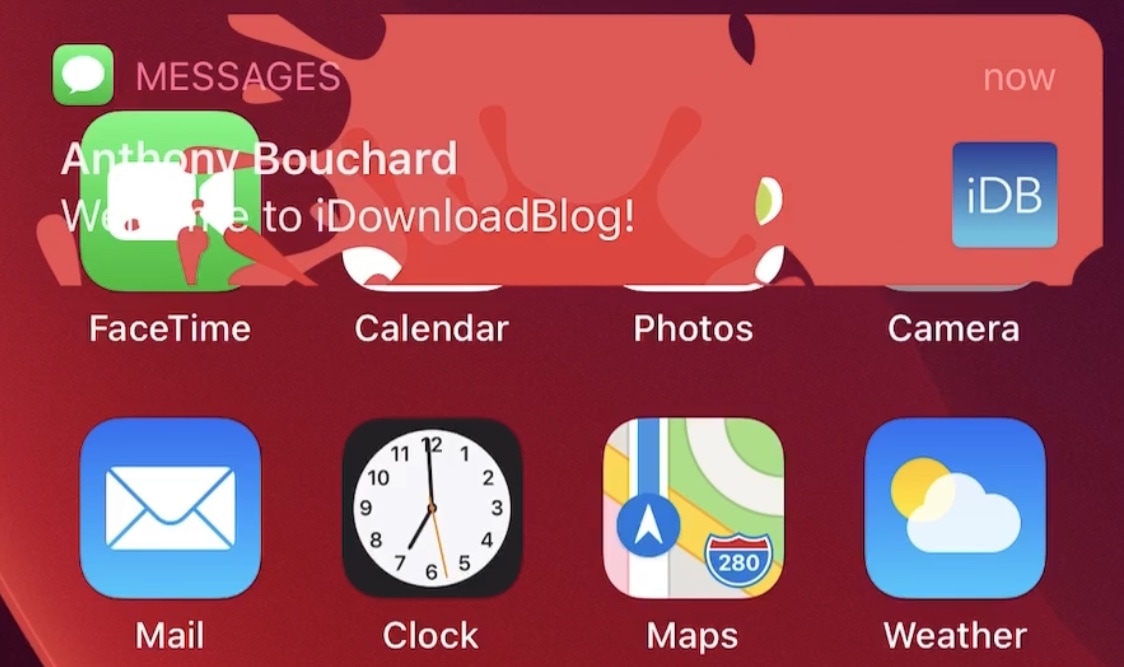
Starscape: A curious new aesthetic for banner notifications on jailbroken handsets

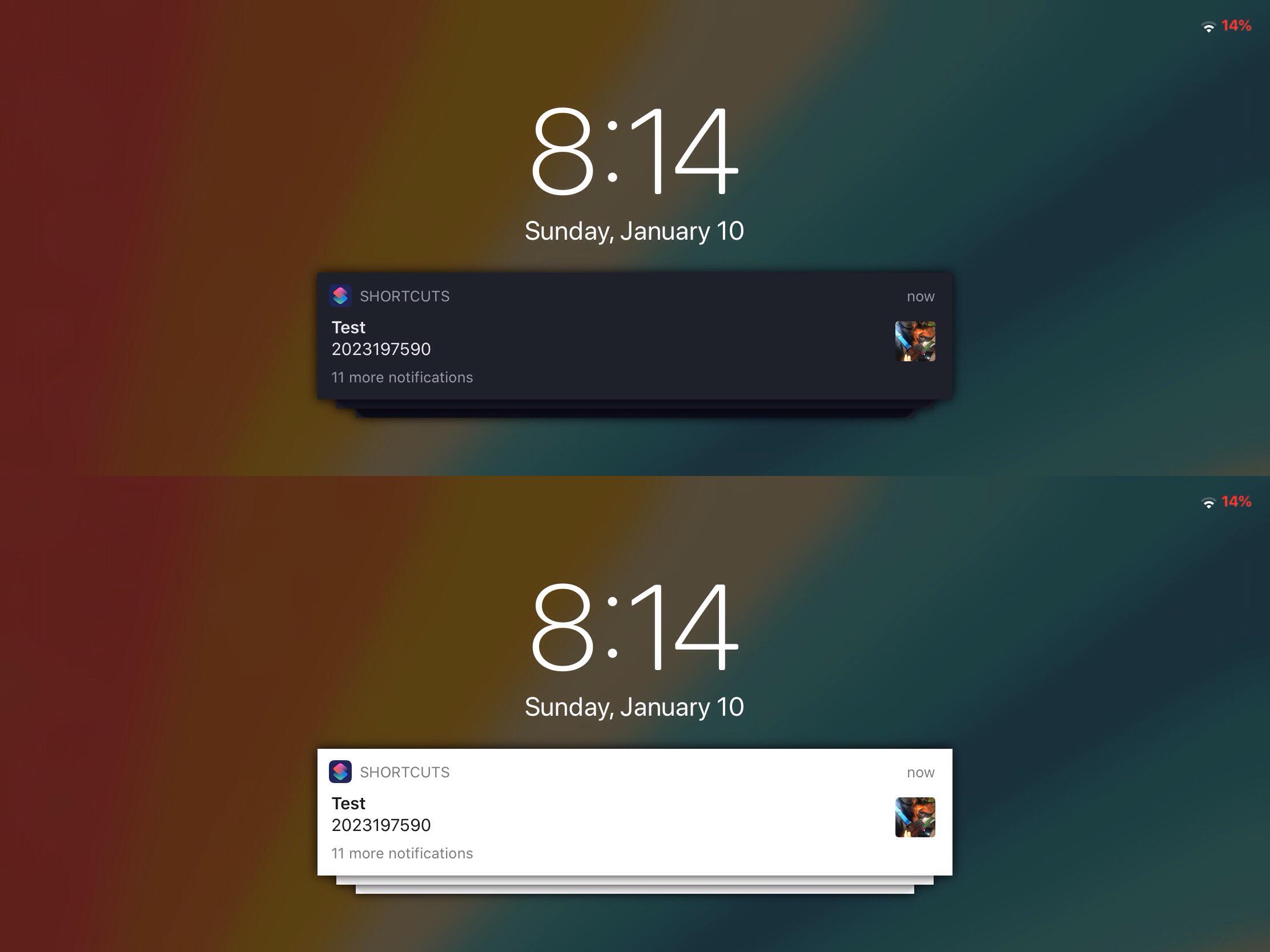
Banner notifications are a critical component of the notification system found on iPhones, iPod touches, and iPads. Whenever you miss a notification, regardless of which app it’s coming from, the operating system displays a banner to keep you in the loop of what’s going on.

Like many things in Apple’s fully integrated software ecosystem, banner notifications aren’t aesthetically customizable. With that in mind, it’s easy to see why banner notifications are often the topic of interest with respect to jailbreak tweaks.

Get Lottie-style notification banner animations on your jailbroken iPhone with LottieNotifications

Since the start of January, we’ve witnessed and covered a number of jailbreak tweak releases intended to port fun and quicky Lottie-style notifications to the iOS and iPadOS platforms.

LottieLockscreen was the first of such releases, and as the name implies, it offered Lottie-style animations for the Lock Screen. A few days later, LottieStatusBar became available, and it brought similar animations to the Status Bar. Today, we’re looking at another addition to the Lottie tweak family.

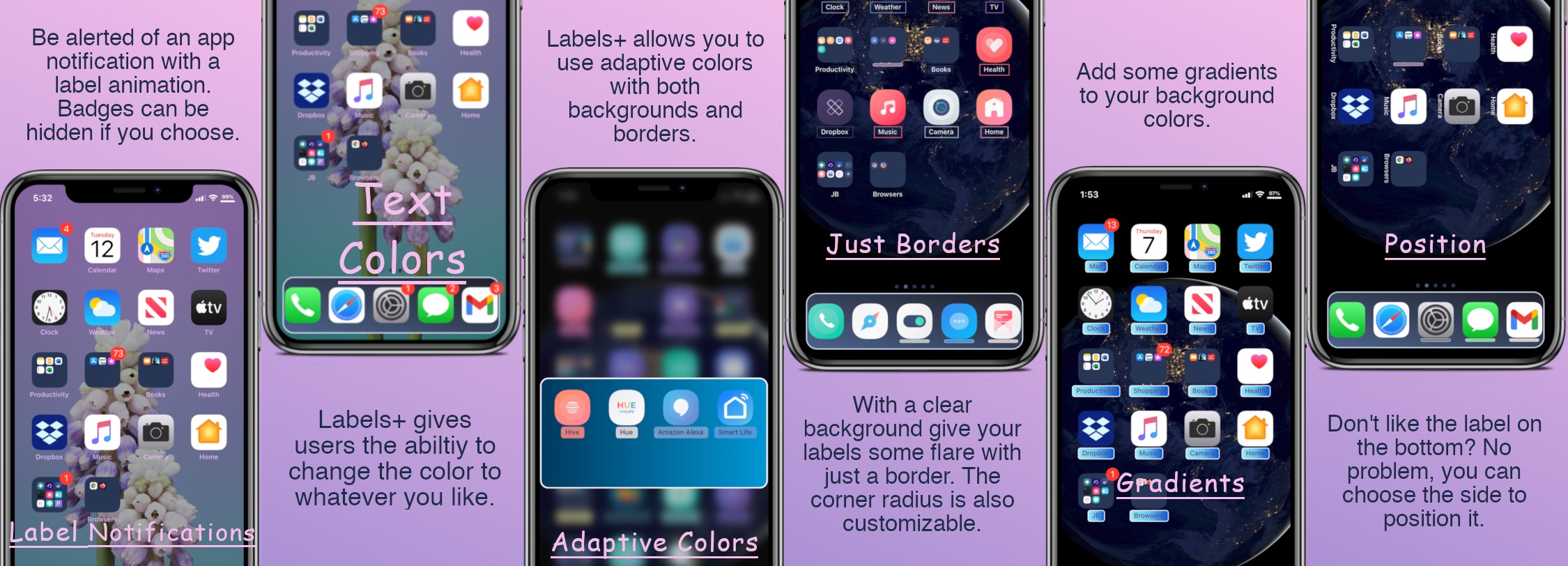
Jailbreakers can customize their Home Screen’s app icon labels with Labels+

One of the things we just can’t help but notice about the Home Screen is the fact that each individual app icon sports its own label — typically designating the respective app’s name.

Apple doesn’t provide users with much customization when it comes to the Home Screen’s app icon labels. The only arguable exceptions are that the icon labels may switch between black and white depending on the color of the Home Screen’s wallpaper and that users may embolden the app icon labels by enabling bold text system-wide.

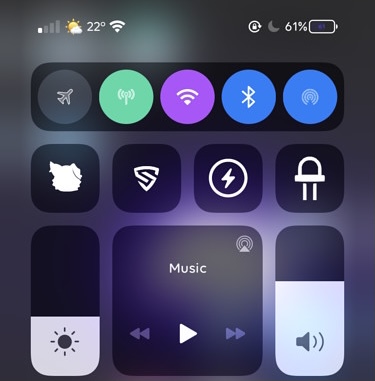
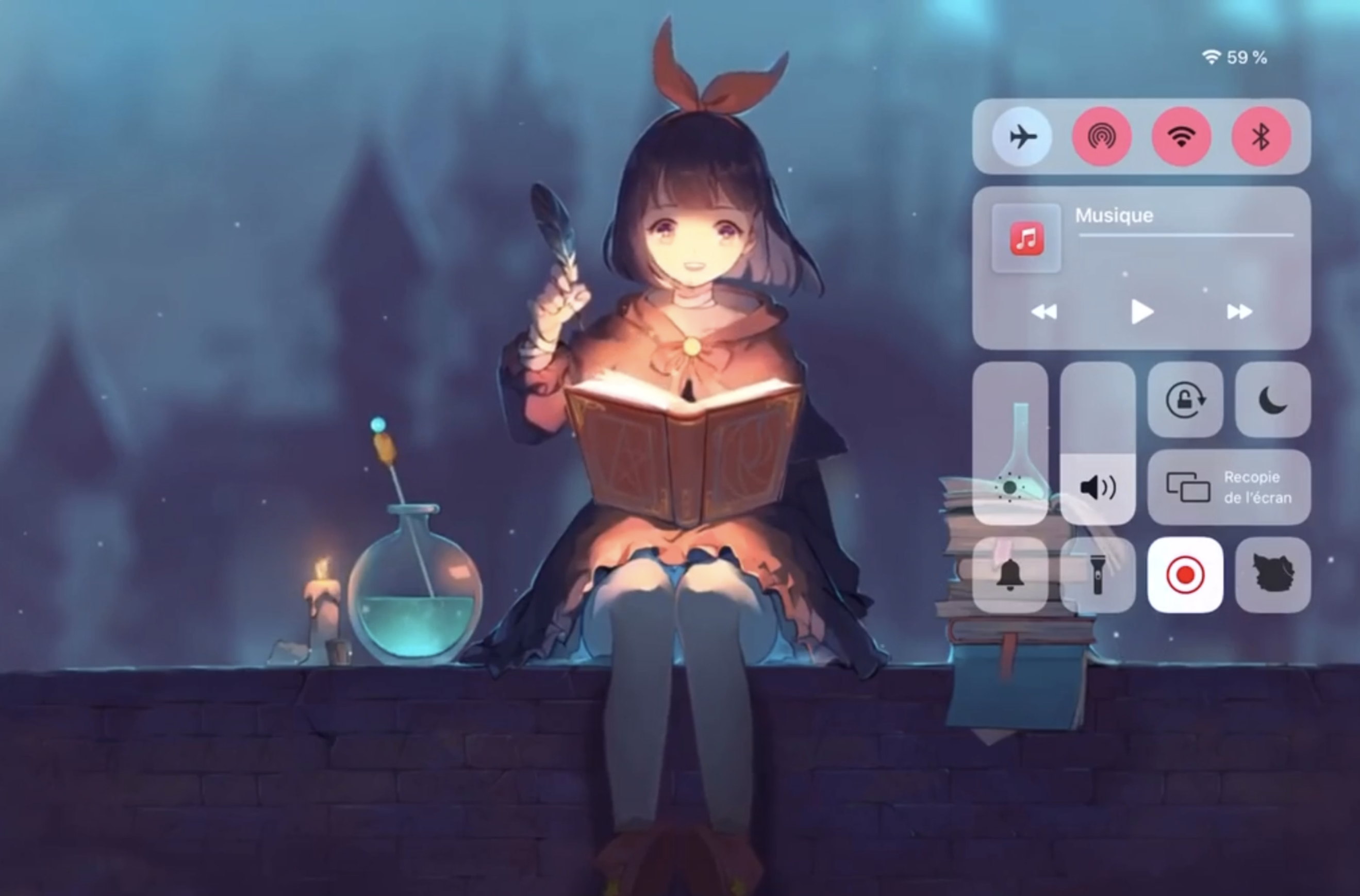
Colorize Control Center’s connectivity module toggles with Aestea Revived

One of my favorite elements of Control Center is the connectivity module, which resides on the top shelf of the interface and provides nearly all of the toggle buttons for my handset’s wireless radios, including Bluetooth, Cellular, Wi-Fi, and a handy button for immediate access to Airplane Mode, among other things.

As much as I like the connectivity module in terms of its functionality, I’ve always thought that it would be more exciting if Apple provided a way for users to colorize the user experience to suit their tastes. While it doesn’t seem that Apple shares the same interests that I do, a free jailbreak tweak dubbed Aestea Revived by iOS developers Litten and Luki120 certainly hits close to home on the subject.

ReachSpring lets jailbreakers respring with the native Reachability gesture

Respring screen.

Jailbreakers know just how valuable the ability to respring their device can be, as it’s often used for saving settings that have been applied to third-party jailbreak tweaks, or for installing or uninstalling those very same extensions. With that in mind, it can be incredibly useful to be able to respring on a whim.

While most jailbreak tweaks offer some type of respring shortcut in their preference pane, not all of them do, and a newly released and free jailbreak tweak called ReachSpring by iOS developer Luki120 ensures that an honest respring is never more than a simple gesture away.

AutoLockX prevents apps from overriding Apple’s Auto Lock feature

As many iPhone owners already know, the iOS operating system provides users with a feature called Auto Lock that, when configured by the end user, can automatically lock the handset after a pre-defined amount of idle time. In other words, when your handset isn’t being actively used, it goes to sleep to save power and to secure your important data.

Auto Lock takes effect in most circumstances, however there are a few exemptions in which the feature gets overridden, such as during media (video) playback and while playing certain games. Some users like this because of its convenience, while others find it to be a concern both in terms of battery life and data security.

LottieStatusBar brings Lottie-inspired animations to the Status Bar

It was only a couple of days ago that we showed you a jailbreak tweak dubbed LottieLockscreen by iOS developer MiRO. In a nutshell, it brought fun and quirky Lottie-style animations to the Lock Screen on jailbroken iPhones. The tweak’s popularity rapidly gained momentum following its release, and as such, we knew it would only be a matter of time before the developer expanded the concept to other interfaces of iOS.

LottieStatusBar is the latest of such expansions, and just as the tweak’s rather conspicuous name implies, it ports these Lottie-style animations to the handset’s Status Bar.

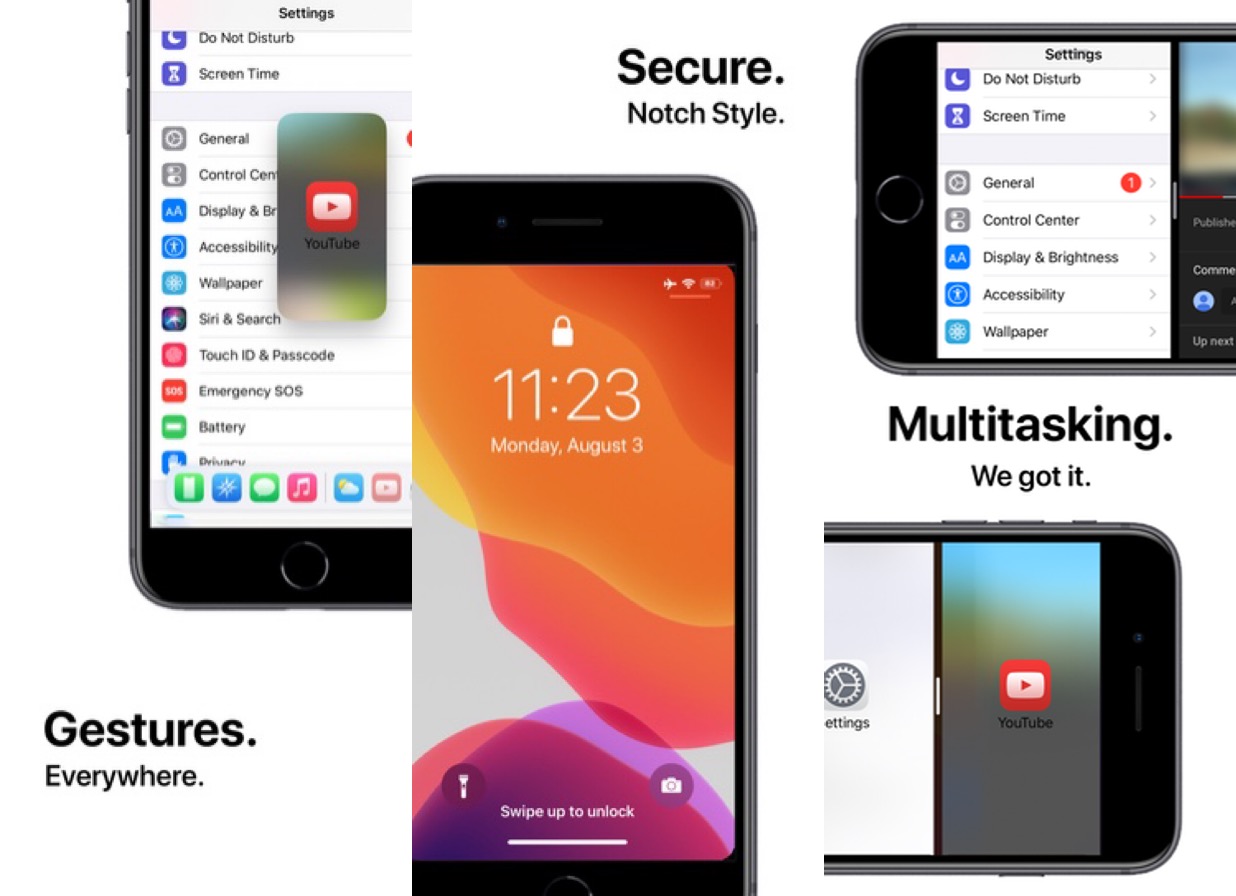
Give your older iPhone a bevy of modern handset features with Little12

When Apple launched the iPhone X back in 2018, we knew the company was transitioning into a new hardware era. It wasn’t long before Apple ditched Home Button-equipped handsets altogether, paving the way for a more advanced gesture-driven user experience that could be enjoyed on a larger edge-to-edge display.

For those who still have an older Home Button-equipped iPhone, the user experience isn’t quite as robust as it would be on a notched handset by comparison. For that reason, iOS developer Ryan Nair launched Little12, a free jailbreak tweak that back-ports several of the gestures and features from notched devices (and then some) to non-notched devices.

ButterflyEffect adds animated butterflies to the Home & Lock Screens

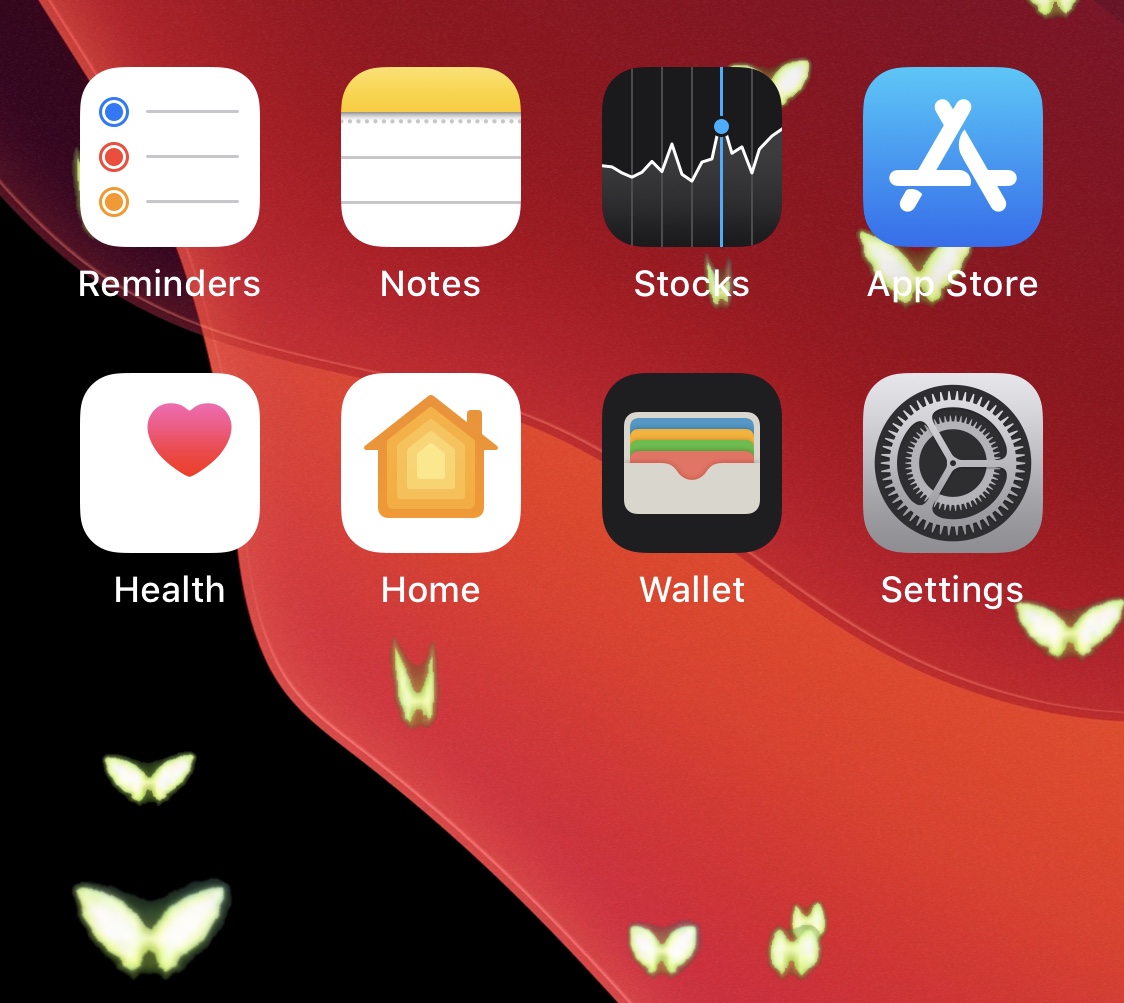
Do you enjoy butterflies? If you answered ‘yes’ to that question, then you might find yourself intrigued by a new, free, and rather conspicuously-named jailbreak tweak dubbed ButterflyEffect by iOS developer Pixelomer.

At first glance, ButterflyEffect causes animated butterfly-themed sprites to flutter over the top of your Home Screen and Lock Screen wallpapers. These animations traverse your screen from the bottom to the top and move slowly enough to be noticed, yet fast enough not to get in the way of your wallpaper viewing pleasure.

LottieLockscreen gives the Lock Screen quirky Lottie-style animations

One of the things I appreciate most about having a jailbroken iPhone at my disposal is that I can simply download a single jailbreak tweak and suddenly have a user interface that transcends the appearance of any stock handset in circulation. Whether you’re into making a native interface look more impressive than it does out of the box, or you want something flashy that will garner attention from anyone around you, there’s something for everyone.

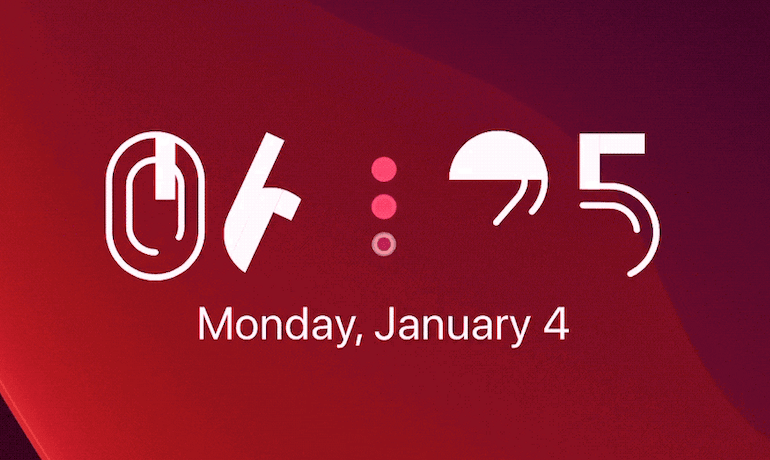
One of the latest of such jailbreak tweaks is a new and free release dubbed LottieLockscreen by iOS developer MiRO, and as you’re about to witness for yourself, the tweak takes various angles of approach for augmenting the Lock Screen’s aesthetics.